Coloring Games for Kids: Color
- 256.00
- 4.6
- Installs
- 10.00M
- Price
- Free

Screenshots
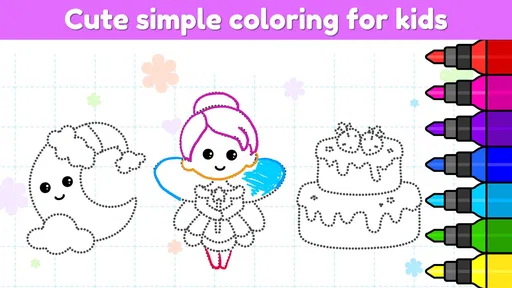
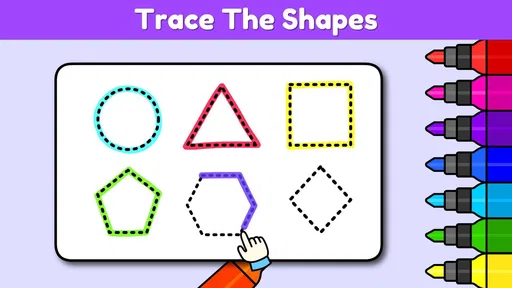
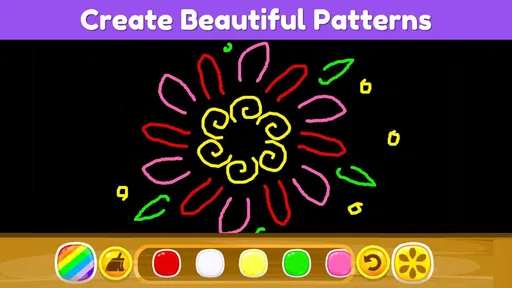

Analysis by Reviewed
I see Coloring Games for Kids: Color as a useful middle ground between a paper coloring book and a full drawing program. It gives children ready-made pictures and easy ways to add color, so they can begin without needing to plan a drawing from scratch. That convenience is its strongest point, especially when a table, art supplies, or a long setup aren’t available. It is less compelling for children who want to invent every detail themselves or for families trying to keep screen time out of the activity.
A quick activity that needs little setup
The game suits short stretches of spare time: a quiet moment before dinner, a wait at an appointment, or a journey when packing crayons and paper would be inconvenient. A child can focus on one picture without making a mess or needing an adult to lay out supplies. I would still start by choosing a page together. A large gallery can be appealing, but too many choices can turn a simple activity into a long search, particularly for a younger child who is not yet comfortable navigating menus.
For a realistic routine, I’d offer two choices rather than opening the full selection and asking, “What do you want to do?” Once the child picks, they can color for a short break, save the result if they want to keep it, and then move on to another activity. That makes the app easier to use as a contained pastime instead of an open-ended reason to keep the device in hand. It also gives the child a small sense of ownership without requiring them to finish a complicated project.
Why Kids Love It
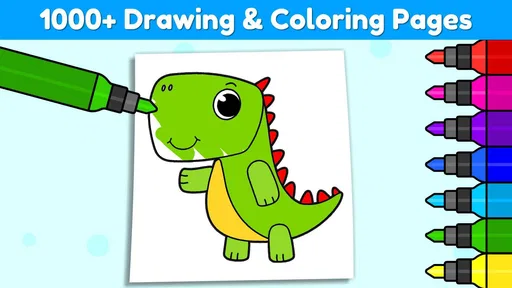
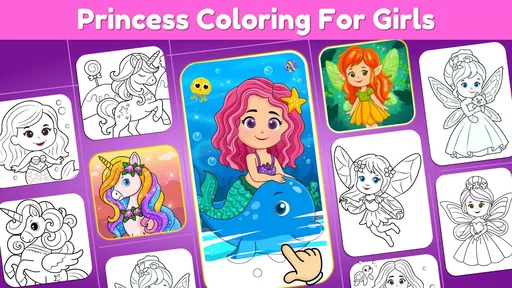
First off, the app is incredibly user-friendly, making it perfect for little hands to navigate. It offers a wide variety of pictures to color, from animals and landscapes to fantastical creatures and everyday objects. The vibrant color palette is sure to catch any child's eye, and the simple interface means kids can jump right in without getting frustrated. With more than a thousand coloring activities, there is plenty to browse, though a large selection can also make it useful to help a younger child choose a picture instead of handing over the device and leaving them to scroll.
Features that Spark Creativity
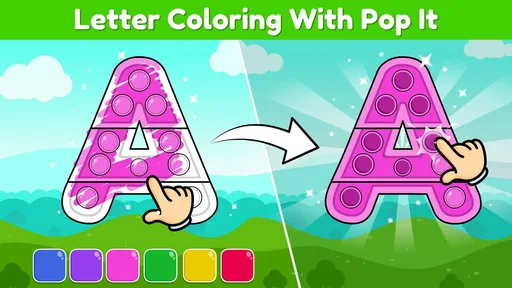
One of the coolest features is the different coloring tools available. Kids can choose from brushes, crayons, and even a magic wand that fills in colors automatically. Plus, no need to worry about going outside the lines because the app has a neat feature that keeps colors within the boundaries—perfect for perfectionists! That boundary help is especially useful for children still learning to control a finger or stylus, although it can make the result feel less like freehand drawing. I’d treat it as a confidence-building option, not as a substitute for practicing drawing on paper.
The app also includes some fun effects like glitter and neon colors, which can make any artwork pop. And for those who love challenges, there are color-by-number activities that not only entertain but also teach kids about numbers and colors. A practical way to use these is to let a child choose the picture first, then offer the numbered activity when they want a little more structure. That small choice can keep the task engaging without turning coloring into a lesson they didn’t ask for.
Those tools also make it possible to adjust the activity to a child’s mood without changing apps. If they want a quick result, an automatic fill can feel satisfying; if they want to spend longer on a picture, they can work more deliberately with the other coloring options. I would let the child experiment rather than insist on staying inside every outline. The point is to make a picture they enjoy, not to turn neatness into a test. For younger children, this distinction matters: a tool that makes coloring easier can build confidence, but praise for choices and effort is more helpful than judging whether every section is perfectly filled.
More From Our News Desk

Weather by Xiaomi Review: Clear at a Glance, Less Clear Up Close

X Under Pressure: Can It Recover When Posting Goes Wrong?

Clash of Clans Is Won Between the Battles

Android Auto Makes the Case for Quieter Car Software

MobiOffice: Transforming Mobile Productivity with Seamless Integration

EA SPORTS FC™ Mobile Soccer: Redefining Mobile Sports Gaming
There is a useful trade-off in the ready-made pages. They remove the intimidating blank-page moment and make it easy for a child to begin independently, but they also put limits around what the child can create. I’d use the game when the aim is choosing colors, exploring effects, or finishing a small activity. When a child starts asking to draw a new animal, combine characters, or make a picture that doesn’t match a template, that is a good cue to switch to paper or a drawing app with a blank canvas instead of trying to make this game serve a different purpose.
Parental Perks
As a parent, I really appreciate the app’s offline capabilities. It’s a lifesaver during long car rides or when you’re in places with spotty Wi-Fi. Plus, the app is designed to be safe for kids, with no intrusive ads or in-app purchases that could lead to any unexpected charges. It is free to download, but in-app purchases range from $1.99 to $19.99 per item, so I would check purchase settings before giving a child unrestricted access. The game is rated for Everyone, which makes it broadly suitable by age, but it doesn’t replace an adult’s judgement about screen time or what a particular child enjoys.
Because optional purchases are available, I would set device-level purchase controls before handing the phone or tablet to a child. That is a simple precaution, not a reason to avoid the game, but it prevents a child from encountering a purchase prompt and treating it as part of the coloring activity. I’d also open the app once myself before a trip or appointment, so I know how the child gets from the starting screen to a page and can guide them quickly if they get stuck. A small amount of adult setup can preserve the simple, low-fuss appeal that makes a digital coloring book useful in the first place.
Another great aspect is the ability to save and share your child’s creations. It's a joy to see them proudly show off their latest masterpiece to family and friends. In a busy everyday routine, I’d use that as a natural stopping point: finish one picture, save it, and then put the device away rather than letting the next choice automatically stretch the activity. A saved image can also give a child a sense of completion, even when the drawing itself took only a short break.
Saving a picture can be useful beyond showing it to relatives. A child who is unsure what to do next may enjoy looking back at a finished page and talking about the colors they chose, while a caregiver can use the saved result as a reminder of a completed activity rather than asking the child to keep working. I would keep sharing adult-led and intentional, especially for young children; the practical value is having a way to preserve a creation, not encouraging a child to post or send it without supervision.
Compared with a physical coloring book, this game is easier to pack and offers undo-friendly experimentation, but it can’t provide the feel of paper or the variety of real materials. Compared with a general drawing app, its ready-made pages and guided filling are more approachable for a young beginner, while children who want to sketch their own characters may find a blank canvas more satisfying. I’d choose this one for quick, low-mess coloring; I’d choose paper or a drawing-focused tool when the goal is practicing original artwork.
There is also a practical difference between using it as a backup and making it the default art activity. On a rainy afternoon at home, paper lets a child spread out, switch tools, and keep drawing without a screen; this game makes more sense when the family is away from supplies or needs a contained activity in a small space. If the child is already tired of screens, the convenience is not enough to make digital coloring the better choice. I’d follow their interest rather than assume that a coloring app will always calm or occupy them.
Educational Benefits
Beyond just being fun, Coloring Games for Kids: Color is also educational. It helps in developing fine motor skills as kids learn to control their finger movements on the screen. The app also encourages creativity and imagination, allowing kids to experiment with color combinations and art techniques. It comes from IDZ Digital Private Limited, and its 4.7 average from around 23,000 ratings, alongside more than 10 million installs, suggests that many families have tried it. Those figures are reassuring context, not a guarantee that every child will connect with the activities; a child who dislikes choosing from templates may lose interest quickly.
I’d think of the learning value as informal practice rather than a structured art course. A child can make small decisions about color, use a finger or stylus with more control, and follow a numbered page when they want guidance. An adult can make that experience richer by asking what made them choose a particular color or letting them explain a picture, instead of turning each page into a quiz. The app gives children a place to experiment, but it does not replace varied hands-on activities or the broader learning that comes from drawing, cutting, and making things away from a screen.
Age suitability is personal even when a game is rated for Everyone. A child who enjoys clear choices and visual feedback may settle into the activity quickly; another may find the menus or templates less appealing and want someone to sit beside them. I’d especially expect younger children to benefit from a caregiver choosing a page and helping them understand the basic tools at first. Older children who already like making their own art may prefer a blank canvas, while a child who enjoys coloring familiar outlines could get more from the ready-to-use pages.
Where it fits among children’s art apps
In the usual range of children’s art options, this sits closer to a digital coloring book than to a drawing studio. Its advantage over a paper book is portability and the ability to try colors and effects without committing to a mark; its advantage over a blank-canvas app is that a child does not have to invent a subject before starting. The trade-off is that the guided format leaves less room for original composition, and a screen cannot reproduce the tactile pleasure of crayons or markers. I’d choose based on what the child wants to do, not on which format seems more advanced.
A useful way to decide is to watch what the child asks for after finishing a page. If they want another outline, this format is doing its job. If they want to change the picture itself or draw something from memory, paper or a more open-ended art tool is likely a better match. That simple distinction helps avoid expecting a coloring game to teach every aspect of art, and it makes the choice of activity feel responsive rather than dictated by the device.
Who I’d recommend it to
I’d recommend it most to families with a child who likes filling in pictures and benefits from a clear starting point. It is also a sensible option for caregivers who need a compact activity for travel, waiting rooms, or a short quiet break, particularly when carrying a box of supplies would be awkward. The ability to pick from many pages and use different coloring approaches gives the child room to choose without requiring advanced drawing skills. An adult can keep the experience smooth by narrowing the choices, setting expectations about purchases, and agreeing on when the session ends.
I’d skip it for a child who is specifically looking for freehand sketching, a hands-on craft, or a screen-free way to pass time. It may also be a poor fit for a family that wants to avoid optional purchases and would rather not adjust device settings. If a child becomes frustrated by navigating choices or loses interest once a picture is complete, the large selection may not solve that mismatch. In those cases, a paper coloring book, a simple set of crayons, or a drawing-focused app is a more direct answer to what they want.
Availability and final verdict
My clearest recommendation is for parents or caregivers who want a straightforward activity for a waiting room, a quiet moment at home, or a journey where carrying art supplies would be awkward. The game is free, runs on Android 5.0 or later, and version 5.13.3 is the current release. I’d skip it if your priority is a completely screen-free activity, unrestricted free drawing, or avoiding optional purchases altogether. For the right child, though, its guided pages make it easy to begin without much setup. If your child enjoys coloring but needs a little structure, I think it’s worth trying—with an adult nearby to help with choices and keep the session balanced.
Overall, I’d treat it as a handy extra in a child’s activity mix, not as a replacement for paper, open-ended drawing, or outdoor play. The best reason to try it is straightforward: it makes familiar coloring accessible when supplies are inconvenient, and its guided approach can help a beginner get started. The main reasons to look elsewhere are just as clear: children who want complete creative freedom, families who want no screen-based activities, or caregivers who do not want to manage optional purchases will be better served by another option. For a child who likes coloring templates, though, the balance of easy entry and choice makes this a practical game to keep in mind.
Coloring Games for Kids: Color Frequently Asked Questions
What does Coloring Games for Kids: Color offer children who enjoy creative activities?
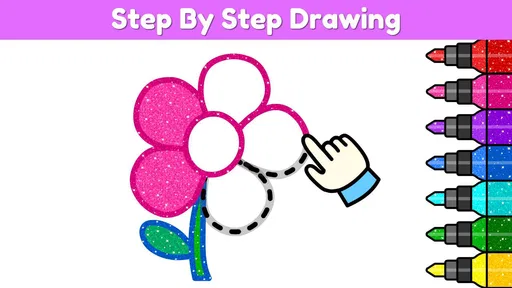
Coloring Games for Kids: Color is an educational game built around coloring and drawing, with a wide range of activities for young players. Its collection includes more than 1,000 coloring games and a drawing book, so children can choose among different pictures and creative options. The straightforward format makes it easy to begin a coloring session without needing prior drawing experience.
Can children use Coloring Games for Kids: Color without knowing how to draw?
Yes. The game includes coloring activities as well as a drawing book, making it suitable for children who want to color existing pictures and those who want to try drawing. Its simple creative focus is approachable for beginners, so children can explore at their own pace. Parents can help younger players choose an activity and get comfortable with the game’s controls.
What kind of game is Coloring Games for Kids: Color?
Coloring Games for Kids: Color is an educational game centered on coloring and drawing. Its collection includes a wide variety of more than 1,000 coloring games and a drawing book, giving children different pictures and activities to explore. The simple focus makes it easy to pick up for a creative play session, whether a child wants to fill in a picture or try drawing.
Does Coloring Games for Kids: Color cost anything to download?
The game is free to download, so you can try its coloring activities without paying upfront. It also offers optional in-app purchases, with prices ranging from $1.99 to $19.99 per item. If a child will use the game, it is worth reviewing purchase settings on the device and discussing purchases with them before play.
What age group is Coloring Games for Kids: Color suitable for?
Coloring Games for Kids: Color is designed for children aged 3 to 8 years old. It offers easy-to-use interfaces and a variety of coloring activities that cater to young minds, promoting creativity and color recognition. The app is perfect for preschoolers and kids in early elementary school, ensuring age-appropriate content.
Pros
- Easy interface for young children
- Wide variety of coloring pages
- Encourages creativity
- No ads in the free version
- Supports offline use
Cons
- Limited color palette
- Some features require payment
- Occasional app crashes
- Limited to basic coloring tools
- No option to save progress













