Find Master: Hidden Objects
- 128.00
- 4.8
- Installs
- 100.00K
- Price
- Free

Screenshots
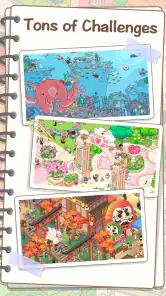
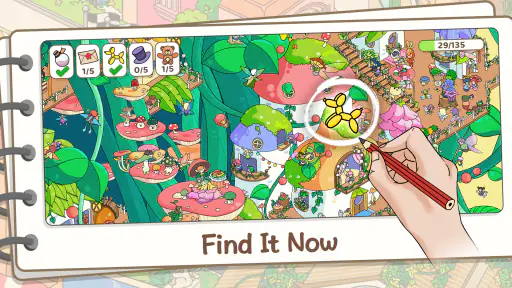
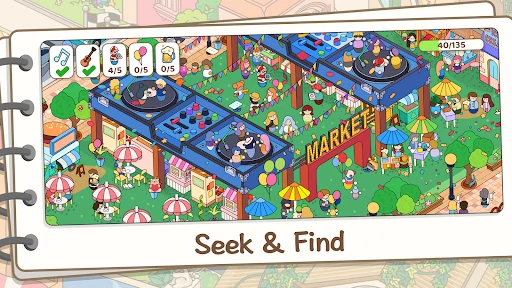
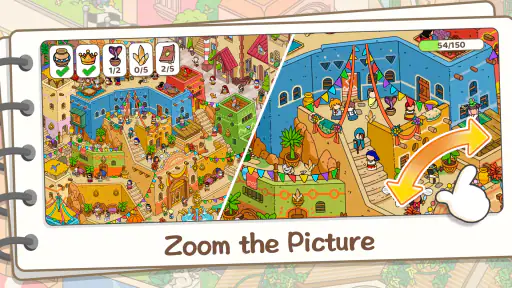
Analysis by Reviewed
On a short break, I often want a puzzle I can start without learning a complicated set of rules. Find Master: Hidden Objects is built around scanning illustrated scenes for particular items, so the basic appeal is immediate: look closely, spot a detail, and enjoy the small win. I find it better suited to a few relaxed rounds than to players looking for a long story or a demanding strategy challenge.
What free access means in practice
The game is free to download, which makes trying it a low-commitment choice. That is the clearest value point I can recommend: you can see whether its search puzzles suit you before deciding whether to keep it. The game is made by Joymaster Puzzle Game Studio, is rated for Everyone, and has a 4.8 average from around 4.3 thousand ratings. Those figures offer context, but they cannot tell you whether the visual searching itself will hold your attention.
I would separate free access from any extra spending. The published description mentions in-app purchases, so the download being free does not establish that every optional item or convenience is free. I would begin without paying and judge the core experience first. If you are choosing a game for a child, the Everyone rating is useful context, but I would still check purchase settings on the device rather than assume that an age rating controls spending.
How the search puzzles fit into everyday play
The core loop is easy to pick up: study a busy scene, find the requested objects, and move on to another visual search. That simplicity gives the game a practical use when I have a few spare minutes and do not want to remember a plot or manage a complicated set of controls. It is also a different kind of attention exercise from a word puzzle: instead of recalling vocabulary or planning several moves ahead, I need to compare shapes and details across the picture.
Engaging Gameplay
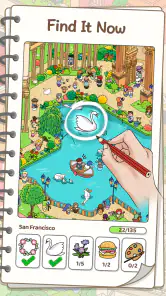
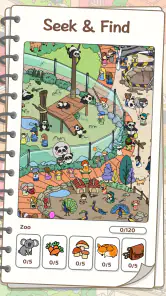
From the moment you dive into Find Master: Hidden Objects, you’re greeted with a colorful and intuitive interface. The game throws you into various scenes, each packed with hidden items that you need to find. It’s like a digital scavenger hunt that keeps you on your toes. I spent hours sifting through intricately designed levels, each more challenging than the last. And that eureka moment when you spot a cleverly hidden object? Pure satisfaction!
Visually Captivating
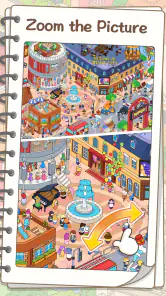
The graphics in this game are nothing short of spectacular. Each scene is meticulously crafted, with vibrant colors and intricate details that make the search process both challenging and rewarding. Whether you’re exploring a bustling cityscape or a serene forest, the visuals pull you right in, making every minute spent searching feel like a mini adventure.
A useful way to play is to scan in a pattern rather than darting randomly around the image. I work across one area at a time, then check the edges and clusters of similar colors, where an object can blend into surrounding detail. This turns the game into a calmer, more deliberate activity and can help when a scene starts to feel visually busy. If I am still stuck, I use a hint only after giving the whole picture a careful pass; that keeps assistance from replacing the search.
More From Our News Desk

Weather by Xiaomi Review: Clear at a Glance, Less Clear Up Close

X Under Pressure: Can It Recover When Posting Goes Wrong?

Clash of Clans Is Won Between the Battles

Android Auto Makes the Case for Quieter Car Software

MobiOffice: Transforming Mobile Productivity with Seamless Integration

EA SPORTS FC™ Mobile Soccer: Redefining Mobile Sports Gaming
Who is likely to enjoy it
This is a good fit for casual puzzle fans, families looking for a simple shared activity, and anyone who enjoys visual observation more than timed planning. A realistic moment for it is waiting for an appointment: I can open a level, focus on the scene, and put the phone away when I am called without having to follow a complicated sequence of events. The short-session appeal is strongest when the goal is light concentration rather than deep immersion.
Compared with the usual alternatives, such as match-three puzzles or word games, this one asks for visual patience rather than chains of moves or word recall. That makes it a refreshing change if those familiar formats feel repetitive. The trade-off is that players who want strategic progression, a strong narrative, or a puzzle that can be solved with logic alone may find searching pictures less satisfying. Its challenge depends on noticing objects in a scene, so it is not the best choice if visual clutter tends to tire you quickly.
Hints, age, and practical limits
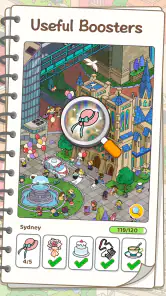
Additionally, the game offers a variety of power-ups and hints. Trust me, these come in handy when you’re stuck on a particularly tricky item. The balance between challenge and assistance keeps the game engaging without being frustrating.
I would treat hints as a nudge rather than a routine shortcut: first scan by sections, then use help when you have genuinely run out of ideas. That approach preserves the satisfaction of finding things yourself and makes each hint feel more useful. Because the game is rated Everyone, it can suit a broad age range, though younger players may still benefit from an adult helping them understand any purchase prompts. If you prefer puzzles with no optional spending at all, or need a game built around a specific difficulty setting, this may not be your first pick.
The game has 100 thousand or more installs and 128 reviews, and it was released on July 4, 2024. Version 1.1.3 requires Android 5.0 or later. I would use those details to check basic compatibility, not as a promise that every device will feel identical. If you are wondering whether it works as a quick distraction, the visual-search format makes that an easy use case; if you need a reliable offline game or want to know exactly what purchases include, check those points in the app before relying on it.
Making a short session work
For a more satisfying play session, I would treat each scene as a small observation task rather than race through it. Before tapping an item, I pause to compare its outline with nearby shapes; this is especially helpful when several details share a similar color. If I have only a minute, I can make a few deliberate searches and stop without feeling that I have abandoned a complicated storyline. When I have more time, I can return to the same kind of focused scanning and use a hint only after narrowing down the areas I have already checked.
That approach also makes the game easier to share. One person can read the target while another scans, or two players can take turns looking at different parts of a scene. I would keep it informal, since the appeal is cooperative noticing rather than a deep team strategy. For a parent sitting beside a younger player, asking them to describe an object’s shape or likely location can turn a tap-and-search activity into a gentle conversation without changing the basic puzzle.
How it compares with other puzzle habits
Hidden-object play occupies a useful middle ground between passive picture browsing and rule-heavy puzzles. A crossword asks me to retrieve words and tolerate uncertainty about spelling; a match-three game encourages planning around a board and reacting to combinations. Here, I can look directly at the scene and test visual guesses. That directness makes it approachable, but it also means the challenge can depend heavily on how easily I distinguish small details on my screen.
If I want a game that rewards building a plan over several turns, I would choose a logic or strategy puzzle instead. If I want a story that carries me through a longer session, a narrative adventure is a better match. Find Master is most appealing when I want to concentrate on one picture at a time. It is not a substitute for every kind of puzzle; its value comes from offering a different mental rhythm when wordplay or board-based decisions are not what I feel like doing.
Where the friction shows up
The main trade-off is visual density. A scene with many details can be absorbing, but the same detail can make searching tiring if I am playing on a small display, have limited patience for close inspection, or am already mentally worn out. I would not choose it as a relaxing option if looking carefully at a busy image feels like work. In that situation, a simple number puzzle or a game with clearer, larger elements may be kinder.
Hints help when progress stalls, but relying on them too quickly can flatten the central pleasure of finding an object myself. I would use them selectively and regard them as assistance, not as proof that every difficult moment should be bypassed. The free download is a good way to test whether the balance suits me, while the mention of in-app purchases is a reason to review any prompts before choosing to spend. That distinction matters if you are installing it for a child or want a strictly no-spend experience.
Compatibility and choosing the right moment
Find Master is a game for Android, with version 1.1.3 listed for devices running Android 5.0 or later. The game has reached over 100 thousand installs and has 128 written reviews. It was released on July 4, 2024. I would check the device’s software before installing, then try a scene in the lighting and posture where I expect to play: tiny details are easier to miss when I am distracted or viewing the screen at an awkward angle.
For an everyday example, imagine a short wait before a bus arrives. I can open the game, search a section of the scene, and pause when it is time to board. That works better than starting a puzzle that demands sustained planning or a story sequence I would rather not interrupt. On the other hand, if I need something that is confirmed to work without an internet connection, I would check that directly before depending on it during travel; I would not assume that a quick-search format guarantees offline access.
Who gets the best value
I would recommend trying it if you enjoy spotting visual details, want a casual puzzle that asks little preparation, or are looking for a screen activity that can be shared in short turns. It can also be a welcome change for someone who has grown tired of matching tiles and wants to exercise attention in a more observational way. The Everyone rating makes it broadly approachable, although caregivers should still manage device purchase settings separately.
I would skip it if your ideal puzzle depends on deduction, a clear difficulty ladder, a substantial plot, or a hands-off way to relax. The act of searching is the point, so anyone who dislikes scanning detailed pictures is unlikely to be won over just because the download costs nothing. Likewise, players who require certainty about offline use or the exact contents of optional purchases should check those specifics before making it their regular go-to.
Why You Should Try It
If you’re in search of a game that combines fun, challenge, and a visual treat, then Find Master: Hidden Objects is the app to download. It’s a great way to unwind and exercise your brain at the same time. Plus, it’s free to download with in-app purchases available for those who want to enhance their gameplay experience.
In conclusion, this game is a hidden gem in the app store that deserves more recognition. So why not give it a try? You might just find it becomes your new favorite pastime!
Find Master: Hidden Objects Frequently Asked Questions
What is the age rating for Find Master: Hidden Objects?
Find Master: Hidden Objects is rated Everyone, so its content is presented as suitable for a broad audience. It is a puzzle game built around searching scenes for objects and solving puzzles, which can make it a relaxed option for families to consider. As with any game, parents may want to review the experience themselves and decide whether it suits their child.
Is Find Master: Hidden Objects suitable for children?
The game carries an Everyone content rating, making it suitable for a general audience, including children. Its focus is on spotting objects in scenes and solving puzzles rather than on mature themes. Younger players may enjoy the visual search challenge, though some puzzles could require patience and concentration. Parents can decide whether the game’s style and challenge level are a good fit for their child.
Who developed Find Master: Hidden Objects, and what kind of game is it?
Find Master: Hidden Objects was developed by Joymaster Puzzle Game Studio. It is a puzzle game centered on finding objects hidden within scenes, with a scavenger-hunt feel and mysteries to uncover. Players who enjoy observation challenges and visual puzzles may find its premise appealing. The game is free to download, and its store summary highlights searching, revealing hidden mysteries, and solving puzzles.
What is Find Master: Hidden Objects?
Find Master: Hidden Objects is an engaging puzzle game where players must locate hidden objects within a variety of beautifully crafted scenes. Designed to test your observation skills, this game offers countless levels with increasing difficulty, ensuring hours of entertainment. Available on both Android and iOS, it's perfect for those who love a good challenge.
How does the gameplay of Find Master: Hidden Objects work?
In Find Master: Hidden Objects, players are presented with detailed scenes filled with various items. Your task is to find specific hidden objects listed at the bottom of the screen. As you progress, levels become more challenging with more items to find and less time, making it a perfect game for sharpening your attention to detail and concentration.
Pros
- Engaging gameplay keeps users entertained.
- Variety of levels for all skill levels.
- Stunning graphics enhance user experience.
- Frequent updates with new challenges.
- User-friendly interface simplifies navigation.
Cons
- In-app purchases can be pricey.
- Occasional ads disrupt gameplay.
- Requires constant internet connection.
- Battery drain on prolonged use.
- Limited offline features.
- Category
- Puzzle
- Version
- 1.1.3