3D Bolt Master™
- 745.00
- 4.8
- Installs
- 1.00M
- Price
- Free

Screenshots

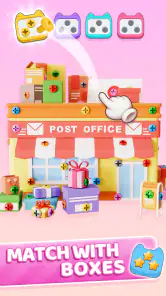

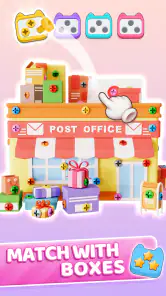
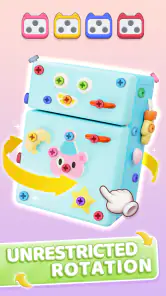
Analysis by Reviewed
When a bolt puzzle stops making sense, I find it helps to pause and look at the arrangement rather than keep making the same move. 3D Bolt Master™ is a casual game built around sorting and removing bolts, nuts, and screws in three dimensions, so the main appeal is taking a moment to work out what can move and what should wait. That makes it a handy choice for a short break, though it may feel slow if you want constant action or a story to follow.
Where the puzzles can trip you up
The challenge is not simply tapping quickly. A move that seems obvious can affect what is available next, so I try to scan the full object before committing: check which pieces appear to be in the way, then choose a move that opens up more options. This small habit is useful when a puzzle feels stuck, because repeating the same choice rarely makes the layout clearer.
The 3D presentation is part of the appeal, but it also asks for a little patience. If a piece is hard to judge from one angle, rotate or inspect the object before deciding rather than assuming the visible side tells the whole story. That is a practical way to avoid careless moves, especially when I am playing in a hurry. If you prefer puzzles with a flat board and instantly readable pieces, this extra spatial element may be more friction than fun.
Getting comfortable before a longer session
I would start with a few puzzles when I have a quiet moment, rather than opening the game for the first time during a rushed commute. That gives you room to learn how its 3D layouts read on your screen and how carefully you need to plan. If a puzzle seems confusing, take a breath, inspect the arrangement again, and make one deliberate move at a time.
It is also worth checking the basics if play feels awkward: make sure the game is fully loaded, the device responds normally to touch, and the screen is not being obstructed by a case or a hand position. These are ordinary checks, not special fixes. If the controls feel imprecise, trying a different grip or playing with the device held steadily can make it easier to select the intended piece.
Immersive Gameplay and Engaging Challenges
From the moment I downloaded 3D Bolt Master™, I was hooked. The game plunges you into a dynamic 3D environment where your main task is to master the art of strategic bolt shooting. Sounds simple? Well, think again. With each level, the game throws new challenges your way, making sure you’re always on your toes.
What I particularly love about this game is how it cleverly combines elements of strategy and precision. You’ve got to plan your moves carefully to succeed, and trust me, it’s more thrilling than you might think. Each level is like a puzzle waiting to be solved, and nothing beats the satisfaction of nailing it perfectly!
More From Our News Desk

Weather by Xiaomi Review: Clear at a Glance, Less Clear Up Close

X Under Pressure: Can It Recover When Posting Goes Wrong?

Clash of Clans Is Won Between the Battles

Android Auto Makes the Case for Quieter Car Software

MobiOffice: Transforming Mobile Productivity with Seamless Integration

EA SPORTS FC™ Mobile Soccer: Redefining Mobile Sports Gaming
Visually Appealing Graphics
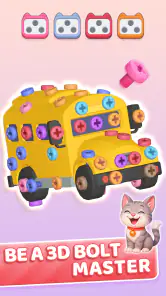
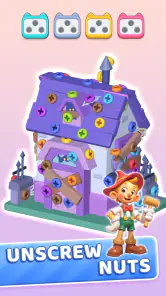
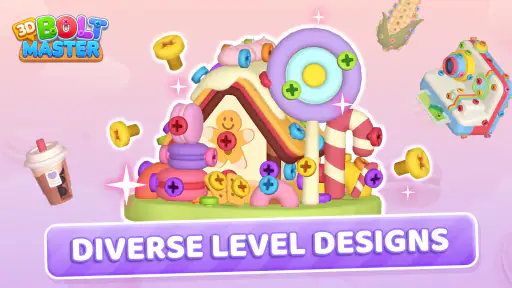
Let’s talk graphics. The developers have done an incredible job in crafting a visually stunning game. The 3D effects are not only impressive but also add a layer of depth to the overall experience. It’s like being in a whole new world where bolts and nuts are your best friends.
The attention to detail is evident, from the intricate designs of the bolts to the realistic environments you interact with. And the best part? The graphics don’t compromise the game’s performance, ensuring a smooth gaming experience without any annoying glitches.
User-Friendly Interface
A game is only as good as its user interface, and 3D Bolt Master™ excels in this department as well. Navigating through the game is a breeze, thanks to its intuitive controls and well-organized menus. Whether you’re a newbie or a seasoned gamer, you’ll find it easy to dive right in and start playing.
Moreover, the game doesn’t bombard you with ads, which is a massive plus in my book. You can focus on honing your bolt-shooting skills without constant interruptions.
Making a puzzle session work for you
For an everyday example, I can see this fitting into a coffee break: play one puzzle, stop when the break is over, and return later when you want another small problem to solve. It suits people who enjoy sorting and spatial reasoning more than reflex challenges. I would skip it if my priority were competitive play, a deep narrative, or a fast stream of action; a conventional arcade game or a story-led puzzle would be a better match for those moods.
Compared with familiar casual games that rely on matching colors or clearing rows, this one puts the emphasis on the physical arrangement of hardware-like pieces and judging a 3D layout. That gives it a distinct tactile idea, but it can also make progress feel less immediate than a simple match puzzle. My useful rule is to treat each move as a small experiment: notice what it reveals, then plan the next step instead of tapping through the board.
If you lose your place or a move does not seem to register, I would first stop tapping and check whether the game is still responding. Give the screen a moment, make sure the intended piece is clearly selected, and then try one careful action. If the whole device is lagging or touch input is unreliable elsewhere, the issue may be with the device rather than the puzzle itself. Restarting the game only makes sense after checking that you are not in the middle of a move you want to preserve.
Small habits that make the puzzles easier to read
I get more out of a level when I separate looking from acting. First I turn the object enough to understand how the visible pieces relate to one another, then I choose a move. It is tempting to rotate constantly while tapping, but that can make it harder to remember what the arrangement looked like a moment ago. A deliberate inspection, followed by one move and another inspection, keeps the mental picture manageable.
There is also a useful distinction between a move that makes immediate progress and one that improves your options. Removing an accessible piece may feel productive, but if another choice clears a more obstructed area, the latter can be the better step. I would not treat every puzzle as a test of speed; the satisfying part is noticing how one small change affects the next decision. If you are stuck, ask what the last move revealed rather than simply searching for the next thing to tap.
For a short session, stopping at a natural pause is better than trying to force one more puzzle when you are distracted. The 3D view rewards attention, and divided attention makes it easier to misread which piece you meant to select. That is why I see it as a good fit for a quiet few minutes at home or while waiting somewhere, but less ideal when walking, juggling another task, or trying to play in a bumpy setting.
When setup or performance feels off
If the game does not feel comfortable at first, I would check the device basics before assuming the puzzle controls are the problem. The Android minimum is version 7.0, so an older system below that requirement is not a suitable starting point. A stable touch response and enough time for the game to finish loading also matter; a delayed reaction can make a precise selection feel like a gameplay mistake.
When a tap appears to do nothing, avoid repeating it rapidly. Wait briefly, confirm that the target is still visible, and try a single controlled tap. Repeated input can leave you unsure which action the game received, while a calm retry makes it easier to tell whether the issue was your aim or a temporary response delay. If touch problems show up in other apps too, check the device itself rather than changing your puzzle strategy.
If you need to leave mid-session, I would pause at a point where you can clearly see the current arrangement and remember your last decision. On returning, take a fresh look before acting instead of relying on a half-remembered plan. This is a small workflow habit, but it helps prevent an interrupted session from turning into a string of uncertain moves. It is especially useful when playing in the gaps between errands or during a work break.
What kind of casual game it is—and is not
Among casual games, this sits closer to a hands-on spatial puzzle than to a match-three board or a quick reaction challenge. The pieces give the problem a mechanical feel: you are thinking about access, order, and what a removal may expose. That can be refreshing if the usual color matching has begun to feel automatic. The trade-off is that a three-dimensional arrangement takes more visual interpretation than a flat grid, so it may not be the best choice when you want a puzzle you can understand at a glance.
I would recommend it to someone who enjoys patient problem-solving and likes the idea of examining an object from more than one side. It can also suit a parent looking for an age-rated casual game to consider for a child, though I would keep purchase prompts in mind and check them before handing over a device. The Everyone rating makes it broadly accessible, but an individual child’s patience for deliberate puzzles will matter more than the label.
It is a weaker fit for players who want a campaign, character progression, competitive rankings, or a strong sense of narrative. I would also steer away if you dislike making a move and then reassessing the board, because that reflective rhythm is central to the appeal. A straightforward arcade game is a better pick when you want immediate action, while a flat logic puzzle may be more comfortable if perspective changes make you lose track of the layout.
Cost, expectations, and replay value
The game is free to start, which makes it easy to see whether this particular style of puzzle suits you. Optional purchases are available, with individual items priced from $0.99 to $49.99. I would treat any purchase prompt as a separate decision rather than assuming that paying is needed to enjoy the core idea. If a child is playing, review purchase settings and prompts together so an accidental tap does not become an unwanted transaction.
Its 4.8 average across around 60,000 ratings and more than a million installs suggest that many players have taken an interest in it, but popularity cannot tell you whether its slower, spatial style matches your taste. Joymaster Puzzle Game Studio is the developer, and the current version is 1.1.3. It was released on January 24, 2025. Those details are useful context, but I would judge it primarily by whether you enjoy examining the puzzle rather than by numbers alone.
The game’s replay appeal is best understood as returning to the kind of problem it offers, not as a promise that every session will feel different. If you like working out a sequence and seeing the layout open up, you may enjoy coming back for another round. If you need fresh story beats, changing modes, or a strong long-term goal to stay interested, this focused format may wear thin sooner. I would try it in short sessions first and see whether the act of solving itself is enough to bring you back.
Endless Fun and Replayability
If you’re worried about running out of things to do, don’t be. 3D Bolt Master™ offers endless fun with its multitude of levels and challenges. Each level is unique, ensuring that you never get bored. Plus, the game’s replayability is off the charts. You’ll find yourself going back to previous levels just to beat your own high scores!
There are a few practical details that may help you decide whether to try it. It is a free casual game from Joymaster Puzzle Game Studio, with a 4.8 average from around 60,000 ratings and more than a million installs. It is rated for Everyone, and version 1.1.3 requires Android 7.0 or later. Optional in-app purchases range from $0.99 to $49.99 per item, so the free entry point does not mean every possible purchase is free. I would check any purchase prompt carefully, especially if a child is playing.
Who should give it a try
The game is a good fit if you like taking your time, examining an object from different angles, and finding a sensible order for clearing pieces. It also works for someone who wants a low-pressure activity that can be picked up between other tasks. On the other hand, players who dislike trial and error, want every level to explain itself, or prefer direct action may find the deliberate puzzle pace frustrating. The best test is whether planning a few moves sounds satisfying to you, rather than like an obstacle.
In conclusion, if you’re in the market for an exciting and engaging game that’s both challenging and fun, give 3D Bolt Master™ a try. It’s a perfect blend of strategy, precision, and creativity, wrapped up in a visually captivating package. Whether you’re killing time on a commute or unwinding after a long day, this game is sure to keep you entertained for hours on end. Happy bolting!
3D Bolt Master™ Frequently Asked Questions
What should I expect from the puzzles in 3D Bolt Master™?
The central activity is working with bolts, nuts, and screws: you seek out pieces, remove them, sort them, and solve related puzzles. The 3D presentation helps give those objects a tangible sense of depth, while the casual format makes the game approachable for a quick session. It is a good fit to consider if you enjoy visual puzzles that ask you to think through each move.
Can I play 3D Bolt Master™ on my device?
The minimum operating-system requirement is Android 7.0, so check your device’s software version before downloading. The game is available for Android and iOS, though compatibility can depend on the specific device and app-store version. Checking the download page on your device is a practical way to confirm that the game is offered for your platform before you install it.
What kind of game is 3D Bolt Master™?
3D Bolt Master™ is a casual puzzle game focused on finding and removing bolts, sorting nuts, and solving screw puzzles. Its 3D presentation gives the objects a sense of depth as you work through each challenge. It may appeal to players who enjoy hands-on puzzle mechanics and want a game that is easy to pick up in short sessions.
Who makes 3D Bolt Master™, and is it suitable for all ages?
3D Bolt Master™ is developed by Joymaster Puzzle Game Studio and has an Everyone content rating. That makes it a broadly accessible choice for players looking for casual puzzle entertainment. The main activity is solving bolt-and-screw challenges, so the game is centered on problem-solving rather than mature themes. Parents can still check the game’s purchase settings before letting children play.
What is 3D Bolt Master™?
3D Bolt Master™ is an engaging mobile game available for both Android and iOS devices. It combines elements of strategy and skill, allowing players to manipulate bolts in a 3D environment to solve puzzles. The game challenges players to think critically and plan their moves carefully to progress through increasingly difficult levels.
Pros
- Impressive 3D graphics enhance gameplay.
- Intuitive controls are easy to master.
- Wide variety of levels keeps it engaging.
- Regular updates add new features.
- Offline mode available for uninterrupted play.
Cons
- In-app purchases can be costly.
- Occasional ads interrupt gameplay.
- Limited character customization options.
- Requires a lot of device storage.
- Battery consumption can be high.
- Category
- Casual
- Version
- 1.1.3