Drums Maker: Drum simulator
- 33.00
- 4.3
- Installs
- 1.00M
- Price
- Free
Screenshots
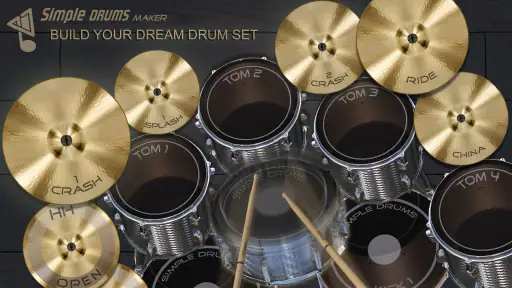
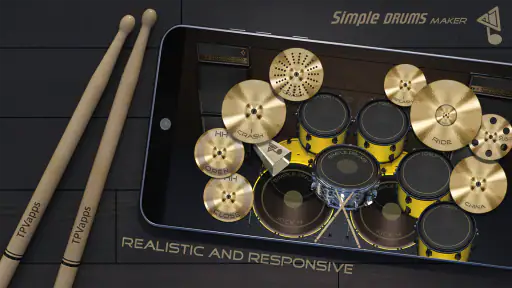
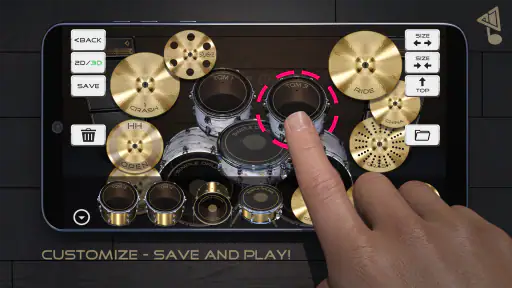
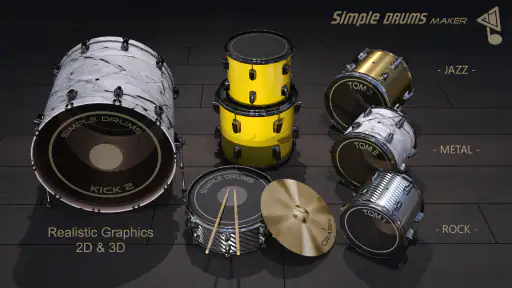
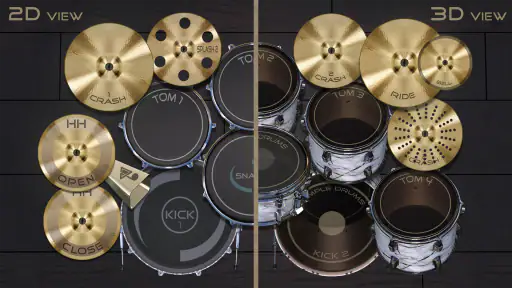
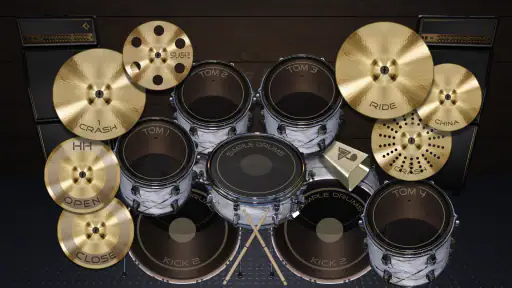
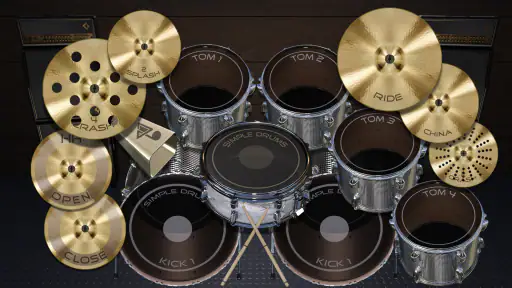
Analysis by Reviewed
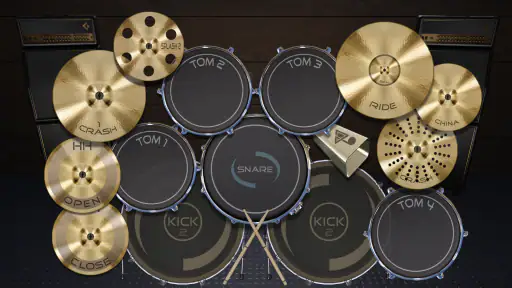
I picked up Drums Maker: Drum simulator expecting a simple way to tap out beats, and that is exactly where it makes the most sense. This free music game from TPVapps turns an Android phone into a compact virtual drum set, letting me build rhythms with touch rather than asking me to learn a complicated production program first. It is quick to open, easy to understand, and useful whenever I want to test a beat without carrying instruments or setting up recording equipment.
After spending time with it, my opinion is positive but specific: this is best treated as a hands-on rhythm sandbox, not a complete replacement for a drum machine, digital audio workstation, or real kit. The appeal is the immediate response. I can tap, listen, adjust my hands, and try again in seconds. That makes it enjoyable for casual play, rhythm practice, and rough musical ideas. It becomes less convincing when I want detailed editing, polished arrangements, or the control expected from dedicated music software.
How I use Drums Maker for quick, repeatable beats
I use Drums Maker for quick, repeatable beats by keeping each attempt focused: I settle on a comfortable grip, choose a simple pulse, and repeat it before adding anything extra. That makes it easier to tell whether a rhythm is genuinely memorable or only fun while I’m tapping it. Once the pattern feels steady, I can test a small accent and see how it changes the groove.
Starting with a simple baseline workflow
My most reliable routine begins with a deliberately simple pattern. I first choose a comfortable hand position and play a steady pulse with the bass drum, then add the snare on alternating beats. Only after that feels consistent do I bring in the hi-hat or another part of the virtual set. This approach sounds basic, but it prevents the common mistake of tapping everything at once and losing the rhythm underneath.
The game responds best when I treat the screen like a small instrument rather than a collection of buttons. I keep my thumbs or index fingers close to the areas I use most, then make small movements instead of reaching across the display for every hit. On a phone, that matters because hand travel can interrupt timing more than the sound itself. A compact grip also makes repeated patterns less tiring during a longer session.
For a new user, I would spend the first few minutes learning the layout without trying to perform a full song. Tap each part individually and notice how much of the screen is comfortable to reach. Then play a four-beat loop using only two sounds. Once the movement becomes automatic, add a third sound as an accent. This gives the experience a useful learning curve without turning it into a formal lesson.
One everyday use case is sketching an idea while waiting for a bus or taking a short break. If a rhythm comes to me, I can open the game, reproduce the basic pulse, and decide whether the idea has energy before forgetting it. I would not rely on that moment to create a finished track, but it is a convenient way to check whether a beat works physically under my fingers.
More From Our News Desk

Weather by Xiaomi Review: Clear at a Glance, Less Clear Up Close

X Under Pressure: Can It Recover When Posting Goes Wrong?

Clash of Clans Is Won Between the Battles

Android Auto Makes the Case for Quieter Car Software

MobiOffice: Transforming Mobile Productivity with Seamless Integration

EA SPORTS FC™ Mobile Soccer: Redefining Mobile Sports Gaming
Why the sound response matters more than visual decoration
The central attraction is the high-quality sound focus promised by the game’s concept. For me, the important question is not whether the interface looks like a full acoustic kit; it is whether each tap gives a clear enough response to help me maintain a pattern. That makes headphones useful when I am in a noisy place, while the phone speaker is fine for a quick experiment at home.
I also found that listening critically changes how I play. A pattern can feel fast and exciting under my fingers but sound messy when I stop concentrating on the screen. I recommend closing my eyes briefly or looking away after learning the layout. That exposes uneven spacing and accidental taps much faster than watching every movement.
There is a practical trade-off here. A phone screen gives me convenience and portability, but it does not provide the physical rebound of drumsticks or pads. Anyone expecting realistic stick technique will notice that difference immediately. The app can help with timing ideas and coordination between fingers, yet it cannot reproduce the muscle control, volume changes, or physical feedback of an acoustic kit.
Settings I check before trying to play seriously
I do not jump straight into performance. I first inspect the available controls and make sure the layout feels usable in the way I intend to play. The current version is 4.9, and the game runs on Android 6.0 or later, so it is accessible on a wide range of devices. Still, compatibility does not guarantee that every screen size will feel equally comfortable. A smaller phone can make rapid combinations more cramped than a larger display.
My first setting-related habit is checking the sound level before using headphones. Drum sounds can be sharp, particularly when I repeat a loud pattern, so I start lower and raise the volume gradually. This is not an exciting feature, but it makes the game more pleasant and avoids the need to stop in the middle of a rhythm because the output is uncomfortable.
I also check whether the phone is being held in the orientation that gives me the clearest access to the virtual set. If the layout feels crowded, I change my grip before deciding that my timing is poor. A surprising amount of frustration comes from fighting the device rather than practicing the beat. The best arrangement is the one that lets both hands reach the main sounds without crossing unnecessarily.
Another useful check is background distraction. Notifications, incoming calls, and other audio can break concentration, especially when I am testing a quiet pattern. I prefer to silence interruptions for a few minutes. This does not add a new function to the game; it is simply a repeatable habit that makes the existing touch-and-listen experience more consistent.
Making faster patterns without losing the pulse
Once the basic pattern is comfortable, I increase complexity in layers rather than speed alone. I keep the main beat steady and add a short accent at the end of a phrase. Then I remove it and repeat the original pattern. This teaches my hands to return to the foundation instead of treating every fill as a permanent change.
That reset is one of the most useful techniques I found. Beginners often add more taps whenever a pattern feels empty, but a beat usually becomes clearer when some space remains. I use the virtual kit to compare a crowded version with a restrained one, listening for which has a stronger pulse. In many cases, the simpler pattern is easier to remember and more convincing to someone hearing it for the first time.
I also divide practice into short blocks. I play one rhythm several times, pause, and then try it again without staring at the screen. If I make a mistake, I return to the slower version rather than repeating the error at full speed. This makes the app more useful as a coordination exercise than as a random tapping toy.
For quick pattern building, I recommend assigning a clear job to each finger. One finger can handle the regular pulse while another supplies the backbeat or accent. The exact arrangement depends on the device and the player’s hand, but the principle is stable: fewer unnecessary movements produce cleaner repetitions. This is especially helpful when the screen is small or when I am playing while seated in an awkward position.
A good practical exercise is to create three versions of the same idea: a minimal beat, a busier variation, and a return to the minimal beat. The contrast teaches arrangement instinct. It also reveals whether the extra taps genuinely improve the rhythm or merely make it harder to play. I would not expect the app to save me from poor musical choices; it gives me a fast place to hear those choices.
Where the experience becomes less advanced
The biggest limitation is that a virtual drum surface is not the same as a production environment. When I want to build a complete song, I need more than immediate tapping. I may want to edit individual hits, compare several takes, shape dynamics, arrange sections, or combine the drums with recorded instruments. That is where a dedicated drum machine or digital audio workstation is the better option.
I also would not choose this game as my only tool for serious drumming education. It can support rhythm awareness and finger coordination, but it does not teach posture, stick grip, foot technique, or the physical independence required by a real kit. A beginner who wants structured lessons should look for an educational app or an instructor instead of assuming that tapping a screen covers the whole skill.
Another trade-off is performance control. Touchscreens are convenient, but they can make accidental taps more likely when I play quickly. Sweaty fingers, a protective screen cover, or an awkward grip can affect confidence. The solution is to simplify the pattern and stabilize the phone, not to force speed. If precise live performance is the main goal, physical pads or electronic drums will offer more dependable feedback.
The in-app purchase model is also worth keeping in mind. The game is free to start, while optional purchases are listed at $0.99 per item. I would begin with the free experience and decide only after using it enough to know whether the extra value matters to me. Casual players may never need to spend anything; more committed users should judge each optional item by whether it improves their actual workflow rather than buying automatically.
Who should download it, and who should look elsewhere
I think it suits people who enjoy music games, want a portable beat-making toy, or need a fast way to test a rhythm. It is also a reasonable choice for someone curious about drums but not ready to buy equipment. The Everyone content rating makes it approachable for a broad audience, and the simple premise means I can hand it to a friend without giving a long explanation.
It works particularly well for short sessions. I can use it to warm up my sense of timing, invent a rhythm for a song idea, or challenge myself to repeat a pattern cleanly. The free price removes the initial barrier, and the fact that it has passed one million installs suggests that the format has found a substantial audience, while the average rating of 4.3 shows generally favorable reception.
I would skip it if my priority is professional recording, detailed beat programming, or realistic electronic-drum practice. I would also choose another option if I need a structured progression with lessons, notation, tempo training, or a library of complete arrangements. Those are different goals, and a lightweight simulator should not be judged as though it were a studio workstation.
Compared with tapping rhythms on a table, this gives me clearer drum-oriented feedback and a more immediate sense of playing a kit. Compared with a dedicated drum machine, it is faster to pick up but less suited to arranging and refining a finished production. Compared with a real kit, it is far cheaper and more portable, but it cannot reproduce the physical response or expressive range of actual drums. Its strongest position is between those alternatives: more musical than casual finger tapping, less demanding than hardware, and less capable than full production software.
My verdict after building habits around it
Drums Maker: Drum simulator succeeds because it keeps the first step short. I can open it, find the virtual surfaces, and start testing a rhythm without configuring a complicated project. The best results come from using that simplicity deliberately: start with a two-sound pulse, check the volume and grip, add accents sparingly, and return to the basic pattern often.
My honest recommendation is to treat it as a compact practice and idea tool rather than a complete music workstation. Experienced users will get more from it by repeating a consistent setup, assigning each finger a role, and comparing restrained patterns with busier variations. Those habits reveal both its strength and its boundary: it is excellent for immediate rhythmic experimentation, but it cannot replace the deeper control of dedicated software or the physical learning of real drums.
For a free music game from TPVapps, it offers a focused reason to keep coming back. I would install it for spontaneous beat sketches, casual rhythm practice, and quick demonstrations. I would not make it the center of a serious recording workflow. If that distinction matches what you want, this is an enjoyable and accessible drum simulator that earns its place on an Android device.
Drums Maker: Drum simulator Frequently Asked Questions
Who makes Drums Maker: Drum simulator, and which devices can run it?
Drums Maker: Drum simulator is a music game developed by TPVapps. It is available for Android devices running Android 6.0 or later, making it a potential option for many phones and tablets that meet that requirement. Before downloading, check your device’s operating-system version and the app’s compatibility in its app store so you can confirm it is suitable for your device.
Is Drums Maker: Drum simulator free, and does it include in-app purchases?
The game is free to download, so you can try its drum-playing experience without paying for the initial installation. It also offers in-app purchases priced at $0.99 per item. Keep that distinction in mind if you prefer to avoid optional spending: check the purchase prompts before confirming anything, and use your device’s purchase controls if you want to manage or restrict transactions.
What is Drums Maker: Drum simulator?
Drums Maker: Drum simulator is a mobile music app that turns your Android or iOS device into a virtual drum kit. It is designed for users who want to practice rhythms, experiment with beats, or simply play drums for entertainment. The app typically provides touch-based drum pads, recognizable kit sounds, and an interface intended to make basic drumming accessible without owning physical equipment.
Is Drums Maker: Drum simulator suitable for beginners?
Yes, the app is generally suitable for beginners because it does not require previous drumming experience or knowledge of music theory. You can tap individual drums and cymbals directly on the screen and gradually practice timing, coordination, and simple patterns. However, the experience is still limited by the size and responsiveness of a phone or tablet screen, so it should be viewed as a practice and entertainment tool rather than a complete replacement for real lessons.
What features should I expect when using the app?
Drums Maker: Drum simulator focuses on recreating the basic experience of playing a drum set through touch controls. Depending on the device and app version, users may find several virtual drums and cymbals, different sound options, rhythm experimentation, and an interface designed for quick access during play. Before downloading, it is worth checking the current store listing because available kits, recording tools, customization options, and supported features can change with updates.
Pros
- Responsive touch controls make basic rhythms easy to play.
- Several drum sounds let users experiment with different styles.
- Useful for quick rhythm practice without carrying a physical kit.
- Simple layout is approachable for beginners.
- Works well for short
- casual music sessions.
Cons
- Advanced players may find the sound customization options limited.
- Fast playing can feel less precise on smaller phone screens.
- Extended use may drain battery
- especially with audio enabled.
- Some features or sound packs may require in-app purchases.
- The experience depends heavily on your device’s speaker quality.
- Category
- Music
- Version
- 4.9












