Drawing Games: Paint And Color
- 17.00
- 3.6
- Installs
- 1.00M
- Price
- Free

Screenshots
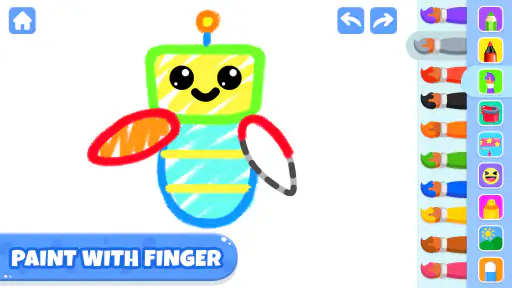
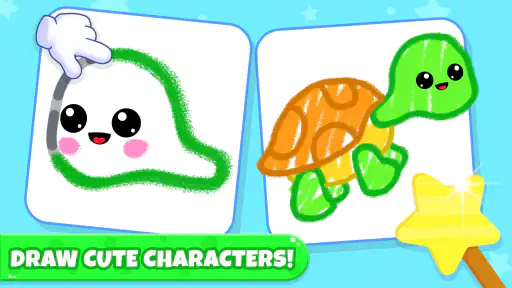
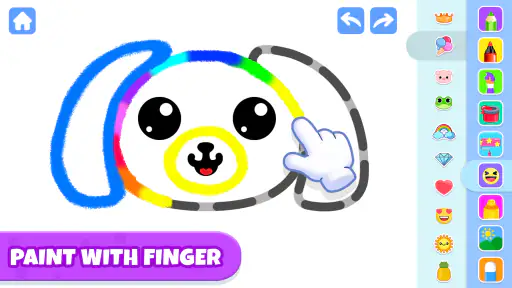
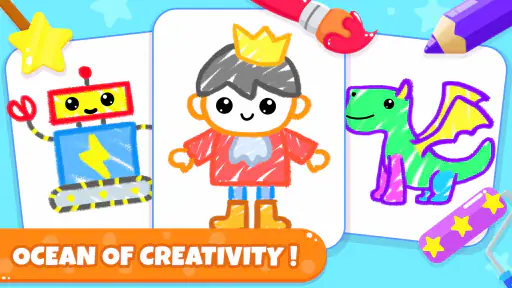
Analysis by Reviewed
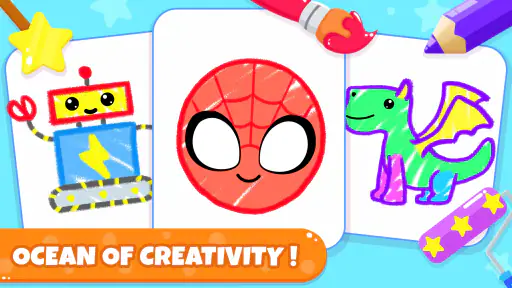
When I’m looking for a low-pressure activity to share with a young child, a drawing game can be more useful than handing over a blank page and hoping inspiration arrives. Drawing Games: Paint And Color is an educational game from Piggy Panda Inc, aimed at children who want to color and play with cute animal characters. Its basic appeal is easy to understand: it gives a toddler a clear creative task, while letting the adult nearby decide how much help to offer.
Small goals that get a child started
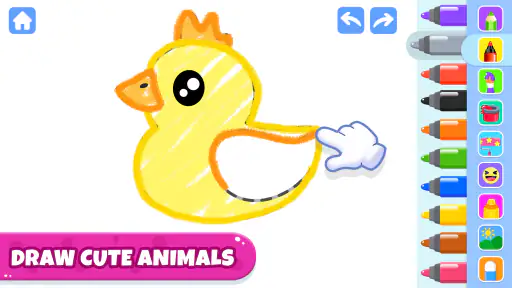
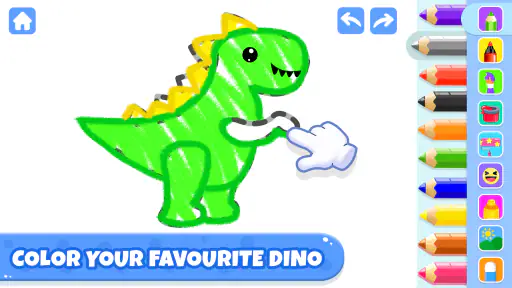
The strongest starting point is the simple goal of choosing an animal and adding color. That is enough structure for a child who might feel unsure about an empty canvas, without turning the activity into a lesson that demands a correct result. I’d use it during a quiet stretch at home, or while waiting for food at a café, with the device in a grown-up’s hands until the child is ready to tap independently.
For a parent, the useful trick is to make the session about choices rather than finishing quickly: ask which color should go on the animal, or invite the child to name the colors they are using. That keeps the drawing connected to conversation and color recognition. It also makes the game easier to put down naturally; the child can complete one small picture instead of being pulled into an open-ended activity with no stopping point.
What progress feels like
This is a coloring-first experience, so progress is best judged by the child’s growing comfort with selecting colors and making marks, not by expecting polished artwork or a deep skill tree. I would not choose it for someone looking for complex drawing instruction. Its educational value is more suitable for early exploration: noticing color, practicing hand-eye coordination, and enjoying the simple cause and effect of touching the screen and changing a picture.
That distinction matters when comparing it with a general drawing app. A blank-canvas tool may give older children more freedom to sketch whatever they imagine, but it can also leave a toddler stuck on what to draw. Here, animal outlines offer a ready-made starting point. The trade-off is less room for freeform art, so a child who already loves inventing scenes may soon prefer paper, crayons, or a more open-ended art app.
A gentle pace, with adult guidance
I’d treat the game as a short creative activity rather than something to leave running unattended. A child can focus on one animal, make a few color decisions, then move on to another activity. That pace is a strength for quick breaks, but it may not hold the attention of an older child who wants levels, tougher challenges, or a sense of mastery that builds over a long session.
It is free to install, with in-app purchases ranging from $1.99 to $59.99 per item, so I’d check the purchase settings on the device before handing it over. That is a practical step for any children’s game with optional purchases, especially when a young player is tapping around without understanding checkout prompts. The game is rated for Everyone, but that rating is not a substitute for an adult deciding whether the activity suits a particular child.
You May Like

Clash of Clans Is Won Between the Battles

Android Auto Makes the Case for Quieter Car Software

MobiOffice: Transforming Mobile Productivity with Seamless Integration

EA SPORTS FC™ Mobile Soccer: Redefining Mobile Sports Gaming

How Microsoft OneDrive Became a Mobile Productivity Giant

How Google Translate Breaks Language Barriers Effortlessly
The game has a 3.6 average from around 920 ratings, and has passed 1 million installs. I see those figures as context rather than a guarantee of fit: the best test is whether your child enjoys the coloring activity and can use it comfortably. It was released in March 2023, and version 3.8 requires Android 6.0 or later. Those details make it easier to check basic compatibility before setting it up on an older device.
Making a short session work well
A useful way to try it is to set a small goal before opening the game: choose one animal, pick two colors, and talk about where each one might go. That gives a young child a manageable beginning and an obvious stopping point without turning the activity into a race. If attention wanders halfway through, there is no need to push for a finished picture; the value can be in making a choice and seeing it appear on screen.
This approach also helps an adult notice what the child actually enjoys. Some children will focus on picking colors, while others may be more interested in the animal itself or in tapping to see the picture change. Following that interest makes the session feel shared rather than like a test of coloring neatly. I’d keep the device within reach of the adult at first, then let the child take over if the controls feel comfortable and the activity stays calm.
For a waiting-room or restaurant break, I’d use it in short turns rather than treating it as a way to occupy a child indefinitely. A completed animal can be a natural cue to pause, put the screen away, and return to the conversation or surroundings. That small routine is more practical than relying on a young child to decide when to stop, especially when the game’s simple format makes it easy to keep tapping from one picture to the next.
Choosing it over other ways to draw
Compared with crayons and paper, the game is tidier and gives a hesitant child an outline to begin with, but it cannot offer the same feel of pressing a crayon down or making a mark anywhere on the page. Paper is the better choice when the goal is broad creative freedom or practicing physical drawing movements. The game makes more sense when a parent wants a ready-made animal coloring activity that can fit into a brief indoor break.
Compared with a general-purpose drawing app, its appeal is the narrow, approachable task rather than a large toolkit. A blank canvas can be rewarding for a child who already has ideas and patience; it can also create the very “what should I draw?” pause that makes a toddler lose interest. Animal coloring gives the child something recognizable to respond to, though the adult should not mistake that guided activity for a full art course or a substitute for experimenting with real materials.
If the child is asking for puzzles, timed challenges, levels, or a goal that gets harder over repeated sessions, I’d choose a different kind of game. This is better suited to relaxed coloring than to measurable challenge. Likewise, an older child who wants to design original characters may quickly outgrow the ready-made format. The right fit depends less on age alone and more on whether the child enjoys filling in a starting picture or wants to invent one from scratch.
Purchases, setup, and the adult’s role
Because the game is free to install but offers purchases, I’d review the device’s purchase protections before a child uses it alone. The listed range is broad, from $1.99 to $59.99 per item, so it is worth making sure a child cannot accidentally approve a transaction while exploring. This is not a reason to avoid the game, but it is a meaningful part of preparing a device for a toddler; the Everyone age rating does not manage purchase settings for you.
For a family deciding whether it is worth trying, the low-commitment approach is to introduce it during a moment when an adult can sit nearby. Watch whether the child can identify the activity, make choices, and stop without distress. If the game becomes a shared prompt for talking about colors and animals, it is doing something useful. If the child only wants to tap rapidly or becomes frustrated by the interaction, paper, blocks, or another offline activity may be a better fit for that moment.
Piggy Panda Inc is the developer, and the game is in the educational category. It is rated for Everyone, which makes it broadly approachable, but a parent still knows best whether a particular child is ready to navigate a screen-based activity. On Android, version 3.8 supports devices running Android 6.0 or later. Checking that before installing is especially helpful if you plan to use an older spare phone or tablet for a child.
Unleash Your Inner Artist
First off, let’s talk about the myriad of tools at your disposal. As soon as you open Drawing Games: Paint And Color, you're greeted with a simple yet inviting interface that just begs you to start creating. It doesn’t matter if you’re into sketching, painting, or just adding a splash of color to someone else’s outlines, this app has it all. The variety of brushes and colors is impressive, giving you the flexibility to create anything from a simple sketch to a detailed painting. And the best part? The app is incredibly intuitive. You don’t need to be tech-savvy to figure out how to use it.
Features That Make a Difference
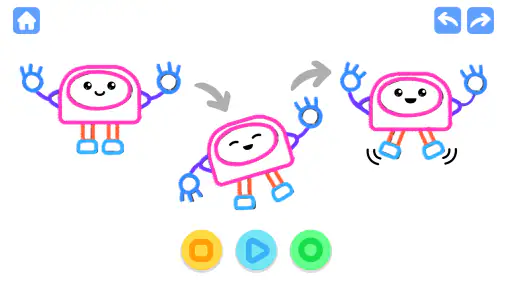
Now, what really sets this app apart is its interactive features. Imagine being able to collaborate with your friends in real-time. Yes, you heard that right! You can invite your pals to join you in a drawing session, making it a fun and social experience. Plus, there’s a gallery where you can showcase your creations and even get inspired by the works of others. It’s like being part of a global community of artists!
Another cool feature is the color palette. The app offers a spectrum of shades that would make any artist swoon. You can customize your palette to suit your mood or the theme of your artwork. And if you’re ever stuck for ideas, the app has a ‘randomize’ feature that throws up some unexpected color combinations to spark your creativity.
Perfect for All Ages
What’s really awesome about Drawing Games: Paint And Color is that it caters to artists of all ages. Whether you’re a kid just learning to color within the lines or an adult looking to unwind after a long day, this app has something for everyone. The user-friendly design means even the youngest of users can navigate it with ease, while the advanced features keep it challenging for seasoned artists.
The app also includes educational elements, which is a big plus for parents. Kids can learn about colors, shapes, and even basic art concepts while having fun. It’s a win-win situation!
Final Thoughts
In conclusion, Drawing Games: Paint And Color is more than just an app; it’s a creative outlet that fits right in your pocket. Whether you’re looking to hone your artistic skills or just want to doodle away your boredom, this app is a fantastic choice. With its user-friendly interface, wide range of features, and the ability to connect with other artists, it’s a must-have for anyone who loves to draw.
So, if you haven’t already, give it a try. Who knows? You might just discover a hidden talent you never knew you had!
Drawing Games: Paint And Color Frequently Asked Questions
What age group can enjoy Drawing Games: Paint And Color?
Drawing Games: Paint And Color is an educational game aimed at young children, with a focus on painting cute baby animals and bringing them to life. Its content rating is Everyone, so it is presented as suitable for a broad audience. Parents can still decide whether its activities and any optional purchases are right for their child.
What devices can run Drawing Games: Paint And Color?
The game is available for Android devices running version 6.0 or later. Before downloading, check your device’s operating system to make sure it meets that minimum requirement. Drawing Games: Paint And Color is free to install, though optional in-app purchases are available, so families may want to review purchase settings before letting children play.
What is Drawing Games: Paint And Color about?
Drawing Games: Paint And Color is an educational game from Piggy Panda Inc centered on drawing and coloring. Its short description is “Drawing Games,” and its store summary highlights painting cute baby animals and bringing them to life. It is designed around creative play, giving children a colorful activity to explore through pictures and painting.
What are the key features of Drawing Games: Paint And Color?
Drawing Games: Paint And Color offers a wide array of features that make it an exciting app for art enthusiasts. It includes various brushes, colors, and tools to enhance your creativity. Users can enjoy different game modes, such as coloring pages, free drawing, and challenges. Additionally, it provides a user-friendly interface with easy navigation, making it accessible for all ages.
Is Drawing Games: Paint And Color suitable for children?
Yes, Drawing Games: Paint And Color is designed to be child-friendly with its intuitive interface and simple controls that make it easy for kids to use. The app includes educational elements that help children learn about colors and shapes while having fun. Parental controls are also available to ensure a safe and secure environment for younger users.
Pros
- Easy to use interface for all ages
- Wide variety of brushes and colors
- No internet connection required
- Regular updates with new features
- Supports multi-touch drawing
Cons
- Contains ads in the free version
- Limited features without in-app purchases
- Occasional app crashes reported
- Some tools are hard to find
- No option for high-resolution exports
- Category
- Educational
- Version
- 3.8