Block Craft 3D: Realm Builder
- 68.00
- 3.6
- Installs
- 10.00M
- Price
- Free

Screenshots

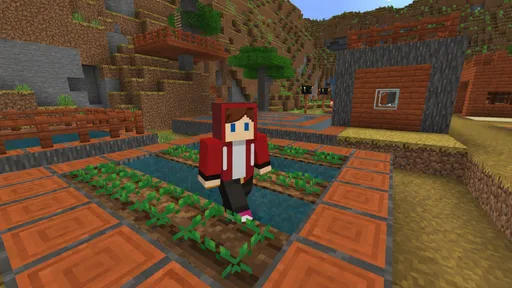
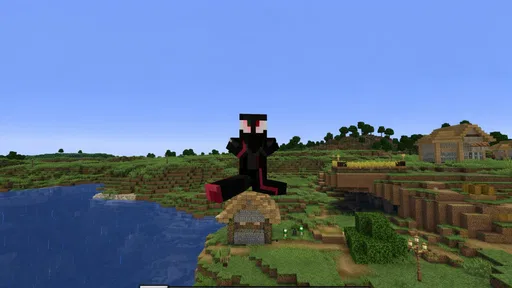
Analysis by Reviewed
I like simulation games that let me settle into a small project without demanding a long session, and Block Craft 3D: Realm Builder is built around that kind of creative play. You work with blocks, shape a place of your own, and decide what to build next. The appeal is less about racing toward a finish line and more about making a realm that feels personal. In my view, that makes it an easy game to pick up when I have a little spare time, though it may not satisfy someone looking for a tightly guided campaign or a demanding management challenge.
Who will enjoy this kind of builder
I would recommend it most readily to someone who likes making visual things but does not want a builder to feel like a second job. It can suit a casual player who has a few minutes between errands, a younger player who enjoys shaping a place, or anyone who finds satisfaction in seeing a rough layout become more complete. The best fit is someone comfortable supplying their own ideas instead of waiting for the game to present a sequence of goals.
It is a weaker match for players who need a clear checklist, a strong story, or strategic pressure to stay interested. If your favorite part of simulation games is balancing interconnected systems and watching their consequences, a city-management title will probably offer more of that. Likewise, if you want a carefully staged tutorial that steadily introduces a campaign, a more guided builder is likely to feel more rewarding.
What the building pace feels like
As a simulation game from Metagame.Ltd, Block Craft 3D puts free-form construction at the center. The basic idea is approachable: choose a building goal, work through it block by block, and adjust the result as your plans change. That open-ended loop is its strongest quality. I can start with a modest structure and let the next idea grow from it, rather than feeling that every session has to follow a prescribed sequence.
The pace is naturally self-directed. If you already know what you want to make, you can get straight into placing blocks; if not, the game gives you room to experiment. That freedom is enjoyable, but it also means the game does not create momentum for you in the same way a mission-based builder might. Players who need clear objectives, frequent milestones, or a strong story may find the experience too loose.
It is worth setting expectations around the word “craft” in the title. The confirmed premise is building with blocks, not a promise of a particular survival system, elaborate economy, or multiplayer format. I would approach it as a creative construction game first. That distinction matters if you are comparing it with simulation titles whose main draw is managing resources, completing objectives, or coordinating with other players.
The game is free to start, with optional in-app purchases priced from $0.49 to $14.99 per item. That gives curious players a low-commitment way to see whether the building style suits them. I would begin without spending: first find out whether you enjoy the core act of constructing and revising. If an optional purchase later seems useful, consider it in the context of how much time you actually spend building, rather than treating spending as a shortcut to enjoying the game.
More From Our News Desk

Weather by Xiaomi Review: Clear at a Glance, Less Clear Up Close

X Under Pressure: Can It Recover When Posting Goes Wrong?

Clash of Clans Is Won Between the Battles

Android Auto Makes the Case for Quieter Car Software

MobiOffice: Transforming Mobile Productivity with Seamless Integration

EA SPORTS FC™ Mobile Soccer: Redefining Mobile Sports Gaming
How to make short sessions count
A practical way to enjoy an open builder is to enter each session with one small intention. Instead of vaguely deciding to “build something,” pick a manageable task: lay out a footprint, finish one section, or rethink a shape that feels awkward. This reduces the chance of wandering around without making progress. It also makes it easier to stop without feeling that you have abandoned a huge project halfway through.
For example, I can imagine opening the game during a quiet break, placing the outline of a building, and leaving the more detailed work for later. The next time I return, the existing shape gives me a starting point. That sort of incremental use fits a game where the player chooses the project and the pace. It is a more realistic expectation than assuming every visit will produce a finished landmark.
One useful trade-off of free building is that experimentation can be more rewarding than trying to imitate a perfect design from the outset. I would test a simple shape first, then expand it once the proportions feel right. Changing direction early is usually less frustrating than committing to a large plan and discovering late that its layout does not work for me. The game’s open premise makes that flexible approach feel more natural than treating every block placement as irreversible progress toward a fixed target.
When a project becomes demanding
Creative building can become mentally demanding even when the controls and pace are casual. A larger project asks me to keep track of its overall shape while making lots of small decisions. The point at which that becomes enjoyable or tiring depends on the player: some people like refining details for a long time, while others prefer a fresh, compact goal. I would scale projects to match the time and attention I have rather than starting with an ambitious design simply because the world feels open.
There is also a difference between a game feeling slow and a player taking time to plan. A deliberate building session is not automatically a performance problem. From the game’s confirmed details alone, I cannot make a reliable claim about frame rates, loading times, battery use, heat, or how it behaves under a particular workload. My useful advice is to judge those things on your own device during the kind of session you actually expect to play, especially if you plan to work on larger builds for extended periods.
When a session feels less smooth than expected, I would first make the test simple: close other demanding apps, try a short building task, and see whether the experience changes. That is a general way to separate a device or background-load issue from a problem that happens consistently in the game. It does not guarantee a fix, but it gives you a clearer basis for deciding whether to keep playing, restart the game, or look for an update.
Reliability and returning to a build
For a builder, reliability is about more than launching successfully. It also means being able to return to a project and continue without turning every session into a troubleshooting exercise. I would make a habit of finishing a small section before leaving, then check on the next visit that the game behaves as expected. That routine is especially sensible when you are just getting familiar with an open-ended title and do not yet know how it fits your device or schedule.
If an interruption happens, avoid immediately repeating a long stretch of work. Reopen the game and confirm what remains before rebuilding anything; otherwise, you may spend time recreating blocks that were retained. This is a cautious workflow rather than a claim about a particular saving or recovery feature. It is useful in any creative game where a player cares about a project enough to avoid unnecessary duplication.
Block Craft 3D: Realm Builder has an average rating of 3.6 from around 10,000 ratings, and it has passed 10 million installs. Those figures suggest that many people have tried it, while the rating also encourages realistic expectations: popularity does not mean every player will enjoy its pace or have the same experience. I would treat it as a reason to consider the game, not as a substitute for checking whether free-form construction is what you want.
Device fit and practical expectations
The listed minimum operating-system requirement is Android 9, and the current version is 1.5.9. Before installing, I would check that the device meets that requirement and has enough free space for the game and its updates. A compatible operating system is only a starting point, not a promise that every device will run equally well; older or heavily loaded devices can feel different from newer ones even when they meet a minimum requirement.
For a fair first impression, I would test it while the device is charged and not already struggling with several demanding tasks. If it feels comfortable in a short session, try a longer one before committing to a major project. Pay attention to responsiveness and whether the device becomes unpleasantly warm, but do not assume either outcome in advance. Those observations are more useful than relying on broad claims about how “light” or “heavy” a game must be.
The age rating is Everyone, which makes the game broadly approachable from a content-rating standpoint. That does not mean it will suit every player’s tastes: a child who wants clear goals may prefer a more structured game, while a patient builder may enjoy having room to make personal choices. If you are choosing it for someone else, I would focus on whether they like creative construction rather than assuming that a general age rating guarantees a perfect fit.
How it compares with other builders
Compared with a traditional city-management simulation, this game’s appeal is the freedom to work directly on a block-based creation rather than focusing chiefly on balancing a town’s systems. Compared with a tightly guided building game, it seems better suited to players who want to decide their own next step. Those are meaningful differences in mood: choose a more structured alternative if objectives keep you engaged, and choose this one if making a realm at your own pace sounds relaxing.
It is also not the choice I would recommend to someone who mainly wants competitive play, a detailed narrative, or a complex economic puzzle. Nothing in the core premise calls for those expectations, and bringing them to a free-form builder can make its quieter rhythm feel like a weakness. The strongest audience is someone who enjoys visual tinkering and can supply some of their own ideas when the game does not tell them exactly what to do next.
One way to avoid disappointment is to decide what success means before you start. It could be completing a small design, testing a new layout, or simply spending a few minutes adding to an existing place. That personal goal gives the open format useful shape without turning it into a checklist. If you prefer a game that measures progress for you, another simulation may be a better match.
My verdict on speed and staying power
Block Craft 3D: Realm Builder is a sensible pick for relaxed, self-directed construction, especially if you want to dip into a project in short sessions and build at your own pace. I like that the premise leaves room for personal ideas instead of requiring every player to follow the same plan. Its main limitation is the flip side of that freedom: without a strong external structure, players who want constant direction may lose interest, and larger projects can take patience.
Metagame.Ltd has made a free simulation game with a wide potential audience, and the optional purchases leave room for players to decide whether they want to spend anything. I would try the basic experience first, use small goals to keep sessions focused, and assess responsiveness on the device I plan to use. If open-ended block building is what you enjoy, it is worth exploring; if you want a precise campaign, competitive pressure, or a resource-heavy management loop, I would look elsewhere.
A practical way to decide after installing
I would give the game a few brief visits before deciding whether it belongs on my device. On the first, I would focus on how placing and adjusting blocks feels; on the next, I would return to the same small project and see whether I still want to continue it. This tells me more than trying to judge the whole experience from one quick launch. It also keeps the test low-pressure, since there is no need to invest in a large design before knowing whether the building rhythm clicks.
For a family member who enjoys drawing or arranging things, I would suggest a simple shared goal, such as sketching a layout on paper before trying to build it. That gives the player a starting point without turning the game into a strict assignment. If they quickly run out of ideas, that is useful evidence too: a guided construction game or a simulation with clearer tasks may be a better fit than expecting this one to provide direction.
There are a couple of sensible questions to keep in mind while testing. If you are wondering whether it works well for a quick commute or waiting-room break, a small, self-contained building task is a better fit than beginning a sprawling project. If you are concerned about spending, the free entry point lets you first judge whether the core activity is enjoyable; optional purchases should remain a separate decision, not a requirement you assume is necessary. And if you are unsure about performance, a short trial on your own device is more informative than a general promise about speed.
For me, the key is treating this as a calm creative space rather than expecting a complete simulation of every kind. Its appeal rests on the pleasure of shaping a place one choice at a time, while its limits show up when I want a clear task list or deeper management. That makes the recommendation straightforward: try it if making your own block-based environment sounds satisfying, and choose a more structured alternative if you want the game to supply the plan as well as the building tools.
Block Craft 3D: Realm Builder Frequently Asked Questions
What is Block Craft 3D: Realm Builder?
Block Craft 3D: Realm Builder is a sandbox building game centered on creating structures and developing a block-based world. Players can design homes, buildings, and other creations using available blocks, then explore their surroundings and expand their realm. Its open-ended style makes it suited to players who enjoy creative construction more than a fixed sequence of missions. The exact activities and features may vary by version.
Is Block Craft 3D: Realm Builder free to play?
The game may be available to download without an upfront purchase, but that does not necessarily mean every item or feature is free. Like many mobile games, it may offer optional in-app purchases, such as currency or other content, and may display advertisements. Check the app-store listing on your device for current pricing, purchase details, and any regional differences before downloading. If children will play, review purchase settings first.
Does Block Craft 3D: Realm Builder work offline?
Offline availability can depend on the game’s current version and which features you want to use. Basic building may be accessible without a continuous connection in some versions, while features such as ads, store purchases, online content, or progress synchronization may require internet access. Before relying on offline play, try launching the installed game with your device disconnected and check its store listing for the developer’s latest connectivity information.
Is Block Craft 3D: Realm Builder suitable for children?
Its building-focused gameplay may appeal to children, but suitability depends on the child and the current content and features in the app. Before installing, review the age rating, privacy information, advertisements, and in-app purchase disclosures on the relevant app store. Parents may also want to use device-level purchase controls and check whether any online or social features are present, since those details can change between versions.
Which devices support Block Craft 3D: Realm Builder, and how can I download it safely?
Compatibility depends on your device, operating-system version, available storage, and the game’s current requirements. Check the official listing in Google Play or Apple’s App Store to confirm that your Android or iOS device is supported and to see the latest update information. Downloading from the official store helps ensure you receive the legitimate release and its normal update path; avoid unfamiliar websites offering modified installation files.
Pros
- Easy-to-learn building controls make it approachable for younger players.
- Creative mode lets you build without worrying about enemies or survival needs.
- A variety of blocks and decorations supports personalized designs.
- Save and revisit projects as they grow over time.
- Relaxed gameplay offers a casual alternative to competitive games.
Cons
- Large builds can take considerable time to complete.
- Some items and features may require in-app purchases.
- Ads may interrupt play
- depending on the version and settings.
- The experience can feel repetitive once you have finished a few builds.
- Online features may require a stable internet connection.











