Waveful - Become a Creator
- 700.00
- 4.8
- Installs
- 1.00M
- Price
- Free

Screenshots


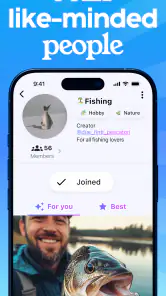

Analysis by Reviewed
For a new creator, the hardest part is often not making something; it is finding a place to share it and feel that someone is listening. Waveful - Become a Creator is a social app built around that idea. I see its appeal in giving creative work a community setting, rather than treating every post as an isolated upload. That can make sharing feel more inviting, though it also means the experience depends on the people you find and the conversations that develop.
A social space for creative work
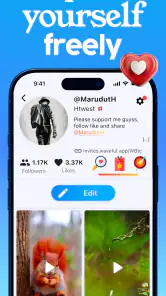
Waveful is developed by Waveful, and its central promise is a place for people to express themselves and connect with others. The familiar social elements—followers, likes, and comments—give posts ways to reach an audience and prompt a response. For a beginner, that can be a useful first step: instead of waiting until a project feels polished enough for a portfolio, you can share work in progress and see what resonates.
I would approach it as a community-facing outlet, not a replacement for a specialist tool. If I were making a song, drawing, or writing a short piece, I would create and edit it in the app or software best suited to that task, then use Waveful as a place to present the result and take part in discussion. Keeping those roles separate makes it easier to focus on the quality of the work rather than expecting a social feed to handle the whole creative process.
How sharing can fit into an ordinary day
Imagine finishing a sketch during a lunch break. You could share it while the idea is fresh, then return later to read comments and decide whether any feedback is useful for the next draft. That small loop—make, post, listen, refine—is where a creator-focused social space can be more motivating than storing work privately. I would not treat likes as a reliable measure of artistic quality, though; thoughtful feedback and the habit of finishing projects matter more than a quick response count.
For a more useful first week, I’d pick one subject or medium and post a few related pieces rather than trying to introduce every interest at once. A clear theme gives other people a better idea of what to respond to and helps me judge whether the community is a good fit. It is also sensible to share only work I am comfortable showing publicly and to avoid including personal details in a post.
Unleashing Creativity Like Never Before
When I first stumbled upon Waveful, I was intrigued by its promise to help users become creators. The app’s interface is sleek and inviting, making it super easy for anyone to navigate. Whether you're into art, music, writing, or any other form of creativity, Waveful provides a platform where you can let your ideas run wild.
Features That Make a Splash
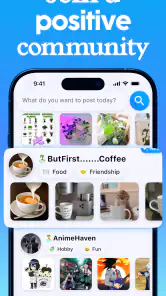
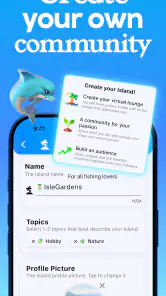
One of the first things I noticed was how thoughtfully the app is structured. You’ve got your usual social media aspects - followers, likes, and comments - but Waveful takes it up a notch with a community-focused approach. It’s like having your own little corner of the internet where your art is appreciated by like-minded individuals.
More From Our News Desk

Clash of Clans Is Won Between the Battles

Android Auto Makes the Case for Quieter Car Software

MobiOffice: Transforming Mobile Productivity with Seamless Integration

EA SPORTS FC™ Mobile Soccer: Redefining Mobile Sports Gaming

How Microsoft OneDrive Became a Mobile Productivity Giant

How Google Translate Breaks Language Barriers Effortlessly
Another feature I loved is the app’s collaborative tools. You can team up with fellow creators to work on projects, which is fantastic for those who love brainstorming and creating in a group setting. The app also supports various media forms, so whether you're uploading a video, an audio clip, or a written piece, you’re covered.
Finding the right audience
Compared with a general-purpose social network, a creator-oriented community can make it easier to frame a post around the work itself instead of everyday updates. A portfolio site, on the other hand, is usually better when I want a polished, stable showcase for clients or applications. I’d use Waveful for sharing and conversation, and a portfolio for carefully arranged finished work; neither has to replace the other.
It is also worth being patient when starting out. A new profile may not immediately attract the people who understand a particular style, and a quiet response does not necessarily mean the work has failed. I would try asking a specific, genuine question alongside a post—such as which part of a draft feels clearest—rather than simply hoping for broad praise. That gives viewers a more concrete way to engage and can make feedback more actionable.
Making feedback useful
For me, the most useful way to participate is to treat each post as a small invitation to respond, not a demand for approval. If I share a short story, I might ask whether the opening is easy to follow; if I post a sketch, I might ask which detail draws the eye first. One focused question is easier to answer than a vague request for thoughts, and it can help separate practical feedback from simple encouragement.
I would also keep a private note of comments that recur, rather than changing a piece in response to every individual opinion. A social audience can offer fresh perspectives, but it does not know the full intention behind a project. Looking for patterns over several posts gives me a better basis for deciding what to revise and what to leave as a deliberate choice.
What’s the Catch?
Now, let’s address the elephant in the room - every app has its quirks. Initially, I found the app to be a bit slow on my older device, but after a couple of updates, things seemed to smooth out. The developers are quite active, and they seem to genuinely care about user feedback, which is always a plus in my book.
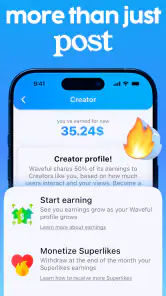
Another thing to keep in mind is that while the app offers a free version, some features are locked behind a subscription. However, the free version is quite generous, so you can still get a lot of mileage out of it without spending a dime.
Waveful is free to download, with in-app purchases ranging from $0.99 to $499.99 per item, so I would check the purchase details before spending and avoid paying just because I hope it will guarantee an audience. The app is rated Teen, has a 4.8 average from around 92,000 ratings, and has been installed over a million times. Those figures suggest a substantial user base, but they cannot tell me whether its community will suit my particular interests.
The practical trade-off is attention: posting and checking reactions can become a distraction from making the next piece. I would set a simple routine—share when I have something worth showing, then check in at a chosen time—rather than opening a social app whenever I feel stuck. If my priority were private collaboration with a known group, or a professional portfolio with complete control over presentation, I would choose a tool built specifically for that instead.
Keeping the creative habit yours
A useful boundary is to decide what a post is meant to do before sharing it. Sometimes I want a record of progress; sometimes I want one specific reaction; sometimes I simply want to join a conversation with other makers. Naming that purpose beforehand makes it easier to judge the response fairly and reduces the temptation to keep refreshing for attention.
It also helps to prepare a few pieces before settling into a posting rhythm. That way, I can share at a pace that feels manageable instead of turning every creative session into a race to publish. If a particular format or topic attracts more discussion, I would take that as a clue about what people noticed, not as an instruction to abandon the work I actually want to make.
Who benefits most from a creator community
I think the strongest fit is someone who already enjoys making things but finds private folders and camera rolls discouragingly quiet. A student sharing practice work, a hobbyist documenting a series, or a writer testing a short excerpt could all get value from having a place where posts invite conversation. The benefit is not necessarily rapid growth; it can be the gentle pressure of showing up, finishing a small piece, and hearing how it lands with other people.
It is a weaker match for anyone who wants an entirely private workspace, a dedicated editing suite, or a predictable way to reach a specific professional audience. A familiar group chat may be better for confidential drafts, while a portfolio service can make finished work easier to present in a controlled order. Waveful is most useful when the social part is a feature rather than an obligation.
Before joining in, I would also think about how much context I want attached to creative work. A public-facing post can travel beyond the exact circle I had in mind, so I would avoid sharing identifying details or material I am not ready to show. That is especially worth remembering for younger users: the Teen rating is a useful age signal, but it does not remove the need to make thoughtful choices about what to post and how to interact.
Final Thoughts
In today's digital age, having a platform like Waveful - Become a Creator is invaluable for aspiring artists and creators. It’s more than just an app; it’s a community where your creativity is nurtured and celebrated. So, if you're looking for a way to express yourself and connect with others who share your passion, Waveful might just be the app for you. Give it a whirl and see where your creativity takes you!
My recommendation is strongest for someone who wants a low-pressure place to share creative work and is happy to participate socially, not just upload and leave. If that sounds like you, try it with a small, consistent project and judge the experience by the quality of the conversations you find. If you mainly need editing tools, private feedback, or a formal showcase, another kind of app will likely serve you better. Waveful runs on Android 7.0 or later, and its current version is 1.34.2512011326; it first appeared on December 8, 2020.
Waveful - Become a Creator Frequently Asked Questions
What is Waveful’s main purpose, and who might enjoy it?
Waveful is a social app built around the idea that your voice matters. It may appeal to people who want to create and share content while taking part in an online community, whether they are already comfortable posting or are just exploring creative expression. Its creator-focused framing makes it worth considering if you want a social experience that puts sharing your own work at the center.
What kind of content can I expect to find on Waveful?
Waveful is centered on creating and sharing content and engaging with other people, so the experience is shaped by what users choose to post and how they participate. As with any social platform, the content you encounter may vary from one account or community interaction to another. Think about the kinds of posts and conversations you want from a social app before deciding whether Waveful is a good fit.
Do I need experience as a content creator to use Waveful?
You do not need to think of yourself as an established creator before trying Waveful. The app is positioned for people interested in creating and sharing, so it can be considered by newcomers as well as users who already post content. If you are new to social creation, start at your own pace and explore the experience before deciding how actively you want to participate.
Is Waveful free to download, and are there optional purchases?
Waveful is free to download, so you can try its social and creator-focused experience without an upfront purchase. The app also offers in-app purchases, with prices ranging from $0.99 to $499.99 per item. If you are considering any paid option, check the details shown in the app before confirming a transaction.
Is Waveful suitable for younger users?
Waveful is rated Teen, which is useful to consider when deciding whether it is appropriate for you or someone in your family. As a social app, it is centered on creating and sharing content and engaging with other people. Families may want to review the app together and discuss sensible habits for participating in an online community.
Pros
- User-friendly interface for easy navigation.
- Offers a wide range of creative tools.
- Supports multiple content formats.
- Engages users with a vibrant community.
- Regular updates with new features.
Cons
- Limited customer support options.
- In-app purchases can be expensive.
- Occasional bugs and performance issues.
- Requires a stable internet connection.
- Some features are locked behind paywalls.

- Category
- Social
- Version
- 1.34.2512011326