

Toonsutra: Webtoon & Manga App
- 36.00
- 2.4
- Installs
- 5.00M
- Price
- Free

Screenshots
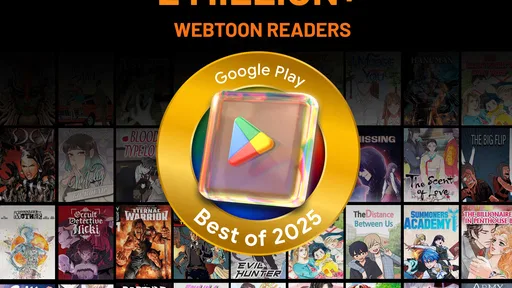
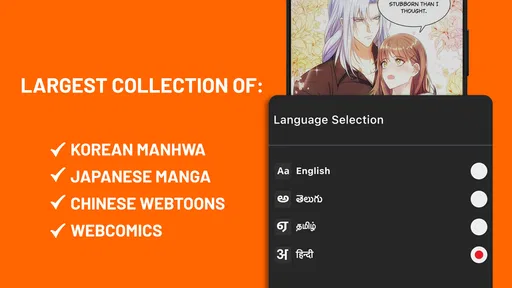
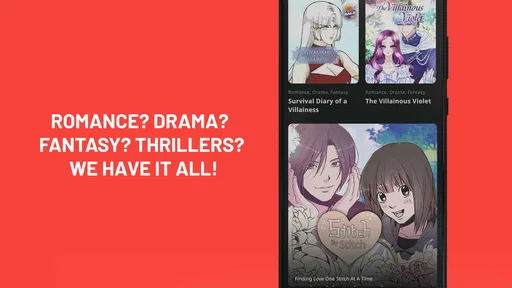
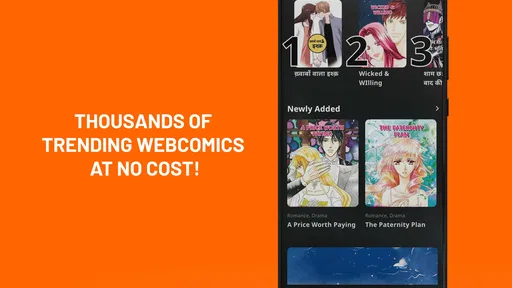


Analysis by Reviewed
I tend to open a comics app with a practical question: can I find a story quickly, get into its rhythm, and pick it up again when the day interrupts me? Toonsutra: Webtoon & Comics is aimed at readers looking for illustrated stories across webcomics, webtoon, manga, and manhwa. It is free to install, with optional in-app purchases, so I’d treat it as a place to sample and follow stories rather than assume every reading choice will be free.
That makes it most useful when I have a little time to browse but no particular title in mind. A short wait, a lunch break, or a quiet ride can become a chance to try a new series. If I already know exactly which comic I want and usually read it through another publisher’s app, switching may not add much; the value here is in exploring a collection in one place.
Picking a story when you have only a few minutes
I’d start with the time I actually have, rather than opening the app and scrolling without a plan. For a brief break, I’d look for a premise and artwork that make sense at a glance, then read enough to judge whether the opening holds my attention. For a longer evening session, I’d be more willing to explore unfamiliar genres and give a slower start room to develop. That distinction matters: a comic that feels too gradual during a rushed commute may be exactly right when I can settle in.
Before getting invested, I’d also check how the series is presented and what continuing it involves. A promising first chapter is only part of the decision; the useful question is whether I want to return to this story and whether the next step fits my budget and reading routine. Since purchases are optional, I would not assume that every continuation is handled the same way. Taking a moment to read a prompt before tapping through helps prevent an enjoyable browsing session from turning into an unexpected expense.
A Universe of Comics at Your Fingertips
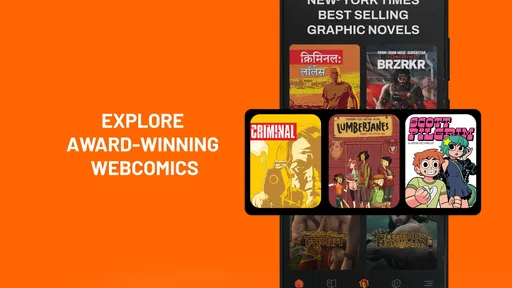
When I first stumbled upon Toonsutra: Webtoon & Comics, I was instantly hooked. Imagine having a library of diverse comics right on your phone. The app's interface is sleek and user-friendly, making it easy to find your next read. You can browse by genre, popularity, or even discover hidden gems recommended by fellow readers. It's like having a comic-con in your pocket!
Diving Into the Features
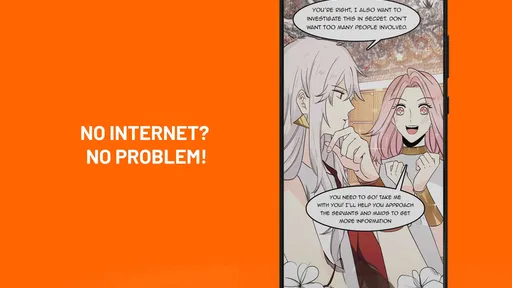
One of the standout features of Toonsutra is its ability to personalize your reading experience. The app learns from your reading habits and starts suggesting comics that align with your interests. It's almost like it knows you better than you know yourself! Plus, the offline reading mode is a lifesaver for those long commutes or when you're stuck somewhere without Wi-Fi. Just download your favorites and enjoy them anytime, anywhere.
Another cool feature is the community aspect. You can join discussions with other comic fans, share your thoughts on the latest chapters, and even get sneak peeks of upcoming releases. It's a fantastic way to connect with people who share your passion for storytelling and art.
More From Our News Desk

 Gmail
GmailGmail in a Busy Inbox: Who Benefits Most?
From first account to crowded workday, Gmail earns its place through dependable search and flexible sorting—but its best fit depends on how much inbox maintenance you can tolerate.

 Prime Video
Switching to Prime Video: What Changes in Your Viewing Routine
Prime Video can make a compelling second home for streaming, but switching means learning a different catalog, rental layer, and route from browsing to playback.

 Universal TV Remote Control
Universal TV Remote Control Works Best as a Reliable Backup
A phone remote earns its place through quick setup and reliable habits. Here is how to get more from Universal TV Remote Control—and where its limits show.

 Weather - By Xiaomi
Weather by Xiaomi Review: Clear at a Glance, Less Clear Up Close
Xiaomi’s weather app makes everyday forecasts quick to scan, but its calm surface can leave useful details and recovery paths harder to find than they should be.

 X
XX Under Pressure: Can It Recover When Posting Goes Wrong?
A resilience-focused review of X, examining setup, mistaken posts, interruptions, weak connections, and the gaps that matter when recovery needs to be dependable.

 Clash of Clans
Clash of Clans Is Won Between the Battles
Its raids are quick; its community is a long-term project of coordination, teaching, rivalry, and shared responsibility—with all the friction that entails.
Latest News



Visual Delight
The artwork on Toonsutra is nothing short of amazing. Each comic is beautifully illustrated, with vibrant colors and intricate details that bring the stories to life. Whether you're reading on a tablet or a smartphone, the visuals are stunning and immersive. It's like stepping into another world with every page you turn.
From a quick browse to a regular reading habit
My practical approach would be to browse a couple of genres first, open a promising series, and give its artwork and pacing a fair trial before committing to a long read. Recommendations can help surface something beyond my usual picks, but I wouldn’t treat them as a complete map of the catalogue: if the first suggestions miss the mood, I’d try a different genre or browse more deliberately. That small reset is useful when a personalised feed starts to feel narrow.
For a commute, I’d choose a chapter while connected and prepare anything I want to read offline before leaving. That turns the download option into a simple handoff: discovery at home, reading on the train, and a discussion later if I want to share a reaction. I would check that a chosen comic is available for offline reading rather than assume every title works the same way. Likewise, I’d look at any purchase prompt before continuing a series, since optional in-app purchases mean the free starting point does not guarantee that every later choice costs nothing.
Making the handoffs work
A good routine is less about finding a perfect title immediately and more about making it easy to return to one. I’d use a browsing session to identify a couple of possibilities, then settle on one rather than opening several series and forgetting where each began. Once I’ve chosen, I’d keep the next reading session simple: open the story, read at a natural stopping point, and decide whether it deserves another visit. This is especially useful when the app is competing with messages, music, or other things I use during the same commute.
The social side can be a second handoff, from reading privately to comparing reactions with other fans. I’d save that for after I’ve formed my own impression of a chapter; seeing other readers’ comments too early can shape expectations or reveal reactions before I’ve had time to enjoy the story. If I prefer to read without discussion, I can treat community features as optional rather than making them part of every session. That flexibility is valuable, but anyone who dislikes social layers in reading apps may find a simpler specialist reader more comfortable.
Who will get the most from it
I’d recommend giving it a try if you enjoy sampling different illustrated formats and want one app for browsing webcomics, webtoon, manga, and manhwa. It may also suit readers who like the social side of following a story, not just turning pages alone. The Teen content rating is worth keeping in mind if you’re choosing an app for a younger reader; I’d still make title choices together rather than assume every story will suit every teenager.
It is also a reasonable fit for someone who wants a low-commitment way to find a new series. You can begin with curiosity rather than a long list of titles to track, and the variety makes it easier to shift between formats when one style is not matching your mood. I’d be especially inclined to try it if I often finish one story and then spend more time deciding what to read next than actually reading. Browsing across several kinds of comics can make that transition feel less like starting from zero.
For a realistic weekday example, imagine I have a short wait before an appointment and a longer bus ride afterward. I’d use the wait to browse and sample a story, then, if it seems promising, prepare the next reading session before leaving a reliable connection. On the ride, I can focus on the chapter instead of searching again. Later, I can decide whether to continue, explore reactions, or move on. The benefit is not that every step is effortless; it is that discovery, reading, and deciding what comes next can fit into separate pockets of time.
Choosing between a broad catalogue and a specialist app
Compared with a publisher-specific comics app, Toonsutra’s appeal is breadth: it brings several illustrated formats into one browsing experience. That is handy when I’m open to a new story, but it may be less convenient if I already follow a particular series elsewhere and want all its updates, reading history, or publisher-specific extras in one place. In that case, the original publisher’s app is usually the more direct route, because I would not need to split attention between services.
It also differs from reading comics through a general digital bookstore, where the experience often centres on choosing and owning individual volumes. A mixed comics app is better suited to browsing and sampling ongoing stories, while a bookstore can make more sense for readers who prefer complete volumes and a collection they deliberately build. I’d choose based on how I read: if I want a steady stream of discoveries, I’d try Toonsutra; if I want a known edition or a particular volume, I’d look for that directly.
There is a trade-off in having discovery, reading, and community together. Recommendations and discussions can make it easier to find a new direction, yet they can also add decisions and distractions to a simple reading session. I’d keep my own goal in mind: if I’m short on time, go straight to the series I chose; if I’m browsing, allow room to explore. That small distinction helps the app serve as both a discovery shelf and a place to read, without expecting every visit to do both jobs.
What the numbers suggest—and what they don’t
Toonsutra is a comics app from developer Toonsutra, with more than a million installs and an average rating of 2.6 from around 6,200 ratings. That mixed reception makes me cautious about calling it an effortless recommendation for everyone. I’d install it with a specific test in mind: find a series that appeals to me, check whether the reading flow feels comfortable, and see whether the available way to continue suits my habits. The app is free, but its in-app purchases range from about fifty cents to twenty-five dollars per item, so I’d pay attention to individual prompts rather than assume a single spending model applies throughout.
That test should include more than whether the first comic looks attractive. I’d check whether I can find another story when my first choice is not right, whether reading feels comfortable on my usual device, and whether the transition from one session to the next suits me. If I mainly want one specific series, those checks may be unnecessary; I would simply use the service where that story is already available. But for a discovery-focused reader, trying more than one genre gives a fairer sense of whether the catalogue fits.
The app is free to install, but that does not make every possible reading path free. I’d treat each purchase prompt as a decision point, particularly if I’m following a story chapter by chapter. A useful personal rule is to decide what I’m comfortable spending before I get caught up in a cliffhanger, then pause at any prompt and check the amount before proceeding. Readers who want a completely predictable, no-purchase reading routine may prefer an option with a payment model they already understand.
Where the reading flow can break
The main friction for me is the gap between wanting a specific comic and browsing a broad collection. A wide choice is welcome when I’m exploring, but it can make a quick session feel less efficient if I arrive with no plan and keep changing direction. I’d avoid opening it when I have only a minute and expect instant certainty; it works better when I can spend a little time sampling and then choose. Using a genre or a clear mood as a starting point gives that browsing time a purpose.
Another possible snag is expecting a story to be available in precisely the way I want to read it. For offline sessions, I’d prepare in advance and verify the chosen comic is ready rather than discovering the issue after I’ve lost a connection. For spending, I’d distinguish between installing the app, reading what is accessible without a purchase, and deciding to pay for an individual item. Those are separate steps, and treating them separately makes the experience easier to manage.
I would also skip it if I strongly prefer a quiet, single-purpose reader and have no interest in browsing or community discussion. The app’s broad approach is not automatically an advantage for someone who knows their preferred publisher and wants to stay inside that ecosystem. Similarly, if I am choosing for a young teenager, I would look at individual titles together rather than rely on the overall age category alone. That is a more thoughtful way to match a particular story with a particular reader.
Conclusion: A Must-Have for Comic Lovers
In a nutshell, Toonsutra: Webtoon & Comics is a must-have app for anyone who loves comics and webtoons. Its extensive library, user-friendly interface, and personalized features make it a standout choice in the world of digital comics. So, if you're ready to embark on countless adventures and explore new worlds, give Toonsutra a try. Trust me; you won't be disappointed!
My own recommendation is a little more conditional: it’s worth trying if discovery and a mix of comic formats are what you want, but I wouldn’t promise it will suit every reader, especially given the uneven rating. It was released on September 22, 2023, and its current version is 4.1.14; it requires Android 7.0 or later. If the catalogue, reading routine, and purchase choices work for you, it can become a handy place to find your next series. If not, a dedicated app for the comics you already follow is likely the better fit.
For iOS readers, I’d make the same practical decision around the way I read rather than assume every platform offers an identical experience. The key questions remain whether I can find stories I genuinely want to follow, whether continuing one fits my spending comfort, and whether I prefer a broad discovery app or a publisher’s focused catalogue. For Android users, the stated minimum requirement is version 7.0, which is useful to check before installing on an older device.
Overall, I’d approach this as a flexible place to browse first and a regular reading home only if the stories and routine click for me. Its strongest case is the chance to move among webcomics, webtoon, manga, and manhwa without deciding in advance exactly what I want. Its weaker case is for readers who value a narrowly focused catalogue, a highly predictable purchase path, or a distraction-free experience above discovery. Start with one story, try the reading flow in the situation where you’ll actually use it, and let that experience—not the promise of a huge library—decide whether it earns a place on your phone.
Toonsutra: Webtoon & Manga App Frequently Asked Questions
Is Toonsutra suitable for younger readers?
Toonsutra is rated Teen, so its intended audience is teenagers and older readers. Comics can vary in subject matter and tone, making it sensible for families to consider individual titles before younger children read them. The app focuses on online webcomics, webtoons, manga, and manhwa, so readers can browse different kinds of stories and choose what suits their interests.
How much storage space does Toonsutra need, and will it work on my phone?
Toonsutra is a comics-reading app for Android and iOS, and its Android version requires Android 7.0 or later. The amount of storage it uses can depend on the app and the content you access, so it is worth checking your device’s available space before installing. If your phone runs an older Android version, it may not be compatible.
Does Toonsutra need an internet connection to read comics?
Toonsutra is centered on online webcomics, webtoons, manga, and manhwa, so an internet connection is useful for browsing and accessing its collection. If you plan to read while away from Wi-Fi, consider how your mobile data allowance may be affected. Reading availability can depend on how the app provides each title, so check the options shown for a comic you want to read.
What is Toonsutra: Webtoon & Comics?
Toonsutra: Webtoon & Comics is an innovative platform that offers a vast collection of webtoons and comics across various genres. The app is designed to provide a seamless reading experience on mobile devices, allowing users to explore diverse stories from talented creators worldwide. Whether you enjoy action, romance, or fantasy, Toonsutra has something for everyone. Its collection includes online webcomics, webtoon, manga, and manhwa, making it a place to explore several comic formats in one app.
Is Toonsutra free to use, or does it require a subscription?
Toonsutra offers both free and premium content. Users can access a wide range of webtoons and comics without any cost; however, subscribing to the premium version unlocks exclusive content, ad-free reading, and early access to new releases. The subscription model provides a more enhanced and uninterrupted reading experience for avid comic enthusiasts. The app is free to download, with in-app purchases ranging from $0.49 to $24.99 per item, so review any purchase details before confirming.
Pros
- Diverse selection of comics and webtoons
- Intuitive and user-friendly interface
- Regular updates with fresh content
- Offline reading mode available
- High-quality artwork and storytelling
Cons
- Limited free content options
- In-app purchases can be costly
- Frequent ads disrupt reading experience
- No option for custom notifications
- Requires stable internet for streaming











