

TMOLector: Manga and Stories
- 94.00
- 4.5
- Installs
- 1.00M
- Price
- Free

Screenshots
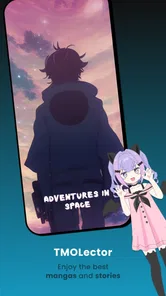

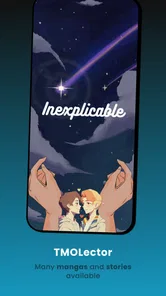
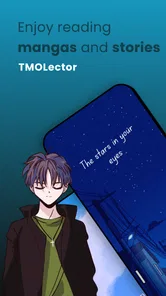
Analysis by Reviewed
I tend to judge a reading app by how quickly I can settle into a story, not by how many titles it claims to hold. TMOLector: Manga and Stories is a free comics app from HeyMundo Labs, and its broad focus makes it appealing when I want manga one day and a different kind of story the next. It has a 4.5 average from around 16,000 ratings, with over 500,000 installs, so it has found an audience. My main advice is to treat it as a flexible place to explore rather than assume it will replace every specialist reading service.
How the reading experience holds up
Right off the bat, what drew me in was the sheer volume of manga available on TMOLector: Manga and Stories. From the latest trending series to those hidden gems you stumble upon by chance, the app seems to have it all. Navigating through the library is a breeze thanks to its user-friendly interface. I loved how everything is neatly categorized, making it simple to discover new stories based on your preference.
Finding a good fit before committing
When I am trying a reading app for the first time, I do not begin by building a huge queue. I search for one story I already know I enjoy, then browse around it for something unfamiliar. That gives me a useful test of both sides of the experience: whether the catalog can meet a specific need and whether discovery can surprise me. With a mixed manga-and-story service, this is more informative than scrolling through recommendations for ages without actually reading.
I would also treat the first few sessions as a quick personal check rather than a promise to use the app for everything. Open a title on the kind of screen and in the kind of place where you usually read, try the available display choices, and see whether the page flow suits you. If the experience feels comfortable, then it is worth building a routine around your library. If it does not, switching to a specialist reader may be a better decision than hoping that familiarity will fix a format that never felt right.
Small adjustments that make reading easier
One of the features that caught my eye is the app’s customization options. You can adjust the brightness, choose between different reading modes, and even set up your own library for quick access. It’s like having a personalized manga corner right in your pocket. And let me tell you, being able to bookmark my favorite scenes was a game-changer!
Those options matter most when a reading session lasts longer than planned. I like being able to tune the display to the room rather than forcing myself to read at one fixed brightness. A practical habit is to save a title to your library as soon as you decide to follow it, then use bookmarks for moments you genuinely want to revisit; that keeps saved reading material useful instead of turning it into an unorganized pile. If you read on a smaller screen, trying the available modes early can also help you decide whether the page flow feels comfortable before you get deep into a series.
Making a reading session fit a busy day
For readers who only have short gaps in the day, the useful question is not simply whether a story is available; it is whether you can return to it without wasting those few minutes. I would keep the library focused on the titles I am actively following and use a bookmark for a particular scene I want to find again. That separates two different jobs: the library helps me resume a series, while a bookmark preserves a moment within it. It is a small organizational distinction, but it makes quick sessions less fiddly.
More From Our News Desk

 Gmail
GmailGmail in a Busy Inbox: Who Benefits Most?
From first account to crowded workday, Gmail earns its place through dependable search and flexible sorting—but its best fit depends on how much inbox maintenance you can tolerate.

 Prime Video
Switching to Prime Video: What Changes in Your Viewing Routine
Prime Video can make a compelling second home for streaming, but switching means learning a different catalog, rental layer, and route from browsing to playback.

 Universal TV Remote Control
Universal TV Remote Control Works Best as a Reliable Backup
A phone remote earns its place through quick setup and reliable habits. Here is how to get more from Universal TV Remote Control—and where its limits show.

 Weather - By Xiaomi
Weather by Xiaomi Review: Clear at a Glance, Less Clear Up Close
Xiaomi’s weather app makes everyday forecasts quick to scan, but its calm surface can leave useful details and recovery paths harder to find than they should be.

 X
XX Under Pressure: Can It Recover When Posting Goes Wrong?
A resilience-focused review of X, examining setup, mistaken posts, interruptions, weak connections, and the gaps that matter when recovery needs to be dependable.

 Clash of Clans
Clash of Clans Is Won Between the Battles
Its raids are quick; its community is a long-term project of coordination, teaching, rivalry, and shared responsibility—with all the friction that entails.
Latest News



A realistic routine might be to read a chapter while waiting for an appointment, pause when your name is called, and pick up again later without searching through the catalog from scratch. If I am sampling a new title, I would avoid adding every interesting result to my library immediately. Trying a little first makes it easier to distinguish a story I genuinely want to follow from one that only caught my eye while browsing. That approach is especially useful in an app designed for variety, where the temptation to collect more than I will read is real.
Offline reading and the commute test
What’s more, the app allows offline reading, which means you can download chapters and enjoy them without worrying about your internet connection. This feature came in handy during my daily commute, and I’m sure fellow commuters will appreciate it too.
For a reliable commute routine, I’d download the chapters I expect to read before leaving, while I still have a steady connection. That is more dependable than assuming a train, bus, or underground stretch will have usable service. Offline access is especially helpful for readers who dip in for a few minutes between stops, but it does require a little planning: if you start a new series away from a connection, it may not be ready to read. I’d also keep downloads focused on what I’m currently following rather than saving everything, so it’s easier to find the next chapter when time is short.
A sensible way to manage saved chapters
I would make offline reading part of a small, repeatable habit: before heading out, decide what I am likely to read and prepare just those chapters. The benefit is practical, not complicated. It reduces the chance of opening the app during a connection dead spot only to discover that the story I wanted is not ready. It also stops a download queue from becoming a second, less manageable version of the catalog.
For a long journey, I would prepare more than one format if I already know I enjoy both visual stories and prose. A webtoon or manga can suit a brief break, while a light novel may be a better choice when I have enough uninterrupted time to settle into text. That is a personal planning tip rather than a guarantee about how every title will behave offline, so I would check that the chapters I intend to read are available before leaving. If I mostly read at home with dependable access, this preparation matters less, and a dedicated offline-first workflow may not be the reason to choose the app.
Beyond manga, with a different reading rhythm
While TMOLector shines in delivering an exceptional manga experience, it also offers a diverse range of stories beyond the manga world. There are light novels and webtoons, which adds a refreshing variety for those days when you want something different. I found myself delving into a few light novels and was pleasantly surprised by the quality and depth of the stories.
That range suits someone whose reading mood changes: I might choose a visual series when I have a spare stretch of time, then switch to prose when I want to read without following panels. It is also a useful way to browse beyond familiar genres without installing a separate app for every format. The trade-off is that a broad catalog can feel less focused than a dedicated manga reader. If your priority is a particular publisher’s official releases, a carefully curated storefront, or a highly specialized reading community, I’d compare those alternatives before settling on this as your only app.
Choosing between a broad reader and a specialist
The main comparison I would make is not “which app has more?” but “which app matches what I read most?” A focused manga service can be the better fit if I want a particular official catalog or a polished experience centered on one format. A digital bookstore may suit me better if I prefer buying and organizing books through a familiar storefront. TMOLector’s appeal is different: it puts manga alongside webtoons and light novels, so I can explore across formats without making each reading mood a separate app decision.
That breadth has a real trade-off. A wide-ranging catalog can be convenient, but a reader who cares most about one specific series should search for it before investing time in a long-term routine. Likewise, someone who values an official source above all else may prefer a service built around the publisher or bookseller they trust. I see this app as most compelling for curious readers who want variety and practical reading tools, not as an automatic replacement for every specialized alternative.
Notifications, version and what to expect
The app also keeps you updated with the latest chapters and releases notifications, so you never miss out on the action. It’s like having a personal manga assistant, always ready to serve up the next big thing in the manga universe.
I’d use notifications selectively if I follow several ongoing stories; reminders can be handy, but frequent alerts can interrupt the very reading time the app is meant to support. The current version is 2026.01.25, following its release on January 8, 2024. That gives readers a concrete sense of the app’s ongoing version history, but a version number alone does not tell me which changes will matter to my own routine. Existing users should judge an update by whether their library, reading preferences, and chapter habits still work smoothly after installing it, rather than expecting a particular new feature.
For someone who has used the app for a while, I would focus on continuity when a new version arrives: can I still get to my saved titles, does my chosen reading mode remain comfortable, and are my usual chapter routines intact? Those are the details that affect an everyday reader more than a version label by itself. New users can take the opposite approach and first establish a simple baseline—one or two saved stories, a preferred display setting, and a notification choice—so it is easier to notice whether later changes improve their own experience.
The audience rating is Teen, which is worth keeping in mind when choosing an app for a younger reader. I would still make content choices together with them, since a broad stories catalog can include material that suits different tastes and levels of maturity. The app requires Android 7.0 or later, so it may be an option for some older Android devices, though everyday comfort also depends on how well a particular phone handles reading.
Who will enjoy it—and where it may fall short
For a realistic everyday use, imagine having a few quiet minutes after lunch: I can open my library, continue a saved story, and bookmark a scene before getting back to work. Later, I can switch formats when I want a change of pace. That simple, flexible routine is where the mix of library access, reading adjustments, and offline chapters makes the most sense.
I’d recommend it to readers who like exploring manga alongside webtoons and light novels, and who value being able to prepare chapters for offline reading. I’d be more cautious if you only want a tightly curated catalog, need a particular series to be available, or prefer to read exclusively through an official publisher’s service. Availability and personal taste matter more than a large-sounding library; before committing to a long series, I’d check that the stories I actually want are easy to find and that the reading presentation suits me.
Questions worth settling before it becomes your main reader
If I were deciding whether to keep it as my everyday reading app, I would start with three practical checks. First, can I find the stories I actually want? Second, do the reading modes feel comfortable on my device? Third, can I prepare chapters in advance for the places where I tend to lose a connection? Those answers matter more than a quick browse through unfamiliar titles, because they test whether the app fits my own habits rather than someone else’s.
I would also think about who else may use the device. The Teen age rating is a helpful starting point, but it is not a substitute for choosing stories together when a younger reader is involved. For an adult reader, the same broad range is a reason to explore thoughtfully rather than assume every result will match one preferred mood. In either case, a little deliberate selection makes the catalog feel more personal and easier to manage.
On cost, the app is free, which makes it easy to try without treating the first session as a major commitment. I would still judge it by whether the stories and reading workflow suit me, not by the low barrier to installation. A free app that does not carry the titles I want or that feels awkward on my device is not a useful bargain; one that makes it easy to move between formats and continue reading can earn a place in my routine.
My closing take
In conclusion, TMOLector: Manga and Stories is more than just an app; it’s a gateway to endless adventures and stories waiting to be explored. Whether you’re a seasoned manga reader or a curious newbie, there’s something for everyone. With its extensive library, customizable features, and offline reading option, it ticks all the right boxes for a stellar reading experience.
So, if you haven’t already, give it a try. You might just find your next favorite series or story. And trust me, once you start, it’s hard to stop!
TMOLector: Manga and Stories Frequently Asked Questions
What should I check before installing TMOLector?
Check that your Android device meets the app’s minimum operating system requirement, and consider whether a comics reader focused on manga and stories suits what you want to read. TMOLector is categorized as a comics app, and its Teen age rating is worth keeping in mind if the device will be used by a younger reader. These quick checks can help you decide whether it is a good fit.
Who is TMOLector designed for?
TMOLector is a comics app for people interested in reading manga and stories on a mobile device. Its Teen age rating makes it more appropriate for teenagers and older readers than for very young children. Parents and guardians may want to look at the app and its titles with younger users, since individual stories can appeal to different ages and sensitivities.
What is the current version of TMOLector?
The current version of TMOLector is 2026.01.25. If you already use the app, checking for updates can help you keep your installation current. Before installing, it is also sensible to make sure your device runs a compatible version of Android. TMOLector is intended for reading manga and stories, so compatibility is an important first step toward using it.
Is TMOLector suitable for younger readers?
TMOLector is rated Teen, so it is intended for teenage readers and older rather than very young children. As with any comics and stories app, parents and guardians may want to review the app and its content with younger users and make reading choices together. The age rating is a helpful guide, but individual titles may suit readers differently.
Which devices and operating systems can run TMOLector?
TMOLector is available for Android devices running version 7.0 or later. Before downloading, check the operating system version on your device to make sure it meets that requirement. The app is a comics reader focused on manga and stories, so a compatible device is the first step toward browsing and reading its content.
Pros
- Extensive manga library available.
- User-friendly and intuitive interface.
- Regularly updated with new content.
- Offline reading mode available.
- High-quality images and translations.
Cons
- Contains in-app advertisements.
- Limited free content access.
- Requires internet for some features.
- Occasional app crashes reported.
- Subscription model for premium access.











