Tina Live - Match & Video Call
- 21.00
- 4.4
- Installs
- 1.00M
- Price
- Free

Screenshots


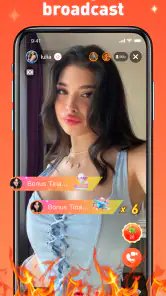



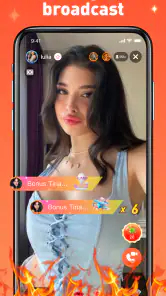

Analysis by Reviewed
When I try a new social app, I usually care less about a polished first impression and more about what happens once the conversation becomes personal. Tina Live - Match & Video Call is built around meeting people and chatting quickly, so its appeal is easy to understand: it aims to reduce the distance between discovering someone and starting a live conversation. In my experience, that makes it feel more immediate than a traditional messaging app, but it also means I pay closer attention to boundaries, account choices, and the way I share information.
This is a free social app from mimuna, with optional purchases ranging from $0.99 to $159.99 per item. It is intended for mature users aged 17 and over, and that matters here because live social contact can move faster than a carefully written profile exchange. The app has a 4.4 average from around 6.8K ratings and has passed one million installs, so it is not an obscure experiment with no visible audience. Still, popularity is not the same as trust. I would treat those figures as a sign that people are trying it, not as proof that every interaction will be comfortable or worthwhile.
What using Tina Live feels like in practice
The central idea is straightforward: find someone, make contact, and move toward chat or video communication without the slower rhythm of exchanging messages for days. That can be useful when I want a more natural sense of another person than a profile and a few text bubbles can provide. Voice, timing, and conversational style often tell me more quickly whether a connection feels genuine.
The trade-off is that speed removes some of the filtering that makes ordinary social platforms feel manageable. On a conventional messaging service, I can read a profile, check the context of a conversation, and decide when to answer. A live-oriented experience encourages a quicker decision. I found that the best approach is to treat the first interaction as a short introduction rather than an invitation to disclose everything at once.
A realistic everyday use case would be someone with a free evening who wants to meet people outside their existing circle. I would open the app with a narrow goal: have one or two brief conversations, notice whether the other person respects a simple boundary, and leave if the exchange feels pressured. That workflow is more useful than entering with the expectation that every match will become a lasting relationship.
The current version is 1.1.5, and the app supports devices running Android 7.0 or later. That broad compatibility makes it easier to try on an older Android phone, although a live video experience is still affected by the phone’s camera, microphone, battery condition, and connection quality. The minimum operating-system support tells me whether installation is possible; it does not guarantee that every device will deliver the same smooth call experience.
Why the live format can be valuable
Text chat is excellent when I need time to think, translate, or decide how much personality to show. Video is better when I want to test conversational chemistry quickly. Tina Live sits closer to the second use case. A short live exchange can reveal whether someone listens, interrupts, answers naturally, or immediately pushes the conversation in a direction I do not want.
More From Our News Desk

Clash of Clans Is Won Between the Battles

Android Auto Makes the Case for Quieter Car Software

MobiOffice: Transforming Mobile Productivity with Seamless Integration

EA SPORTS FC™ Mobile Soccer: Redefining Mobile Sports Gaming

How Microsoft OneDrive Became a Mobile Productivity Giant

How Google Translate Breaks Language Barriers Effortlessly
That immediacy is also useful for people who dislike endless swiping and repetitive introductions. Instead of polishing a profile indefinitely, I can focus on the interaction itself. I would recommend it most to users who are comfortable making quick social judgments and ending conversations politely when the match is not right.
It is less suitable for someone who wants a quiet, highly structured dating process, detailed compatibility tools, or a large amount of control before any live contact. A slower matching service may be better in that situation. Tina Live’s strength is momentum, not deep preparation.
Trust begins with what I can actually control
For a social app involving chat and video calls, trust should start with visible choices rather than assumptions. I look at what the app asks me to do before I begin, what information I choose to put into a profile, and whether I can decide when a conversation ends. I do not assume that a friendly interface automatically means a low-risk environment.
My practical rule is to create the smallest useful profile. I would avoid adding a workplace, home area, daily routine, personal phone number, or other details that make it easy to identify me away from the app. A social connection does not need a complete biography on the first day. Keeping the profile limited also makes it easier to change direction if the experience is not for me.
I would also review the account and conversation controls before getting invested. The important question is not whether the app promises a good match; it is whether I can make a clear choice when I do not want further contact. If blocking, reporting, or privacy settings are visible and understandable, I can use the service with more confidence. If a control is buried or unclear, I become much more cautious about starting a video call.
One useful habit is to separate discovery from disclosure. I can use the app to see whether a conversation is pleasant without immediately moving to another platform. Keeping the first exchanges inside the app gives me time to judge the person’s behavior before sharing another account, number, or social profile. That small delay is one of the simplest ways to preserve control.
Handling video calls without giving away too much
Video changes the privacy equation because it can reveal more than speech. Background objects, windows, uniforms, documents, family members, and even a regular commute can provide clues about where I live or work. Before accepting a call, I would choose a neutral setting and check what is visible behind me. This is not about acting suspiciously; it is about reducing accidental exposure.
I would also avoid treating a video call as proof of identity. Seeing a real person on camera can make an interaction feel trustworthy, but it does not tell me whether their story is accurate or whether they will respect boundaries later. I would keep the first call short, avoid sending money or sensitive material, and end the conversation immediately if the tone becomes manipulative.
A concrete tip that is easy to overlook is to prepare an exit phrase before starting. Something as simple as “I need to go now” prevents me from staying in an uncomfortable call while searching for a polite explanation. If the other person argues with that boundary, I have learned something important about the interaction. A live social app should make it possible for me to leave without negotiating my right to leave.
I would be especially careful with requests to move quickly from a casual chat to private contact, financial help, intimate images, or urgent personal problems. Those requests are not made safer by the fact that the conversation began inside a matching app. The right response is to stop, use the available account controls, and avoid trying to rescue a stranger from a situation I cannot verify.
Data-sensitive moments deserve extra attention
The most sensitive moments are usually not the first tap. They happen when I create an account, add a photo, begin a video conversation, or decide to continue with someone outside the app. Each step can expose more personal context than the last. I would pause at those points and ask whether the benefit is worth the information I am revealing.
Photos deserve the same care as messages. I would avoid images showing identification cards, tickets, addresses, school names, work badges, or distinctive locations. A picture can feel harmless because it is already on my phone, but once it is used socially, it may be seen in a context I did not anticipate.
Purchases are another moment where user attention matters. Tina Live is free to install, but it includes optional items priced from $0.99 to $159.99. That wide range means I would not tap purchase buttons casually, especially during an emotionally exciting conversation. I would check exactly what an item does, whether it is one-time or recurring, and whether the amount is comfortable before confirming anything through the device’s payment flow.
My strongest recommendation is to set a personal spending limit before using any paid social feature. I would never buy something because another person pressures me, suggests it will prove interest, or frames it as necessary to continue talking. A genuine connection should not depend on an unexpected purchase. If the app’s paid options are useful to me, I should choose them deliberately, not react to a moment of excitement.
The mature age classification is also a practical signal about the kind of environment I should expect. I would not install it for a child or let a younger user borrow an account. For adults, the label is a reminder to approach conversations and visual content with appropriate judgment, not an assurance that every user will behave responsibly.
How it compares with ordinary social alternatives
Compared with a standard messaging app, Tina Live is more focused on discovery and immediate interaction. A messaging service works best when I already know the person or have another reliable way to contact them. It gives me more control over when I respond, but it does not solve the problem of meeting someone new. Tina Live addresses that discovery gap, while accepting more uncertainty at the beginning.
Compared with a traditional dating platform, its live emphasis can shorten the path from matching to conversation. That is helpful if I find long profile browsing tiring. However, a slower dating service may provide better structure for users who want detailed filters, deliberate compatibility checks, or more time before any camera-based interaction. I would choose Tina Live for immediacy and another service for careful screening.
Compared with a general video-calling tool, the difference is the social discovery layer. A familiar video app may be better for people I already know, work meetings, or planned calls. Tina Live is aimed at meeting people through the service itself. That makes it more spontaneous, but also means I need stronger personal boundaries because the other person is not already part of my trusted circle.
There is also a trade-off between convenience and context. A quick match can feel refreshing, yet a profile rarely tells me enough to judge motives. I would not replace all other social tools with this app. I see it as one option for meeting people, best used alongside normal communication habits rather than as a complete substitute for them.
Who will enjoy it, and who should skip it
I think Tina Live is a good fit for adults who enjoy spontaneous conversation, are comfortable with live video, and can make firm decisions about privacy and spending. It may suit someone who wants to break out of a repetitive online routine and prefers hearing a person’s voice or seeing their reactions instead of relying entirely on written messages.
It is also useful for a user who understands that not every match deserves extended attention. The app works better when I treat each chat as an optional conversation, not as a promise. That mindset prevents me from overinvesting in a stranger simply because the first few minutes felt exciting.
I would suggest skipping it if unexpected live contact makes you anxious, if you strongly prefer asynchronous messaging, or if you find it difficult to say no when someone asks for attention or purchases. A slower service with more deliberate controls may be healthier. The same applies to anyone looking for professional networking, family communication, or a private video-call tool; this app’s social discovery focus is not designed for those needs.
Parents should not consider the mature rating a suitable setting for younger users. Adults who share a device should use separate accounts and avoid leaving personal conversations open. These are simple habits, but they matter more in a service where social contact can become immediate.
My practical routine for getting started
I would begin by installing the app only on a device and account I control, then review the visible profile, communication, and purchase choices before trying to meet anyone. I would use a neutral profile image, keep the biography general, and avoid linking the experience to details that identify my home or routine.
For the first session, I would aim for short conversations rather than a long evening of calls. I would pay attention to whether people accept a delayed reply, a declined call, or a simple change of subject. Respect for small boundaries is more informative than an intense opening line.
If a conversation feels promising, I would still move gradually. I would not share private contact details during the first exchange, and I would avoid sending anything that could create pressure later. If the person reacts badly to caution, that reaction is enough reason to end the interaction.
Finally, I would check my purchase history and account choices after using the app, especially if I experimented with optional items. This is a useful habit for any free app with in-app purchases, but it is particularly important when the service combines social excitement with paid actions. Keeping a clear record helps me stay in charge of the experience.
My cautious verdict
Tina Live has a clear appeal: it makes social discovery feel quicker and puts live conversation closer to the center than ordinary messaging does. I like that it can help me judge conversational chemistry without spending days exchanging generic introductions. The free entry point and support for older Android versions also make it easy to try for eligible users.
At the same time, I would not describe it as a set-and-forget social app. Its value depends heavily on my judgment. I need to protect personal details, keep video backgrounds neutral, treat identity claims carefully, watch paid choices, and leave conversations that become uncomfortable. The app can create opportunities to meet people, but it cannot make those people trustworthy for me.
With the mature audience in mind, I would recommend it to adults who want fast, live social interaction and are comfortable managing their own boundaries. I would choose a slower, more structured alternative for careful matchmaking, private communication with known contacts, or situations where privacy needs to be tightly managed. The best way to use Tina Live is with curiosity, patience, and a clear limit on what I am willing to share.
Tina Live - Match & Video Call Frequently Asked Questions
What should I check before creating a Tina Live profile?
Before setting up a profile, consider what personal details you want other users to see. Use a display name and photos you are comfortable sharing, and avoid including your address, workplace, financial details, or other sensitive information. Tina Live is a social discovery app, so profile information can shape how others approach you. Review the app’s privacy and community options as you get started.
Is Tina Live - Match & Video Call suitable for everyone?
Tina Live is intended for mature audiences, not children. Its social matching and video-chat format involves interacting with other users, so think about whether that kind of experience is right for you before downloading. The app is free to download, and its age rating is Mature 17+. Parents and guardians should take that rating into account when deciding whether it is appropriate for a teenager.
What is Tina Live - Match & Video Call, and how does it work?
Tina Live - Match & Video Call is a social discovery app designed for meeting people through profile matching, messaging, and video calls. After creating a profile, users can browse suggested matches and interact with people they find interesting. The experience may include virtual gifts, likes, or other in-app features, so it is worth reviewing the app’s current rules and pricing before becoming actively involved.
Is Tina Live - Match & Video Call free to download and use?
The app can generally be downloaded without an upfront charge, but free access may be limited. Some communication tools, premium matching options, virtual gifts, or video-call features can require coins, credits, subscriptions, or other in-app purchases. Before spending money, check the purchase screen carefully, confirm whether charges recur automatically, and review the refund policy provided through Google Play or the App Store.
Is Tina Live - Match & Video Call safe for meeting and video chatting with strangers?
As with any social or video-chat platform, safety depends partly on how carefully you use it. Avoid sharing your home address, financial information, passwords, private documents, or intimate content. Keep conversations inside the app until trust has been established, use the block and report tools when necessary, and remember that profiles may not always represent a person accurately. Never send money to someone you meet online.
Pros
- Live video matching makes meeting new people feel immediate and interactive.
- Quick profile browsing helps users find potential matches without a lengthy setup.
- Video calls can make conversations feel more authentic than text-only chats.
- The app offers an entertaining way to socialize during short free moments.
- Match-based interactions may help users discover people with similar interests.
Cons
- Some features may require in-app purchases or paid virtual credits.
- Live video calls can use significant mobile data and battery power.
- User experience may depend heavily on the number of active users nearby.
- Public video interactions can create privacy and personal-safety concerns.
- Unexpected messages or calls may be uncomfortable for some users.

- Category
- Social
- Version
- 1.1.5