TeslaMirror
- 93.00
- 2.8
- Installs
- 10.00K
- Price
- $5.99

Screenshots
Analysis by Reviewed
When I first stumbled upon TeslaMirror, I wasn’t quite sure what to make of it. But, let me tell you, after a few spins with this app, I’m here to share my experience. Ready to dive into the world of seamless screen mirroring? Let’s go!
What Is TeslaMirror All About?
Imagine driving your Tesla and having the ability to mirror your phone screen directly onto the car’s display. Sounds like a dream, right? Well, that’s exactly what TeslaMirror offers. This app is designed to bridge the gap between your smartphone and your Tesla screen, providing a seamless experience for those who want to access their apps, music, or navigation tools right from their car's dashboard.
Setting It Up
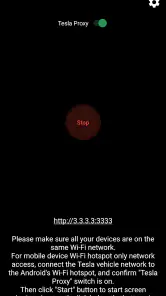
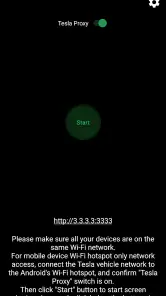
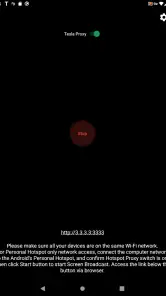
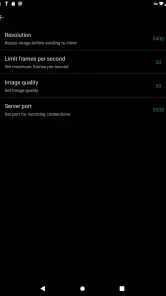
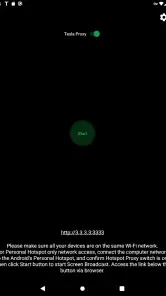
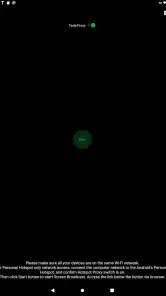
Getting started with TeslaMirror is surprisingly straightforward. After downloading the app, you’ll need to ensure your Tesla’s software is up to date. Then, simply connect your phone via Bluetooth, follow a few on-screen prompts, and voilà, your phone screen is mirrored onto your Tesla in no time. The setup process is user-friendly and doesn’t require any advanced tech skills, which is a huge plus for those of us who aren’t particularly tech-savvy.
Features You’ll Love
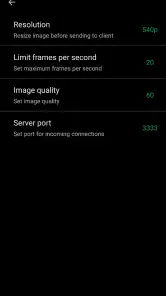
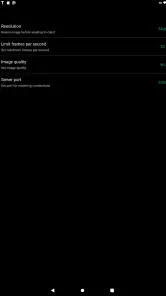
Once you’re set up, the real magic begins. TeslaMirror allows you to access all your phone’s apps, from navigation tools like Google Maps to your favorite music streaming services. The display is crisp and responsive, making it easy to interact with your phone’s features without taking your eyes off the road for too long.
One of my favorite features is the ability to stream video directly to the Tesla screen. Whether you're waiting in the car or charging up, you can catch up on your favorite shows or stream a movie directly from your phone. It’s like having a mini cinema right in your car!
Performance On The Road
Now, you might be wondering about the app’s performance while driving. Rest assured, TeslaMirror performs exceptionally well, with minimal lag or latency. The connection remains stable, whether you’re navigating through busy city streets or cruising on a highway. This reliability ensures that you won’t miss a beat, whether it’s following directions or enjoying your road trip playlist.
Final Thoughts
In conclusion, if you’re a Tesla owner looking to enhance your driving experience, TeslaMirror is a game changer. It’s user-friendly, packed with features, and offers a seamless connection between your smartphone and Tesla. So, why not give it a try and take your in-car entertainment and navigation to the next level?
Overall, TeslaMirror is a nifty app that’s sure to impress, whether you’re a tech enthusiast or simply looking to make your driving experience more enjoyable. Safe driving and happy mirroring!
Pros
- Seamless integration with Tesla vehicles.
- High-quality mirror streaming.
- User-friendly interface.
- Quick setup process.
- Stable connection with minimal lag.
Cons
- Limited to Tesla car owners.
- Requires strong internet connection.
- Subscription fee for premium features.
- Occasional app crashes reported.
- No offline capabilities.

- Category
- Auto & Vehicles
- Version
- 9.53











