TeamSpeak 3 - Voice Chat
- 1.64K
- 3.1
- Installs
- 1.00M
- Price
- $0.99

Screenshots


Analysis by Reviewed
Hey folks! Today, I'm diving into the world of TeamSpeak 3, the app that's been making waves in the voice chat universe. Whether you're a hardcore gamer or just someone who loves a good group chat, this app promises to deliver smooth and clear communication. Let's see if it lives up to the hype!
First Impressions and Features
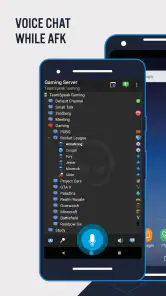
From the moment I fired up TeamSpeak 3, I was hit with a sense of nostalgia. The interface is clean and straightforward, reminiscent of the classic PC version many of us grew up with. Setting up a server is a breeze, and I was chatting away with my buddies in no time.
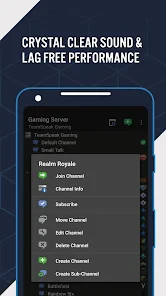
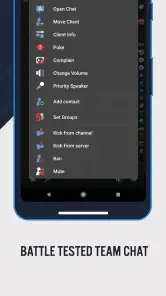
One of the standout features has to be the app's customization options. You can tweak almost everything to your liking, from the audio quality to the interface layout. It's not just about the looks; these customizations can enhance your user experience significantly.
Performance and User Experience
Now, let's talk performance. In my experience, the app runs like a dream. The voice clarity is top-notch, and there's minimal lag even when you're on a less-than-stellar connection. This makes it a fantastic choice for gamers who rely on real-time communication.
Another thing I love is the app's ability to handle large groups. Whether you're coordinating a raid in your favorite MMORPG or having a virtual family reunion, TeamSpeak 3 manages it all without a hitch. The app also supports multiple channels, so you can have different conversations running simultaneously without any confusion.
Security and Privacy
In today’s digital age, security is a big deal, and TeamSpeak 3 doesn't disappoint. The app offers military-grade encryption, which means your conversations stay private. This is especially important if you're discussing sensitive information or just value your privacy.
Moreover, the app doesn’t require you to register with an email, adding an extra layer of privacy. It's a refreshing change from the usual apps that demand all your details just to sign you up.
Final Thoughts
Wrapping it up, TeamSpeak 3 is a solid choice for anyone in need of reliable voice chat. Its customization options, performance, and security features make it stand out in a crowded market. Whether you're gaming, working, or just hanging out with friends, this app has got you covered.
If you're on the hunt for an app that's both powerful and versatile, give TeamSpeak 3 a shot. I'm confident it won't let you down!
Pros
- High-quality audio clarity.
- Low latency communication.
- Cross-platform support.
- Customizable channels.
- Robust security features.
Cons
- Complex setup for beginners.
- Limited free features.
- Occasional connection drops.
- Outdated interface design.
- In-app purchases required.

- Category
- Communication
- Version
- 3.4.5











