

Talking Babsy Baby at the Zoo
- 92.00
- 4.4
- Installs
- 500.00K
- Price
- Free

Screenshots
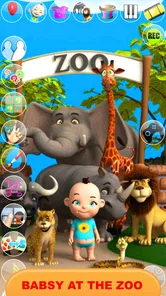
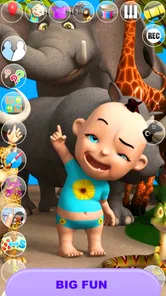
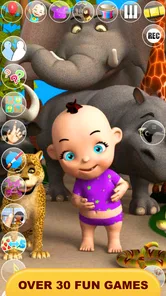
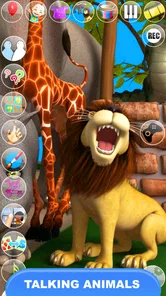

Analysis by Reviewed
When was the last time you visited a zoo? Well, let me tell you about a delightful app that brings the zoo experience right to your fingertips! It’s called Talking Baby Babsy At The Zoo, and it's an adorable app that will keep both kids and adults entertained for hours. As I explored the app, I felt like a kid again, surrounded by fascinating animals and engaging activities. Let’s dive into what makes this app a must-have for your mobile device.
A playful zoo visit on a phone
One practical thing to know before trying it is the cost: the app is free to download, with optional in-app purchases priced from $0.99 to $1.10 per item. That makes it easy to sample without paying upfront, though I’d check the purchase controls on a child’s device before handing it over. The age rating is Everyone, and the app is listed for devices running Android 6.0 or later. Kaufcom Games Apps Widgets is the developer.
As a children’s entertainment app in the comics category, it leans on character-led play rather than trying to be a full animal reference guide. Its average rating is 3.9 from around 4,600 ratings, and it has over 500,000 installs. Those figures suggest it has found an audience, but they don’t tell me whether every child will enjoy its particular mix of talking-character humor and simple activities. I’d treat it as a light diversion, not a replacement for a detailed wildlife app or a structured learning tool.
Interactive Adventures with Baby Babsy
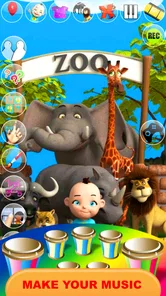
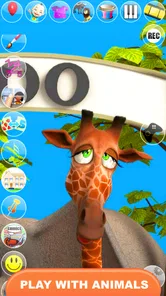
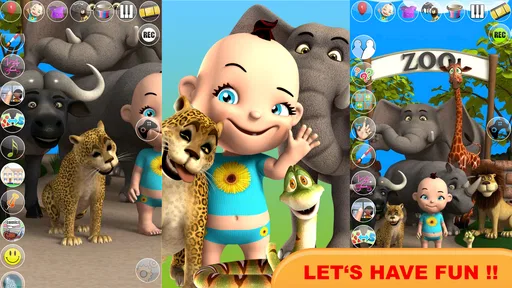
One of the standout features of Talking Baby Babsy At The Zoo is its interactive gameplay. You’ll find yourself exploring a virtual zoo alongside Baby Babsy, who’s as curious about the animals as you are. The app is loaded with colorful graphics that are sure to capture your attention. From lions to penguins, each animal comes to life with realistic sounds and animations. Trust me, the moment you hear a lion’s roar from your phone, you’ll be hooked!
Engaging Mini-Games
What’s a great app without some fun games, right? Talking Baby Babsy At The Zoo doesn’t disappoint. The app includes a variety of mini-games that are not only entertaining but also educational. For instance, there’s a puzzle game where you piece together different animals, helping kids (and adults!) learn about different species. It’s a fun way to boost your brain power while having a blast.
For a young child, the puzzle activity can work well as a short, shared task: let them try a piece, then ask what animal they think is taking shape. That turns a quick round into a conversation without needing to present the app as a lesson. I’d keep expectations modest, though. The appeal is interaction and recognition, not deep information about habitats or animal care. If your child wants facts and longer explanations, a dedicated educational animal app or a picture book will be a better fit.
Making short play sessions work
One useful way to introduce the zoo activities is to let the child choose a single goal before opening the app: finish an animal puzzle, listen to a sound, or try an outfit. A small choice gives the session a natural endpoint, which can make it easier to put the phone away than an open-ended “play until you’re bored” approach. I also like taking turns with the puzzle pieces rather than solving them for a child; the adult can offer a hint only when frustration starts to replace curiosity.
More From Our News Desk

 Gmail
GmailGmail in a Busy Inbox: Who Benefits Most?
From first account to crowded workday, Gmail earns its place through dependable search and flexible sorting—but its best fit depends on how much inbox maintenance you can tolerate.

 Prime Video
Switching to Prime Video: What Changes in Your Viewing Routine
Prime Video can make a compelling second home for streaming, but switching means learning a different catalog, rental layer, and route from browsing to playback.

 Universal TV Remote Control
Universal TV Remote Control Works Best as a Reliable Backup
A phone remote earns its place through quick setup and reliable habits. Here is how to get more from Universal TV Remote Control—and where its limits show.

 Weather - By Xiaomi
Weather by Xiaomi Review: Clear at a Glance, Less Clear Up Close
Xiaomi’s weather app makes everyday forecasts quick to scan, but its calm surface can leave useful details and recovery paths harder to find than they should be.

 X
XX Under Pressure: Can It Recover When Posting Goes Wrong?
A resilience-focused review of X, examining setup, mistaken posts, interruptions, weak connections, and the gaps that matter when recovery needs to be dependable.

 Clash of Clans
Clash of Clans Is Won Between the Battles
Its raids are quick; its community is a long-term project of coordination, teaching, rivalry, and shared responsibility—with all the friction that entails.
Latest News



The app’s mix of activities makes it more practical for brief breaks than for a long stretch of focused play. If a child loses interest in the puzzle, the talking character or dress-up options can provide a change of pace without switching to another app. That variety is useful, but it can also make the experience feel scattered to a child who prefers one clear objective. I’d use it as a little collection of play prompts, not as a game with a campaign that needs to be completed.
Voice Interaction and More
The voice interaction feature is another charming aspect of the app. Baby Babsy can repeat what you say, which is a delightful feature for younger users who love to hear their words come back in a cute, funny voice. The app also allows for some creative play, as you can dress up Baby Babsy in various outfits. I spent an embarrassing amount of time changing hats and shoes, but it was all in good fun!
That talking feature is best suited to brief, silly exchanges rather than extended conversation. A useful everyday moment might be waiting for food at a café: a parent can invite a child to say a word for Babsy to repeat, then switch to a puzzle if attention moves on. In a quiet waiting room, the animal sounds and voice play may be less suitable, so lowering the device volume or saving the app for a noisier setting is sensible. It’s also worth supervising young children, both to guide the activity and to avoid accidental in-app purchases.
Little choices that improve the experience
I’d treat the voice feature as something to use in turns rather than leaving a child to repeat the same phrase indefinitely. For example, take turns saying an animal name, then ask the child to find or assemble that animal in the puzzle activity. This gives the sound interaction a simple purpose and helps move play between features without turning it into a lesson. It’s a small adjustment, but it can keep the app from becoming a loop of the same sound effect.
For family use, it also helps to decide who is holding the device and who is choosing what happens next. A preschooler can point to an outfit or pick an animal while an adult handles the taps, especially if navigating between activities is still tricky. That arrangement makes the app more social and reduces the chance of a child wandering into a purchase prompt. If the child is old enough to explore independently, I’d still check the device’s purchase settings first rather than relying on the child to distinguish free play from paid options.
Who will enjoy this kind of play?
Compared with the usual alternatives in children’s apps, this one is more like a small character toy than a broad zoo simulator. The talking baby and dress-up play give it a personal, playful center; the mini-games add something to tap through beyond simply looking at animals. That combination should suit children who enjoy repeating sounds, trying outfits, and switching between short activities. It may not satisfy kids who want a challenging game, a realistic zoo-management experience, or a large collection of detailed animal facts.
It also occupies a different place from a picture-book app or a straightforward animal-sound collection. Those options can be better when the aim is calm browsing, listening without a character routine, or learning at a child’s own pace. Babsy is more engaging for a child who likes a character reacting to them, but that same emphasis can be distracting if the child is trying to concentrate on names, habitats, or a story. I’d choose according to the mood and purpose of the moment, rather than expecting one app to cover every kind of animal play.
When another kind of app is a better fit
If a child is fascinated by how animals live, I’d pair this with a book or a more information-focused resource instead of asking the app to provide the whole experience. It can be a playful starting point: after hearing an animal sound or completing a puzzle, you can talk about the animal together using another source. For a child who wants a harder challenge, a puzzle game built around gradually increasing difficulty is likely to hold attention longer than a set of short, varied activities.
On the other hand, a child who finds menus and multiple activity types overwhelming may be happier with one simple game at a time. In that case, I’d introduce Babsy while an adult is nearby, point out one activity, and see whether the child enjoys it before offering the rest. The best audience is not simply “all kids”; it is children who respond to a cute talking character and enjoy switching among light forms of play. That distinction is more useful than the broad age label when deciding whether it suits a particular child.
The current version is 12.2.3, and the app was released on December 16, 2013. Those details make it an established title rather than a new release, but I’d still judge it by whether the familiar, simple style suits the child using it. The free entry point is its clearest value: families can try the core experience before deciding whether any optional purchase is worthwhile. I wouldn’t spend just because an item is available; first see whether the child returns to the zoo activities after the novelty of Babsy’s voice wears off.
What the free entry point means in practice
Because the download costs nothing, I see the app as an easy trial rather than a purchase decision that needs much deliberation. The optional items are priced individually, from $0.99 to $1.10 each, so the sensible approach is to use the free experience first and only consider paying if a child has a clear, repeated interest in something that costs extra. I would not assume that a purchase is necessary to enjoy the activities described here, or that spending more automatically makes the app a better fit.
For a parent, the key practical question is less “Is it free?” than “Can my child use it without accidentally buying something?” Check the device’s purchase controls before handing it over, and stay close if the child is still learning how in-app prompts work. That small bit of preparation preserves the low-commitment appeal of a free download. If you prefer children’s apps with no optional purchases at all, this may not be your first choice, even though the starting cost is zero.
Perfect for Kids and Families
While Talking Baby Babsy At The Zoo is primarily aimed at children, it’s a fantastic app for family bonding too. Parents can join in on the fun, guiding their kids through the zoo and playing games together. It’s an excellent way to spend quality time with your little ones while sneaking in some learning opportunities.
A realistic use for it is a short pause between errands: while waiting for a sibling or sitting through a delayed appointment, an adult can offer one puzzle or a quick turn with Babsy’s voice, then stop when it’s time to move on. It is not a substitute for a screen-free activity if a child needs to settle down, and its sounds may not suit every public setting. But for a brief, supervised distraction, the character and animal theme give an adult something specific to engage with instead of simply handing over a phone.
I’d recommend giving it a try if you want a free, low-commitment distraction for a child who likes talking characters and animal-themed play. I’d skip it if you’re looking for a quiet reading experience, substantial science content, or a game with deep progression. For a short shared break, though, its mix of animal sounds, puzzles, voice play, and dress-up gives families several ways to keep a child engaged without needing to buy in first.
My verdict on its value
For the right child, the value comes from having several kinds of light interaction gathered around Babsy and the zoo theme, with no payment required to try the app. That is a modest but useful proposition: it can fill a short idle moment, prompt a parent-child exchange, or give a child who likes talking characters a change from passive videos. Its value is less convincing for families seeking a substantial educational tool or a long game to return to for new challenges.
I’d make the decision after watching one ordinary play session. If the child moves naturally between the animal puzzle, voice play, and dressing Babsy, the free app may earn a place among occasional diversions. If the attraction fades as soon as the character’s voice is no longer novel, there is little reason to buy optional items. In other words, try it first, keep purchases deliberate, and let the child’s actual interest—not the presence of a zoo theme—decide whether it is worth keeping.
In conclusion, if you’re looking for an app that combines entertainment, education, and a dash of adventure, Talking Baby Babsy At The Zoo is a perfect choice. It’s like having a mini zoo in your pocket, ready to spring to life whenever you need a dose of fun. So why not give it a try? Download the app and let Baby Babsy take you on a wild ride through the animal kingdom!
Talking Babsy Baby at the Zoo Frequently Asked Questions
Is Talking Baby Babsy At The Zoo free to download?
Yes. Talking Baby Babsy At The Zoo is free to download, so you can try its zoo-themed interactions without paying upfront. The app also offers in-app purchases, with items priced from 99 cents to $1.10. If a child will use it, it is sensible to review purchase settings on the device and supervise any prompts to buy extras.
Who develops Talking Baby Babsy At The Zoo, and what kind of app is it?
Talking Baby Babsy At The Zoo is made by Kaufcom Games Apps Widgets and is listed in the Comics category. Its short description is “Talking Baby Babsy,” while the store summary invites users to play with the sweet and cute baby at the zoo. The app is free to download, with optional in-app purchases.
What is the main objective of Talking Baby Babsy At The Zoo?
Talking Baby Babsy At The Zoo is an interactive app designed for young children to explore and learn about different animals in a zoo setting. The main objective is to engage kids through entertaining interactions with Baby Babsy and various zoo animals while providing educational content about animal sounds and behaviors.
Is Talking Baby Babsy At The Zoo suitable for all age groups?
The app is primarily designed for young children, typically aged 3 to 7 years old. Its bright graphics, simple controls, and engaging storyline make it ideal for preschoolers. However, children slightly older may also find enjoyment in the app's interactive features and learning opportunities. Its Everyone content rating makes it suitable for a broad audience, though younger users may benefit from adult guidance.
What devices support Talking Baby Babsy At The Zoo?
Talking Baby Babsy At The Zoo is available for both Android and iOS devices. It runs smoothly on smartphones and tablets, ensuring a user-friendly experience. However, it's always best to check the specific device requirements on the app store to ensure compatibility with your device. On Android, it requires version 6.0 or later, so check that your device meets this minimum before downloading.
Pros
- Interactive zoo environment for kids
- Educational content with fun graphics
- Simple controls for easy navigation
- Supports multiple languages
- Free to download and play
Cons
- In-app purchases may be needed
- Advertisements can interrupt gameplay
- Limited customization options
- Requires internet for full features
- Some content may be repetitive











