Scoreholio
- 335.00
- 4.4
- Installs
- 100.00K
- Price
- Free

Screenshots
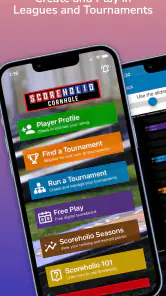
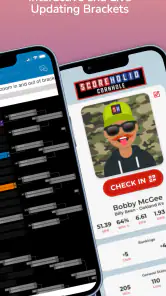
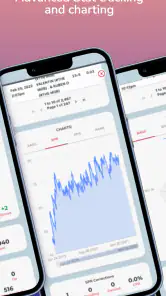
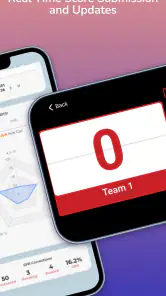
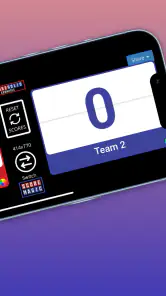
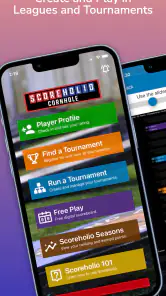
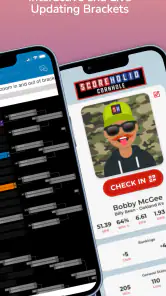
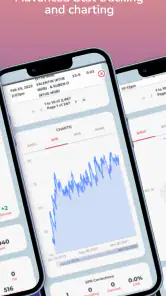
Analysis by Reviewed
Running a tournament sounds simple until several matches finish at once, players ask where they stand, and the person organizing everything is still trying to keep scores straight. That is the problem Scoreholio is built to solve. I see it as a practical sports app for organizers who want a live competition board instead of a handwritten sheet, a collection of chat messages, and constant mental arithmetic.
My experience with it is strongest when the event has enough activity to justify a central dashboard. It can make a casual competition feel organized without requiring a dedicated computer setup. At the same time, it is not a magic fix for every tournament headache. Some frustration comes from configuration, some from connectivity or device handling, and some from unclear event procedures rather than from the app itself.
Scoreholio is free to install and is aimed at everyone from a content-rating perspective. It comes from Scoreholio Inc. and sits in the sports category. The app has been available since May 14, 2018, and its current public reception is encouraging, with a 4.4 average from around 1.2 thousand ratings. That combination suggests a mature tool with a real user base, rather than a barely tested scorekeeping experiment.
Where tournament organizers usually get stuck
The first difficulty is planning, not scoring
The store summary focuses on tournaments, live brackets, scoreboards, and a dashboard, but the important practical point is that these parts only help when the event is prepared in a sensible order. Before entering anything, I would decide the event format, the participant names, the scoring responsibility, and what information players actually need to see. If those decisions are vague, the app can make the confusion more visible without removing it.
A common mistake is to treat the bracket as the starting point for every kind of competition. A bracket works well when advancement is clear and matches eliminate or move players in a predictable way. It is less comfortable when the organizer wants a relaxed round-robin, informal ranking, or last-minute changes. I would settle the competition rules first, then use the app to represent them, rather than hoping the setup screen will decide the format for me.
Another sticking point is naming. In a busy event, similar names, nicknames, and team labels can become surprisingly difficult to distinguish. I recommend using a consistent convention before the first match begins: full names for individual players, or a team name followed by a short identifier. This is a small preparation step, but it reduces questions at the scoreboard and makes later results easier to interpret.
Live information helps, but it changes the organizer’s role
A visible scoreboard and real-time bracket are useful because players no longer need to ask the organizer after every result. However, the organizer becomes the person responsible for keeping the live record trustworthy. If a score is entered incorrectly, the mistake can spread quickly through the event because everyone is looking at the same information.
More From Our News Desk

Clash of Clans Is Won Between the Battles

Android Auto Makes the Case for Quieter Car Software

MobiOffice: Transforming Mobile Productivity with Seamless Integration

EA SPORTS FC™ Mobile Soccer: Redefining Mobile Sports Gaming

How Microsoft OneDrive Became a Mobile Productivity Giant

How Google Translate Breaks Language Barriers Effortlessly
I would assign one person to enter or verify results whenever possible. In a small gathering, that may be the host. In a larger event, rotating this task between several people can create inconsistent habits. The best workflow is usually one designated scorekeeper, with players confirming the result immediately after a match. That simple human check is more valuable than relying on a screen alone.
There is also a social trade-off. A live board encourages people to follow the tournament, but it can make a casual game feel more formal. That is a benefit for leagues, clubs, and organized meetups; it may be unnecessary for a few friends who only want to play without tracking every stage. I would not use Scoreholio merely because a scoreboard looks impressive. I would use it when shared visibility solves a real problem.
Device handling can create avoidable confusion
In practice, the device itself matters. A phone used at the court or playing area may be exposed to glare, movement, accidental touches, or a weak connection. Before the event, I would choose a stable location for the scorekeeper and make sure that person can see the screen without leaving the action constantly. A small stand or a second person nearby can be more useful than repeatedly passing one phone between players.
If several people are trying to update the same event from different devices, agree on who has final authority before starting. Otherwise, two well-meaning users may enter different information or assume the other person has completed a step. This is not a special defect in Scoreholio; it is a general risk whenever a shared live record is edited by a group without a clear workflow.
Setup checks that prevent most event-day friction
Prepare the event before participants arrive
I would create the tournament early enough to review it calmly, rather than building it while players are waiting. Check the event name, participant spelling, match structure, and the order in which results will be recorded. Even if the app makes setup quick, rushing through these fields can leave an organizer with a bracket that technically works but is awkward to explain.
It is worth doing a short rehearsal with one or two sample participants. The goal is not to invent a fake competition, but to understand the path from an upcoming match to a completed result and then to the next visible stage. This is one of the most useful non-obvious habits with a tournament app: testing the organizer’s own understanding often reveals more than simply opening every menu.
Before publishing or sharing event information, inspect the display from a participant’s point of view. Ask whether a player can identify their opponent, find the current stage, and understand what they should do next. A dashboard can contain the right information and still be difficult to use if the organizer assumes everyone sees the event exactly as they do.
Use a simple responsibility plan
For a small event, I would keep the operating plan minimal:
- One person manages the event and confirms changes.
- Players report completed results directly to that person.
- The scorekeeper updates the live record immediately after confirmation.
- Players check the visible result before leaving the playing area.
This approach avoids a subtle problem: delayed entry. When several matches finish and results are stored on paper or in memory, the organizer has to reconstruct the order later. That is exactly when names get mixed up and players begin asking whether the bracket is current. Entering results close to the moment they happen keeps the live view useful.
Plan for the free model and optional purchases
The app is free, but it includes in-app purchases ranging from $2.99 to $199.99 per item. That range makes it important to inspect any purchase screen carefully before confirming anything, especially if the app is being used by a club, school, or shared family device. I would begin with the free experience and only consider an optional purchase after identifying a specific need, rather than assuming payment is required for ordinary evaluation.
This also affects recommendations for groups. If an organizer is choosing software for repeated events, the person responsible for the budget should review purchase options separately from the person running the tournament. A free download does not automatically mean every organizational use will have the same cost profile, so keeping that distinction clear prevents awkward surprises later.
Make a backup communication plan
A live event should not depend on one screen. I would tell participants where to report a result if the scorekeeper is temporarily away, and I would keep a basic written note of completed matches during a particularly busy session. The purpose is not to replace the app; it is to give the organizer a recovery path if the device becomes unavailable or the connection behaves poorly.
This is especially helpful when matches happen in separate areas. Players may assume that a result has been entered because they saw someone holding the phone, while the scorekeeper may still be dealing with another court. A clear verbal confirmation—“the result is recorded”—removes that ambiguity.
Recovering a tournament workflow when something goes wrong
Start by identifying the exact failure
When an event appears stuck, I would avoid immediately rebuilding everything. First determine whether the problem is a missing result, an incorrect participant entry, a display that has not refreshed, or a broader device issue. These situations look similar from across a busy venue, but they need different responses.
If only one match looks wrong, compare it with the actual result and correct the smallest possible part of the workflow. Recreating the entire event can introduce more errors than it removes. If the whole screen is behaving strangely, close distractions, return to the relevant event view, and check whether the device is responding normally before assuming the tournament record is damaged.
Use a controlled recovery order
My preferred recovery sequence is straightforward:
- Pause new result entry for a moment.
- Confirm the last completed match with the players involved.
- Identify the last result that clearly appears correct.
- Record any later results separately while the issue is being checked.
- Resume entry only after the organizer knows which match is next.
The key insight is to preserve a known-good point. In a hectic tournament, people often keep tapping because they are afraid of losing momentum. That can make it harder to tell which result caused the confusion. A short pause and a verified checkpoint usually save time.
Do not let a temporary display problem become a rule change
If players cannot immediately see the latest bracket, resist changing the competition format on the spot. A display problem and a tournament-design problem are not the same thing. Keep the agreed rules intact, communicate the next match verbally if needed, and update the shared record when the workflow is stable again.
This matters because participants judge fairness by consistency. A sudden change in advancement rules may create a larger dispute than a delayed screen. Scoreholio is most useful as the event’s shared record, but the organizer still needs to explain what is happening when the technology pauses.
Keep corrections transparent
If a result must be corrected, tell the affected players before moving on. A quiet correction may seem faster, but it can leave someone believing that the bracket changed without explanation. I prefer a short statement identifying the match and the corrected outcome, followed by a quick check that the next pairing is understood.
This is another reason to avoid assigning score entry to everyone. With one responsible editor, corrections have a clear source. With several people making changes independently, even an honest correction can look like a new mistake.
When the app is not the cause of the problem
Connectivity and device conditions can mimic app failures
A tournament venue can be difficult for any live sports tool. Crowded wireless networks, poor mobile reception, low battery, screen glare, and background interruptions may all make an app feel unreliable. Before blaming Scoreholio, I would check whether other online services on the same device are also slow or unavailable. If they are, the sensible response is to stabilize the device or use the event’s backup communication plan.
Battery management is easy to overlook. A phone used continuously for a live event may need to remain connected to power, but placing it where cables create a trip hazard is not a good solution. Put the device in a safe, visible position and decide who is allowed to move it. Small operational choices like this prevent a technical issue from becoming a safety issue.
Participant confusion may come from the rules
Sometimes people say the bracket is wrong when they actually do not understand the event format. Explain whether a result advances a player, completes a round, or affects later placement. If the rules are unfamiliar, show participants how to read the current stage instead of assuming that the live display will explain every consequence.
This is where Scoreholio compares favorably with a paper sheet, but also where it has limits. A paper sheet can be annotated with custom notes and arrows, while a structured digital view is cleaner for live updates. If your event needs extensive handwritten exceptions, unusual tie explanations, or constantly changing arrangements, a spreadsheet or a manually designed board may be easier for the organizer, even if it is less polished for spectators.
Choose the right alternative for the event
For a very small, informal game, a simple notes app may be faster because there is no need to configure a tournament view. For a club event with repeated matches and many people asking for status, Scoreholio is more suitable because the bracket and scoreboard give everyone a common reference. A spreadsheet is often better when the organizer wants custom formulas, unusual ranking rules, or detailed historical records.
I would also skip this app if the group strongly dislikes digital administration or if nobody can take responsibility for live updates. The tool cannot remove the need for an organizer. It can reduce arithmetic and improve visibility, but it still depends on accurate input and clear decisions.
Who gets the most value from it?
Scoreholio makes the most sense for sports clubs, recurring community competitions, tournament hosts, and players who want to follow progress without repeatedly interrupting the organizer. It is also useful for a friend who has suddenly become responsible for running a larger gathering and wants something more structured than a notebook.
I would be more cautious for a one-off event with only a few participants, particularly if the organizer has not used a tournament system before. In that situation, the preparation time may outweigh the benefit. The app becomes more valuable as the number of matches, participants, and spectators increases.
My practical verdict after using it for real event planning
What I like most is the way Scoreholio turns tournament progress into something participants can share and understand. A live bracket reduces repeated questions, while a scoreboard gives the organizer a central place to keep results moving. Its long availability and more than 100 thousand installs also make it feel like an established choice for this particular sports use case, not an experimental utility.
What I would not ignore is the human work around it. The best results come from preparing names and rules, assigning one scorekeeper, checking each result, and keeping a recovery plan. If an organizer simply opens the app five minutes before the first match and expects the interface to solve every decision, the experience may feel more stressful than expected.
The purchase range deserves a deliberate look as well. Since the app is free to start but offers optional items from $2.99 to $199.99, I would test the no-cost workflow first and discuss any paid option with whoever controls the event budget. That is sensible for a casual host and essential for an organization running repeated competitions.
For an everyday scenario, imagine a community sports day where several matches are happening in rotation and players keep returning to ask who is next. I would prepare the event beforehand, place one phone with the designated scorekeeper, confirm every result at the playing area, and use the live view to answer routine questions. If the connection faltered, I would keep a short manual checkpoint and continue communicating verbally until the display was reliable again. That workflow uses the app where it is strongest without pretending technology is infallible.
My recommendation is therefore positive but specific: use Scoreholio when shared tournament visibility is the main problem you need to solve. It is a good fit for organized sports events and a weaker fit for tiny games, highly customized ranking systems, or groups unwilling to assign an administrator. If you prepare the event carefully and treat the app as a dependable record rather than an automatic referee, the real strength is not just displaying scores; it is giving the whole event one shared point of reference.
For organizers who want to try it without committing money immediately, the free entry point makes that decision easy. I would run a small practice event first, learn the result-entry flow, and only then decide whether it belongs in a larger competition. That short trial will tell you more than a feature list: you will quickly discover whether its tournament structure matches the way your group actually plays.
Scoreholio Frequently Asked Questions
Can I use Scoreholio just to follow an event, without organizing one?
Yes. Scoreholio can be useful for participants and spectators as well as event organizers. Its live event tracking lets people follow match results, court assignments, brackets, rankings, and progress as games are completed. If you are attending an event, the app can give you a convenient way to keep up with updates rather than relying on paper scorecards or announcements.
What kinds of activities can I organize with Scoreholio?
Scoreholio is designed for sports and games, including cornhole, pickleball, darts, and similar activities. Its tools bring player registration, brackets, schedules, live scores, standings, and tournament updates together in one place. The app is intended to support organized events as well as casual competitions, though the available setup choices can depend on the activity you are organizing.
What is Scoreholio and what can I use it for?
Scoreholio is a mobile app designed to help organize, manage, and score tournaments, leagues, and casual competitions. It is especially useful for sports and games such as cornhole, pickleball, darts, and similar activities. After testing its main features, I found that it can handle player registration, brackets, schedules, live scores, standings, and tournament updates from one place.
Does Scoreholio support different tournament formats?
Yes, Scoreholio supports several competition formats, making it suitable for both small gatherings and larger organized events. Depending on the activity, users can create round-robin events, single- or double-elimination brackets, and other supported formats. The exact options may vary by sport or event type, so it is worth checking the available settings before creating a tournament.
Can players follow live scores and tournament results?
Scoreholio is built around live event tracking, so participants and spectators can usually follow match results, court assignments, brackets, rankings, and progress as games are completed. This is one of the app’s most useful features because organizers do not need to rely on paper scorecards or repeatedly announce updates. An internet connection may be required for real-time synchronization.
Pros
- Quick scorekeeping for tournaments
- leagues
- and casual games.
- Live scores make it easy for players and spectators to follow matches.
- Supports player
- team
- and event management in one app.
- Useful statistics help track performance and match history.
- Digital brackets and schedules reduce paperwork for organizers.
Cons
- Some features may require an account or event organizer access.
- The interface can feel crowded for first-time users.
- Accurate results depend on organizers entering scores correctly.
- Notifications may become excessive during busy tournaments.
- Performance can vary with poor internet connectivity or weak signals.
- Category
- Sports
- Version
- Varies with device





