Mighty Networks
- 2.72K
- 4.7
- Installs
- 1.00M
- Price
- Free

Screenshots


Analysis by Reviewed
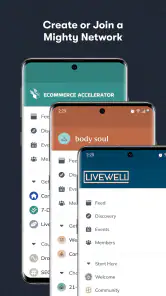
I find Mighty Networks most useful when a group needs a home of its own, rather than another place to post into a general-purpose social feed. It is a social app from Mighty Networks, built around member communities and shared interests. That focus can make conversations feel more intentional, but it also means the experience depends on whether the particular network you join is active and thoughtfully run.
How quickly it feels usable
The first impression is of an app meant to help people move between community spaces without treating every conversation as part of one giant feed. I found the layout approachable, and the basic idea is easy to grasp: join a network, find the discussions or activities that matter to you, and take part. A familiar interface is helpful here, especially if you are joining because a club, teacher, or creator invited you rather than because you were looking for a new social app.
I would not judge its speed by how quickly a screen opens alone. The useful question is whether you can find the right conversation, event, or group without getting lost. Mighty Networks has a clearer purpose than a broad social platform, yet each network can organize its community differently. If a host keeps spaces and conversations easy to navigate, finding your way around should feel natural; if the community is sprawling or poorly organized, the app cannot solve that structure problem by itself.
Using communities day to day
When activity picks up
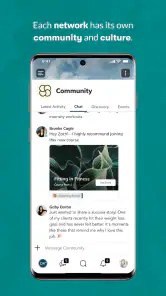
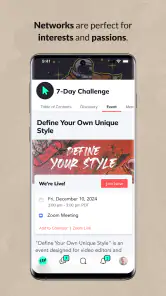
A community can feel very different during a quiet week than around a scheduled discussion or online gathering. Events and polls give members a reason to return beyond scrolling, while discussion spaces make it possible to continue a topic after a live session. That combination is useful for a learning group or local interest circle: a host can set a shared activity, and members can keep exchanging ideas afterward instead of losing the thread in a fast-moving general feed.
For example, I can imagine checking a group before work to see what people are discussing, then returning later to respond to a poll or prepare for an online meetup. The trade-off is that a busy network can produce more things to keep up with. I would choose a few relevant spaces and follow their activities deliberately rather than trying to engage with every post. That small habit makes a community app feel more like a useful gathering place and less like another stream demanding constant attention.
Reliability and recovery
The app’s value rests on being able to return to an ongoing community, not just browse it once. A creator can use it to bring conversations, events, and learning activity into one setting, while members have a consistent place to check in. Still, reliability in practice is partly social: a polished space will feel quiet if its host rarely posts, and lively discussions depend on people coming back. I would look at the rhythm of a network before committing to it, especially if I wanted regular interaction rather than occasional updates.
If you step away for a few days, the best way back is to identify the next useful action—read a current discussion, answer a question, or check an upcoming event—rather than trying to catch up on everything. That is a practical advantage of a focused community: you can re-enter through a shared topic. It is less suitable if you mainly want a personal archive of every conversation or expect the app itself to make a quiet group active.
More From Our News Desk

Clash of Clans Is Won Between the Battles

Android Auto Makes the Case for Quieter Car Software

MobiOffice: Transforming Mobile Productivity with Seamless Integration

EA SPORTS FC™ Mobile Soccer: Redefining Mobile Sports Gaming

How Microsoft OneDrive Became a Mobile Productivity Giant

How Google Translate Breaks Language Barriers Effortlessly
Devices and who benefits
Mighty Networks is free to install, has a Teen content rating, and its current version is 8.243.13, with a minimum operating-system requirement of 10. It has an average rating of 4.7 from around 18,000 ratings, and more than a million installs. Those details suggest an established audience, though they cannot tell you whether a particular network matches your interests. I would check that your device meets the system requirement before installing, and think about whether you are joining as a member or hoping to run a community.
For a creator or organizer, the ability to shape a community and bring together discussion, events, and possible paid participation is appealing. For a member, the main question is simpler: does the group offer conversations or activities worth returning to? Compared with a usual social network, this app is more intentional and community-centered; compared with a basic group chat, it can give a community more room to organize its activity. If you only need quick messages with a few friends, a chat app is likely less effort. If you want the broad reach and casual discovery of a large public feed, a mainstream social platform may suit you better.
Building a community that lasts
Have you ever wished for a social platform that truly brings people together based on their interests, passions, and goals? Well, look no further because Mighty Networks is here to revolutionize how you connect with like-minded individuals. This app is not just another social network; it’s a powerful tool for building vibrant communities. So, let’s dive into what makes Mighty Networks a standout choice for community building.
When I first stumbled upon Mighty Networks, I was immediately intrigued by its promise to foster meaningful connections. Unlike traditional social media platforms that often feel cluttered and impersonal, this app focuses on creating niche communities where members can truly engage with one another. From the moment I signed up, I was greeted with a clean and intuitive interface that made navigation a breeze.
Community Building Made Easy
What sets Mighty Networks apart is its emphasis on community building. Creating a network is as simple as a few clicks, and the customization options are impressive. Whether you’re looking to build a community around a hobby, profession, or shared goal, Mighty Networks provides the tools to tailor your space to fit your vision. I appreciated the ability to design a unique landing page, complete with branding elements that reflect the community’s identity.
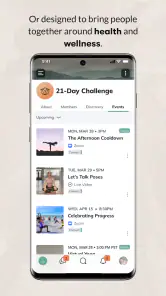
Engagement within these networks is encouraged through features like polls, events, and discussion forums. I found the event feature particularly handy for planning virtual meetups and webinars. Plus, the ability to integrate live streaming directly into the platform is a game-changer for hosting interactive sessions.
Monetizing Your Passion
One of the standout features of Mighty Networks is the potential for monetization. For those looking to turn their passion into a business, the app offers various ways to generate income. From offering paid memberships to selling courses, the possibilities are endless. I was pleasantly surprised by the ease with which I could set up payment gateways and manage subscriptions, all within the app.
Moreover, the analytics dashboard provides valuable insights into community engagement and growth, allowing you to make informed decisions on how to expand your reach and impact.
A Strong Sense of Belonging
In a world where social media often feels like an endless scroll of disconnected content, Mighty Networks offers a refreshing change. Here, I found a sense of belonging that’s hard to come by on larger platforms. The app’s emphasis on quality interactions over quantity is evident in the thoughtful discussions and supportive atmosphere within the communities.
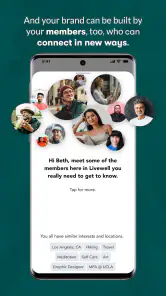
Users have the freedom to join multiple networks, each tailored to their interests, making it easy to switch between different topics without feeling overwhelmed. This flexibility allows for a more personalized experience, where you’re in control of your social environment.
Choosing a network before committing
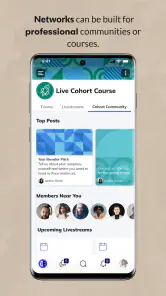
For a prospective member, the most useful question is not simply whether a community has plenty of material, but whether its activity fits your routine. A course group may be valuable even if members post only around lessons, while a hobby circle may depend on casual conversation throughout the week. I would look for a clear purpose and a recent point of discussion, then decide whether the expected pace sounds enjoyable rather than treating frequent posting as proof of quality.
A realistic routine might be a parent checking a local interest group after dinner, reading one thread and responding with a practical suggestion instead of opening several social apps to search for the same advice. The benefit is context: members are gathered around a shared subject, so a reply can be more relevant than a broad public comment. The limitation is reach. If you need immediate answers from a large pool of strangers, a public forum or general social network may be more effective.
Making the host’s tools useful
For someone starting a network, I would resist the temptation to build many spaces before knowing what members actually need. A few well-labeled areas make it easier for newcomers to choose where to participate; too many can make an inviting community feel like a maze. A landing page should set expectations in plain language, while an early poll can help identify a topic for the next discussion or event. That turns setup choices into a useful first exchange rather than decoration.
There is a real workload behind the promise of an organized community. An event needs a reason for members to attend, and a discussion needs follow-through if people take the time to contribute. If you are an organizer with limited time, start with a repeatable rhythm you can maintain instead of launching several activities at once. The app can provide a shared setting, but a host still has to guide the experience and make participation feel worthwhile.
Choosing between a community app and familiar alternatives
The comparison with messaging apps is especially practical. A group chat is quick for coordinating a small circle, but older details can be hard to find once conversation moves on. Mighty Networks makes more sense when a community needs distinct discussions, planned gatherings, or an identity of its own. It may feel like extra structure for a handful of friends who only need to settle a time and place.
Against a large social platform, the trade-off runs the other way. Broad feeds are better for public discovery and reaching people outside an existing circle; a dedicated network can make shared interests and ongoing participation more central. I would choose the latter for a group with a reason to keep meeting, and the former when visibility and open-ended discovery matter more than a carefully bounded space.
One useful way to decide whether a network deserves a place in your routine is to treat the first visit as a small trial: look for recent conversation, a clear reason to participate, and an upcoming activity that interests you. If those are present, introduce yourself or answer one specific question rather than waiting for the perfect moment to contribute. If the space is quiet, you can still decide whether its topic matters enough to check occasionally, but I would not assume a paid community will automatically provide frequent interaction just because it has structured content.
For organizers, a non-obvious trade-off is that customization brings responsibility. A recognizable landing page can help new members understand what the group is about, but the organizer still needs to set expectations, welcome newcomers, and keep discussions focused. Polls and events work best when they lead to follow-up conversation; otherwise, they can become isolated activities. I would use a poll to learn what members want next, then make the result visible in a discussion or event plan so participation has a clear consequence.
There is also a practical difference between joining many networks and keeping up with them. Having separate spaces for separate interests can make a social experience feel more personal, but every additional community asks for attention. I would be selective and keep only the networks that offer something distinct—useful expertise, a welcoming group, or a regular activity. That is particularly helpful if you are already active in messaging apps and do not want another place to monitor throughout the day.
My performance verdict
I would describe the app’s pace as dependent on both the interface and the community you enter. A well-organized network can make it straightforward to move from a discussion to an event, while a poorly maintained one can feel slow in the broader sense: it takes effort to work out where to go and little happens once you arrive. I would not confuse a quiet space with a technical problem, or expect a social app to compensate for unclear group organization.
For heavy use, the main pressure is likely to be attention rather than a need to check every corner of the app. If you join several networks, set a small purpose for each visit and decide which discussions deserve a reply. That keeps participation manageable and makes it easier to return after a break. On the device side, the system requirement is worth checking before installation; beyond that, I would judge day-to-day suitability by how comfortably the app fits your own routine rather than assuming every phone or network will feel identical.
In conclusion, if you’re searching for a platform that prioritizes genuine connections and community growth, Mighty Networks is worth checking out. Whether you’re a creator, entrepreneur, or just someone looking to connect with others who share your interests, this app offers the tools and support to bring your vision to life. So why not give it a try and see where it takes you? You might just find a community where you truly belong.
Mighty Networks Frequently Asked Questions
Is Mighty Networks suitable for joining a community if I’m not a creator?
Yes. Mighty Networks may be useful for members who simply want to join a group and participate, rather than create or manage one. Communities can bring together people around shared interests, content, courses, and activities. Before signing up, consider what a particular network offers and whether its membership terms and style of participation are right for you.
What should I know about the app’s age rating before downloading?
Mighty Networks is rated Teen, so it may be appropriate for older teens as well as adults, depending on family preferences and the community being joined. The app connects people through group discussions, content, and activities, and individual communities may have their own focus and rules. Parents and guardians should consider those factors when deciding whether it suits a younger user.
Who is Mighty Networks best suited for?
Mighty Networks may appeal to people who want to take part in interest-based groups, as well as creators and community leaders who want to bring members together in one place. Its focus on communities, content, courses, and memberships can suit groups that value ongoing discussion and shared activities. The app is listed for Teen audiences, so users should consider that rating when deciding whether it is appropriate for them.
What is Mighty Networks and how does it work?
Mighty Networks is a platform designed to help creators and community leaders build their own social networks and membership sites. It allows users to create and monetize communities, courses, and content. The platform offers customizable features, enabling users to design their networks according to their preferences and needs. Members can join through subscription models or free access, depending on the creator's strategy.
Is Mighty Networks free to use?
The Mighty Networks app is free to download, but access and costs can depend on the community you choose to join and how its creator has set it up. Mighty Networks offers different plans for community owners, including a free option and paid plans with additional capabilities. If you are joining a particular network, check its membership terms before signing up so you understand whether access is free or requires payment.
Pros
- User-friendly interface for community building
- Highly customizable community spaces
- Integrated live streaming feature
- Mobile app available for iOS and Android
- Robust analytics and member insights
Cons
- Limited free version features
- Steep learning curve for new users
- Occasional bugs in mobile app
- Pricing can be expensive for small groups
- No offline access to content

- Category
- Social
- Version
- 8.243.13