

Mango: Lector de Manga Español
- 104.00
- 4.2
- Installs
- 1.00M
- Price
- Free

Screenshots


Analysis by Reviewed
When I choose a manga app, I care less about an impressive-sounding catalog and more about whether I can find a chapter, get comfortable, and pick up where I left off without fuss. Mango: Lector de Manga Español is aimed at readers who want manga in Spanish, and its straightforward reading controls make it easy to settle into a simple browse-and-read routine. I see its strongest appeal in that focused use: it is a convenient place to look for Spanish-language manga, rather than a universal home for every kind of comic or reading tool.
A practical routine for everyday reading
I find a manga reader most useful when it fits into small pockets of the day rather than demanding a long, uninterrupted session. With Mango, I’d browse for a series when I have time, choose a chapter, then return to reading when a commute or a quiet break opens up. That routine makes the app a natural fit for Spanish-speaking readers who want manga close at hand, without turning every reading session into a search for something new.
A realistic example is choosing a chapter at home before heading out, then reading during a train ride or while waiting for an appointment. If connectivity may be unreliable, preparing chapters for offline reading beforehand is the sensible move; it avoids relying on a signal at the moment you want to continue. I would also keep expectations practical: offline access is helpful for a planned journey, but it does not remove the need to manage what you want to read in advance.
Ease of Use and Interface
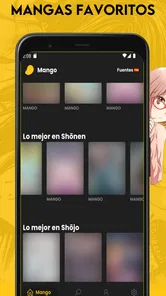
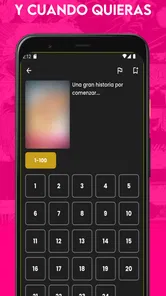
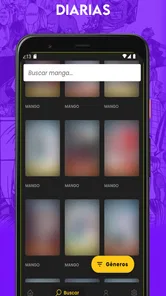
From the moment you launch Mango: Lector de Manga Español, you’re greeted with a user-friendly interface that’s both intuitive and sleek. Navigating through its vast library is a breeze, thanks to its well-organized categories and search functionality. The developers have clearly put a lot of thought into making sure the user experience is as seamless as possible. With just a few taps, you can dive into your favorite series or discover new ones that might just become your next obsession.
Making the reading controls work for you
The useful habit here is to settle on a comfortable reading setup early instead of changing controls chapter by chapter. If you prefer manga’s right-to-left flow, choosing that direction helps keep page turns consistent; if another direction feels more natural, use that instead. Brightness and orientation are similarly worth adjusting for the situation: a bright room, a dim evening, and a phone held sideways can each call for a different choice. These are modest controls, but using them deliberately can make longer sessions feel less awkward.
For quicker browsing, I’d use search when I already have a title in mind and categories when I’m in the mood to explore. That small distinction saves time: search is the direct route, while categories are better for discovery. I would avoid treating every browse session as a hunt for a perfect new series. Picking one or two possibilities and returning to them later keeps the experience focused, especially when a large catalog makes choosing harder than reading.
Content Library
One of the standout features of this app is its extensive content library. It’s like having a manga library in your pocket, with a range of genres that cater to every taste. Whether you’re into action-packed adventures, heartwarming romances, or spine-chilling horror, there’s a manga for every mood. And the best part? It’s all in Spanish! As someone who enjoys reading in their native language, I found this feature incredibly appealing. The translations are well-done, capturing the essence of the original material while making it accessible to a Spanish-speaking audience.
More From Our News Desk

 Gmail
GmailGmail in a Busy Inbox: Who Benefits Most?
From first account to crowded workday, Gmail earns its place through dependable search and flexible sorting—but its best fit depends on how much inbox maintenance you can tolerate.

 Prime Video
Switching to Prime Video: What Changes in Your Viewing Routine
Prime Video can make a compelling second home for streaming, but switching means learning a different catalog, rental layer, and route from browsing to playback.

 Universal TV Remote Control
Universal TV Remote Control Works Best as a Reliable Backup
A phone remote earns its place through quick setup and reliable habits. Here is how to get more from Universal TV Remote Control—and where its limits show.

 Weather - By Xiaomi
Weather by Xiaomi Review: Clear at a Glance, Less Clear Up Close
Xiaomi’s weather app makes everyday forecasts quick to scan, but its calm surface can leave useful details and recovery paths harder to find than they should be.

 X
XX Under Pressure: Can It Recover When Posting Goes Wrong?
A resilience-focused review of X, examining setup, mistaken posts, interruptions, weak connections, and the gaps that matter when recovery needs to be dependable.

 Clash of Clans
Clash of Clans Is Won Between the Battles
Its raids are quick; its community is a long-term project of coordination, teaching, rivalry, and shared responsibility—with all the friction that entails.
Latest News



For language learners, reading Spanish manga can be enjoyable practice, but it is not the same as using a dedicated study tool. I’d treat an unfamiliar word as a reason to pause and look it up separately, rather than expecting the reader itself to teach vocabulary. Likewise, if you need a particular series, translation, or release schedule, check that the title you want is actually available before making this your main reading app. A broad selection can still have gaps, and personal favorites matter more than the size of a catalog in general.
Reading Experience
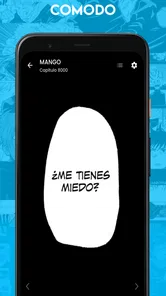
The reading experience on Mango: Lector de Manga Español is nothing short of delightful. The app offers a smooth and immersive reading experience, with customizable options that let you adjust the brightness, orientation, and even the reading direction. Whether you prefer reading left to right or right to left, the app accommodates your preferences without a hitch. The pages load quickly, ensuring that you’re not left hanging in suspense during a crucial plot twist.
In day-to-day use, those settings are most valuable when they remove friction, not when they are constantly being changed. I’d pick a default direction that suits the manga I usually read, then adjust only when a title or reading position makes another setup more comfortable. The same goes for orientation: portrait is an easy starting point for a quick chapter, while rotating the device can be worth trying if a page feels cramped. These are practical experiments rather than a promise that every page will look ideal on every screen.
Where it fits among manga readers
Compared with a general comic reader, Mango’s clearest appeal is its Spanish-language manga focus. A broad comic app may be a better home if you want many formats or a mixed collection, while a publisher’s own app can suit readers who prioritize a specific official catalog. Mango makes more sense when the goal is to browse and read manga in Spanish in one place. That focus is useful, but it also means readers should choose based on the titles and reading habits they care about, not simply because one app claims to cover every need.
Offline Reading
Another feature worth mentioning is the offline reading capability. This is perfect for those long commutes or when you’re in an area with spotty internet. You can download your favorite mangas and read them whenever, wherever. It’s like having your personal collection at your fingertips, without the need for a constant internet connection.
For a repeatable offline routine, I’d prepare only the chapters I expect to read soon, especially before leaving a reliable connection. That keeps the on-device reading plan manageable and makes it less likely that I’ll rely on a chapter I did not prepare. Readers who mostly browse spontaneously while connected may not care much about this feature; those who travel, commute, or spend time in places with weak service are more likely to value it. It is a convenience, not a reason to assume every chapter will always be ready without preparation.
Who should choose it—and who may prefer another option
Mango is a good match for someone who reads manga in Spanish, enjoys browsing by category, and wants basic controls for direction, brightness, and orientation. It is also approachable for a newcomer who would rather explore than configure a complicated reading setup. On the other hand, readers who need a particular title above all else should verify its availability first, and anyone looking for a broad comics collection or a source centered on a specific publisher may be happier with a different reader. The best choice depends on what you actually read week to week.
The app is free to use, with optional in-app purchases ranging from $1.99 to $49.99 per item, so I’d check any purchase details carefully before confirming one. Mango is rated for Teen audiences, a point worth keeping in mind if a younger family member will be reading; manga covers a wide range of themes, so it still makes sense to consider individual titles. JeguLabs develops the app, which has a 4.5 average from around 17 thousand ratings and over one million installs. It first appeared in October 2023, and version 2025.0.2 supports devices running Android 9 or newer.
One limitation is that a polished reader cannot guarantee that every reader will find their preferred series, translation, or browsing path. The search and categories help, but they do not replace checking whether a specific title suits your taste. If your routine depends on a large offline collection, plan downloads rather than assuming they will happen automatically. And if you want tools beyond straightforward manga browsing and reading, a more specialized alternative may be a better fit.
Building a repeatable reading habit
What makes a focused reader useful over time is not necessarily a complicated set of options; it is having a small routine that removes decisions. I’d keep a short mental shortlist of series I’m interested in, use search for those titles, and save category browsing for a separate session when I actually want to discover something. That separation helps avoid opening the app for a quick chapter and spending the whole break deciding what to read. It is a simple way to make Mango feel more like a reading shelf than an endless browsing stop.
For a commute, I’d make the choice before leaving: select the series, prepare the chapters I expect to finish, and check that the reading direction feels right. At home, I’d browse more freely, where a connection is available and there is time to compare options. This split is a useful trade-off for readers who move between connected and offline situations. It also prevents a common frustration: discovering that the next chapter is not ready only after settling in somewhere with poor reception.
Small adjustments that prevent avoidable friction
One practical tip is to think about the device as well as the comic. If a page feels crowded in portrait orientation, trying landscape can make the artwork easier to inspect; if the phone becomes awkward to hold, switching back is just as reasonable. I would make that adjustment at a natural pause rather than interrupting every page to chase an ideal display. The point is not to optimize endlessly, but to notice when a setting is genuinely making reading less comfortable.
Brightness deserves the same common-sense approach. A setting that works in a bright room may be uncomfortable in a dim one, so adjusting it before a long session is better than pushing through eye strain. I would also avoid assuming that one direction setting is right for every title. A consistent default saves time, but checking the flow when starting a different manga can prevent confusing page turns. These small habits are more valuable than constantly tweaking controls without a clear reason.
Choosing it for the right kind of reader
I’d recommend Mango most readily to someone whose main question is, “What can I read in Spanish right now?” rather than someone who needs one exact series or a highly organized personal archive. It suits casual readers who enjoy browsing, regular readers who want a simple phone-based routine, and Spanish learners who are happy to treat comics as enjoyable exposure rather than structured lessons. A reader who wants a single publisher’s complete catalog, advanced collection management, or several comic formats in one place should compare alternatives before committing to this as their only app.
Parents should also treat the Teen rating as a starting point, not as a guarantee that every individual manga will suit every young reader. The app’s general audience label does not replace checking the content of a particular title. Likewise, if you share a device or plan to read with someone else, consider whether the series themselves are appropriate and whether the app’s purchasing options need attention. Those are ordinary decisions, but they matter more than a reader interface when the app is used by a family.
What to expect from free access and purchases
Because the app is free with optional purchases, I would begin by exploring the reading experience and checking whether the titles I care about are there before spending anything. The listed purchase range is broad, so I would read each in-app offer carefully and confirm what it provides before tapping through. This is especially sensible for a new user who has not yet decided whether Mango fits their weekly habits. Free access makes it easy to try the basic routine, while purchase decisions are best made title by title rather than on impulse.
Another useful question is whether Mango can replace every other way you read comics. For me, the answer depends on the mix: if most of my reading is Spanish-language manga, it can be a convenient main option; if I also read graphic novels, publisher-specific releases, or material in several languages, I would keep a broader reader or official source in the mix. That is not a flaw so much as a matter of focus. The app is more persuasive when judged by the reading job it is meant to make easy.
In conclusion, Mango: Lector de Manga Español is a must-have for any manga lover who prefers reading in Spanish. Its extensive library, user-friendly interface, and customizable reading options make it a top choice in the app market. So, if you’re looking to enhance your manga reading experience, give this app a try. Trust me, you won’t be disappointed!
Mango: Lector de Manga Español Frequently Asked Questions
Can I read manga in Spanish with Mango?
Mango: Lector de Manga Español is aimed at readers who want to enjoy manga in Spanish. The app’s store summary invites users to read their favorite mangas for free, making it a natural option to consider if Spanish-language manga is what you are looking for. Before downloading, think about whether its focus matches your preferred reading language and the kind of comics you enjoy.
Is Mango: Lector de Manga Español available for my device?
The current version is 2025.0.2, and Android users need Android 9 or later to run it. It is worth checking your device’s operating-system version before installing, especially if you have an older phone or tablet. Mango is a mobile app in the Comics category, so it is designed for reading on a compatible mobile device.
Does Mango: Lector de Manga Español cost anything to download?
Mango: Lector de Manga Español is free to download, so you can try the app without paying an upfront purchase price. Optional in-app purchases are available, with prices ranging from $1.99 to $49.99 per item. If you prefer to avoid extra spending, review any purchase prompt carefully and decide whether an optional item is worthwhile before buying.
Is Mango: Lector de Manga Español suitable for younger readers?
Mango: Lector de Manga Español is rated Teen, so it may be a good fit for teen readers interested in manga in Spanish. Parents and guardians can consider that age guidance alongside a reader’s maturity and preferences before downloading. As with any comics app, it is sensible to review the content together if you are unsure whether it suits a particular reader.
What is Mango: Lector de Manga Español?
Mango: Lector de Manga Español is a mobile application designed for manga enthusiasts who prefer reading in Spanish. It offers a comprehensive library of manga titles across various genres. The app provides a user-friendly interface, making it easy to browse, read, and track your favorite manga series. It's available for both Android and iOS users, ensuring accessibility for a wide audience.
Pros
- Extensive manga library available.
- User-friendly and intuitive interface.
- Regular updates with new manga.
- Offline reading mode available.
- High-quality images and translations.
Cons
- Contains occasional ads during use.
- Limited to Spanish language only.
- Requires internet for new content.
- Some manga may be incomplete.
- No option for custom themes.











