

MangaGo - Ultimate Manga App
- 78.00
- 2.8
- Installs
- 100.00K
- Price
- Free
Screenshots

Analysis by Reviewed
I would judge MangaGo less by the promise of an endless library and more by whether it suits the way you actually read: in short bursts, across several series, or with a specific title in mind. It is a free comics app from Mouaad Ouajib, focused on manga and manhwa. The balance to keep in mind is its modest 2.8 average from around 700 ratings: that does not tell me exactly what any one reader will experience, but it is a reason to approach it as an option to test rather than a guaranteed replacement for your current setup.
Choose it for browsing, not just one series
In my experience, the strongest case for an app like this is discovery. If I have a few spare minutes and no fixed reading plan, browsing genres or searching for a title can help me find something new without committing to a physical volume or a separate purchase. MangaGo’s stated focus includes manhwa as well as manga, which makes it relevant if your reading habits move between those formats. It has passed 100,000 installs, but popularity alone cannot tell you whether its catalog matches your personal taste.
A practical way to try it is to search for a series you already know, then browse for one unfamiliar pick. That gives you a quick sense of whether the material you want is easy to locate and whether the reading flow feels comfortable on your phone. I would also avoid building a large reading queue before testing the basics: first check how well you can resume a chapter and whether the page presentation works for your screen. Those small checks matter more than a long list of titles when you are deciding whether to make an app part of your routine.
Where the reading setup helps—and where it needs checking
The original appeal here is the promise of convenient reading, especially when a story has detailed panels that benefit from closer inspection. Zoom can be useful, but it is a trade-off: enlarging artwork may mean more panning and interrupt the rhythm of a page. I would use it selectively for dense scenes rather than treating it as the default. Likewise, a remembered reading position is most valuable when you alternate between series; after finishing a session, make sure the app has kept the right place before switching titles.
The published description of offline reading sounds handy for commutes or waiting rooms, but a reader should test the download-and-open routine before relying on it somewhere with weak reception. Download a chapter while connected, then try opening it with connectivity unavailable. That simple check helps establish whether your planned reading is actually ready before you leave home. The same cautious approach applies to community features: discussion can add recommendations and shared enthusiasm, but if you mainly want a quiet reader, social activity may not be a reason to choose this app.
Discover a World of Manga
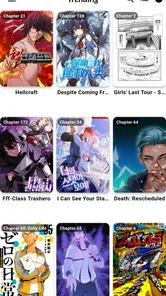
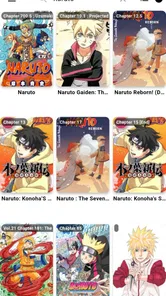
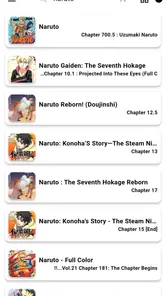
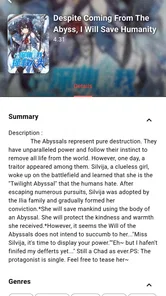
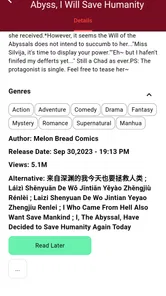
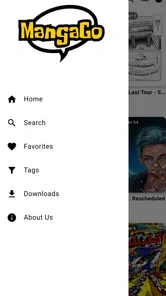
When I first opened MangaGo, I was blown away by the sheer variety of manga available at my fingertips. From classic series to the latest hits, this app has it all. I found myself scrolling endlessly, adding titles to my reading list faster than I could read them. The app's interface is super user-friendly, making it easy to search for specific titles or browse through different genres. Whether you're into action-packed adventures or heartwarming romances, you'll find something that piques your interest.
Reading Experience
The reading experience on MangaGo is nothing short of amazing. The pages load quickly, and the images are crisp and clear, almost as if you're holding a physical copy of the manga in your hands. I particularly love the zoom feature, which allows you to get up close and personal with the artwork. It's perfect for those detailed panels that you just want to dive into. Plus, the app remembers where you left off, so you can pick up right where you stopped without any hassle.
More From Our News Desk

 Gmail
GmailGmail in a Busy Inbox: Who Benefits Most?
From first account to crowded workday, Gmail earns its place through dependable search and flexible sorting—but its best fit depends on how much inbox maintenance you can tolerate.

 Prime Video
Switching to Prime Video: What Changes in Your Viewing Routine
Prime Video can make a compelling second home for streaming, but switching means learning a different catalog, rental layer, and route from browsing to playback.

 Universal TV Remote Control
Universal TV Remote Control Works Best as a Reliable Backup
A phone remote earns its place through quick setup and reliable habits. Here is how to get more from Universal TV Remote Control—and where its limits show.

 Weather - By Xiaomi
Weather by Xiaomi Review: Clear at a Glance, Less Clear Up Close
Xiaomi’s weather app makes everyday forecasts quick to scan, but its calm surface can leave useful details and recovery paths harder to find than they should be.

 X
XX Under Pressure: Can It Recover When Posting Goes Wrong?
A resilience-focused review of X, examining setup, mistaken posts, interruptions, weak connections, and the gaps that matter when recovery needs to be dependable.

 Clash of Clans
Clash of Clans Is Won Between the Battles
Its raids are quick; its community is a long-term project of coordination, teaching, rivalry, and shared responsibility—with all the friction that entails.
Latest News



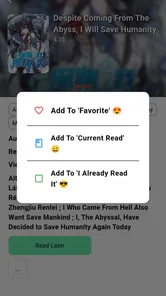
For a concrete everyday routine, I would use it during a lunch break: open a series already in progress, read a chapter, then check that the saved position is right before putting the phone away. If I had a longer trip planned, I would prepare offline chapters in advance instead of assuming I could fetch them on the train. This is also a sensible way to manage a growing queue: keep only a few current reads in active rotation, so it stays easy to remember which story to continue rather than endlessly collecting titles.
Features That Stand Out
One of the features that truly stands out is the offline reading mode. Let's face it, we don't always have access to Wi-Fi or data, especially when we're on the go. With the app, you can download your favorite manga and enjoy them anytime, anywhere. Another great feature is the community section, where you can connect with other manga lovers, share recommendations, and discuss your favorite moments. It's like having a mini manga club right in your pocket!
That combination makes the app a better fit for readers who enjoy exploring and discussing, rather than someone who wants a bare-bones page viewer and nothing else. Still, I would not treat a community recommendation as proof that a title will suit me; I prefer to sample a chapter and decide from the artwork and pacing. If I am reading in a crowded place, I also value a workflow that lets me find my current series quickly, so a little discipline in the reading queue can make browsing feel less distracting.
How it compares with other ways to read
Compared with a dedicated digital comic storefront, MangaGo’s appeal is the casual, browse-and-read experience rather than a clearly defined purchase library. Readers who prioritize buying volumes, keeping a formal collection, or sticking to a particular publisher’s official catalog may be better served by that kind of alternative. On the other hand, someone who wants to explore manga and manhwa without paying upfront may find a free app worth trying, while accepting that a low average rating calls for realistic expectations and a personal test.
It is also different from reading on paper: a phone is easier to carry and zoom into, but a small screen can make long sessions less comfortable, and enlarging panels can slow page flow. I would choose a larger display or print for a relaxed evening with artwork I want to linger over. For quick chapters between errands, the phone format makes more sense. MangaGo is rated Teen, so I would keep that age guidance in mind when choosing what younger readers access and would not assume every title is appropriate for every teen.
Who is likely to enjoy it
I see the clearest fit for a curious reader who likes moving between manga and manhwa, does not mind browsing, and wants to try a free phone-based option before committing to a new reading habit. It can also suit someone who already reads in brief sessions and values being able to return to a story without carrying a book. For a teen and parent choosing together, I would make the age guidance part of the conversation and look at the actual titles being read rather than treating the app’s rating as a guarantee about every story.
It is less suitable if you want a polished, purchase-based archive that you can build around volumes you own, or if you prefer a carefully controlled reading environment with no social element. Readers who mostly follow one publisher or already have a dependable official source may have little reason to move. The useful question is not whether MangaGo can replace every way of reading, but whether its browsing and phone-first approach solve a problem you actually have.
Small habits that make testing more useful
When sampling a new series, I would read a few pages before deciding whether the app’s presentation works for me. A dramatic opening can make almost any interface feel fine; a longer stretch is better for noticing whether text remains comfortable to read and whether zooming becomes a chore. I would also test a chapter from a series I know well, since familiar artwork and pacing make it easier to judge the display rather than getting distracted by the story itself.
For a mixed reading routine, I would keep a short note of the last chapter or scene reached while I am still deciding whether to switch. That is a simple fallback if a saved position is not where I expect it, and it helps avoid rereading or losing my place when trying two apps side by side. If offline access matters, I would prepare only the material I expect to read soon and check it before leaving; a quick test is more dependable than discovering a connectivity problem in the middle of a commute.
What to consider before switching
Moving a reading habit is not just a matter of installing another app. Before making MangaGo your main reader, try it alongside your current option for a few days: search for your usual series, read enough to judge the display, and see whether resuming works naturally for you. If you rely on an existing collection or a familiar way of organizing titles, changing apps may mean rebuilding that routine. Keeping both options temporarily can help you compare comfort and discoverability without losing track of what you were reading.
The app is free, runs on Android 7.0 or later, and its current version is 3.0.0. It was released on July 16, 2024. Those details make it straightforward to check basic compatibility before trying it, but they do not replace testing how it behaves on your own device. The Teen content rating is another useful decision point for families. I would treat the 78 written reviews alongside the overall rating as a signal to read recent reader feedback before relying on it for a particular need, rather than expecting one rating to settle the question.
Final Thoughts
All in all, MangaGo has become my go-to app for all things manga. It's like having a personal library that fits right in the palm of your hand. If you haven't already, I highly recommend giving it a try. So grab your phone, download the app, and get ready to immerse yourself in a world of captivating stories and stunning artwork. Happy reading!
My recommendation is narrower than “everyone should switch”: I would try it if you want a free way to browse manga and manhwa, enjoy reading on your phone, and are comfortable checking that the titles and routine you care about work for you. I would skip it as a primary choice if a high user rating, a formal owned collection, or a strictly quiet reading experience is essential. Start with one familiar series and a short session; if finding, reading, and resuming it all feel smooth, then expand from there.
MangaGo - Ultimate Manga App Frequently Asked Questions
Is MangaGo free to download, and what should I expect when using it?
MangaGo is a free comics app, so you can try it without paying an upfront download price. The app is described as a manga and manhwa companion, making it relevant to readers interested in those formats. Before downloading, keep in mind that a free app may still have features or reading conditions that affect your experience, so review the app details and permissions on your device’s download page.
What is MangaGo - Ultimate Manga App?
MangaGo - Ultimate Manga App is a comprehensive platform designed for manga enthusiasts, offering a vast library of manga titles across various genres. Users can explore, read, and stay updated with the latest manga releases. The app aims to provide a seamless reading experience with its user-friendly interface and offline reading capabilities, making it a go-to app for manga lovers.
Is MangaGo available for both Android and iOS devices?
Yes, MangaGo - Ultimate Manga App is available for download on both Android and iOS platforms. This ensures that users can enjoy their favorite manga titles on a wide range of devices, including smartphones and tablets. By catering to both major operating systems, MangaGo aims to reach a broader audience and provide accessibility to manga content.
Does MangaGo offer offline reading features?
MangaGo - Ultimate Manga App provides the option for offline reading, allowing users to download their favorite manga chapters and read them without an internet connection. This feature is particularly useful for users who want to enjoy manga on the go, without worrying about connectivity issues. It enhances the reading experience by offering convenience and flexibility.
Is there a subscription fee for using MangaGo?
MangaGo offers both free and premium subscription plans. The free version provides access to a limited selection of manga titles, while the premium subscription unlocks additional features such as ad-free reading, early access to new releases, and a more extensive manga library. Users can choose the plan that best suits their needs and preferences.
Pros
- Wide range of manga genres available.
- Regular updates with new manga chapters.
- User-friendly and intuitive interface.
- Offline reading feature available.
- High-quality images and translations.
Cons
- Contains ads that can be intrusive.
- Limited customization options.
- Some manga missing from the library.
- Requires internet for initial downloads.
- No option for dark mode interface.











