

Manga Reader: Cookie Manga
- 292.00
- 4.7
- Installs
- 100.00K
- Price
- Free

Screenshots
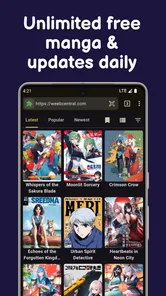
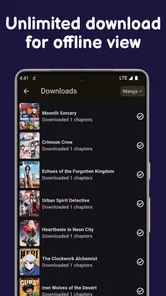
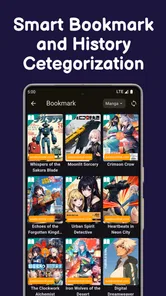
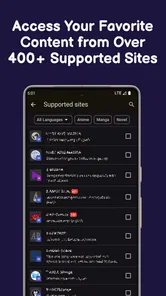
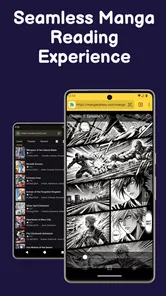
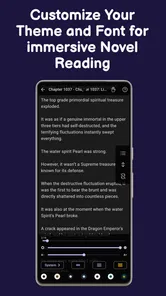
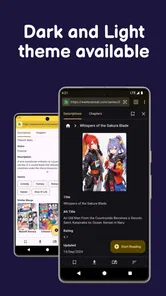
Analysis by Reviewed
I approach a manga reader differently from a casual entertainment app: the library matters, but so does knowing what I’m choosing to read, what works offline, and how much control I have over my reading routine. Manga Reader: Cookie Manga is a free comics app from Magnum Quality Sdn Bhd, built for readers who move between manga, manhua, manhwa, and webtoons. Its appeal is straightforward: keep different comic formats in one place and make it possible to read online or offline. That broad scope is useful, though it also makes the app’s fit depend on what you expect from a reader and how carefully you want to manage your use of it.
A sensible first check for new readers
I wouldn’t decide whether Cookie Manga belongs on my phone based on the breadth of its formats alone. I’d start with a short, purposeful visit: search for two or three series I already enjoy, open one chapter, and see whether the pages or scroll layout suit me. That avoids the common trap of spending time browsing an attractive catalog before finding out that the specific titles and reading habits I care about are a poor match.
For someone who has never used a multi-format comics app, the useful question is not simply whether it contains a lot to explore. It is whether the app makes a regular reading session feel straightforward. If I can find a familiar series, understand how to move through a chapter, and return to it later without fuss, that is a better sign than a long browsing session with no clear destination.
What the app offers—and what to check before settling in
The first thing I’d value here is the chance to browse several styles of serialized comics without switching between separate genre-specific readers. Someone who follows Japanese manga but also enjoys Korean manhwa or vertical webtoons can treat Cookie Manga as a single reading destination. That convenience is the app’s clearest proposition; it is more compelling for a mixed-format reader than for someone committed to one series or one particular publishing ecosystem.
The app is listed in the comics category and has an average rating of 4.7 from around 3.7 thousand ratings, with over 100 thousand installs. Those figures suggest that many readers have tried it, but they can’t tell me whether a particular title is available, whether its translation suits me, or how well a chapter will display on my device. I’d use them as context, not as a substitute for checking the actual catalog and reading experience.
Cookie Manga is free, and its content rating is Everyone. That makes the entry point easy, but I wouldn’t treat either fact as a promise that every comic will suit every reader. A broad comics library can contain very different tones and themes. If a child will use the app, I’d browse alongside them and check the material directly rather than relying on the general age label alone.
The app is currently at version 1.4.4 and supports devices running Android 8.0 or later. It was released on September 23, 2024, so it is a relatively recent option compared with long-established comic platforms. The developer is Magnum Quality Sdn Bhd. I’d keep the app updated through the normal store process, especially if I were relying on offline reading, since updates can affect compatibility and day-to-day reliability.
More From Our News Desk

 Gmail
GmailGmail in a Busy Inbox: Who Benefits Most?
From first account to crowded workday, Gmail earns its place through dependable search and flexible sorting—but its best fit depends on how much inbox maintenance you can tolerate.

 Prime Video
Switching to Prime Video: What Changes in Your Viewing Routine
Prime Video can make a compelling second home for streaming, but switching means learning a different catalog, rental layer, and route from browsing to playback.

 Universal TV Remote Control
Universal TV Remote Control Works Best as a Reliable Backup
A phone remote earns its place through quick setup and reliable habits. Here is how to get more from Universal TV Remote Control—and where its limits show.

 Weather - By Xiaomi
Weather by Xiaomi Review: Clear at a Glance, Less Clear Up Close
Xiaomi’s weather app makes everyday forecasts quick to scan, but its calm surface can leave useful details and recovery paths harder to find than they should be.

 X
XX Under Pressure: Can It Recover When Posting Goes Wrong?
A resilience-focused review of X, examining setup, mistaken posts, interruptions, weak connections, and the gaps that matter when recovery needs to be dependable.

 Clash of Clans
Clash of Clans Is Won Between the Battles
Its raids are quick; its community is a long-term project of coordination, teaching, rivalry, and shared responsibility—with all the friction that entails.
Latest News



Reading across formats without losing your place
Different comic formats ask for different habits. A page-based manga chapter invites deliberate page turns, while a long vertical webtoon is easier to follow with a steady scroll. Having both under one roof saves time when my reading changes with my mood, but it also makes a quick trial worthwhile: open a chapter from each format and see whether the controls feel comfortable before building a long reading queue.
One practical way to test the app is to compare the same session under ordinary conditions: read a few pages on a stable connection, leave the app, return, then try a vertical episode. This reveals more than browsing thumbnails does. I can see whether I naturally understand the navigation, whether the presentation suits the format, and whether I’m comfortable continuing on a small screen. I wouldn’t assume that one reading style’s convenience automatically carries over to every other style.
The store summary says the app updates daily. For a reader following ongoing comics, that points to a reason to check back regularly, but I’d still treat update timing as something to verify in the app rather than planning around a specific release hour. A useful routine is to check the series you care about, then download chapters you expect to read away from a connection. That separates the broad promise of an updating library from the practical question of whether a particular series has the next installment you want.
Offline reading is most useful when planned
Offline access can make a meaningful difference on a commute, during travel, or anywhere a connection is unreliable. The detail that matters in practice is preparation: I’d open the chapters I want while online and confirm they are available before leaving. It’s a simple habit, but it prevents the frustrating assumption that a title visible in a library must already be stored for offline use.
For a realistic daily routine, imagine choosing a few chapters at home before a train ride. I would first browse while connected, select what I’m likely to finish, and then test one chapter by switching to a place with no signal—or otherwise checking offline readiness before departure. This keeps the app useful even if the connection drops, while avoiding a last-minute scramble on the platform. It also helps me avoid downloading more than I actually plan to read.
There is a trade-off: offline convenience usually depends on making choices in advance, whereas streaming or browsing on demand feels more spontaneous. If I mostly read at home on reliable Wi-Fi, the offline angle may matter less than catalog fit and comfortable navigation. If my reading happens in short gaps throughout the day, preparation becomes a bigger part of getting value from the app.
Trust is about choices, not assumptions
When I try a new reading app, I pay attention to what I can inspect and control instead of guessing about unseen data practices. I would review the permission prompts shown by my device and ask whether each request makes sense for the action I’m taking. A request that appears while I’m trying to read or save a chapter deserves a moment of attention; I can pause, check the system explanation, and decide whether to continue.
I don’t infer a privacy policy, account system, or specific permission list from the app’s general description. Those details should be judged from the current app screens, store disclosures, and Android’s own permission controls. If the app presents an optional sign-in or asks for information, I’d distinguish what is necessary for a feature I want from what I can skip. If a control is unclear, that uncertainty is a reason to slow down rather than assume the most reassuring answer.
For data-sensitive moments, I’d be especially deliberate when entering personal details, opening device settings, or deciding whether to grant access beyond what seems needed for reading. I’d also check the phone’s app-permission page after installation, since that gives me a direct way to review and revise any permissions that have been granted. This is a useful general habit for a comics reader as much as for any other app: make the choice at the moment it matters, then revisit it if my use changes.
Reader agency also includes managing attention. A broad catalog and frequent updates can make it tempting to keep browsing when I only meant to read one chapter. I’d choose a series before opening the app when I have limited time, and use offline preparation for planned reading rather than treating every new update as urgent. That small boundary helps me enjoy the comics without turning a quick break into an unplanned scroll through the whole library.
Where it sits beside other comic readers
Compared with a reader dedicated to one publisher or a single comic tradition, Cookie Manga’s advantage is breadth across manga, manhua, manhwa, and webtoons. That can reduce app switching for readers whose tastes cross formats. The usual alternative may be preferable if you want a tightly curated catalog, a familiar publisher’s official releases, or a specific reading community. I would compare the titles I actually follow, not simply count the categories an app says it supports.
It also differs from a basic local-file reader in emphasis. A local reader is often chosen because the user already has files and wants a focused way to open them; Cookie Manga is presented as a place to discover and read comics online, with offline reading as an option. If maintaining a personal collection is your main goal, a dedicated file library may suit you better. If you want one app to explore multiple comic formats, Cookie Manga is the more natural first trial.
One non-obvious trade-off of an all-in-one library is that breadth can make finding a specific favorite more important than the headline variety. Before committing to it as my only reader, I’d search for several titles I genuinely follow, inspect how their chapters are arranged, and test whether the reading flow works for each format. That quick audit is more useful than browsing a large number of unrelated covers, because it answers the question that affects everyday satisfaction: can I reliably get to the comics I came for?
Who I’d recommend it to
I’d suggest giving Cookie Manga a try if you already read across Asian comic formats, want online and offline options, and prefer to begin with a free app rather than pay up front. It may also suit a curious reader who wants to sample different kinds of serialized comics without first choosing a narrow platform. The best fit is someone happy to explore the catalog and make practical choices about downloads, permissions, and reading time.
I’d be more cautious if your priority is a particular official source, a guaranteed selection of named series, or a highly specific collection-management workflow. In those cases, I’d first compare the alternatives that specialize in your chosen publisher or in local files. Likewise, if you want to avoid browsing and only need one ongoing title, a broader reader’s range may not add much for you.
Small checks that make the choice clearer
If I were deciding whether to keep the app after trying it, I’d give myself a few ordinary reading sessions rather than judge it from one visit. I’d test a page-based title and a vertical comic, then see whether I can pick up where I left off in the way I expect. This is especially useful for readers who alternate between formats: a layout that feels natural for one kind of comic may feel awkward for another, and discovering that early is better than building a large queue first.
I’d also treat offline reading as a task to verify rather than a switch to assume. Before a trip, I’d open the chapters I plan to read while connected and confirm they remain accessible after the connection is gone. If I read in brief pockets of time, I’d choose a small, realistic batch instead of trying to prepare an entire series. That limits unnecessary downloads and gives me a clearer sense of how well the app fits my routine.
Readers often want to know whether a free comics app is enough to replace their other readers. My answer would depend on the catalog, not the price: if the titles I follow are present and the controls work for me, it could reduce app switching. If I rely on a specific official publisher, a personal file collection, or a community built around one series, a specialized alternative is still likely to serve that need better. I’d keep the comparison practical and based on the comics I actually open.
Another reasonable question is whether the broad age label settles suitability for younger readers. I wouldn’t use it that way. I’d check individual comics together, since readers’ comfort with themes varies and a single app-wide label can’t replace a parent’s judgment about a specific story. That little bit of supervision matters more than the convenience of having many formats in one place.
A measured recommendation
My overall view is positive but measured. Manga Reader: Cookie Manga offers a useful mix of comic formats, a free starting point, and the possibility of reading away from a connection. Its average rating is encouraging context, not a guarantee that the catalog or controls will match every reader’s expectations. I’d install it, check the series I care about, test a chapter in both a page-based and a vertical format, and review any permission prompts before making it part of my routine. If those checks go well, it has a sensible place in a reader’s rotation; if they don’t, a more specialized comic app will be the better choice.
Manga Reader: Cookie Manga Frequently Asked Questions
What is Manga Reader: Cookie Manga?
Manga Reader: Cookie Manga is an app for discovering and reading manga on a mobile device. Readers can use it to browse available titles and follow stories in a convenient, phone-friendly format. The exact catalog, reading tools, and availability may vary by app version or region, so check the current listing and in-app details before downloading if you are looking for a particular series.
Is Manga Reader: Cookie Manga free to use?
The app may be available to download without an upfront purchase, but that does not necessarily mean every feature or chapter is free. Some apps offer advertising, in-app purchases, subscriptions, or other limits on access. Review the store listing and the app’s purchase information before using it, and confirm any charges or recurring subscription terms before you agree to them.
Can I read manga offline with Manga Reader: Cookie Manga?
Offline reading depends on whether the current version provides a download or save option for chapters. If it does, downloaded content may still be subject to storage limits, expiration, or account requirements, and not every title may be eligible. Check the reading screen and the app’s settings for offline controls; otherwise, plan to use an internet connection to browse and read.
Is Manga Reader: Cookie Manga safe and suitable for all ages?
Before installing, review the app’s age rating, privacy information, and permissions on the Google Play Store or Apple App Store. Manga catalogs can include mature themes, and age suitability may differ from one title to another. Use any available content filters, supervise younger readers, and avoid granting permissions that do not seem necessary for the app’s stated functions.
How can I find a specific manga, and what should I do if it is unavailable?
Start with the app’s search or category browsing tools, and try alternative spellings or the series’ translated title if a search returns no results. Catalogs can change over time and may differ by language or region, so an unavailable title may not be supported in your version. Check for app updates and consult the developer’s support information for catalog questions.
Pros
- Simple interface makes it easy to browse manga.
- Search tools help you find titles quickly.
- Reading progress can make it easier to pick up where you left off.
- A range of genres offers options for different tastes.
- Convenient for reading manga on a mobile device.
Cons
- The selection may not include every title readers want.
- Some chapters or images may take time to load.
- Reading comfort depends on your screen size and brightness.
- Availability of titles can vary by region or over time.
- Ads or in-app prompts may interrupt the reading experience.











