Lola: Live Video Chat App
- 203.00
- 4.2
- Installs
- 1.00M
- Price
- Free

Screenshots
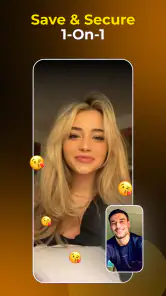
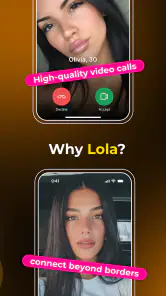
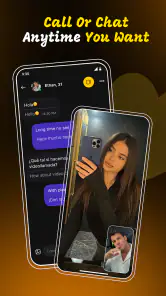
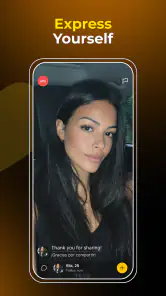
Analysis by Reviewed
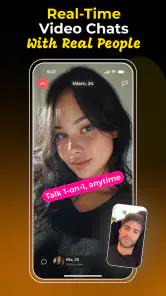
I approached Lola: Live Video Chat App as a social app for people who want conversation to feel immediate rather than carefully edited. Its central idea is simple: connect with another person through a one-to-one live video chat, with instant translation available to help bridge language differences. That combination gives it a different feel from a conventional text-first social network, but it also makes the experience more demanding. You are not only choosing what to write; you are deciding whether you are comfortable being seen and heard in real time.
In my experience, Lola works best when I treat it as a short, focused way to meet someone new, not as a replacement for every other social platform. The app is free to download, belongs to the social category, and is developed by Lola Team. It has reached over a million installs and holds a 4.2 average from around 8.5 thousand ratings, which suggests that the idea has found a substantial audience while still leaving room for mixed experiences. The mature 17+ age rating is important here: live video with strangers calls for more judgment than a typical messaging app.
How Lola feels to use across different situations and abilities
Readability and navigation during a live conversation
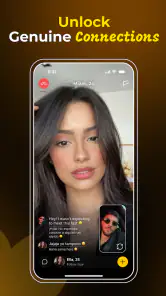
The most important design choice is the emphasis on a direct one-to-one encounter. There is less visual noise than I would expect from a large feed-based social service, because the main purpose is to move toward a live conversation rather than browse endless posts. That focus can be helpful for someone who finds crowded timelines tiring. Instead of sorting through public comments, reactions, and multiple conversation threads, I can concentrate on the person in front of me and the immediate controls around the call.
That simplicity has a trade-off. A live video interface leaves little room for hesitation. In a text app, I can reread a message, adjust the wording, or answer later. With Lola, the relevant choice arrives in the moment: continue, speak, listen, or leave. For users who process information more slowly, become overwhelmed by rapid exchanges, or simply prefer time to formulate responses, the app may feel less forgiving even if the screen itself looks uncomplicated.
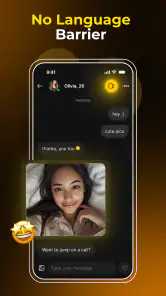
The translation element changes how I read the conversation. It can reduce the need to switch between Lola and a separate translation tool, which is especially useful when two people do not share a comfortable language. I found the concept most valuable for basic introductions, simple questions, and clarifying a short point. I would not treat instant translation as a guarantee that humor, slang, emotional nuance, or sensitive subjects will come across perfectly. A translated sentence can be understandable while still sounding blunt or slightly wrong.
For practical use, I would keep my opening questions short and concrete. Asking where someone is from, what they enjoy, or why they joined gives translation less complicated language to handle. If a sentence seems confusing, rephrasing it with simpler words is usually more productive than repeating the same phrase. This is one of the less obvious strengths of the app: translation works better when I use it as a bridge for conversation, not as a substitute for patience.
People who rely on larger text, strong contrast, screen readers, captions, or other specific accommodations should test the current interface directly rather than assume that a clean-looking screen will meet their needs. Video chat combines several layers at once: the other person’s image, spoken language, translated text, and controls. A user may find one layer comfortable and another difficult. That matters more here than in a purely written social app.
More From Our News Desk

Clash of Clans Is Won Between the Battles

Android Auto Makes the Case for Quieter Car Software

MobiOffice: Transforming Mobile Productivity with Seamless Integration

EA SPORTS FC™ Mobile Soccer: Redefining Mobile Sports Gaming

How Microsoft OneDrive Became a Mobile Productivity Giant

How Google Translate Breaks Language Barriers Effortlessly
Motor and sensory demands are part of the experience
Live video chat asks for more physical and sensory attention than sending messages. I need to position the phone, keep my face visible if I choose to use video, listen to speech, watch the other person’s reactions, and notice any on-screen translation. Someone with limited hand movement may find repeated tapping or holding the phone tiring. Someone with hearing difficulties may depend heavily on whatever text support is available, while someone with visual sensitivity may find a moving face and changing interface more tiring than a static chat screen.
The one-to-one format can be less chaotic than a group call. There are not several people speaking over one another, and the conversation has a clear focus. That is a genuine advantage for users who struggle with overlapping voices or busy social spaces. It does not remove every challenge, though. The other participant controls the pace of the exchange, and the app’s value depends on how clearly both people communicate.
I would use a stable surface or a phone stand whenever possible. That small change makes the conversation easier on the hands and lets me pay attention to the other person instead of constantly adjusting the device. It also helps in a shared home, where holding a phone close to my face can feel awkward or make the call more tiring. For people with limited stamina, shorter sessions are likely to be more comfortable than trying to maintain a long conversation simply because the connection is available.
Audio conditions can make or break the experience. A quiet room is not just more polite; it reduces the effort required to understand speech and makes translation more useful. If I am using Lola in a noisy café, on public transport, or outdoors, I have to divide attention between the conversation and the surrounding environment. That is a poor setting for an app built around immediate visual and spoken interaction. A text-first alternative is better when privacy, hearing, or concentration is a concern.
The mature 17+ rating also has an accessibility angle. Younger users should not be encouraged to treat an open live-video environment as harmless simply because the interface is easy to operate. Adults who are uncomfortable with unexpected personal questions, appearance-based judgment, or fast social pressure may also find the format stressful. The app is accessible in the sense that the idea is easy to understand, but ease of entry is not the same as emotional comfort.
Situational access: when Lola fits and when it does not
I can see Lola being useful for someone who has moved to a new city, is practicing a language, or wants a more human introduction than a profile and a message provide. The translation feature is particularly relevant when a user is curious about people outside their own language circle. It may also suit someone who finds public posting exhausting but is comfortable with a contained one-to-one exchange.
A realistic everyday scenario would be a language learner with a free half-hour after work. Instead of opening a general social feed and passively scrolling, they could use Lola for a brief conversation with someone who speaks another language. They might keep the first exchange focused on familiar topics, use translation when needed, and leave once the conversation stops feeling useful. That workflow makes the app manageable: a defined purpose, a short session, and no pressure to turn every contact into an ongoing relationship.
Another useful situation is travel preparation. Before visiting a place where I do not speak the local language well, a live conversation could help me practice simple greetings and learn which questions are easiest to express. I would still verify important travel information elsewhere. Translation in a social conversation is helpful for confidence and connection, but it is not the right tool for medical instructions, legal matters, financial decisions, or anything where a small misunderstanding could have serious consequences.
Lola is less suitable when I need an asynchronous conversation. If I am at work, caring for someone, commuting, or sharing a room with people who should not hear me, a messaging app offers much better control. Text also gives me a record that I can review, while live video is temporary and dependent on both participants being available at the same time. For users who want carefully managed communities, topic-based discussion, or long-form profiles, a traditional social network may provide more context before contact.
There is also a difference between meeting people and building trust. A live face-to-face exchange can feel more personal than a text message, but it does not automatically tell me whether a person is reliable. I would avoid sharing identifying details early, keep the first conversation general, and remember that a friendly interaction is not proof of good intentions. This is not a criticism unique to Lola; it is a consequence of connecting with strangers through live video.
What the current version offers and what may still create friction
The app is currently at version 2.2.7 and supports devices running Android 8.0 or later. That makes it relevant to people who keep an older Android phone, although live video performance will still depend on the device, camera, microphone, connection, and available battery. A phone that handles ordinary messaging comfortably may struggle more with sustained video. I would test it at home before relying on it while traveling or during an important conversation.
Because the app is free, trying it does not require an upfront purchase. That lowers the barrier for someone who is curious but unsure whether live social interaction suits them. At the same time, in-app purchases range from $0.99 to $149.99 per item. I would pay close attention to any purchase prompt and decide in advance whether I want to spend anything. Free entry can make experimentation easy, but it can also make it tempting to continue spending before I have decided whether the core experience is genuinely useful to me.
One practical trade-off is that translation can make a conversation possible while also making it less natural. Pauses, simplified sentences, and occasional corrections are part of the process. If I expect a smooth conversation with the rhythm of speaking to a close friend, I may be disappointed. If I approach it as a patient exchange between people who are working around a language gap, the feature becomes much more valuable.
Another friction point is personal presentation. Video removes some of the distance that protects users on text platforms. Lighting, background, camera angle, and appearance can affect confidence, even though none of those things determine whether a conversation is worthwhile. I would choose a neutral setting, avoid showing documents or personal items in the background, and use the app only when I feel ready to be visible. That preparation is not required by the concept, but it makes the experience less stressful.
Users with sensory sensitivities should think about the full environment rather than only the app screen. A quiet room, comfortable brightness, and a stable phone position can make a major difference. Users who depend on captions or visual translation should confirm that the live conversation remains understandable for them in practice. If spoken interaction is consistently tiring, a conventional text service is not an inferior choice; it may simply match their communication style better.
Privacy-minded users should also be selective about what they reveal. I would not share a home address, workplace details, financial information, private contact details, or images that I would not want a stranger to retain. The one-to-one setting can create a false sense of intimacy, especially when the conversation feels warm and translation makes personal exchange easier. Keeping boundaries in place is one of the most important skills for using Lola well.
How Lola compares with familiar social alternatives
Compared with a standard messaging app, Lola offers immediacy and a stronger sense of presence. I do not have to spend as long interpreting a profile or waiting for a reply before discovering whether a conversation feels natural. The disadvantage is reduced control. Messaging lets me choose my timing and revise my words; live video asks me to manage social pressure in real time.
Compared with a public social network, Lola is more focused and less dependent on posting content for an audience. That can appeal to someone who dislikes performing online or maintaining a public feed. The trade-off is that I receive less background information before the interaction. A public profile may reveal interests, communities, and conversation history, while a live introduction can begin with much less context.
Compared with a language-learning service, Lola feels more spontaneous and socially open. The translation feature can help me speak with people beyond a structured lesson. However, it is not a substitute for a planned curriculum, correction from a teacher, or systematic practice. I would choose Lola for confidence and real interaction, and a dedicated learning tool for grammar, vocabulary tracking, and measurable study.
Compared with group video platforms, the one-to-one format is easier to follow and potentially less overwhelming. There are fewer competing voices and no need to wait for a turn among several participants. On the other hand, a group can offer more social variety and a greater sense of shared purpose. Someone who feels anxious about being the sole focus of a stranger may actually prefer a moderated group environment.
Who should try it, and who should skip it
I would recommend Lola to adults who genuinely want brief, direct conversations with people from different backgrounds and who are comfortable setting boundaries on camera. It is especially promising for curious travelers, language learners, and users who find text-only introductions too distant. The translation feature gives the app a clear reason to exist beyond simply adding another place to chat.
I would be more cautious recommending it to someone who dislikes being recorded or seen, needs complete control over response timing, or finds rapid social interaction exhausting. It is also a poor fit for anyone looking for a carefully moderated professional network, a private family communication tool, or a dependable source for high-stakes translated information. In those cases, a messaging, community, or specialist language app would be the more sensible choice.
My best advice is to start with a clear limit: use a short session, keep the first conversation general, and do not spend money until the free experience has shown real value. Prepare a few simple questions before connecting, because that reduces awkward pauses and helps translation work more smoothly. If the interaction feels uncomfortable, ending it is a valid outcome, not a failure.
An inclusive verdict on Lola
Lola makes live social contact feel approachable, and its instant translation gives that contact a practical purpose. I appreciate that the one-to-one format can be calmer than a crowded social feed or group call, while still offering more human connection than a typed introduction. The app’s accessibility depends heavily on context, though: a quiet room, a suitable device, a comfortable camera setup, and a user who is ready for real-time interaction all matter.
My overall view is positive but conditional. Lola is strongest as a focused bridge between strangers, languages, and everyday curiosity—not as a universal social replacement. The free entry makes it easy to explore, while the mature age rating and live-video format call for adult judgment from the first conversation. I would try it if I wanted spontaneous one-to-one contact and could accept the sensory, emotional, and privacy demands. If I needed slower communication, stronger structure, or more predictable accessibility support, I would choose a text-based or specialized alternative instead.
For readers who value direct human interaction and are willing to communicate patiently, Lola Team has created an interesting social experience. Its current version, 2.2.7, is worth exploring with sensible boundaries and realistic expectations. I would not judge it by whether every conversation is memorable. I would judge it by whether it helps the right person have a respectful, understandable exchange—and on that narrower goal, it has genuine potential.
Lola: Live Video Chat App Frequently Asked Questions
What does instant translation do in Lola: Live Video Chat App?
Lola’s store summary highlights one-to-one live video chat with instant translation. This feature is intended to help people communicate when they speak different languages, making conversations easier to follow. Translation can support the exchange, but it does not replace clear communication: speak plainly, check that you understand one another, and avoid sharing sensitive details simply because a conversation feels comfortable.
Which devices can run Lola: Live Video Chat App?
Lola is available for Android devices running Android 8.0 or later, so check your device’s software version before downloading. The app is a social communication product from Lola Team. If your device meets the minimum requirement, you can look for Lola in the relevant app store and review its permissions before installing. Keeping your operating system and app updated can also help with compatibility.
What is Lola: Live Video Chat App used for?
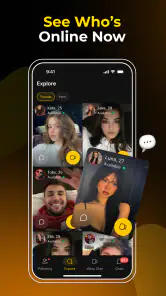
Lola: Live Video Chat App is designed for meeting and communicating with people through live video conversations. Depending on the available features and your location, you may be able to start one-to-one video chats, send messages, discover profiles, and interact with other users in real time. It is mainly intended for social communication and entertainment rather than professional video conferencing.
Is Lola: Live Video Chat App free to download and use?
The app is free to download, but some features can require in-app purchases. Video interactions, profile visibility, gifts, premium filters, or extended usage may not all be included in the free experience. In-app purchases range from $0.99 to $149.99 per item, so review the purchase details displayed in the app before spending and make sure any payment is intentional.
Is Lola suitable for children and teenagers?
Lola is rated Mature 17+, so it is intended for adults and is not suitable for children. Because the app involves communication with people online and may include live video or user-generated content, parents should take the age rating seriously. They can use device controls, discuss online safety, and avoid allowing younger users to contact strangers through the service without supervision.
Pros
- Quickly connect with people through live video and voice chats.
- Simple interface makes starting conversations easy for new users.
- Interactive features help make chats more engaging and social.
- Useful discovery tools for finding users with similar interests.
- Available on mobile for convenient conversations while on the go.
Cons
- Video chats may use significant mobile data and battery power.
- User activity and response quality can vary depending on your region.
- Some features may require in-app purchases or premium access.
- Live interactions can occasionally include awkward or unwanted behavior.
- A stable internet connection is needed for smooth video conversations.

- Category
- Social
- Version
- 2.2.7