

Kuroba: Manga Reader
- 0.00
- 0.0
- Installs
- 50.00K
- Price
- Free

Screenshots
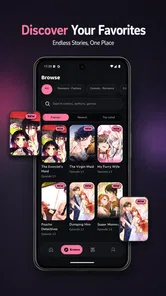
Analysis by Reviewed
I judge a comic reader by more than whether it can display a page. The real test is whether reading feels comfortable when I have a few spare minutes, whether the format works for my eyes and hands, and whether the app fits the way I actually read. Kuroba: Manga Reader is a free comics app for webtoons, manhwa, and manga, built around vertical scrolling. That focus gives it a clear purpose, though it also means the reading experience depends on whether you like a continuous downward flow more than traditional page-by-page browsing.
Who is likely to enjoy a scroll-first reader?
I see Kuroba as a sensible trial for someone who already reads comics on a phone and wants the panels to flow down the screen rather than sit inside a page-turning layout. It may also suit a reader who is curious about moving between webtoons, manhwa, and manga without treating each format as a separate kind of activity. The best reason to try it is not the promise of a particular catalogue, but whether this style of reading matches the way you like to follow a story.
It is less likely to be the right everyday choice for someone who organizes a large collection with detailed labels, depends on a specific series being available, or wants a reader built around page spreads. Those readers may be happier with a specialist service or a publisher’s own app, where the catalogue or library workflow is the main attraction. I would decide based on what you need to read and how you want to handle it, rather than assuming that one general comic reader will replace every other option.
Reading that follows the scroll
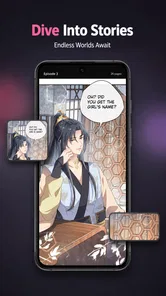
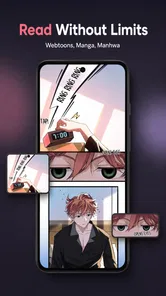
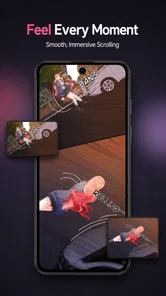
Vertical reading makes particular sense for webtoons: panels unfold as I move down the screen, so the page does not need to be pinched, rotated, or mentally reassembled from a spread. It can also make a quick session feel natural. I can read a little while waiting for an appointment, pause at a panel, and pick up again without treating the comic like a book that needs a desk and two free hands.
The same format has a trade-off. Manga readers who prefer facing pages, deliberate page turns, or a familiar right-to-left rhythm may find continuous scrolling less satisfying. A vertical strip can make a reveal feel well-paced, but it can also change the timing and composition of a page-based comic. If that distinction matters to you, the key question is not simply whether Kuroba offers manga; it is whether you enjoy seeing manga in a scroll-first presentation.
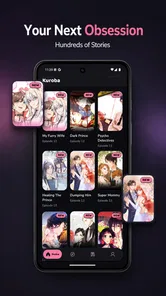
The app’s identity is refreshingly easy to understand: it is for reading comics, not a general entertainment hub. The store short description is simply “Kuroba,” while the app’s broader purpose is to bring several popular comic formats into one reader. That may appeal if you move between webtoons, manhwa, and manga and want one place to start. It is less compelling if you need a particular publisher’s catalogue, community tools, or advanced library controls to be the main reason you install a reader.
Make the screen work for your reading style
For comfortable reading, I would start by checking how a chapter looks at the brightness and text size you normally use, rather than judging it from a quick glance at the opening screen. Long scrolls can make small lettering tiring, especially on a compact phone. A useful habit is to stop at a natural panel break, briefly look away from the screen, and resume only when the page is still comfortable to follow. That matters more than trying to finish a chapter in one uninterrupted sitting.
More From Our News Desk

 Gmail
GmailGmail in a Busy Inbox: Who Benefits Most?
From first account to crowded workday, Gmail earns its place through dependable search and flexible sorting—but its best fit depends on how much inbox maintenance you can tolerate.

 Prime Video
Switching to Prime Video: What Changes in Your Viewing Routine
Prime Video can make a compelling second home for streaming, but switching means learning a different catalog, rental layer, and route from browsing to playback.

 Universal TV Remote Control
Universal TV Remote Control Works Best as a Reliable Backup
A phone remote earns its place through quick setup and reliable habits. Here is how to get more from Universal TV Remote Control—and where its limits show.

 Weather - By Xiaomi
Weather by Xiaomi Review: Clear at a Glance, Less Clear Up Close
Xiaomi’s weather app makes everyday forecasts quick to scan, but its calm surface can leave useful details and recovery paths harder to find than they should be.

 X
XX Under Pressure: Can It Recover When Posting Goes Wrong?
A resilience-focused review of X, examining setup, mistaken posts, interruptions, weak connections, and the gaps that matter when recovery needs to be dependable.

 Clash of Clans
Clash of Clans Is Won Between the Battles
Its raids are quick; its community is a long-term project of coordination, teaching, rivalry, and shared responsibility—with all the friction that entails.
Latest News



Scrolling also changes how I manage attention. A printed page shows several panels at once, but a tall digital sequence reveals them gradually. This can help keep the story focused, yet it makes it easier to lose my place if I switch apps mid-scene. Before putting the phone away, I would note the last panel or line I reached. It is a simple workaround, but useful whenever a reading session is split across short breaks.
One practical advantage of a scroll-first design is that it can reduce the need for repeated page-turn gestures. That may be welcome for readers who find frequent tapping awkward or who prefer to move through a story with one controlled swipe. It is not automatically easier for everyone: some people have more difficulty with sustained swiping than with a single tap, and a long scroll can require repeated hand movement. The best fit depends on the reader’s comfort, not on the format’s label.
Hands, eyes, and sensory comfort
On a phone, the reading posture can become as important as the interface. Holding a device one-handed while scrolling may be convenient for a short wait, but it can strain a hand during a long chapter. I would use a stand or rest the phone against something when settling in for a longer session, and avoid trying to scroll while walking or handling something else. Those small choices make the app’s central format easier to use without assuming that every reader has the same reach, grip, or stamina.
For readers sensitive to bright screens, a dimmer environment setting or a lower device brightness may make a session more comfortable; these are device-level adjustments rather than special Kuroba features. The same caution applies to colour and contrast: if lettering or panel details are difficult to distinguish on your screen, test a sample before committing to a long read. Comics rely on visual storytelling, so a display that is comfortable for text alone may not show every scene equally clearly.
People who use screen readers or depend on particular text and contrast settings should check how the app behaves on their own device before building a reading routine around it. Comic art and lettering are not always presented in a way assistive technology can interpret, and a visual scroll does not by itself guarantee an accessible reading experience. I would treat personal testing as essential here, especially if a reader needs spoken access, magnification, or a very specific interaction pattern.
Where it fits into an ordinary day
A realistic use case is a short commute on a train or a quiet break between tasks. A vertical chapter is easy to follow in small portions, and the format avoids the need to spread out a large page view. Still, a moving vehicle, glare, and crowded surroundings can make small dialogue hard to read. I would choose a seat and a comfortable brightness, then save longer, visually dense chapters for a calmer setting rather than forcing them into a noisy few minutes.
At home, Kuroba may suit a relaxed evening read when I want the story to move continuously from panel to panel. It is also a reasonable option for someone trying several kinds of comics without paying to install the app: Kuroba is free, and its age classification is Everyone. That classification describes the app’s audience rating, not a promise that every comic a reader encounters will suit every age or taste, so parents should still make their own choices about reading material.
For low-connectivity situations, I would not assume that a chapter will be available offline unless I have tested that directly. A useful plan is to open the app and confirm that the material I want is ready before leaving a reliable connection. This is especially relevant if the app is meant for travel or waiting rooms, where a reader may not want to discover a loading problem after settling in. It is a sensible preparation step, not a claim about a particular download feature.
Small habits that make a trial more useful
Rather than judging the app from the first comic you open, I would sample a few different panel styles. A dialogue-heavy sequence tests how comfortably you can read lettering; a scene with wider artwork shows whether the phone’s display feels cramped; and a fast action passage reveals whether the vertical pacing works for you. This is a practical way to separate a problem with one comic’s lettering or composition from a broader mismatch with scroll-based reading.
If you often read in short bursts, try ending a session at a scene transition instead of stopping in the middle of a conversation. That gives you a clearer visual cue when you return and reduces the chance of rereading panels to remember the context. For longer sessions, switch hands or set the phone down between sections if that feels more comfortable. These are small adjustments, but they make a more honest test of whether the reading format works in your routine.
How it compares with familiar alternatives
Compared with a dedicated publisher app, a general reader can be appealing when variety matters more than loyalty to one catalogue. Kuroba’s focus on webtoons, manhwa, and manga points toward that mixed-format use. A publisher’s own service may be the better choice if you already know which series you want, want its official reading experience, or rely on account and library functions specific to that service.
Compared with a conventional e-book reader, Kuroba is oriented toward visual panels and a downward comic-reading flow rather than long-form prose. That can make it a more natural choice for webtoon-style storytelling, but not necessarily for readers who want page layouts, detailed book organization, or a reading setup tuned primarily for novels. And against a paper volume, the phone is easier to carry but gives up the stable page, physical scale, and glanceable layout that some readers find less tiring.
There is also a trade-off between a simple reading focus and control. Readers who want extensive settings, carefully managed collections, or a specific accessibility workflow should compare those needs before making Kuroba their main library. The app’s stated appeal is the act of reading across comic formats; I would not choose it solely on the assumption that it includes every convenience found in a mature, specialist platform.
What to check before settling in
Kuroba is made by TRANSPORT HOSPITAL GAME, and the current release is version 1.0.3. It is listed with over 50,000 installs and has been available since August 17, 2026. It requires Android 7.0 or later. Those details make it easier to decide whether the app is compatible with an older Android phone and whether its relatively focused reading proposition is worth trying on your device.
Since it costs nothing to install, I would use the first session as a practical trial rather than assuming the format will suit every comic I like. Open a chapter with dialogue-heavy panels, check that the text is comfortable at your usual brightness, and try navigating with the hand you normally use. Then test a short reading session in the setting where you expect to use it. That quick check can reveal more about comfort and legibility than a feature list can.
There are limits to what a scroll-first reader can solve. It cannot make small lettering comfortable on every screen, remove the need for visual access to artwork, or guarantee that a busy commute is a good reading environment. If you need page spreads, offline certainty, robust accessibility controls, or a particular series catalogue, look for those requirements explicitly in another reader before making it your everyday choice. Leaving those needs unresolved is a real reason to skip it, not a minor detail.
A measured choice for comic readers
My overall view is that Kuroba: Manga Reader has a clear, useful niche: it gives readers who enjoy webtoons and other scroll-friendly comics a focused way to read on a phone, without an installation cost. The continuous format can make short sessions approachable and reduce the sense of handling a sequence of separate pages. It is most promising for readers who already like scrolling through visual stories and want to explore more than one comic format in a single app.
I would be more cautious if page layout, assistive reading support, extensive library management, or reliable access in disconnected settings is central to how you read. Those needs call for hands-on checking or a more specialised alternative. For everyone else, my recommendation is straightforward: try a short chapter, pay attention to how your eyes and hand feel, and decide from that real experience. If the flowing panels feel comfortable, Kuroba is an easy, free reader to keep around; if they do not, the format itself may be the mismatch rather than your reading habits.
Kuroba: Manga Reader Frequently Asked Questions
What is Kuroba: Manga Reader?
Kuroba: Manga Reader is a manga-reading app designed to help you browse and read comics on a mobile device. Depending on the app version and the sources you configure, it may offer catalog browsing, chapter lists, and a reader with page or scrolling controls. Available titles and features can vary, so check the app’s current description and source options before downloading.
How do I find and read manga in Kuroba?
Start by exploring the app’s available catalog or adding a supported manga source, if the version you use requires one. Search for a title, open its details, and choose a chapter to begin reading. Reader settings may provide controls such as page direction, zoom, or display mode; exact options depend on the version. If a title or chapter does not load, try another source or check your connection.
Is Kuroba: Manga Reader free, and does it include ads or in-app purchases?
The app’s pricing, advertising, and purchase options can change between releases and distribution channels. Review the listing for the version you plan to install to see whether it is free, contains ads, or offers paid features. Also check whether manga sources require separate accounts or subscriptions. Do not assume that access to a title is included with the reader itself.
Is it safe and legal to use Kuroba: Manga Reader?
Safety depends partly on where you obtain the app: use a reputable store or the developer’s verified distribution channel, review requested permissions, and keep the app updated. The reader’s presence does not necessarily mean every manga source is authorized. Copyright rules differ by region, so use sources that have permission to distribute the works and avoid downloading content from untrusted sites.
Can I read manga offline, and is Kuroba available for Android and iOS?
Offline reading may be possible if your version supports saving chapters, but downloaded content, storage use, and availability can depend on the source and app settings. Check whether downloads are offered before relying on them while traveling. Platform availability can also change: confirm that the app has a compatible listing for your Android or iOS device, and verify system requirements before installing.
Pros
- Clean reading layout keeps panels easy to follow.
- Favorites make it simple to revisit saved manga.
- Reading progress helps you pick up where you left off.
- Chapter navigation makes moving through a series straightforward.
- Reading settings let you tailor the viewing experience.
Cons
- The catalog may not include every manga you’re looking for.
- Some sources or chapters may be unavailable or load inconsistently.
- New readers may need time to learn the app’s navigation.
- Frequent updates to manga sources can affect availability.
- Reading requires an internet connection for online content.











