Hudl
- 3.18K
- 3.7
- Installs
- 1.00M
- Price
- Free

Screenshots
Analysis by Reviewed
I see Hudl as a video-focused sports tool for teams that want to learn from what happened on the field, not just remember the final score. Its strongest idea is simple: make game footage useful for coaching and athlete development. That focus is valuable, but it also means the app makes the most sense when a team has someone ready to review and discuss video. If you mainly want scores, schedules, or casual sports clips, a simpler sports app may suit you better.
Start with a shared reason to review
Before a team adopts Hudl, I would agree on what video is meant to help with. Is the goal to prepare for a particular opponent, revisit a recurring mistake, or give an athlete a clearer example of a technique? A narrow purpose makes it easier to decide which footage deserves attention and what players should take away. Without that agreement, a shared video space can turn into a pile of recordings rather than a useful coaching tool.
It also helps to decide who will guide the review. A coach can keep the conversation constructive, while players can learn to bring questions of their own instead of waiting for a verdict on every play. That balance matters: video can make a teaching point clearer, but it does not automatically explain why a decision was made or what a player was seeing in the moment.
Where video review earns its place
The app is developed by Agile Sports, and its purpose is clearest when a coach uses footage to prepare a specific lesson. Rather than asking players to rely on a vague recollection of a play, a coach can point to the moment and explain what changed the outcome. That can make feedback more concrete and help athletes connect a decision in practice with a decision in competition.
A useful workflow is to choose a small number of moments before a team meeting: one successful sequence, one decision worth reconsidering, and one pattern to watch for next time. Keeping the review focused is more likely to lead to a productive discussion than trying to dissect every minute of a match. In my view, the video is most valuable as a prompt for coaching, rather than something players are expected to study without guidance.
What to expect from the experience
Hudl is a free sports app, and it has an average rating of 3.7 from around 20,000 ratings, with over 1 million installs. Those figures suggest a widely used tool with a mixed reception, so I would approach it as a practical team resource rather than assume it will be a perfect fit for every athlete. It is rated for Everyone, and its current version is 7.71.0.
It has been available since July 20, 2011, and its long-running focus on video gives it a more specialized role than a general-purpose sports tracker. The key question is not whether you can use it to follow sport broadly, but whether video review is already part of how your team communicates. If it is, Hudl has a clear job to do; if not, the team may need to establish that habit before the app feels worthwhile.
More From Our News Desk

Clash of Clans Is Won Between the Battles

Android Auto Makes the Case for Quieter Car Software

MobiOffice: Transforming Mobile Productivity with Seamless Integration

EA SPORTS FC™ Mobile Soccer: Redefining Mobile Sports Gaming

How Microsoft OneDrive Became a Mobile Productivity Giant

How Google Translate Breaks Language Barriers Effortlessly
What Makes Hudl Stand Out?
Imagine having a virtual coach that never sleeps, constantly analyzing your games and practices. Hudl offers just that. It’s like having the ultimate play-by-play breakdown right at your fingertips. The app is designed to aid coaches and athletes by providing video analysis tools that can dissect every aspect of a game.
Build a review around one question
For a practical first session, I would avoid opening a match and watching it from beginning to end. Pick one question the team can answer together, such as whether players kept their shape after losing possession or how a particular movement created space. Then review only the moments that help answer it. This gives everyone a manageable task and makes it easier to carry one clear point into the next training session.
That approach also helps with a common concern: do players need to be skilled analysts to benefit? Not necessarily. The coach can lead at first, but the useful habit is learning to notice evidence and ask a better question. Players do not need to agree on every interpretation for the exercise to be worthwhile; they do need a shared moment to discuss and a next step they can try.
Features That Score Big
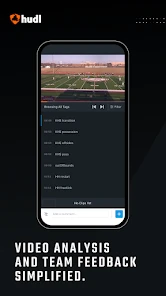
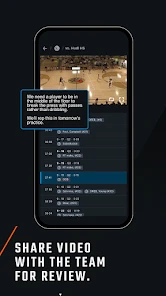
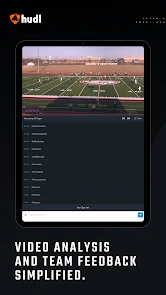
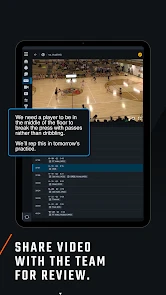
The app’s video analysis capability is its crown jewel. Users can upload game videos, tag specific plays, and even add comments or drawings directly onto the footage. This level of detail helps teams to improve by breaking down what went right or wrong during a game.
Another feature worth mentioning is its integration with statistics. Hudl allows you to sync your video with stats to give a comprehensive overview of the team’s performance. Picture this—you're able to see exactly how much ground each player covered during a match or how effective a particular play was. It’s like having a personalized sports analytics department in your pocket.
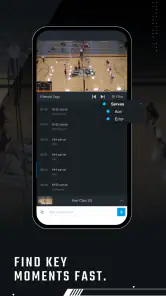
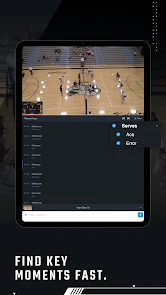
Tags can be more than bookmarks. I would use a small, consistent vocabulary for them so a coach or player can find related moments later without remembering the exact time in a recording. The trade-off is that tags only save effort when someone applies them thoughtfully; excessive or inconsistent labels can make later searching feel as messy as scrubbing through the whole game.
Ease of Use
Hudl's user interface is intuitive and user-friendly. Even if you're not tech-savvy, navigating through the app is a breeze. The learning curve is minimal, so you can focus more on improving your game rather than figuring out the app. Plus, the app works seamlessly across various devices, whether you're using a smartphone, tablet, or computer.
In day-to-day use, the biggest practical benefit is being able to return to a particular moment instead of searching through a whole match while talking with teammates. A coach can use tags to make footage easier to revisit, while a player can bring a specific question to a review rather than trying to remember every instruction. This is especially helpful when several people need to discuss the same sequence from a shared reference point.
For an athlete reviewing on a phone, I would treat the screen as a convenient way to revisit a clip, not necessarily the ideal setup for a long tactical discussion. A larger display can make it easier for a group to look at the same play, while a phone suits a quick check before practice or a short follow-up after a coach points something out. Choosing the right setting matters as much as choosing the right clip.
Going Beyond the Basics
What sets Hudl apart from the rest is its community and educational resources. The app provides access to a plethora of tutorials and webinars, ensuring users are not just consuming content but are actively learning and improving their knowledge of the game.
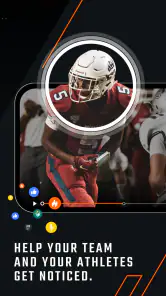
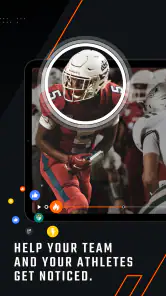
There's also a social aspect to it. Coaches and players can share their insights and progress with one another, fostering a community of growth and support. It’s not just an app; it’s a network of passionate sports enthusiasts pushing each other to be better.
That shared setting is most valuable when the group treats comments as coaching communication, not as a running score of who made a mistake. I would keep feedback specific to the action and the next opportunity to improve. If players feel that clips are being used to embarrass them, even accurate analysis can damage trust and make them less willing to engage.
Where the trade-offs matter
Video analysis is only as useful as the time and attention a team gives it. Uploading and organizing footage, choosing relevant clips, and turning observations into clear coaching points all take effort. A team that records games but rarely reviews them may find the app adds another task without changing how anyone plays. I would start with a short, consistent review routine rather than trying to catalogue everything.
There is also a difference between using a specialized analysis tool and a general sports app. Score and news apps are quicker for checking results, while fitness trackers are better suited to personal activity habits. Hudl’s appeal is narrower: it is for people who want game video to support team learning. A parent or casual fan looking mainly to follow a team may prefer a straightforward scores app, and an individual athlete without access to useful team footage may not get much out of the analysis workflow.
Another practical question is whether the team already has usable footage and a reliable way to make it available. The app cannot replace the work of capturing a game or deciding which moments matter. If access to recordings is irregular, the review routine may be hard to sustain; in that situation, a coach might get more from a simple post-game conversation or a brief demonstration at practice than from setting up a video process the team cannot maintain.
A realistic team routine
After an evening match, a coach could select a few clips for the next practice, mark the decision or movement to discuss, and ask players what they noticed before offering a correction. The team can then revisit the same kind of situation during drills. That creates a useful link between review and practice, rather than leaving video as a post-game activity with no follow-through. Players who learn better by seeing an example may find this especially helpful.
For a new user, I would first check whether the coach and teammates are willing to use video together, then agree on what a useful review looks like. Keeping clips tied to a question—such as spacing, timing, or a choice under pressure—makes discussion more focused. It also helps avoid a common downside of replay: picking apart mistakes without giving players a clear next step.
A realistic weekly pattern might be to review a few selected moments before training, then use the next practice to test one adjustment. Afterward, the coach can look for whether the same situation unfolded differently. That does not mean every improvement can be credited to an app; it simply gives the team a repeatable way to connect observation with action. The key is to keep the video session brief enough that it supports practice instead of competing with it.
Who should choose it
I would recommend Hudl to coaches who want a shared way to examine game footage and to athletes who welcome specific, visual feedback. It is a stronger fit for an organized team than for someone looking for a personal training log or a general sports companion. The app is free, which makes trying it less of a commitment, but the real investment is the team’s time and willingness to review video regularly.
I would be more cautious if you are an athlete acting alone, a fan who mainly wants live scores, or a coach who has no practical routine for reviewing recordings. Those are not failures of the app; they are cases where its central purpose may not match what you need. A general sports app is a better everyday companion for news and results, while a personal fitness tool makes more sense for tracking individual exercise habits.
A focused choice, not a universal sports app
Hudl’s strongest case is not that it replaces every sports tool, but that it gives a team a structured reason to return to game footage and talk about decisions with more precision. Coaches who already teach through examples can make good use of that focus, and athletes who want clear, visual feedback have a practical way to revisit a play. The app’s value depends on whether that process fits the team’s habits.
My verdict is that Hudl is worth considering when a coach and players are ready to make video part of how they learn. I would not choose it just because a team wants another sports app, and I would not expect recordings alone to improve performance. But when a few well-chosen clips lead to a clear practice goal, the tool can make feedback more concrete and team discussion more productive. For teams willing to review with purpose, it is a focused and useful choice.
Hudl Frequently Asked Questions
What does Hudl do with sports video?
Hudl is a sports app centered on video, designed to help coaches and athletes work with footage. Its main appeal is the ability to review sports content as part of training and team activities, rather than simply watching clips for entertainment. If video review is useful to your role or routine, Hudl may be worth exploring.
Who is likely to benefit most from downloading Hudl?
Hudl is aimed at people involved in sports, especially coaches and athletes who want to use video in their work together. A team may find it useful when reviewing footage is part of its approach to training, feedback, or preparation. If you are looking for a general video app rather than a sports-focused tool, its purpose may be less relevant to you.
Is Hudl free to download, and what should I know about using it?
Hudl is free to download, and its age rating is Everyone. The app is focused on helping coaches and athletes use video, so its usefulness depends on whether your team or training routine works with Hudl’s video-based approach. Before downloading, consider whether you want to review sports footage, share it with others, or receive coaching feedback through the platform.
Will Hudl work on my phone or tablet?
Hudl is available for Android and iOS, and it requires Android or iOS version 10 or later. It is designed to let users access the platform from mobile devices as well as desktop computers, which can be handy when reviewing footage away from home. Check your device’s operating system before installing so you can confirm that it meets the app’s minimum requirement.
What is Hudl and who is it for?
Hudl is a comprehensive video analysis and coaching platform designed primarily for sports teams and athletes. It allows users to upload, edit, and share video content to improve team performance and individual skills. Coaches use it to provide feedback, analyze gameplay, and develop strategies, making it an essential tool for anyone involved in competitive sports.
Pros
- Intuitive user interface for easy navigation
- Comprehensive performance analysis tools
- Efficient video editing and sharing features
- Seamless integration with various sports
- Regular updates enhancing app functionality
Cons
- Requires stable internet for optimal use
- Can be resource-intensive on older devices
- Subscription needed for advanced features
- Occasional bugs in video playback
- Limited offline functionality
- Category
- Sports
- Version
- 7.71.0





