Gruveo - Video Conferencing
- 100.00
- 3.3
- Installs
- 500.00K
- Price
- Free

Screenshots




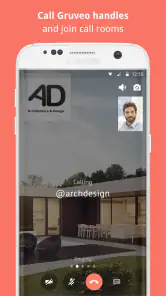

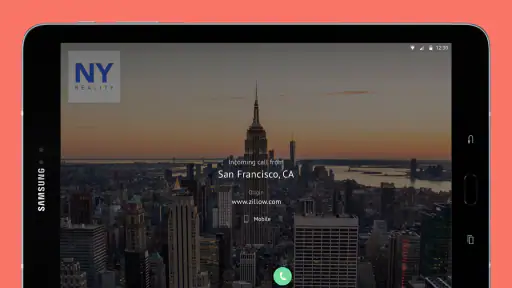

Analysis by Reviewed
Let's talk about Gruveo - Video Conferencing, an app that's been making waves in the world of virtual meetings. Now, I know what you're thinking: "Not another video conferencing tool!" But hear me out, because this one's got some pretty cool features up its sleeve.
Getting to Know Gruveo
First off, Gruveo is all about simplicity. You know how some apps make you jump through hoops just to get a meeting started? Not this one. With Gruveo, you can create a video call with just one click. No downloads, no registrations, nada. It's like the developers took a good hard look at all the things we hate about video calls and said, "Let's not do any of that."
Features That Stand Out
One of the standout features of Gruveo is its anonymous calling. You don't need to share your email or any personal info to join a call. Just share a unique link, and you're in. This is perfect for those of us who value our privacy but still need to connect with others.
Another highlight is its cross-platform compatibility. Whether you're on Android, iOS, or even on a web browser, Gruveo has got you covered. This flexibility means you can switch devices without a hitch, which is a lifesaver if you're working on the go.
Performance and Usability
In terms of performance, Gruveo delivers a pretty smooth experience. The video and audio quality are top-notch, and I didn't experience any significant lag or glitches during my test runs. The interface is intuitive and user-friendly, which means you won't be fumbling around trying to figure out how to mute your mic or turn off your camera.
Why Gruveo is Worth a Try
So, why should you give Gruveo a shot? Well, if you're tired of the usual suspects in the video conferencing arena and want something that's straightforward and gets the job done without any fuss, this app is a breath of fresh air. It's perfect for both professional meetings and casual catch-ups with friends.
In a world where we're more connected than ever, having a reliable and easy-to-use video conferencing app is essential. And Gruveo delivers on that front with flying colors. Whether you're tech-savvy or a bit of a newbie, you'll find that Gruveo caters to your needs without overwhelming you with unnecessary features.
In conclusion, if you're on the lookout for a no-frills, effective, and private way to connect with others via video, Gruveo - Video Conferencing might just be the app you've been searching for. Give it a whirl and see how it fits into your digital communication toolkit.
Pros
- High-quality video calling.
- User-friendly interface.
- No account needed to start calls.
- Cross-platform compatibility.
- Secure and encrypted communication.
Cons
- Limited free version features.
- Occasional connectivity issues.
- Requires stable internet connection.
- No recording feature in free version.
- Higher cost for premium features.

- Category
- Communication
- Version
- 6.8.7











