

Good and Evil Comic Book
- 20.00
- 4.7
- Installs
- 10.00K
- Price
- Free
Screenshots
Analysis by Reviewed
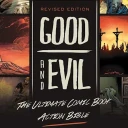
I found Good and Evil Comic Book most useful when I treated it as a guided reading experience rather than a replacement for a full Bible or a richly illustrated study Bible. Its central idea is straightforward: present Bible stories in chronological order through comic-book pages, making a long and sometimes difficult narrative easier to approach. After spending time with it, my view is that its greatest strength is accessibility. It gives readers a visual route into familiar stories and helps younger readers, families, and newcomers see how the major events connect.
The app comes from No Greater Joy Ministries, Inc., and sits in the comics category rather than functioning like a conventional devotional, searchable Bible, or academic reference tool. It is free to use, carries an Everyone 10+ content rating, and has built a modest but positive audience, with a 4.7 average from around 170 ratings and over 10K installs. Those figures suggest that it has found a clear audience, although its relatively focused purpose also explains why it will not suit everyone who wants a more flexible Bible app.
How the comic format changes the reading experience
The most important design choice is the chronological presentation. Instead of asking me to jump between books or remember where one event fits beside another, the app moves through the biblical story as a continuous sequence. That makes it easier to understand the broad arc, especially when I am reading with someone who knows individual stories but has never connected them into a larger timeline.
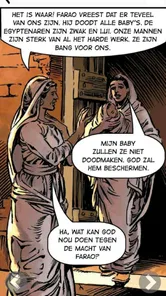
The comic format also changes the pace. A traditional Bible app encourages searching, comparing translations, bookmarking verses, and moving quickly to a particular passage. This app encourages me to slow down and follow the panels. The artwork gives each scene an immediate shape, while the page layout breaks a large narrative into manageable moments. For a child or a reader who struggles with long blocks of text, that visual structure can make the difference between staying engaged and giving up.
I would not describe the experience as a replacement for reading the biblical text itself. The app is better understood as an introduction, a visual overview, or a companion for discussion. When a scene raises a question, I still want to consult a Bible, a trusted teacher, or another reliable source for the exact wording and context. That distinction matters because a comic adaptation necessarily selects, compresses, and frames events for readability.
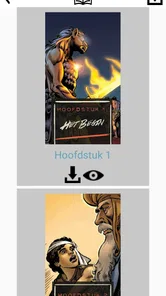
The collection extends beyond a handful of famous episodes. It contains over 300 pages in comic-book form, which gives the chronological approach enough room to feel like a substantial reading journey rather than a short sample. I found that length useful for returning to the app over several sessions. It is easy to read a few pages during a quiet moment, then continue later without turning the experience into a demanding study session.
A practical way to use it with children
One of the best uses is a short family reading routine. I would not hand it to a child and assume the pictures will answer every question. A better approach is to read a small section together, ask what the child thinks is happening, and then discuss what the scene suggests about the people involved. The chronological order gives the conversation a natural direction, because each reading can connect to what came before and what comes next.
More From Our News Desk

 Gmail
GmailGmail in a Busy Inbox: Who Benefits Most?
From first account to crowded workday, Gmail earns its place through dependable search and flexible sorting—but its best fit depends on how much inbox maintenance you can tolerate.

 Prime Video
Switching to Prime Video: What Changes in Your Viewing Routine
Prime Video can make a compelling second home for streaming, but switching means learning a different catalog, rental layer, and route from browsing to playback.

 Universal TV Remote Control
Universal TV Remote Control Works Best as a Reliable Backup
A phone remote earns its place through quick setup and reliable habits. Here is how to get more from Universal TV Remote Control—and where its limits show.

 Weather - By Xiaomi
Weather by Xiaomi Review: Clear at a Glance, Less Clear Up Close
Xiaomi’s weather app makes everyday forecasts quick to scan, but its calm surface can leave useful details and recovery paths harder to find than they should be.

 X
XX Under Pressure: Can It Recover When Posting Goes Wrong?
A resilience-focused review of X, examining setup, mistaken posts, interruptions, weak connections, and the gaps that matter when recovery needs to be dependable.

 Clash of Clans
Clash of Clans Is Won Between the Battles
Its raids are quick; its community is a long-term project of coordination, teaching, rivalry, and shared responsibility—with all the friction that entails.
Latest News



For example, a parent could use a few pages after dinner, stop before the next major event, and ask the child to retell the sequence without looking. That turns passive scrolling into recall practice. It also reveals where the comic moves too quickly or where a reader needs more explanation. I found this especially valuable because the visual panels can create confidence, while the conversation supplies the depth that the compact format cannot provide by itself.
Teachers and group leaders could use the same method in a children’s class or informal discussion. The app offers a common visual reference, so participants can point to a scene instead of trying to remember a chapter location. Still, I would prepare additional explanation in advance. The comic is a starting point for conversation, not a complete lesson plan.
Why the chronological structure matters
Chronology is more than a convenient reading order here. Many Bible readers encounter stories as separate units: one story in a children’s book, another in a sermon, and another in a holiday lesson. That can leave the overall narrative feeling fragmented. By placing events in sequence, the app helps me notice movement, consequences, recurring themes, and changes in the people involved.
This structure is particularly helpful for someone approaching the Bible for the first time. A beginner may not know which books are historical, poetic, prophetic, or connected by the same period. The comic avoids making the reader solve that organizational problem before understanding the basic story. It lowers the entry barrier without requiring a complicated menu or a prior knowledge of biblical structure.
There is also a useful trade-off. Chronological storytelling creates momentum, but it can flatten the differences between genres and authors. A narrative scene, a poem, and a teaching passage do not work in exactly the same way. Readers who want to understand those distinctions will need to move beyond the app. I see that not as a flaw in the concept, but as a reason to use it at the right stage of learning.
What I liked about the visual approach
The panels make it easier to remember who is involved and what has just happened. In a long written passage, names and locations can blur together, especially for younger readers. A comic gives each moment a visual anchor. That does not eliminate the need for concentration, but it reduces the mental effort required to build a picture from text alone.
I also appreciate the way the format supports shared reading. A parent and child can look at the same page, follow the sequence, and discuss details without one person needing to read aloud for a long time. That makes the app more practical for short sessions than a dense reference work. It can also help an adult identify which parts a child understands and which parts need clarification.
Another less obvious benefit is pacing. Because the content is divided into pages and panels, I can set a natural stopping point. With a conventional Bible app, it is easy to keep scrolling without a clear sense of progress. Here, finishing a page or scene provides a small boundary. That makes it easier to establish a repeatable habit, particularly for readers who find open-ended reading difficult.
Where the app falls short
The same simplicity that makes the app approachable may frustrate experienced readers. I would not choose it when I need verse-by-verse study, multiple translations, original-language tools, cross-references, extensive notes, or a powerful search system. Those are normal expectations from dedicated Bible apps, and a comic-book presentation is not designed to compete with them.
The visual adaptation also requires a careful reading attitude. Pictures can make an interpretation feel definitive even when the underlying text leaves room for different understandings. A child may assume that every facial expression, setting, or dramatic detail shown in a panel is stated directly in Scripture. That is why I recommend using the app alongside conversation and, when appropriate, the biblical passage itself.
Readers looking for a quiet devotional experience may also find the format less suitable. A devotional usually pauses to apply a passage to daily life, while this app concentrates on moving the story forward. It can inspire questions, but it does not replace personal reflection, prayer, or a structured study guide. If your main goal is a daily verse with commentary and journaling, another type of app will probably serve you better.
There is a further limitation for readers who want to choose their own route. The chronological design is helpful precisely because it guides the order, but that means it is less flexible than a conventional Bible library. I cannot approach it in the same way I would a search-based tool, where I jump immediately to a topic, person, or passage. The app works best when I accept its sequence instead of fighting it.
Its minimum operating-system requirement is listed as 2.0, and the current version is 2026.6.11. That broad compatibility is welcome for people using older devices, but compatibility alone does not tell me how comfortable every screen will feel on every phone. Comic pages benefit from enough display space, so readers with a small screen may prefer turning the device sideways or reading in shorter sessions. The content remains the priority, but screen size affects how easily panel details can be followed.
Who should use it, and who should skip it
I would recommend it to parents introducing Bible stories to children, adults who want a visual overview before beginning a more detailed reading plan, and readers who learn better through images than through uninterrupted prose. It is also a sensible choice for a family that wants a shared activity rather than a private study tool. Since it is free, trying it does not require a financial commitment, which makes it easy to test with a child or small group.
It may also help someone who feels intimidated by the size of the Bible. The chronological flow offers a clear first step. Instead of beginning with a random passage and wondering how it connects to everything else, a new reader can follow the broad narrative and build familiarity with the main events. I would then use that familiarity as a bridge toward reading selected passages in full.
I would suggest skipping it if you already have a strong preference for detailed textual study or if you need a Bible app with advanced research features. It is also not the right primary tool for someone seeking a systematic theology course, a verse memorization system, or a devotional journal. Those needs call for different formats. The app’s value comes from visual storytelling and sequence, not from trying to become an all-purpose religious library.
Three ways to get more from the pages
First, I recommend reading with a simple timeline nearby. It does not need to be complicated. Mark the major transitions as you go, then return to the comic and notice how one event leads into another. This turns the chronological order into an active learning tool rather than merely a sequence of pages.
Second, pause before reading the text around an important scene and ask what the artwork communicates on its own. Then compare that impression with the passage in a Bible. This creates a useful distinction between what the text says and what the adaptation helps me imagine. It is an especially good exercise with older children because it teaches them to appreciate illustrations without treating every artistic choice as a quotation.
Third, use the app as a conversation starter instead of assigning it as homework. After a short reading, ask one concrete question about a character’s decision, one about the consequences, and one about what remains unclear. That approach makes the app useful even when the reader does not finish a large section. It also prevents the visual format from becoming a passive stream of pages.
In my experience, these methods address the app’s main weakness: compression. The comic can establish the sequence and emotional outline, while discussion and additional reading restore context. Used this way, it becomes more than a children’s picture book, but it still remains approachable enough for first-time readers.
My final recommendation
Good and Evil Comic Book is strongest as a visual doorway into the Bible’s larger story. I like its focused purpose, its chronological organization, and the way its comic pages make shared reading easier. The free price and Everyone 10+ rating make it a low-risk option for families and curious beginners, while the positive 4.7 average shows that many users appreciate the approach.
My recommendation comes with a clear boundary: do not mistake it for a complete Bible study platform. It simplifies by design, and that simplicity can leave out the detail, context, and textual precision that serious study requires. I would pair it with a Bible and conversation rather than use it alone.
If you want a visually accessible route through the major biblical stories, I think it is worth trying. If you want searchable verses, scholarly notes, devotional prompts, or detailed comparison tools, choose a more specialized alternative. For the right reader, though, this app does something valuable: it turns a potentially overwhelming collection of stories into a readable sequence that invites questions and makes the first step feel manageable.
Good and Evil Comic Book Frequently Asked Questions
What is Good and Evil Comic Book?
Good and Evil Comic Book is a comics app from No Greater Joy Ministries, Inc. It presents Bible stories in chronological order through a comic-book format, with over 300 pages of illustrated storytelling. That makes it a way to explore familiar biblical narratives through sequential art rather than conventional prose. The app is free and is listed for readers aged 10 and older.
Who publishes Good and Evil Comic Book?
The developer is No Greater Joy Ministries, Inc. The app is in the comics category, and its focus is presenting Bible stories in chronological order as a comic book. If you want a faith-oriented reading experience rather than a general superhero or fantasy comic, that central subject is worth considering before downloading.
What is Good and Evil Comic Book about?
Good and Evil Comic Book is a digital comic-reading experience centered on the classic conflict between heroic forces and darker powers. The app presents its story through illustrated panels, dialogue, and page-based navigation, making it suitable for readers who enjoy fantasy, moral conflicts, and graphic storytelling. Before downloading, remember that the exact chapters, artwork, and available content may depend on the version installed and the platform you use.
Is Good and Evil Comic Book free to download and use?
The application may be available to download without an upfront charge, but users should check the store listing carefully because access conditions can vary. Some editions may include free reading material, while others can contain advertisements, locked chapters, optional purchases, or additional content. Reviewing the current price, in-app purchase information, and developer notes before installation is the safest way to understand what the download includes.
Does Good and Evil Comic Book require an internet connection?
An internet connection may be needed when first downloading the application, loading comic pages, displaying advertisements, or accessing content hosted online. Whether chapters remain available offline depends on how the app stores its images and reading data. If you plan to read while traveling or without mobile coverage, open the app beforehand and verify whether previously viewed pages can still be accessed without an active connection.
Pros
- Distinctive good-versus-evil storyline with a classic comic-book feel.
- Short chapters make it easy to enjoy during quick reading sessions.
- Stylized artwork gives the characters and settings a memorable identity.
- Simple navigation lets readers focus on the story without distractions.
- Offline reading is convenient when an internet connection is unavailable.
Cons
- The plot may feel predictable to readers familiar with superhero comics.
- Some scenes contain mature themes that may not suit younger readers.
- Text can be difficult to read on smaller phone screens.
- The reading experience offers limited interactive or customization options.
- Updates and new chapters may arrive less frequently than expected.











