Coverstar
- 2.53K
- 4.7
- Installs
- 1.00M
- Price
- Free

Screenshots
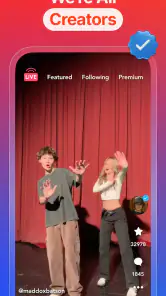


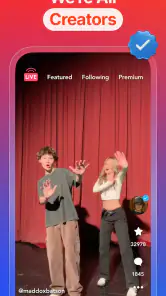


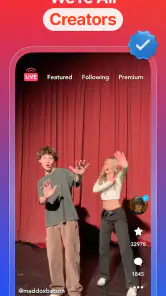

Analysis by Reviewed
I approached Coverstar as a social app for people who want to share creative posts without stepping into the harsher side of online culture. Its promise is easy to understand: make your content visible, connect with other users, and keep the atmosphere more encouraging than confrontational. After spending time with it, I found that its appeal depends less on having every tool found in the biggest social networks and more on whether you value a focused, youth-oriented community.
That distinction matters. Coverstar is not simply a smaller copy of a general-purpose social platform. It is aimed at a Teen audience, is free to download, and comes from Coverstar, the developer behind the service. The app has built a sizable audience, with over one million installs and an average rating of 4.7 from around twenty-four thousand ratings. Those figures suggest that the basic idea connects with many users, although popularity alone does not guarantee that every new member will find the same quality of interaction.
How Coverstar feels in everyday use
A quick start, with the usual social-app trade-off
My first impression is that Coverstar is designed to get you into the social side of the app quickly. That is useful when you are checking posts during a short break, looking for creative inspiration, or opening the app to see what people in your circle have shared. A social app loses much of its value when every visit feels like work, and Coverstar generally benefits from keeping the experience centered on browsing and participation rather than making users manage a complicated setup.
That said, speed is not only about how quickly an app opens. It is also about how quickly you can decide what deserves your attention. A busy social feed can feel fast while still wasting time, especially when you keep scrolling without a clear purpose. I found Coverstar more useful when I treated it as a place to check selected content, react thoughtfully, and leave rather than as an endless background activity.
For a new user, the best approach is to spend the first session shaping the experience instead of immediately following everything available. Look for creators and topics that match your interests, then notice whether the resulting feed feels constructive or repetitive. This small habit makes a difference because the quality of a social app is strongly influenced by what you choose to engage with. If you interact only with dramatic posts, the app can quickly feel more intense than its friendly positioning suggests.
Coverstar works particularly well for someone who wants a straightforward way to show personality through social content. It can suit a teenager sharing creative work with friends, a user looking for positive reactions, or someone who prefers a younger community over a broad platform filled with unrelated news, advertisements, and adult-oriented discussions. I would not choose it for private communication, professional networking, or a carefully organized archive of creative projects. Those jobs are better handled by messaging apps, portfolio services, or larger networks with more mature publishing controls.
What happens when the feed gets busy
The more demanding moments come from normal social activity rather than from one isolated action. Browsing for a long time, moving between posts, reacting frequently, and checking new activity in the same visit can make any community app feel heavier than a quick glance. Coverstar remains most comfortable when I use it in short, intentional sessions. That pattern also fits the nature of the service: it is easier to enjoy a stream of social content when I am present enough to respond and move on.
More From Our News Desk

Clash of Clans Is Won Between the Battles

Android Auto Makes the Case for Quieter Car Software

MobiOffice: Transforming Mobile Productivity with Seamless Integration

EA SPORTS FC™ Mobile Soccer: Redefining Mobile Sports Gaming

How Microsoft OneDrive Became a Mobile Productivity Giant

How Google Translate Breaks Language Barriers Effortlessly
A realistic example is a student checking the app after school. They might open it to see whether friends have posted, spend several minutes watching or reacting to content, and then return later to share something of their own. In that situation, Coverstar makes sense because the app is being used as a lightweight social stop rather than as the only place to communicate. If the same person keeps it open for long stretches while switching constantly between creation, browsing, and notifications, the experience may feel less efficient and the phone may have to work harder than during a simple feed check.
My practical advice is to prepare content before opening the app when possible. Decide what you want to share, check the final result once, and avoid repeatedly leaving the creation flow to browse. This is not a special trick advertised by the developer; it is simply a better workflow for a social app where distraction can become the main source of friction. It also helps users notice whether they are enjoying participation or only reacting to whatever appears next.
Another useful habit is to separate discovery from conversation. Use one visit to find accounts and content that genuinely interest you, then return later to interact with that smaller group. This reduces the feeling that the feed is demanding constant attention and gives you a clearer sense of whether the community suits you. For younger users, that distinction is especially valuable because a positive social experience should not depend on being available every minute.
Stability and recovering from interruptions
In my experience, the most important reliability question for a social app is not whether every session is perfect; it is how manageable the app feels when something interrupts you. A phone call, a weak connection, a low-memory moment, or simply switching to another app can break the rhythm of creating and browsing. I recommend treating anything you are preparing to share as unfinished until you have checked that the action completed successfully.
That caution is sensible for any online service, but it matters more when a post represents time, creativity, or a personal moment. If an upload or interaction appears uncertain, I would avoid tapping repeatedly. Instead, return to the relevant screen, check whether the content is already present, and only then try again. Repeated taps can create confusion, especially for younger users who may assume an unresponsive screen means the action failed.
Coverstar’s current version is 10.4.8, so users who already have it installed should keep an eye on whether their device is running the latest available build. Updates can improve compatibility and smooth out problems, but they can also change the feel of familiar screens. I prefer to spend a few minutes after an update checking the main feed and sharing flow before relying on the app for something important.
The app was released on August 6, 2018, which gives it a longer history than a newly launched social service. That is reassuring in one sense: the concept has had time to develop and attract a community. Still, longevity does not remove the normal risks of a user-generated platform. A stable app can contain unstable social experiences, and a smooth feed can still expose users to posts or interactions they do not enjoy. I would judge the service on both technical behavior and the quality of the people I encounter there.
Older phones, operating-system limits, and resource awareness
Coverstar requires Android 8.0 or later, which is an important practical detail for anyone using an older phone. The requirement is not especially demanding for a recent device, but it does exclude phones that have remained on an earlier Android release. Before planning around the app, I would check the operating-system version rather than assuming that every Android handset can install it.
Meeting the minimum system requirement also does not mean every device will feel identical. A newer phone with more comfortable storage and memory headroom is likely to handle repeated social sessions more easily than an older model already crowded with photos and apps. I cannot fairly assign a battery or memory score without testing every device, but users should expect image-heavy social activity to be more demanding than reading a simple text feed.
If your phone feels sluggish, start with basic housekeeping. Close apps you are not using, leave enough storage for normal system activity, and avoid judging Coverstar while the device is already overheating or struggling with several other demanding apps. These steps do not turn an old phone into a new one, but they help distinguish a device problem from an app problem.
Data use is another reason to be deliberate. Social feeds can consume more mobile data than expected when you browse continuously, especially if you repeatedly open visual content. I prefer using a reliable Wi-Fi connection for longer sessions and reserving mobile data for quick checks. This is a particularly sensible routine for teenagers sharing a family plan or anyone with a limited monthly allowance.
How it compares with larger social alternatives
Compared with a broad social network, Coverstar feels more focused. The advantage is that a user can enter with a clearer expectation: this is a place for social discovery and creative sharing, not a complete replacement for every online activity. A larger alternative may offer more mature editing, messaging, search, live interaction, or audience-management tools. It may also expose you to a wider and less predictable mix of content.
Compared with a private messaging app, Coverstar is the weaker choice when the goal is a quiet conversation with a known group. Messaging tools are usually better for direct plans, personal updates, and keeping a discussion away from a public feed. Coverstar makes more sense when the point is visibility, discovery, and participation beyond one small circle.
Compared with a creator-focused platform, Coverstar may appeal to users who care more about a friendly social setting than about building a polished public portfolio. A specialist creator service can be preferable for organized collections, detailed analytics, or a professional audience. Coverstar is better suited to casual expression and community interaction, where the social response matters as much as the finished post.
The phrase “go viral, not toxic” captures the direction of the app, but I would treat it as an aspiration rather than a guarantee. No open social environment can make every interaction positive. The useful question is whether the community, moderation experience, and content choices make it easier for you to stay comfortable. If you want maximum control over who can see and respond to everything you share, a private network remains the safer fit.
Costs, age suitability, and sensible boundaries
The app itself is free, which lowers the barrier to trying it. There are in-app purchases ranging from $0.99 to $269.99 per item, so families should not confuse free installation with a completely cost-free experience. I recommend checking purchase settings before handing the phone to a younger user, discussing what paid items are for, and making sure an accidental tap cannot create an unwanted charge.
The Teen content rating is equally important. It tells me that parents should not treat Coverstar as a children’s app simply because its tone aims to be positive. A teenager may be able to explore it independently, but younger users benefit from an honest conversation about public sharing, comments, unwanted attention, and what to do when a post makes them uncomfortable.
One of the less obvious trade-offs is that a positive-community focus can encourage users to share more openly. That can be enjoyable, but it can also make people forget that personal details travel farther than intended. I would avoid posting school schedules, home locations, private contact information, or identifiable details about friends. The strongest way to use the app is to share creativity without making your offline life easy to map.
I would also set a simple exit rule: if a conversation becomes insulting, pressuring, or invasive, stop trying to win it. Save evidence if necessary, use the available safety controls, and involve a trusted adult when the situation feels serious. The app’s social purpose does not require anyone to tolerate behavior that makes them uneasy.
Who will enjoy it, and who should skip it?
I can recommend Coverstar to teenagers who want a social space centered on creative sharing and who are comfortable learning the boundaries of a public community. It is also worth considering for friends who want to discover one another’s posts without joining a much larger platform full of unrelated content. The free entry point and established audience make it easy to test without committing to a subscription.
I would be more cautious about recommending it to someone who dislikes public feedback, wants a strictly private space, or needs advanced tools for professional content production. It is also not my first choice for a user with an older Android phone below version 8.0, a very limited data plan, or a strong preference for avoiding in-app purchase prompts altogether.
For parents, the right approach is supervision without turning the app into a forbidden mystery. Ask what the teenager enjoys sharing, review spending controls, and talk about how to respond to uncomfortable messages. That guidance is more useful than assuming a friendly slogan removes every risk associated with social media.
My performance verdict
Coverstar performs best when I use it as a focused social stop: open it, browse content that interests me, participate with intention, and leave when the session is finished. Its strengths are the clear community angle, the approachable free entry point, and the sense that it is designed for users who want visibility without embracing the most toxic parts of larger networks.
Its limitations are just as clear. The experience still depends on user behavior, content quality, device condition, and responsible spending. Long, visually busy sessions may be less comfortable on older hardware, and no social platform can promise that every interaction will match its intended tone. Recovery from interruptions also deserves care when you are creating or sharing something important.
Overall, I see Coverstar as a reasonable choice for a Teen audience looking for creative social interaction rather than a universal replacement for messaging, professional publishing, or private communities. The app is free, has a 4.7 average, and has attracted over one million installs, but my recommendation rests more on fit than on those figures. Choose it for focused, positive-leaning discovery, and use it with clear privacy, time, and spending boundaries.
In short, I would suggest trying it if you want a lighter social environment and are willing to shape your feed carefully. I would skip it if your priority is complete privacy, advanced creator control, or a low-distraction experience. Used with realistic expectations, Coverstar can be an enjoyable place to share a little of your creativity without making the whole internet your audience.
Coverstar Frequently Asked Questions
What kind of content can I expect to see in Coverstar?
Coverstar is built around social videos, creative clips, and music-based content, so its feed centers on material shared by other users. The app’s short description is “Coverstar,” while its store summary encourages users to “Go viral, not toxic.” As with other social platforms, what appears in a feed can vary, so consider whether this style of user-generated content is right for you.
Who develops Coverstar, and is it an established app?
Coverstar is developed by Coverstar and is a social app that has been available since August 6, 2018. It has over one million installs, which indicates that it has reached a substantial audience. That history and reach can be useful context when deciding whether to try it, but they do not replace checking the app’s features, privacy choices, and community fit for yourself.
Will Coverstar work on my phone or tablet?
Coverstar is a social app for Android and iOS, and its listed minimum operating-system requirement is Android 8.0. Before downloading, check your device’s operating-system version and make sure you have enough space for the app and any videos you create. Keeping your device’s software up to date can also help with compatibility and security.
Can I use Coverstar without paying, and are there optional purchases?
Coverstar is free to download, so you can try the app without an upfront purchase. Optional in-app purchases are available, with prices ranging from $0.99 to $269.99 per item. These purchases are separate from the download, so it is sensible to review purchase controls on the device, particularly if a child or teenager will be using the app.
What is Coverstar and what can users do with it?
Coverstar is a social video app focused on short, creative clips and music-based content. After installing it, users can browse a personalized feed, record and edit videos, add effects, and interact with other members through likes, comments, and follows. Its main appeal is discovering trends and sharing performance-style content in a community designed around creativity and self-expression.
Pros
- Strong focus on positive
- creative content and self-expression.
- Easy-to-use tools for creating and sharing short videos.
- Interactive features encourage users to connect with friends.
- Bright
- youthful interface is simple for younger audiences to navigate.
- Community challenges can provide ideas for new content.
Cons
- Some features may require an account and access to personal information.
- Public sharing can expose younger users to unwanted interactions.
- Content quality and moderation may vary across the community.
- Frequent notifications can become distracting without adjustment.
- The app may use significant storage for cached videos and media.

- Category
- Social
- Version
- 10.4.8