Comic Book Reader (cbz/cbr)
- 120.00
- 4.4
- Installs
- 500.00K
- Price
- Free
Screenshots
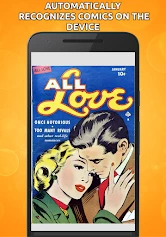
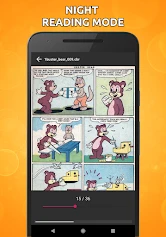

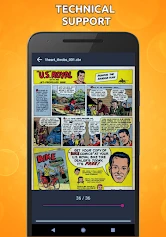
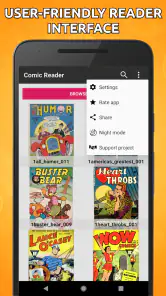
Analysis by Reviewed
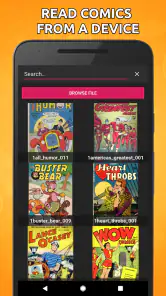
I tend to get the most out of a comic reader when it makes my own files easy to read without turning the experience into another shopping destination. That is the role Comic Book Reader fills for me: it gives CBZ and CBR files a place to live on my device and keeps the attention on the pages. It is a practical option if you already have a collection, though it asks you to take responsibility for finding and organizing that collection yourself.
How I’d fit it into a reading routine
A useful way to start is with just one issue you know well, rather than importing a large archive all at once. That lets you check whether the file opens, whether the page presentation suits your screen, and whether you can find the issue again in the library. Once that small test feels comfortable, add a short run of a series and settle on a naming pattern before bringing in more.
This approach also helps answer a practical question: does the app suit a reader with a messy download folder? It can provide a place to read compatible files, but good filenames and a clear folder structure still matter. If your files have names like “download” or “comic-final,” renaming them before importing can save time later, especially when several issues look similar in a compact library view.
A good match for files you already own
I’d reach for this reader when I have a particular comic in mind and want to open it directly, perhaps during a lunch break or while waiting for an appointment. It avoids the extra steps of browsing a catalog when the issue is already on hand. That makes the app’s focused approach a strength for readers who build a personal library, and a limitation for someone who expects the app itself to supply new reading material.
Compared with the usual alternatives, the choice is mostly about workflow. A publisher or subscription service can make discovery, purchasing, and access to its own catalog more convenient. A file-based reader is better when I want to bring together compatible comics I already have, but it puts more of the organizing work on me. I would not choose one expecting it to replace the other.
Small checks that prevent reading friction
Before leaving home, I’d open the issues I plan to read while I still have time to deal with a problem. A file that fails to open, or one that turns out to be incomplete, is much more frustrating to discover on a train with limited connectivity. I’d also test a few pages from an unusually large issue on the device I’ll use; that gives me a more useful sense of the experience than assuming every file will behave alike.
For a long series, I’d keep the original files in a separate, orderly folder and treat the reader as the place to access them, not as the only copy. That is a simple safeguard if I reorganize my library or switch devices. And when using cloud storage as a source, I’d distinguish importing an issue from syncing reading progress: those are different conveniences, and I would test the exact routine I plan to use before depending on it.
More From Our News Desk

Clash of Clans Is Won Between the Battles

Android Auto Makes the Case for Quieter Car Software

MobiOffice: Transforming Mobile Productivity with Seamless Integration

EA SPORTS FC™ Mobile Soccer: Redefining Mobile Sports Gaming

How Microsoft OneDrive Became a Mobile Productivity Giant

How Google Translate Breaks Language Barriers Effortlessly
Who may prefer another kind of app
This app is less compelling if I want suggestions for what to read next, a built-in way to buy current issues, or one account that handles a complete publisher catalog. In those cases, a storefront or subscription app is likely to save more effort. Likewise, anyone who dislikes sorting files may prefer a service that presents series and issues as a finished catalog rather than a collection to maintain.
For a reader who already has CBZ or CBR files, though, the trade-off can be worthwhile: personal control in exchange for a little preparation. I would begin with a small, clearly named group of comics, learn how its library behaves, and only then move over a bigger collection. That keeps the decision reversible and makes it easy to tell whether this style of reading fits.
Reading with Comic Book Reader
If you’re like me and have a huge stack of comic books that you’ve been meaning to read, then you’re in for a treat with the Comic Book Reader app. This app is a lifesaver for those of us who love diving into the world of comics without having to lug around all those physical copies. With its support for cbz/cbr formats, it’s become my go-to app for comic reading.
A practical fit for a digital comics folder
I find this reader most useful when I already have comic files and want to get straight to the pages, rather than browse a built-in shop or follow recommendations. It suits readers who keep a personal collection of CBZ or CBR files, including people who move between a few ongoing series and older issues. If you mainly want to discover and buy comics inside one polished storefront, a publisher or subscription app may be a better match.
A small habit makes a big difference: keep a consistent folder structure on your device, such as series first and issue files inside. That makes a reader’s library easier to scan and helps avoid the familiar mess of similarly named downloads. I’d also check that a file opens before setting off on a trip; a reader can display a comic you have successfully imported, but it cannot fix a file that is incomplete or in a format it does not handle.
Installing it and knowing what you’re getting
Getting started is straightforward: install it, bring in a comic file, and see how it feels on the device you actually plan to use. The Android edition is developed by Android Tools (ru), and the app is free to install. Optional in-app purchases range from $0.99 to $99.99 per item, so I’d read any purchase screen rather than assume every option is included at no cost. It is rated for Everyone, and the current version is 1.0.95.
The app’s average rating is 4.4 from around 7,000 ratings, and it has more than 500,000 installs. Those figures suggest it has reached a substantial audience, but they do not tell me whether its file workflow fits my own habits. I’d use the first issue as the real test: can I bring it in, read comfortably, and locate it again without fuss?
Smooth and Intuitive Navigation
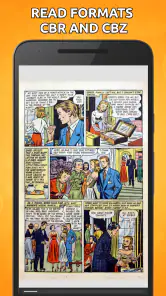
One of the things I immediately loved about this app is its navigation. Swiping through pages feels incredibly smooth, and the pinch-to-zoom feature works without a hitch. Whether you’re catching up on the latest superhero drama or diving into a nostalgic classic, the app’s intuitive design lets you focus on the story without any distractions.
For a realistic everyday use, I’d keep a few downloaded issues ready for a commute or a quiet break, then use zoom when small lettering or dense artwork needs a closer look. Double-page viewing can be comfortable on a larger screen, but on a phone it may shrink speech bubbles too much; switching to single-page mode is often the sensible trade-off. A quick test with a dialogue-heavy page tells you which view is right before you settle in.
Customization Galore
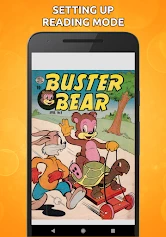
For those who like to tweak their reading experience, the Comic Book Reader app doesn’t disappoint. You can adjust the brightness, change the reading direction, and even switch between single or double-page views. It’s these little touches that make a big difference, especially when you’re binge-reading your favorite comic series over the weekend.
Reading direction is particularly useful if your collection includes comics laid out for different conventions. I’d set it deliberately when starting a new title instead of assuming every file should be read the same way. Brightness is also worth tuning for the place you’re reading: a dim setting that feels comfortable at night can make dark panels hard to distinguish in daylight. These are small adjustments, but they can spare you from fighting the page throughout an issue.
Seamless Library Management
Managing your comic collection is another area where this app shines. It allows you to organize your comics in a way that makes sense to you. Whether you prefer sorting by series, author, or date, the app’s library management features keep your collection neat and accessible. Plus, it supports cloud services, so you can easily import your comics from platforms like Dropbox or Google Drive.
Cloud import is handy when a file is already stored online, but I would not treat it as proof that a reading position or library automatically syncs across devices. For a collection you rely on, keep the originals in an organized cloud folder and use the app to bring in the issues you want. If you read on more than one device, check how your own files and progress behave before making that your main routine. This separates a convenient way to fetch comics from a full library-sync workflow.
What the version tells me—and what it doesn’t
The app was released on January 1, 2020, and its current version is 1.0.95. That gives me a clear snapshot of its present release, but a version number alone does not show which features changed or how often updates arrive. I would not assume a particular recent redesign or newly added tool without seeing it in the app itself.
For existing users, the practical question is whether their files still open and their preferred settings remain comfortable after an update. I’d keep a separate copy of valuable comic files regardless; the reader is for accessing a collection, not a substitute for preserving the originals. Before relying on it for a long trip, test a couple of large or image-heavy issues on the device you plan to use, since performance can depend on the files and hardware.
Where it may fall short
This is a focused comic reader, so it is not the right choice if you want a curated catalog, automatic access to paid publisher issues, or a reading subscription. It also depends on having comics in supported files and getting them into the library. Readers who prefer automatic series metadata, polished recommendations, or a service that handles purchasing and syncing may find a dedicated storefront more convenient.
My other trade-off is that a flexible file library asks for a little housekeeping. Clear filenames and folders help, while a pile of generic downloads can make it harder to find the issue you meant to open. The 4.4 average rating and around 120 reviews offer a useful indication of how people respond to it, but I’d still judge it against your own collection and preferred reading style rather than treating popularity as a guarantee.
Who I’d recommend it to
I’d choose this app if I already owned or had collected CBZ and CBR comics and wanted a straightforward way to read them, adjust the page presentation, and bring selected files in from cloud storage. It is especially appealing for readers who value control over direction and page layout more than a storefront experience. The minimum Android requirement is version 6.0, which is worth checking before installing on an older device.
I’d skip it if I wanted one service to discover, purchase, and synchronize a publisher’s catalog with no file management. For everyone else, the best first test is simple: import one familiar issue, try both page layouts, and check whether the library organization fits your habits. That will tell you more than a long feature checklist.
My verdict after weighing the trade-offs
In conclusion, the Comic Book Reader app is a must-have for comic enthusiasts. Its ease of use, coupled with the ability to customize your reading experience, makes it a standout choice. Whether you’re a casual reader or a die-hard comic fan, this app caters to all. So, grab your digital collection and dive into your next adventure with this fantastic app. Happy reading!
Comic Book Reader (cbz/cbr) Frequently Asked Questions
Is Comic Book Reader free to download, and what should I know about its cost?
Comic Book Reader is free to download, so you can try it without paying upfront. The app also offers in-app purchases, with prices ranging from $0.99 to $99.99 per item. If you prefer to keep your spending predictable, check the purchase options before buying anything and make sure you understand which features or content each purchase covers.
What file formats does Comic Book Reader support?
Comic Book Reader is designed to support a wide variety of comic book formats, including CBZ and CBR, which are among the most popular. This ensures that no matter where you download your comics from, you'll be able to view them seamlessly. Additionally, the app also supports other formats such as PDF, making it a versatile choice for all comic enthusiasts.
Is Comic Book Reader available for both Android and iOS devices?
Yes, Comic Book Reader is available for both Android and iOS platforms, ensuring that users across different devices can enjoy their favorite comics. The app is optimized for each operating system, providing a smooth and intuitive reading experience. You can download it directly from the Google Play Store for Android devices or the Apple App Store for iOS devices.
Does Comic Book Reader offer any customization options for reading?
Absolutely, Comic Book Reader provides a wide range of customization options to enhance your reading experience. Users can adjust the page layout, choose between single or double-page views, and even customize the background color. There are also options to zoom in and out, and navigate through the comic using intuitive gestures, ensuring you can read comfortably according to your preferences.
Are there any in-app purchases or advertisements in Comic Book Reader?
Comic Book Reader offers a free version with some limitations and advertisements. However, for users who prefer an ad-free experience, there is a premium version available for purchase. This premium version not only removes ads but also unlocks additional features, providing a more enhanced and uninterrupted reading experience.
Pros
- Supports multiple file formats.
- User-friendly interface.
- Offline reading available.
- Customizable reading settings.
- High-quality image rendering.
Cons
- Limited cloud storage integration.
- Ads in the free version.
- Occasional crashes reported.
- In-app purchases for premium features.
- No social sharing features.
- Category
- Comics
- Version
- 1.0.95