Carista OBD2
- 617.00
- 3.9
- Installs
- 1.00M
- Price
- Free

Screenshots
Analysis by Reviewed
Carista OBD2 is a versatile app designed for car enthusiasts and everyday drivers alike, offering diagnostic and customization capabilities for various vehicles. Available on both Android and iOS, Carista OBD2 allows users to access and modify settings that are usually hidden or require a visit to the dealership. In this review, we'll explore what makes Carista OBD2 a must-have tool for car owners.
Unleashing the Potential of Your Vehicle
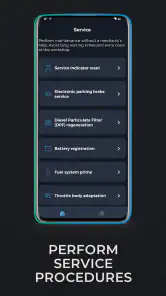
Imagine having the ability to customize your car's settings without needing to be a tech wizard or having to visit your car dealer. That's precisely what Carista OBD2 offers. With this app, you can tweak several aspects of your vehicle, such as enabling or disabling certain features, and even running diagnostic tests to ensure everything is running smoothly. It's like having a mini car workshop right in your pocket!
Diagnostic Features
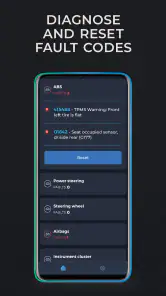
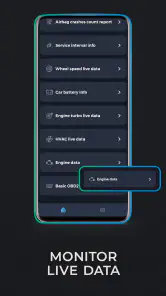
One of the standout features of Carista OBD2 is its diagnostic capability. The app allows you to run comprehensive scans on your vehicle's systems, identifying any potential issues that might not yet be visible. This means you can catch problems early, potentially saving you from costly repairs down the line. The interface is user-friendly, displaying error codes and offering explanations so you can understand what's going on under the hood.
Customization and Tweaks
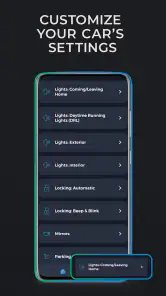
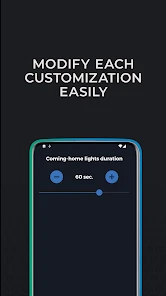
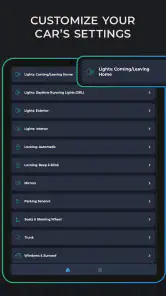
Carista OBD2 shines in its customization options. Whether you want to adjust the lighting settings, change the way your car locks, or modify the display features on your dashboard, this app provides the tools to do so. The best part? You don’t need to be a tech expert to make these changes. The app guides you through each step, making it accessible for users with varying levels of technical know-how.
Ease of Use
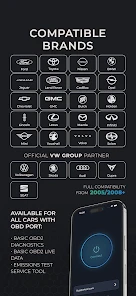
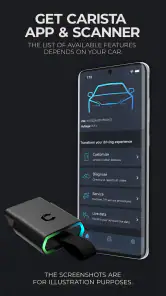
Setting up Carista OBD2 is a breeze. After downloading the app, you connect it to your car using an OBD2 adapter. The app supports a wide range of vehicles, so compatibility is rarely an issue. Once connected, the intuitive interface makes navigation a cinch, allowing you to focus on what you want to achieve rather than how to get there.
Another noteworthy point is the app's regular updates, which ensure that you have access to the latest features and vehicle compatibility. This commitment to improvement is a testament to the developers' dedication to providing a top-notch user experience.
Subscription Model
While Carista OBD2 offers a free version with basic functionalities, unlocking its full potential requires a subscription. This might be a downside for some, but considering the extensive range of features and the potential savings on diagnostic checks and customizations, many users find it worth the investment.
To sum it up, Carista OBD2 is an invaluable tool for anyone looking to take control of their vehicle’s diagnostics and settings. Its ease of use, comprehensive features, and regular updates make it a standout choice in the world of car diagnostic apps. Whether you're a seasoned car enthusiast or just someone who wants to keep their vehicle in top shape, Carista OBD2 deserves a spot on your phone.
Pros
- Easy to use interface
- Quick diagnostics
- Customizable settings
- Compatible with many cars
- Regular updates
Cons
- Limited free features
- Requires external OBD2 adapter
- Subscription needed for full access
- Occasional connection issues
- May not support older car models

- Category
- Auto & Vehicles
- Version
- 9.6.1











