Bushnell Golf Mobile
- 547.00
- 4.5
- Installs
- 100.00K
- Price
- Free

Screenshots
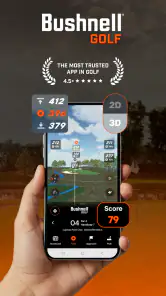
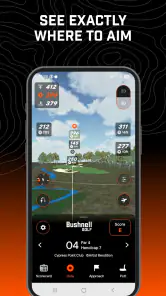
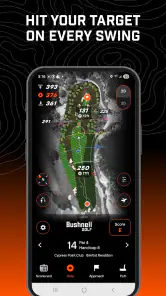
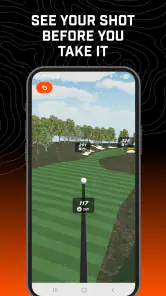
Analysis by Reviewed
On a golf course, the difference between guessing and choosing with confidence can be surprisingly small: a clear view of the distance you need to play. That is the idea I kept returning to while using Bushnell Golf Mobile. Developed by Foresight Sports!, this free sports app focuses on making distance information easier to use rather than turning the phone into an overloaded golf encyclopedia.
That narrow purpose is also its strongest quality. I did not approach it as a complete replacement for every golf accessory or as a social platform. I treated it as a practical companion for the moments before a shot, when I want a quick answer and do not want to interrupt my routine. The app has an average rating of 4.5 from around 8,100 ratings, with more than 100,000 installs, which suggests that its straightforward approach has found a useful audience.
Distance information is the app’s central capability
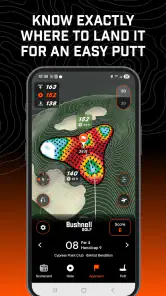
The most important thing to understand is that Bushnell Golf Mobile is built around distance made simple. That sounds modest, but simplicity matters on a course. A golfer usually does not need a long explanation at the exact moment of decision. I need to know what lies ahead, compare that information with the club I am holding, and get back to playing.
In my experience, the value is less about producing a dramatic new way to play golf and more about reducing small uncertainties. When I am between clubs, planning a layup, or trying to avoid an obvious hazard, having distance information available on the phone can make the next decision feel more deliberate. The app’s usefulness comes from fitting into that short pause rather than demanding attention for an entire round.
This makes it different from a general sports app. A general golf tracker might put more emphasis on scorekeeping, statistics, community activity, or training content. Those tools can be worthwhile, but they also create extra steps. Bushnell Golf Mobile is more appealing when the immediate question is simply, “How far is the shot I am considering?”
I also found that the app makes most sense when used as part of a repeatable pre-shot routine. Instead of opening it randomly, I would check the distance at the same point before each shot, then put the phone away and focus on alignment and tempo. That habit is more valuable than repeatedly staring at the screen. The real benefit is faster decisions, not more screen time.
What the focused design changes on the course
A distance-focused tool can help in several different situations. On a familiar course, I might already know the broad layout, but a quick check still helps when the wind changes or my intended landing area is less obvious than usual. On an unfamiliar course, the app becomes more useful because visual judgment alone can be unreliable, especially when a fairway rises, falls, or narrows in the distance.
More From Our News Desk

Clash of Clans Is Won Between the Battles

Android Auto Makes the Case for Quieter Car Software

MobiOffice: Transforming Mobile Productivity with Seamless Integration

EA SPORTS FC™ Mobile Soccer: Redefining Mobile Sports Gaming

How Microsoft OneDrive Became a Mobile Productivity Giant

How Google Translate Breaks Language Barriers Effortlessly
The capability is also relevant for golfers who tend to rush club selection. I have often seen players choose a club based on a rough visual estimate, then reconsider only after the shot. A distance check creates a small pause before that commitment. It does not make the decision automatically correct, because wind, lie, elevation, and swing quality still matter, but it can remove one avoidable source of guesswork.
There is an important distinction here: distance information is an input, not a recommendation. The app can help me understand the number I am working with, but it cannot know how confidently I am striking the ball on that particular day. A golfer who treats the displayed distance as an instruction rather than one part of the decision may still choose poorly.
How I would use it during a normal round
My preferred workflow is deliberately short. I open the app before the shot, take a moment to identify the relevant target, read the distance, and then compare it with my own notes about the hole. If I am laying up, I think about where I want the next shot to begin rather than only trying to get as close as possible. If I am attacking a green, I consider the safer side before choosing a club.
That second step is easy to overlook. Distance to the flag is not always the most useful distance. Sometimes the better question is how far I want the ball to travel to leave a comfortable next shot. Using the app as a planning aid rather than a flag-chasing tool makes it more valuable for ordinary golfers, particularly those who lose strokes by choosing aggressive targets without considering the following shot.
I would also avoid checking it while walking hurriedly between shots. A phone is useful when it supports the routine, but distracting when it becomes another object to manage. Before the round, I would make sure the device is ready and that I know how I want to consult the information. That preparation reduces fumbling and keeps the app from slowing down the group.
For a golfer who already carries a dedicated Bushnell distance device, the phone app may serve a different role rather than replacing it. A dedicated device can be faster to access and more natural for someone who prefers not to use a phone on the course. The mobile option is more attractive to someone who wants distance assistance without adding another piece of equipment to a golf bag.
A realistic use case: the unfamiliar weekend course
Imagine a weekend round at a course I have never played. I reach a hole where the fairway appears open, but the landing area is not as generous as it looks from the tee. My first instinct might be to choose a club based on the visible horizon. Instead, I use the app to understand the distance involved, then decide whether the sensible play is to take less club or aim for a safer section of fairway.
Later, near the green, the same process helps me avoid treating every approach as a direct attack. If the pin position demands a risky carry, I can think through a conservative landing area and choose a shot that leaves a manageable chip or putt. The app has not played the hole for me. It has helped me replace a vague visual impression with a more structured decision.
This is where the capability has its clearest everyday effect. It can make a new course feel a little less unknown. I still need to read the lie, judge the wind, and accept that a poor swing can ruin a perfect plan. But I am less likely to make a blind choice simply because the hole looks deceptively short or long.
Where the mobile approach creates friction
The main tradeoff is obvious: a phone is not a purpose-built golf instrument. I have to handle a general device, look at a screen, and keep my attention organized. Depending on the situation, that can feel less immediate than using a dedicated rangefinder or another specialized accessory. Golfers who value the quickest possible glance may prefer hardware designed for that single task.
There is also a mental cost to relying too heavily on a digital number. The app can encourage better planning, but it can also tempt a player to ignore conditions that the screen cannot fully express. A strong wind, an awkward lie, a downhill landing, or a shot that must carry a particular trouble area can matter as much as the distance itself. I would use the app to support course judgment, never to replace it.
The free download makes it easy to try, but the app also includes in-app purchases ranging from $9.99 to $99.99 per item. That range means I would look carefully at what is included before committing to a purchase. For someone who only wants occasional distance assistance, paying for advanced access may not feel worthwhile. For a regular golfer who uses the app throughout the season, the calculation may be different.
That pricing structure is one reason I would not recommend installing it with the assumption that every useful function will necessarily remain available without additional spending. I would first test the basic experience during a real round, then decide whether the way I play justifies paying for more. A free starting point is helpful, but the long-term value depends on how often the app becomes part of my routine.
The age rating is Everyone, which fits the app’s practical sports purpose. It is available for devices running Android 9 or later, and the current version is 3.0.6. Those details matter if I am using an older phone, because compatibility is worth checking before planning to depend on it for a round.
How it compares with familiar alternatives
The usual alternatives fall into three broad groups: estimating by eye, using a dedicated distance device, or choosing a more feature-heavy golf application. Bushnell Golf Mobile sits between those options. It is more structured than guessing, more accessible than buying another device, and more focused than an app that tries to manage every part of golf.
Guessing has one advantage: it is immediate and costs nothing. Experienced golfers can often judge a familiar hole well enough, especially when the target is large and the conditions are calm. However, visual estimation becomes less dependable on unfamiliar layouts or when the terrain hides the landing area. The app earns its place by giving me a repeatable reference in those moments.
A dedicated device may be better for a golfer who wants a single-purpose tool with minimal phone interaction. If I already know that I dislike checking a screen during play, Bushnell Golf Mobile may not change that preference. On the other hand, a phone-based option avoids carrying a separate accessory and can be easier for casual golfers who play occasionally.
A feature-heavy golf app may appeal more to players who want score tracking, detailed performance analysis, or a broad collection of training and social tools. Those extras can justify the added complexity for a committed golfer. I would choose Bushnell Golf Mobile instead when distance is the main problem I want to solve and I do not want unrelated functions competing for attention.
Small habits that make the app more useful
One useful habit is to check the target before selecting the club, not after I have already formed an opinion. That prevents the number from becoming a justification for a decision I made emotionally. I can then compare the distance with my normal carry and decide whether the safer option is more appropriate.
A second habit is to use the app for layup planning. Many golfers naturally focus on reaching the green, but a carefully chosen layup can turn a difficult hole into two comfortable shots. I would use the distance information to identify a landing area that leaves a reliable approach, especially when the direct route brings hazards or an awkward angle into play.
A third insight is that the app can help reveal a planning problem rather than a swing problem. If I repeatedly miss short, I might assume I need to hit harder. After checking the distance more carefully, I may discover that I am choosing clubs based on optimistic estimates or confusing total distance with the carry I actually need. The app cannot diagnose my swing, but it can make the decision process easier to examine.
I would also keep the phone routine consistent across the round. If I check distances only on difficult holes, I may become tense and overcomplicate those shots. A quick, familiar process on every relevant hole feels calmer. The goal is not to turn golf into a sequence of measurements; it is to make the useful measurement so ordinary that it does not disturb the rest of the game.
Who will get the most from it
This app is a good match for casual and improving golfers who want more confidence on unfamiliar courses without buying dedicated equipment immediately. It is also useful for players who already understand their approximate club distances but want a clearer starting point for planning. Because it is free to install, the barrier to experimenting with it is low.
I can also see value for golfers who prefer a simple tool over a crowded dashboard. If I am not interested in recording every shot or comparing a large set of statistics, a distance-centered app is easier to fit into my round. Its focused nature is a strength for anyone who wants practical assistance without turning the phone into the main event.
It is less suitable for golfers who already have a fast, trusted rangefinder and never feel uncertain about course distances. In that case, the phone may add handling rather than remove it. It is also not the right choice for someone looking for a complete golf management system, detailed swing analysis, or a replacement for learning course strategy. Those needs call for different tools.
I would be cautious about recommending it as the only support for a golfer who struggles to separate distance from conditions. The best results come when the number is combined with club knowledge, sensible targets, and an honest assessment of the lie. If someone expects the app to tell them exactly what shot to hit, disappointment is likely.
My conclusion after using the distance-first approach
Bushnell Golf Mobile succeeds because it concentrates on a real problem: making distance easier to consult before a golf shot. In my experience, that focus can improve the quality of decisions without requiring a complicated routine. It is particularly helpful on unfamiliar courses, during layup planning, and whenever visual judgment feels unreliable.
The limitations are equally clear. A phone will not feel as immediate as dedicated golf hardware for every player, and the in-app purchase range means I would evaluate the paid options carefully rather than assuming they suit every budget or playing habit. The app also cannot account for every condition that affects a shot, so good judgment remains essential.
Still, I think it is worth trying for golfers who want a convenient distance companion and prefer not to carry another device. Its Everyone rating, free entry point, and focused sports design make it approachable, while the most useful results come from treating it as part of a calm pre-shot process. If your biggest on-course hesitation is not knowing the distance, this is a sensible app to test; if you already have that problem solved, its mobile format may offer little extra.
Bushnell Golf Mobile Frequently Asked Questions
What phones and operating systems can run Bushnell Golf Mobile?
Bushnell Golf Mobile is available for Android and iOS, and its current version is 3.0.6. The minimum supported operating system is version 9, so check your phone’s software version before downloading. Keeping your operating system and the app updated can also help with compatibility and connection reliability when using the app with a supported Bushnell device.
Is Bushnell Golf Mobile suitable for beginners and casual golfers?
The app is in the Sports category and is designed to accompany compatible Bushnell golf products, with its store summary describing its purpose as making distance simple. Its usefulness therefore depends largely on whether you own a supported device and want to use the connected features. The app is rated for Everyone, making it suitable for a broad audience, including golfers who are new to connected golf equipment.
What is Bushnell Golf Mobile, and what can it do?
Bushnell Golf Mobile is the companion app for compatible Bushnell golf rangefinders and GPS-enabled products. After pairing a supported device, the app can provide course information, distances, product settings, firmware updates, and access to features such as Bushnell’s course database. The exact tools available depend on the model you own, so it is important to check compatibility before downloading.
Does Bushnell Golf Mobile work with every Bushnell golf rangefinder?
No. Bushnell Golf Mobile is designed for selected connected rangefinders, GPS devices, and accessories rather than every Bushnell product. Older or basic models may work without the app, while newer Bluetooth-enabled devices generally offer more features through it. Before installing, confirm your exact model on Bushnell’s official support or product page to avoid pairing problems and limited functionality.
Do I need an internet connection or GPS to use the app on the golf course?
The app normally requires Bluetooth to communicate with a compatible Bushnell device, while GPS and location access may be needed for course-related features. An internet connection can be necessary for signing in, downloading course updates, synchronizing information, or installing firmware. Coverage and offline behavior may vary, so it is wise to open the app and update data before arriving at the course.
Pros
- GPS distances to greens
- hazards
- and course targets
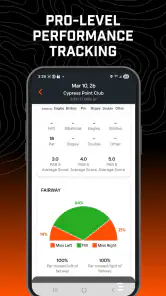
- Helpful shot-tracking tools for monitoring performance
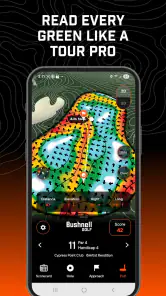
- Course maps make unfamiliar layouts easier to navigate
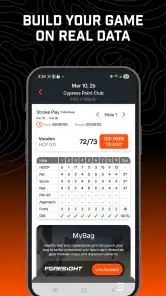
- Supports scorekeeping during a round
- Useful for golfers seeking data-driven course strategy
Cons
- Coverage and accuracy can vary between golf courses
- Some features may require a connected Bushnell device
- Continuous GPS use can drain your phone battery
- Requires account setup and location permissions
- Advanced tools may feel excessive for casual golfers
- Category
- Sports
- Version
- 3.0.6





