Piano Evo: Learn Songs & Music
- 5.00
- 4.7
- Installs
- 100.00K
- Price
- Free

Screenshots
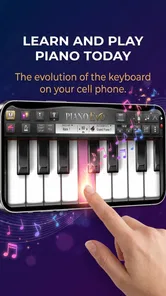
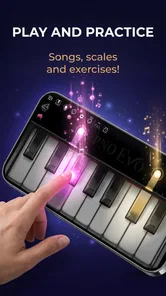
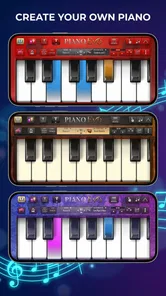
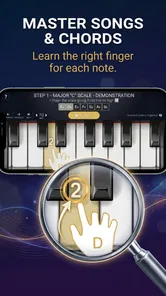
Analysis by Reviewed
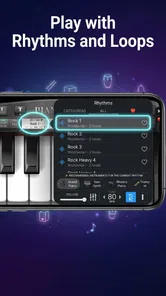
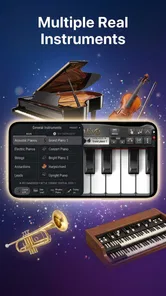
I spent time with Piano Evo: Learn Songs & Music as a compact music game rather than treating it like a full replacement for a piano teacher. That distinction matters. Its appeal is the chance to turn short practice sessions into something more interactive, with lessons, chords, scales, and MIDI support gathered in one place. I found the concept easy to understand: open the app, work through a musical exercise, and use the keyboard-focused layout to connect what you see with what you would play.
It is made by GMobiler Apps and sits in the music category, although its presentation is closer to a guided learning game than to a passive piano simulator. The app is free to download, rated for Everyone, and currently listed as version 1.0.2. Its overall rating is a strong 4.7 from roughly 600 ratings, while more than 100,000 people have installed it. Those figures suggest that the basic idea has found an audience, but they do not remove the need to decide whether its learning approach suits you.
How Piano Evo fits into everyday practice
The most useful way to approach this game is as a bridge between curiosity and routine. Someone who has never touched a keyboard can use the lesson-oriented structure to become familiar with notes and simple patterns. A player who already knows the basics can use the chord and scale material as a quick refresher. I would not describe it as a complete course, but I do see value in having several building blocks of piano practice available inside one focused app.
The “real keyboard” idea is important to the experience. A screen keyboard can never fully reproduce the weight, spacing, or response of an acoustic piano, but it can make practice less intimidating when you are away from an instrument. I found that useful for checking note relationships, rehearsing a short sequence, or reminding myself how a chord is laid out before sitting at a physical keyboard.
The game format also changes the mood of practice. Instead of opening a blank instrument and wondering what to do, you have a defined activity. That small amount of direction can make a difference after work, during a study break, or when you only have a few minutes and do not want to plan a lesson. The app is at its best when the goal is consistency rather than an intense, teacher-led curriculum.
One practical scenario shows where it makes sense. Imagine a beginner taking public transport home and wanting to review a chord shape without carrying a keyboard. A short session on a phone can reinforce the visual pattern, then the player can try it on a real instrument later. The app does not replace that second step, but it can keep the idea fresh between proper practice sessions.
Lessons, chords, and scales serve different learners
The lessons are the natural starting point for a newcomer because they give the app a sense of progression. I would begin there rather than jumping immediately into isolated theory. Once the basic layout feels familiar, chords become more practical: they help connect individual notes to accompaniment patterns and make the keyboard feel less like a row of unrelated keys.
More From Our News Desk

Weather by Xiaomi Review: Clear at a Glance, Less Clear Up Close

X Under Pressure: Can It Recover When Posting Goes Wrong?

Clash of Clans Is Won Between the Battles

Android Auto Makes the Case for Quieter Car Software

MobiOffice: Transforming Mobile Productivity with Seamless Integration

EA SPORTS FC™ Mobile Soccer: Redefining Mobile Sports Gaming
Scales are useful for a different reason. They encourage attention to order, hand movement, and note relationships. They can also expose a weakness that song-only practice sometimes hides: a player may recognize a melody but still struggle to move smoothly through a sequence. Using the scale material as a warm-up before attempting a song is a sensible workflow, especially for someone who tends to rush straight to recognizable tunes.
A less obvious benefit is that the three areas can be used in rotation instead of being consumed in a straight line. I would use a lesson when learning a concept, a scale when warming up, and a chord exercise when trying to understand accompaniment. That approach makes the app feel more like a small practice toolkit than a single-track game.
MIDI support is valuable, but it changes the ideal audience
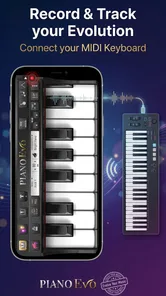
MIDI support gives the app more relevance for people who own compatible digital equipment. Rather than relying only on tapping a phone screen, a player can explore the possibility of connecting a MIDI keyboard and practicing with a more natural physical layout. For beginners, that can make the transition from mobile learning to actual playing feel less abrupt.
This is also where expectations need to stay realistic. MIDI support does not automatically turn the app into a professional workstation, a recording studio, or a complete digital piano environment. I would treat it as a connection between guided learning and an external keyboard, not as a reason to abandon dedicated music software. If your main goal is composing, arranging, recording, or controlling virtual instruments, a specialized music application will usually be the better fit.
The best workflow is to use the phone interface for quick review, then use MIDI when you want more physical feedback. That separation helps avoid one common mistake: assuming that success on a small touch keyboard proves that your finger control is ready for a full-size instrument. The app can support understanding and repetition, but real keys still demand their own adjustment.
What the free access means for value
The app is free, which makes trying the core experience relatively easy to justify. A curious beginner does not have to commit money before finding out whether the lesson style feels comfortable. That is a meaningful advantage over buying a course or subscribing to a service before you know whether you will practice regularly.
There are in-app purchases priced from $7.99 to $14.99 per item. I would evaluate those purchases according to how often you actually use the app, not simply according to the size of the feature list. If the free experience already gives you enough structure for occasional practice, paying may not be necessary. If the additional content or functionality becomes central to a sustained routine, the higher cost can be easier to justify, but only for someone who has already formed that habit.
That distinction is important because the free entry point and paid value are not the same thing. Free access is useful for testing the interface, the keyboard feel, and the learning rhythm. Paid value depends on whether the extra material solves a problem you genuinely have. I would not buy immediately just because the app has a high rating; I would first spend enough time with the available experience to see whether it earns a place in my practice schedule.
The pricing also makes this a different proposition from a traditional teacher. A teacher offers personal correction and adapts exercises to your hands, goals, and mistakes. Piano Evo offers a more affordable and private way to begin, but it cannot observe your posture or explain why a passage feels awkward. Compared with a typical piano-learning subscription, the one-item purchase range may look simpler, yet the right choice still depends on the depth and variety you expect from the paid material.
Where the game format helps, and where it can get in the way
The interactive format gives practice a clear starting point, which is one of its strongest qualities. It is easier to complete a short exercise when the app presents a specific task than when you are faced with an empty keyboard. That structure is particularly helpful for people who lose motivation when learning resources become too theoretical.
At the same time, game-like guidance can encourage players to chase completion rather than musical understanding. I recommend slowing down when a lesson introduces a pattern that feels easy on screen. Repeat it until you can explain what the notes are doing, then try it away from the phone. This simple habit prevents the app from becoming a tapping exercise with little transfer to real playing.
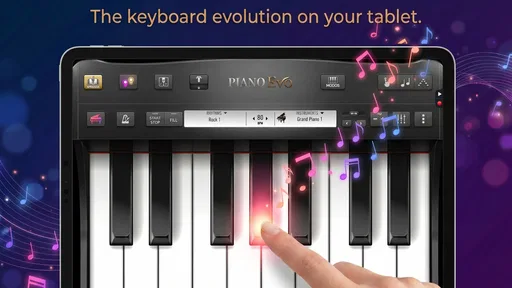
Another trade-off is screen size. A phone is convenient, but it limits how comfortably you can view a larger range of keys and musical information. A tablet may be more pleasant for longer sessions, while a physical MIDI keyboard is better for developing hand spacing. The app’s portability is a strength, but portability should not be confused with a complete physical practice environment.
I also think the app suits focused sessions better than long study blocks. A short lesson, a scale review, and a chord exercise can feel productive. Spending a very long time on a small screen may become tiring, especially if your goal is to develop relaxed technique. In my experience, the most sensible pattern is brief mobile work followed by real keyboard practice whenever one is available.
Small workflows that make the experience more useful
My first tip is to use scales as a diagnostic rather than merely as content to finish. If a scale feels uneven, do not immediately move on to a song. Notice whether the difficulty comes from remembering the notes, changing direction, or keeping a steady rhythm. Then return to the relevant lesson or chord material. This turns the app into a way of identifying what needs attention.
My second tip is to pair every screen session with an offline test. After working through a chord, close the app and try to find the same shape on a real keyboard or write down its notes from memory. The extra step takes little time, but it reveals whether you learned the pattern or only followed a visual prompt.
My third tip concerns MIDI users. Treat the connection as a comparison tool. First try the exercise on the phone, then repeat it through the external keyboard and notice what changes. If the physical version exposes timing or finger-placement problems, that is useful information rather than a failure. The app becomes more valuable when it helps you move between visual confidence and physical accuracy.
A fourth useful approach is to create a rotating routine instead of repeating the same activity. Start with a lesson for understanding, use a scale for warm-up, and finish with chords or a song-related exercise. This avoids spending every session on the easiest activity and gives you a clearer sense of whether your progress transfers across different musical tasks.
Who should choose it, and who should look elsewhere
I would recommend it to a beginner who wants a friendly way to explore piano concepts without immediately buying equipment or committing to formal instruction. It is also a good match for a casual player who needs a portable refresher, especially when chords and scales are more useful than a large library of entertainment-focused songs.
It may also suit parents looking for an age-appropriate music activity, since the content rating is Everyone. I would still expect an adult to help a young learner build a sensible routine. The app can make practice inviting, but a child may need encouragement to slow down, repeat difficult patterns, and connect screen exercises with a real keyboard.
I would be more cautious for an advanced pianist. If you already read fluently, understand harmony, and need detailed feedback on technique, this is unlikely to be your main learning environment. A private teacher, an advanced notation tool, or dedicated digital audio software would provide more specialized depth. The same applies to composers and producers whose priority is arranging, recording, or sound design rather than learning keyboard fundamentals.
People who dislike guided practice may also want to skip it. The app’s strength comes from having a defined path, so it is less appealing if you simply want an unrestricted instrument for improvisation. Likewise, someone seeking a full replacement for lessons should be careful: no screen-based game can correct every physical habit or adapt perfectly to an individual player.
Device expectations and the practical learning curve
The minimum operating system is Android 7.0, so the compatibility requirement is not aimed only at the newest phones. Even so, the experience will depend on the device you use. A larger display should make the keyboard easier to read, and headphones may help when practicing in a shared space, though the app should be judged by how comfortably you can see and interact with it on your own hardware.
The learning curve is gentle when you treat the app as a sequence of small experiments. Start by locating notes, then connect them into scales, and only afterward worry about moving quickly. Chords can be introduced once the keyboard layout stops feeling unfamiliar. This order reduces the temptation to memorize shapes without understanding where they come from.
For a real instrument player, the main adjustment is physical. A touch keyboard responds to taps in a different way from weighted or unweighted keys. Use the mobile version to strengthen recognition and recall, but do not judge your technique solely by how smooth a screen exercise feels. The most honest test is whether the same idea remains understandable when your hands meet a physical keyboard.
My buy-or-skip verdict
My overall view is positive, with a clear boundary around what the app is meant to do. GMobiler Apps has created a free music game that makes lessons, chords, scales, and MIDI-related practice approachable in one place. The strong 4.7 average and broad installation base make it reasonable to try, but the real decision should come from your own practice goals rather than popularity alone.
I would start with the free experience and use it for several short sessions. Test whether the keyboard feels comfortable, whether the lessons give you useful direction, and whether the chord and scale material helps you do something you could not do as easily with a basic piano simulator. If those answers are yes, an in-app purchase may be worth considering within the stated range, particularly when the added value supports a routine you are already following.
I would skip the purchase if you want personalized correction, serious composition tools, or a full course that takes you from beginner to advanced player without outside practice. I would also avoid paying simply because the app looks polished or because a rating is impressive. The strongest case for it is narrower and more practical: it is a convenient, low-commitment way to turn spare moments into structured piano practice.
For me, that makes it a worthwhile starting point and a useful companion to a real keyboard, not a substitute for one. Try it free, connect MIDI only if that matches your setup, and measure success by what you can play away from the screen. If the app helps you return to practice consistently, it is doing its job well. If you need depth, correction, or production features, spend your time and money on a more specialized alternative instead.
Piano Evo: Learn Songs & Music Frequently Asked Questions
What devices and operating systems can run Piano Evo: Learn Songs & Music?
Piano Evo: Learn Songs & Music is a music game for Android, and its minimum operating system requirement is Android 7.0. Before downloading, check your device’s software version and available storage so installation can proceed smoothly. If you use an iPhone or iPad, confirm the app’s availability and compatibility in your local app store before proceeding.
What does Piano Evo teach, and what can I practice with it?
Piano Evo focuses on learning songs and music through piano practice. Its store summary highlights lessons, chords, scales, and MIDI, so it may suit players looking to explore more than individual melodies. The app is presented as a game in the Music category, making it a practice option for people who want to learn through an interactive mobile experience.
What is Piano Evo: Learn Songs & Music?
Piano Evo: Learn Songs & Music is a mobile piano-learning app designed to help beginners and casual players practice songs, notes, chords, and basic musical concepts. It typically combines interactive lessons with a virtual keyboard, allowing users to follow guided exercises and play at their own pace. It is best viewed as a convenient practice companion rather than a complete replacement for a piano teacher or a real instrument.
Can beginners use Piano Evo effectively?
Yes, the app is mainly suitable for beginners who want a gentle introduction to piano playing. Its guided approach can help users become familiar with note positions, timing, melodies, and simple songs without needing previous experience. However, progress depends on regular practice, and users may eventually need more advanced lessons, sheet music, or instructor feedback if they want to develop proper technique, hand posture, and musical expression.
Does Piano Evo: Learn Songs & Music require a real piano or keyboard?
No, users can generally start with the virtual keyboard displayed on their smartphone or tablet, making the app accessible without additional equipment. Nevertheless, practicing on a physical keyboard or piano may provide a more realistic experience and better support for finger independence and coordination. Before downloading, check the app’s current device and accessory compatibility if you plan to connect a MIDI keyboard or use external audio equipment.
Pros
- Interactive lessons make learning piano feel engaging and approachable.
- Song-focused practice helps users apply skills to recognizable music.
- Useful for beginners seeking a structured introduction to piano playing.
- Progress tracking can encourage consistent practice over time.
- Works well for short practice sessions on a flexible schedule.
Cons
- Advanced players may find the lessons too basic after initial progress.
- Virtual keyboard practice cannot fully replace an acoustic or digital piano.
- Some songs
- lessons
- or tools may require a paid subscription.
- Touchscreen controls can feel less precise than playing physical keys.
- A stable internet connection may be needed for some app content.











