Paint Loop: Pixel Puzzle
- 217.00
- 4.7
- Installs
- 50.00K
- Price
- Free

Screenshots


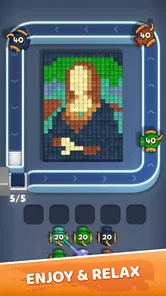
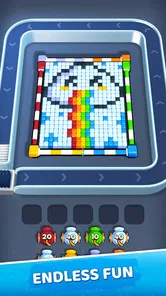
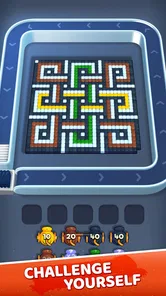

Analysis by Reviewed
Paint Loop: Pixel Puzzle is the kind of puzzle game I can open for a short break without needing to learn a complicated system first. It comes from Unico Games Studio and focuses on quick sorting challenges built around speed, attention, and reflexes. That sounds simple, but the appeal is in how quickly a small mistake can change the rhythm of a round.
I approached it less like a game I would play for hours at a time and more like a compact mental exercise for spare moments. It fits naturally into a commute, a waiting room, or the few minutes before bed when I want something more engaging than scrolling. The free entry point helps, although the presence of optional purchases means I would still advise checking the spending settings on the device before handing it to a child.
How clearly the game communicates what is happening
The first thing I look for in a fast puzzle game is whether I can understand the board without stopping to decode it. Paint Loop: Pixel Puzzle benefits from a direct visual idea: the player sorts what appears on screen while trying to maintain concentration. That makes the basic goal easier to grasp than in puzzle games that begin with several menus, currencies, missions, and tutorials competing for attention.
Its strongest readability comes from the limited nature of the task. I am not trying to remember a long story, manage an inventory, or interpret a map. My attention stays on the current arrangement and the response the game expects. For someone who prefers clear, immediate interactions, that focus is welcome.
There is also a useful difference between understanding a puzzle and performing it quickly. I can usually recognize what I should do before I can do it reliably under pressure. That distinction matters for players with slower processing speed, attention difficulties, or simply a preference for relaxed play. The game’s central challenge is not only visual recognition; it is recognition followed by timely action.
I would therefore recommend starting with a deliberately slow approach rather than chasing speed immediately. I first concentrate on learning the visual relationships and only then try to improve my pace. This turns the opening sessions into practice instead of making every error feel like a failure.
The presentation is best suited to people who are comfortable with a visually led interface. If you depend heavily on spoken instructions, tactile feedback, or text explanations for every action, a game built around quick on-screen sorting may not feel equally transparent. That is not a criticism of the concept itself, but it is an important part of deciding whether this particular puzzle style matches your needs.
More From Our News Desk

 Gmail
GmailGmail in a Busy Inbox: Who Benefits Most?
From first account to crowded workday, Gmail earns its place through dependable search and flexible sorting—but its best fit depends on how much inbox maintenance you can tolerate.

 Prime Video
Switching to Prime Video: What Changes in Your Viewing Routine
Prime Video can make a compelling second home for streaming, but switching means learning a different catalog, rental layer, and route from browsing to playback.

 Universal TV Remote Control
Universal TV Remote Control Works Best as a Reliable Backup
A phone remote earns its place through quick setup and reliable habits. Here is how to get more from Universal TV Remote Control—and where its limits show.

 Weather - By Xiaomi
Weather by Xiaomi Review: Clear at a Glance, Less Clear Up Close
Xiaomi’s weather app makes everyday forecasts quick to scan, but its calm surface can leave useful details and recovery paths harder to find than they should be.

 X
XX Under Pressure: Can It Recover When Posting Goes Wrong?
A resilience-focused review of X, examining setup, mistaken posts, interruptions, weak connections, and the gaps that matter when recovery needs to be dependable.

 Clash of Clans
Clash of Clans Is Won Between the Battles
Its raids are quick; its community is a long-term project of coordination, teaching, rivalry, and shared responsibility—with all the friction that entails.
Latest News



Why short sessions work well
One practical strength is how easily I can define a stopping point. A quick round gives me a contained task, while a longer session lets me focus on improving consistency. I do not need to reserve a large block of time or remember a complex chain of objectives from the previous visit.
That makes it useful in situations where my attention is divided but I still want a small challenge. For example, I might play while waiting for a friend who is running late. I can begin with the sound off, complete a brief attempt, and put the phone away without losing the whole evening to it.
The trade-off is that short, repeatable play can encourage me to restart immediately after a mistake. When the challenge is based on reflexes, that “one more try” feeling can become more noticeable than in a slower logic game. I find it helps to decide in advance whether I am playing for relaxation or for improvement, because those are different goals here.
Visual focus and motor demands
The game’s emphasis on speed creates a particular accessibility question: how much of the challenge comes from seeing the correct option, and how much comes from reaching it quickly and accurately? Players with strong visual attention may still find the interaction difficult if quick taps or precise movements are uncomfortable. Conversely, a player with good motor control may struggle when the screen becomes visually busy or when similar elements need to be distinguished rapidly.
I would not describe this as a universally gentle puzzle experience. Its appeal depends on a certain amount of visual scanning and timely touch interaction. Someone with hand tremors, limited reach, joint pain, or fatigue may enjoy the underlying sorting idea but dislike the pressure created by fast responses.
A useful personal strategy is to hold the device in a stable position instead of playing one-handed while walking or standing on a moving bus. I get more consistent results when the phone rests against my palm or another surface, leaving the active finger free to make controlled movements. This is a small change, but it reduces unnecessary strain and prevents the surrounding environment from becoming an additional obstacle.
I also prefer playing with the screen at a comfortable brightness rather than automatically turning it up. A brighter display can make a small game easier to inspect in a well-lit room, but it can be tiring in a dark bedroom. Since the challenge already asks me to maintain visual focus, I find that matching the screen to the room is more comfortable than using one extreme setting everywhere.
Sound, attention, and sensory context
Fast puzzle games can be affected by more than the game itself. Notifications, conversations, traffic, glare, and movement all compete with the same attention the player needs for sorting. Paint Loop: Pixel Puzzle is therefore easier for me to enjoy in a calm setting than in a crowded place where I am constantly interrupted.
For a player who is sensitive to sound, the practical test is simple: begin with the device muted and see whether the visual feedback is enough to follow the action. If it is, silent play becomes a useful option in libraries, offices, or shared bedrooms. I would not assume that every player will find the same sensory balance comfortable, so I treat the surrounding environment as part of the setup.
There is an everyday scenario where this matters. Imagine using the game during a lunch break in a bright cafeteria. The concept may be easy to understand, but reflections on the screen, people moving nearby, and the need to stop frequently can make a reflex-based round feel much harder. In that situation, a slower number puzzle or a turn-based logic game may be the better choice, even if Paint Loop is normally more entertaining.
On the other hand, the game can suit a player who wants a visually active alternative to word puzzles. If reading small blocks of text is tiring, a task based more on shapes, colors, or spatial recognition may feel less demanding in one way, though it can be more demanding in another. The important point is that “easy to read” and “easy to play” are not the same thing.
Using it across different abilities and routines
I see the game working best for players who can adjust their own pace and environment. Someone who enjoys visual challenges can use it as a quick concentration exercise. A player who becomes overwhelmed by time pressure may still like the sorting concept, but should treat speed as a later goal rather than the main measure of success.
It may also be suitable for family settings because the content rating is Everyone. That makes the game easier to consider for a shared household device, but an age label does not automatically tell me whether every child will find the controls comfortable or the pace manageable. I would play alongside a younger user at first, not to solve the puzzles for them, but to see whether the visual demands and timing feel fair.
For older players, the uncomplicated premise can be inviting, especially if they enjoy quick visual tasks. Still, I would avoid presenting it as a universal brain-training solution. My experience of it is entertainment with a concentration element, not a substitute for a structured accessibility tool or a clinical exercise.
Players who need large text, strong contrast, screen-reader support, or highly adjustable timing should investigate the actual play experience on their own device before committing to extended sessions. I would not choose this title as my first option when those controls are essential to comfortable play. A slower puzzle with explicit display and input settings may offer a better fit.
Where it stands beside familiar puzzle alternatives
Compared with crossword or word-search games, Paint Loop: Pixel Puzzle asks less of my vocabulary and more of my visual reaction. That makes it appealing when I want to avoid reading, but less appealing when I prefer to think through an answer without a clock-like sense of urgency.
Compared with classic match-three games, it feels more focused on immediate sorting and response than on building a chain of moves. Match-three titles often let me recover from a poor choice by planning the next several turns. Here, the satisfaction comes more from staying alert and responding cleanly. If I enjoy strategic planning, I may find the experience too narrow; if I like testing reflexes, that narrow focus is exactly the point.
Compared with nonogram or Sudoku apps, this is a lighter commitment. I can start without preparing for a long deduction process, but I also get less room for deep reasoning. Those alternatives are better when I want a quiet, methodical session. Paint Loop is better when I want my attention engaged immediately and do not want to carry a puzzle state in my head for a long time.
That comparison also clarifies who should skip it. I would look elsewhere if I need a story, extensive customization, a relaxing pace, or a puzzle that rewards careful planning more than quick recognition. I would also hesitate if repeated visual tapping causes discomfort. The game’s central strength is inseparable from its main limitation: it keeps the action direct by keeping the focus tight.
Practical considerations before installing
The game is free to install, which makes trying it straightforward. Optional in-app purchases range from $1.99 to $89.99 per item, so I would treat the free starting point and the possible spending path as two separate decisions. For my own use, I would disable purchase permissions when setting it up on a shared device, particularly if children can access the account.
It is rated for Everyone and requires Android 6.0 or later. The current version is 1.001, and the game was released on February 16, 2026. Those details matter most when I am checking an older phone or deciding whether a family device is suitable before spending time on installation.
The game has reached over 50 thousand installs, with a 4.7 average from around 1.9 thousand ratings and 217 written reviews. I read that as a sign that the basic idea is connecting with a meaningful group of players, while remembering that a rating cannot tell me whether the visual pace will suit my hands, eyesight, or sensory preferences.
Unico Games Studio has kept the identity of the product concise, which works in its favor when I want to understand the premise quickly. At the same time, concise presentation means I would not rely on the store summary alone to judge accessibility. I would install it, try a few rounds in the environment where I expect to play, and decide from that direct experience.
Remaining barriers that affect the recommendation
The biggest barrier is the relationship between speed and control. A player may understand every puzzle but still feel excluded by the need to respond rapidly. This is especially relevant when accuracy changes with fatigue, pain, tremors, or limited range of motion. The game can be enjoyable in short bursts, but I would stop as soon as the interaction begins to feel physically stressful.
Another barrier is dependence on visual attention. A player who has difficulty distinguishing nearby visual elements may need more time than the game’s pace comfortably allows. Playing in a bright room, cleaning the screen, and reducing distractions can help, but those adjustments cannot replace proper in-game options when a player needs them.
There is also a concentration barrier for people who are easily interrupted. Unlike a turn-based puzzle, a reflex-oriented round does not always wait patiently while I answer a message or look away. I would not start a serious attempt while crossing a street, supervising a situation that needs immediate attention, or traveling in a way that makes the phone unstable.
Finally, the purchase range deserves practical caution. The game is easy to try without paying, but free access does not mean a shared device is automatically risk-free. I recommend using the operating system’s purchase controls and discussing spending expectations before letting a child play independently. That is sensible household management rather than a judgment on the game itself.
My inclusive verdict
I recommend Paint Loop: Pixel Puzzle to players who enjoy quick visual sorting and want a compact challenge that can fit into ordinary gaps in the day. I especially like it when I am looking for something more active than a word puzzle but less involved than a long strategy game. Its clear premise and short-session format make it approachable, while the speed element gives experienced players a reason to keep refining their responses.
I would recommend a cautious trial rather than an automatic recommendation for anyone with specific access needs. The game’s focus on visual scanning and fast touch input may work well for some players and create real friction for others. A slower puzzle with adjustable timing, larger interface controls, or stronger alternative feedback would be a better choice when those features are necessary.
My best advice is to test it in the exact situation where you plan to use it. Try silent play, check the screen in your usual lighting, hold the device in a stable position, and notice whether a short session leaves your eyes or hands tired. If the challenge feels stimulating without becoming uncomfortable, it offers a neat little routine for sharpening attention during spare moments.
The honest takeaway is that Paint Loop succeeds by staying focused, but that same focus limits its flexibility. I enjoy the directness, the quick restart cycle, and the way a simple sorting idea can demand genuine concentration. I would choose it for energetic puzzle breaks, not for deep deduction or maximum accessibility control. For the right player and setting, it is a polished-feeling free puzzle to try; for anyone who needs a slower, more adjustable experience, another category of puzzle will likely be kinder.
Paint Loop: Pixel Puzzle Frequently Asked Questions
What is the age rating for Paint Loop: Pixel Puzzle?
Paint Loop: Pixel Puzzle is rated Everyone, so its intended audience includes players of all ages. Its puzzle format centers on colors, patterns, and pixel-style designs, making it approachable for casual play. Parents may still want to review the game’s purchase options with younger players, particularly if a device has payment methods enabled.
What is Paint Loop: Pixel Puzzle?
Paint Loop: Pixel Puzzle is a relaxing coloring and logic game built around pixel-art images. Instead of simply filling a picture by number, you solve compact puzzles by placing or matching the correct colors in a looping sequence. The gameplay is easy to understand, but later stages can require careful observation, planning, and patience. It is suitable for short sessions when you want something casual and visually satisfying.
How does the gameplay work in Paint Loop: Pixel Puzzle?
Each puzzle presents a pixel-style design that must be completed by following its color pattern or loop-based arrangement. You interact with the available tiles, colors, or sections to recreate the intended image while avoiding incorrect placements. The early levels work as a gentle tutorial, while more advanced puzzles introduce additional colors and more complicated layouts. The main challenge comes from recognizing patterns rather than reacting quickly.
Is Paint Loop: Pixel Puzzle free to download and play?
Paint Loop: Pixel Puzzle is free to download, with in-app purchases available for players who want to buy optional items. Individual purchases range from $1.99 to $89.99, so check the purchase screen carefully before confirming anything. The game’s free entry makes it easy to try its puzzles, while optional spending is something to keep in mind if children use the device.
Can I play Paint Loop: Pixel Puzzle offline?
Many of the core puzzles may be playable without a constant internet connection once the necessary game content has loaded, making the app convenient for travel or short offline sessions. However, advertisements, cloud features, progress synchronization, updates, and some optional content may require internet access. If offline play is important to you, test the game after installation and review its permissions and store description.
Pros
- Simple tap-based controls are easy for players of all ages to understand.
- Short levels make it convenient for quick breaks or casual play sessions.
- Pixel-art visuals give the puzzles a clean and nostalgic appearance.
- Gradual difficulty provides a gentle introduction for new puzzle players.
- Offline play is useful when you want entertainment without a stable connection.
Cons
- Some puzzles may feel repetitive after extended play sessions.
- Later levels can become more trial-and-error than logically challenging.
- Small pixel details may be difficult to distinguish on compact screens.
- Hints or extra attempts may be limited
- depending on the game mode.
- The minimalist presentation may feel too basic for players seeking variety.