Kidduca: Kids Learning Games
- 3.00
- 4.3
- Installs
- 10.00K
- Price
- Free

Screenshots
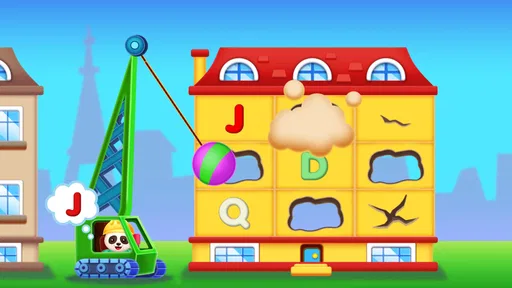
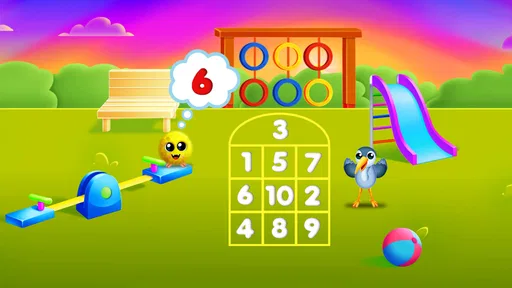



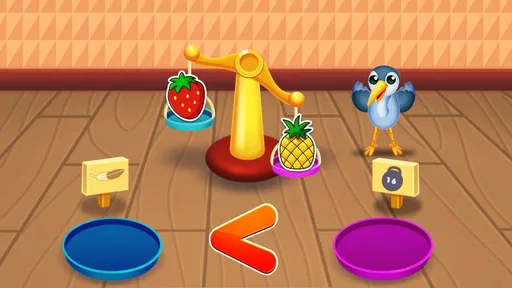
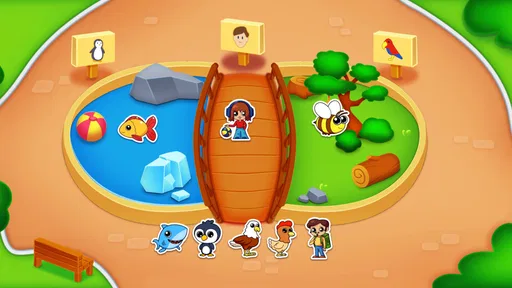

Analysis by Reviewed
When I look at learning games for young children, I want more than a bright screen filled with random tapping. The activity needs to give a child a simple reason to continue, while still leaving enough room for an adult to guide the experience. Kidduca: Kids Learning Games takes that early-learning approach with activities built around numbers, letters, shapes, colors, and puzzles. I found it most appealing as a short, supervised play option rather than as a complete replacement for hands-on learning.
The game is aimed at toddlers and young children from age two, and its Everyone content rating makes its intended audience clear. It is free to start, which lowers the barrier for parents who want to test the style before spending anything. The app comes from Play & Learn: Online Educational Apps for Kids 2–7, a developer focused on early-learning software. Its average rating is 4.3 from around 126 ratings, while its install count has passed 10 thousand, so it has enough real-world use to be more than an untested idea.
How Kidduca turns early goals into play
The strongest part of the concept is its choice of first goals. A child does not need to understand a complicated story or remember a long set of rules. The subjects are familiar from preschool: recognizing a letter, matching a color, identifying a shape, working with numbers, or completing a simple puzzle. Those are useful starting points because an adult can immediately understand what the child is practicing.
In my experience, this kind of clarity matters more than a large number of activities. A two-year-old may not be ready to follow a multi-step mission, but can often respond to a direct visual task. If the game presents one idea at a time, the child can connect the action on screen with something heard at home or seen in a book. That makes the app easier to use during a brief learning moment, such as waiting at a doctor's office or settling down before dinner.
The five learning areas also give parents a practical way to choose an activity based on the child's mood. Letter work can suit a child who enjoys sounds and symbols, while shape or color tasks may be more approachable for someone still developing confidence with numbers. Puzzles offer a change of pace when repeated recognition exercises begin to feel tiring. I would not treat these areas as a formal curriculum, but they create a sensible set of early goals.
One useful habit is to avoid presenting every subject as a test. I would let a child spend a little time with the easiest activity first, then move to another area before frustration appears. That keeps the session focused on exploration rather than on proving ability. The app works better when an adult notices what the child is ready to attempt instead of pushing through a task simply because it is available.
Progress signals children can actually understand
Young children need feedback that is immediate and easy to read. In a game for this age group, progress is less about a detailed dashboard and more about whether the child can tell that an action had a positive result. A completed puzzle, a correct match, or a recognizable letter can provide that small moment of confirmation.
More From Our News Desk

Weather by Xiaomi Review: Clear at a Glance, Less Clear Up Close

X Under Pressure: Can It Recover When Posting Goes Wrong?

Clash of Clans Is Won Between the Battles

Android Auto Makes the Case for Quieter Car Software

MobiOffice: Transforming Mobile Productivity with Seamless Integration

EA SPORTS FC™ Mobile Soccer: Redefining Mobile Sports Gaming
I consider this an important distinction when comparing Kidduca with ordinary worksheets. A worksheet can be useful, but it often asks a child to wait for an adult to check the answer. A digital activity can respond at once, which helps maintain the connection between the child's choice and the learning idea. That does not make screen practice superior, but it can make repetition feel more active.
Parents should still watch how the child interprets the feedback. Some children enjoy repeating a successful task, while others quickly look for something new. I would use a correct response as a cue to ask a simple follow-up question: “Can you find another shape like that?” or “What sound does this letter make?” This turns the app into a prompt for conversation instead of a silent babysitter.
A less obvious advantage of this approach is that it can reveal the difference between recognition and understanding. A child may tap the right color after seeing it several times without being able to name it away from the screen. After an activity, I would point to an object in the room and ask the child to identify the same color or shape. That small offline check tells me more than a streak of correct taps.
The game is therefore most useful when its progress signals are treated as starting points. They can show that a child is engaged or becoming familiar with a concept, but they should not be mistaken for a complete picture of development. For parents, that means the app can support practice while everyday conversation, drawing, sorting toys, and physical puzzles continue to do the deeper work.
Difficulty and pacing: keeping challenge gentle
The listed subjects suggest a broad range of difficulty, even within a young audience. Matching colors may be accessible to a beginner, while number recognition or a puzzle may require more patience. The right pace will vary considerably between a newly turned toddler and a child approaching preschool age. I would expect parents to spend more time adjusting the choice of activity than searching for a single ideal setting.
That is also where the app's simplicity can become a limitation. A child who already knows basic letters, numbers, and shapes may move through the introductory material quickly and want more variety or deeper challenges. On the other hand, a child who is still developing fine motor control may need an adult nearby to interpret the task and help with accurate tapping. The same broad age range can contain very different needs.
I would begin with short sessions and stop while the child is still comfortable. This is not because the learning topics are unimportant, but because tired children often start tapping randomly, and random tapping can make it difficult to tell whether the activity is helping. A five-minute focused session may be more valuable than a much longer session where the child has stopped paying attention.
Another practical tip is to alternate cognitive demands. After a letter activity, I would try a shape or color task rather than immediately repeating the same type of recognition. The change can preserve interest without abandoning the learning purpose. Puzzles are especially useful here because they can make the session feel less like drilling, even though they still encourage visual attention and problem solving.
Compared with flashcard apps, Kidduca appears better suited to parents who want several early-learning themes in one place. Compared with open-ended drawing or pretend-play apps, it offers clearer academic targets. The trade-off is that a focused flashcard tool may go deeper into one subject, while an open-ended app may give a child more freedom. I would choose this game for variety and guided practice, not for advanced mastery of any one skill.
Does the reward loop sustain attention?
For a young child, retention should not mean keeping the child on a screen for as long as possible. I prefer a game that makes returning feel natural without creating pressure to continue. Kidduca's appeal comes from the familiar cycle of choosing an early-learning topic, attempting an activity, receiving feedback, and trying another task. That cycle can be enough for a short session when the child is in the mood to participate.
I am cautious about any learning game that makes progress feel like a race. Children can begin chasing completion rather than noticing the concept being taught. With this app, I would keep the adult role active: name the object, repeat the letter sound, count physical items, or ask the child to explain the choice. That makes the activity more meaningful and reduces the risk that the child simply taps through for the next response.
The free entry point is helpful for testing whether the pacing suits a particular child. At the same time, in-app purchases range from $6.99 to $55.99 per item, so parents should pay attention before treating the app as a fully free collection. I would explore the available starting content first, then decide whether additional access is worthwhile for the child's actual habits. A child who only enjoys one type of activity may not benefit from paying for a broader package.
This is one of the clearest trade-offs in the app. A wider selection can help prevent boredom, but more content does not automatically create better learning. If a child is already losing interest after a few minutes, unlocking more activities may not solve the real problem. The better solution could be to use one short game and then move to blocks, picture books, or a physical sorting activity.
I also would not use the game as a default distraction every time a child is restless. Its value is higher when the adult chooses a specific purpose: practicing shapes, introducing letter recognition, or giving the child a calm puzzle after a busy day. That intentional use makes the retention loop healthier and keeps the app from becoming the only source of entertainment.
Everyday use with a parent nearby
A realistic routine would be a parent preparing breakfast while a two- or three-year-old sits nearby with a short activity. The parent could select a color or shape exercise, let the child try independently for a moment, then pause to ask the child to find the same color on a cup or identify a matching object in the kitchen. After that, the child might switch to a puzzle and finish the session before breakfast is ready.
That scenario shows where the game fits best: between direct teaching and free play. It gives the child something structured to do, but it leaves room for the parent to connect the screen lesson to the physical world. I would avoid using it during meals or as a way to postpone bedtime, since those routines benefit from fewer distractions and more direct interaction.
It can also work for siblings at different stages, although the experience may not be equally satisfying for both. A younger child may need help understanding the task, while an older preschooler may find the basics too easy. In that situation, I would let each child take a short turn with an activity matched to their level rather than expecting one session to serve both equally.
For travel, the attraction is obvious: the subjects are compact, familiar, and easier to manage than carrying several workbooks. Still, I would prepare the child for a limited session and bring a non-screen alternative as well. A small book, crayons, or a shape-sorting toy can reinforce the same ideas without relying on battery life or continuous digital stimulation.
Who should choose it, and who should skip it?
I would recommend Kidduca to parents seeking a gentle introduction to educational games for a young child who enjoys tapping, matching, and visual challenges. It is particularly suitable when the goal is variety across early concepts rather than a rigorous lesson plan. The free starting point makes it reasonable to try before deciding whether the activity style holds a child's attention.
I would be more selective if the child needs accessibility support, highly individualized instruction, or advanced academic content. The broad preschool focus may not be enough for a child who is already comfortable with these basics, and a specialist learning tool may offer better guidance for a child who struggles with a particular skill. I would also skip it for families looking for a completely offline approach or for an app that can be handed over without any adult involvement.
Device compatibility is straightforward for many Android users because the game requires Android 8.0 or later. The current version is 1.7.27, which is useful to check against an older device before installing. I would also make sure the child uses a device with a comfortable screen and that an adult can keep an eye on purchases, especially because the optional items vary considerably in cost.
The age rating and subject matter make the app approachable, but they do not remove the need for supervision. “Everyone” describes the content classification, not the best way to manage screen time. Parents still need to decide when the child plays, how long a session lasts, and whether the activity is being used for learning or simply to fill time.
My progression verdict
Kidduca succeeds when its goals remain small: identify one thing, solve one puzzle, recognize one symbol, and then stop or move on while the child is still engaged. Its collection of early-learning themes gives parents flexibility, and the game format can make repetition more inviting than a plain worksheet. I especially like the possibility of using each digital task as a bridge to an offline question or activity.
Its limits are equally important. I would not expect a broad educational game to replace books, conversation, physical play, or a teacher's feedback. Children who need more challenging progression may outgrow the material, while children who need close guidance may not gain much from independent tapping. The optional purchase range also means that “free” should be understood as a way to begin, not necessarily as access to everything.
Overall, I see this as a useful supporting game for toddlers and young preschoolers, provided an adult controls the pace and keeps the learning connected to real life. The developer, Play & Learn: Online Educational Apps for Kids 2–7, has chosen themes that make sense for the audience, and the app's strongest quality is its approachable mix of practice areas. I would try the free content first, observe which activities genuinely hold the child's attention, and only then consider paying for more.
If you want a friendly first step into educational games for toddlers, this is worth considering. My recommendation is strongest for short, guided sessions where the child can move between letters, numbers, colors, shapes, and puzzles without pressure. Kidduca: Kids Learning Games is not a complete learning program, but used thoughtfully, it can turn a few spare minutes into focused practice and give parents useful ideas for continuing the lesson away from the screen.
Kidduca: Kids Learning Games Frequently Asked Questions
How much does Kidduca cost, and are there optional purchases?
Kidduca is free to download, so families can try the game without paying an upfront price. It also offers in-app purchases, with items priced from $6.99 to $55.99 each. Before a child starts playing, it is sensible to review purchase settings and enable device-level protections, especially if the device is shared or children can navigate the app independently.
What kinds of activities can children explore in Kidduca?
Kidduca focuses on early-learning play, with activities involving numbers, letters, shapes, colors, and puzzles. These topics can give young children a playful way to encounter foundational ideas and practice recognizing basic concepts. The experience is designed around short, interactive challenges rather than formal lessons, so parents may find it most useful as one part of a broader mix of play, conversation, and learning.
What is Kidduca: Kids Learning Games?
Kidduca: Kids Learning Games is an educational app designed to help young children learn through interactive activities and playful challenges. It typically combines colorful visuals, simple instructions, and age-appropriate exercises covering areas such as letters, numbers, shapes, colors, memory, and basic problem-solving. The game-based approach is intended to make early learning feel entertaining rather than like formal study.
What age group is Kidduca suitable for?
Kidduca is mainly aimed at preschool and early elementary-age children, although the ideal age can vary depending on a child’s reading ability, attention span, and previous learning experience. Younger children may need an adult to explain instructions or help them navigate the menus, while older children may use the activities more independently. Parents should review the available lessons to confirm that the difficulty matches their child.
Does Kidduca require an internet connection to play?
Some features of Kidduca may work offline after the application has been installed, which can be convenient for travel or situations without reliable Wi-Fi. However, an internet connection may still be necessary for downloading the app, receiving updates, restoring purchases, loading certain content, or displaying optional advertisements. Before relying on offline play, parents should open the main activities in advance and check which parts remain accessible without a connection.
Pros
- Bright
- child-friendly visuals make lessons easy to follow.
- Short activities suit young children’s limited attention spans.
- Covers several early-learning skills in one app.
- Simple controls allow children to play with little assistance.
- Progressive challenges can help reinforce basic concepts.
Cons
- Some activities may feel repetitive after extended play.
- Certain content or features may require in-app purchases.
- Educational depth may be limited for older children.
- Parents may need to supervise screen time and game selection.
- Performance can vary on older or less powerful devices.












