Kidduca 3D:Kids Learning Games
- 10.00
- 4.6
- Installs
- 50.00K
- Price
- Free

Screenshots
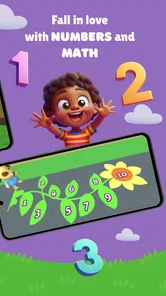
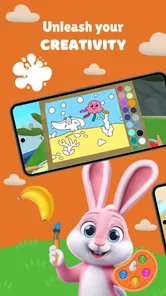
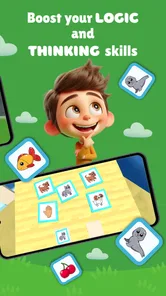
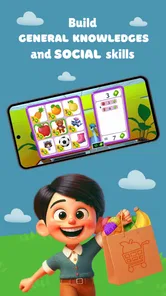
Analysis by Reviewed
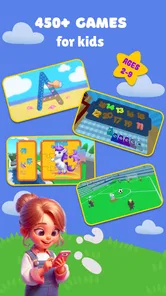
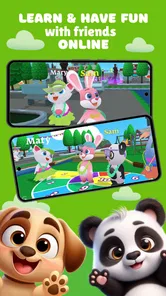
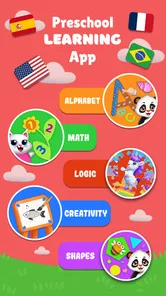
I approached Kidduca 3D as a parent might: not just asking whether it keeps a child busy, but whether a young learner can understand what to do, respond comfortably, and move between activities without constant adult rescue. This educational game is aimed at children from babyhood through the early school years, bringing together early math, the alphabet, colors, languages, and car-racing play in one bright package. That mixture is its main appeal, although it also creates a few practical questions about focus, pacing, and how well it suits children with different abilities.
The game comes from Play & Learn: Online Educational Apps for Kids 2–7 and is free to install. It has an Everyone content rating, works from Android 8.0 onward, and its current version is 1.7.28. The app has passed the early discovery stage with over 50 thousand installs and a 4.6 average from around 53 ratings. Those figures suggest a positive first impression, but I would still judge it by how naturally a child can use it during a real routine rather than by its store presence alone.
How clearly children can read and navigate the activities
The strongest design idea is the combination of learning subjects with a playful setting. A child who would ignore a worksheet may be more willing to explore an activity that places letters, numbers, colors, languages, and driving in the same world. For a parent, that makes the game useful as a gentle introduction rather than a replacement for structured teaching. I found the concept especially suitable for short sessions in which the child chooses one small challenge and then stops before attention fades.
For very young users, visual recognition matters more than reading instructions. The subject areas are easy for an adult to explain in simple words: “Let’s do colors,” “Let’s find a letter,” or “Let’s try numbers.” That gives the child a clear starting point even when independent reading is not yet possible. The car-racing element can also serve as a familiar entry point for a child who is not immediately interested in academic activities.
There is a trade-off in placing so many learning themes together. Variety can prevent boredom, but it can also make the app feel like a collection of separate destinations instead of a carefully staged lesson. I would not hand it to a toddler expecting the child to build a complete learning plan alone. My practical approach would be to open the game with the child, choose one area, and let the child repeat it several times before introducing another. That small amount of adult structure makes the broad selection feel less overwhelming.
Readability for early learners is also about visual clutter, not just letters and numbers. A screen can be technically understandable while still asking a child to process too many colors, objects, and movement at once. When using a game like this, I would watch whether the child looks at the task or simply taps the brightest element. If the latter happens, reducing distractions around the device and sitting beside the child can turn unfocused tapping into purposeful play.
One useful workflow is to treat the app as a conversation starter. Instead of asking whether the child completed an activity, I would ask them to name the color they saw, point to a letter, or explain why they chose something. This is more valuable than leaving the game running in the background. The app supplies an interactive prompt, while the adult supplies the language and encouragement that make the prompt meaningful.
More From Our News Desk

Weather by Xiaomi Review: Clear at a Glance, Less Clear Up Close

X Under Pressure: Can It Recover When Posting Goes Wrong?

Clash of Clans Is Won Between the Battles

Android Auto Makes the Case for Quieter Car Software

MobiOffice: Transforming Mobile Productivity with Seamless Integration

EA SPORTS FC™ Mobile Soccer: Redefining Mobile Sports Gaming
What navigation feels like for different ages
A preschooler who already recognizes basic symbols will probably get more out of independent exploration than a baby or newly verbal toddler. Younger children may understand the visual invitation but still need help with selecting an activity, recovering from a wrong tap, or knowing when a task is finished. That is not a flaw unique to this game; it is a normal limit of early-childhood interfaces. Still, it means “easy to start” should not be confused with “fully independent for every child.”
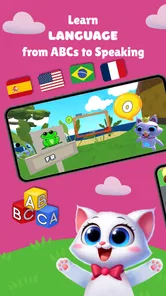
For a child learning English as an additional language, the language activities may be a useful reason to return, particularly when an adult repeats the words and connects them to objects at home. I would avoid turning the game into a test. The best use is playful exposure: hear or see a concept, pause, and then connect it with something real, such as a red cup or a toy car.
Families should also consider whether the child prefers predictable repetition or frequent novelty. The broad subject mix favors children who enjoy switching activities. A child who needs a calm, repeated sequence may benefit from choosing one narrow area and ignoring the rest of the menu. In that situation, the app works better as a small toolbox than as an all-in-one curriculum.
Motor, visual, and sensory considerations during play
Touch-based learning can be inviting for children who find pencil-and-paper work tiring or frustrating. Tapping and selecting allow a child to respond before fine-motor control is fully developed. The racing activity may add another kind of interaction, but it also deserves closer supervision because movement and speed can pull attention away from the educational purpose. I would begin with a calm learning activity and introduce racing as a short reward or change of pace, rather than making it the entire session.
Children do not all respond to animated visuals in the same way. Some are energized by bright scenes and quick feedback; others become overloaded, especially when they are tired, hungry, or already surrounded by noise. I would use the game in a quiet place and keep the first session brief. If the child starts swiping randomly, turns away, or becomes upset after mistakes, that is a signal to pause rather than push through.
Touch accuracy can be a genuine barrier for a small child, a child with developing coordination, or anyone using a device that is awkward to hold. A parent can help by placing the device flat on a stable surface and modeling one deliberate tap at a time. This is a simple but important adjustment: it reduces the need to grip the device and makes the target easier to reach. I would also avoid expecting precise performance from a child whose hands are still learning how touchscreens work.
The car-racing component creates a useful contrast with the quieter academic topics, but it may not suit every sensory profile. A child who enjoys predictable, low-stimulation tasks may prefer the alphabet, color, or math portions. Conversely, a child who struggles to stay with static teaching may use the active play as a bridge into learning. The key is not to assume that one presentation style is universally better; it is to notice which activity helps the individual child remain comfortable and attentive.
There is another practical issue for families sharing a device. A child may press the screen with more force, hold it close, or move it around while playing. I would set up a stable viewing position and stay nearby, especially with babies. This is not about restricting exploration; it is about making the physical interaction easier and preventing the device itself from becoming a source of frustration.
Using repetition without turning play into pressure
Early learning often depends on repetition, but repetition works best when the child still feels in control. With this game, I would let the child repeat a favorite color or letter activity, then connect it to a real-world object. For example, after a color session, we might sort socks or blocks by color. After an alphabet activity, we might look for the same letter on a book cover. This workflow gives the digital exercise a purpose beyond earning another tap or completing another round.
I would also avoid correcting every mistake immediately. If a child chooses the wrong answer, a gentle prompt such as “Let’s look again” is more helpful than taking over. The game can provide the immediate interaction, but confidence comes from the adult’s response. This matters particularly for children who are cautious, have language delays, or need extra time to process what they see.
Where the game fits into everyday situations
Short, supervised sessions are the best match for this app. I can imagine using it while waiting for an appointment, during a quiet part of a travel day, or after dinner when a child wants something interactive but the family does not want a demanding lesson. Its mix of academic themes and car play makes it easier to adapt to the child’s mood. On a tired day, a familiar color activity may be enough; on a more energetic day, the racing element can provide a change of rhythm.
A realistic home routine would be simple. I would sit with the child for a few minutes, choose one topic, and state one small goal: identify a color, notice a letter, or practice a number idea. After the activity, I would close the game and continue with a physical object or conversation. This keeps screen time from becoming an isolated block and lets the child show whether anything from the game carried into daily life.
The app may also help caregivers who need an easy starting point but do not have time to prepare printed activities. Because math, ABC learning, colors, and languages are grouped together, a parent can select something that matches the moment. That convenience is valuable, but it should not be mistaken for a complete educational program. Children still need books, movement, conversation, creative play, and hands-on experiences that a touchscreen cannot provide.
For childcare settings, I would be more cautious. A single device shared among several children can create waiting, disagreement, and uneven participation. The game is more naturally suited to one child with one adult nearby, or to a very small group where the adult turns the activity into a discussion. If the goal is collaborative play, physical games or shared picture books may work better than passing a phone from child to child.
It is also worth thinking about the child’s language environment. A bilingual family could use the language activities as a prompt for comparing words across everyday situations. The adult should decide which language to emphasize and repeat it naturally afterward. Without that follow-up, the child may remember the tap sequence but not connect the word to communication outside the screen.
Free access and the role of in-app purchases
The free price makes it approachable for families who want to test the experience before committing money. That is particularly useful here because children’s preferences vary widely: one child may return to the learning activities, while another may only want the racing portion or may lose interest quickly. I would explore the free experience first and observe whether the child engages meaningfully before considering any optional spending.
In-app purchases range from $6.99 to $55.99 per item. That is a wide enough span that adults should pay attention during setup and keep purchasing under adult control. I would not let a young child explore payment screens independently, even if the child understands how to navigate the game. The important question is not simply whether the app is free to download, but whether the family is comfortable with the possible cost of extending the experience.
This pricing structure also changes the comparison with ordinary alternatives. A library book, homemade sorting game, or paper alphabet activity may offer less animation but no digital purchase decision. On the other hand, this app is more immediately interactive and requires less preparation. For me, the sensible choice is to use the free entry point as a trial, then compare any paid expansion with what the child actually uses rather than buying everything available.
Remaining barriers parents should notice
The biggest limitation is that a broad collection of subjects does not automatically create a clear progression from one skill to the next. Parents looking for detailed tracking, lesson planning, or a tightly sequenced preschool curriculum may prefer a more specialized learning product. Kidduca 3D is better understood as a playful set of early-learning activities than as a substitute for teacher-led instruction or a formal developmental program.
Another barrier is the need for adult interpretation. A child may appear engaged while simply repeating a familiar action. To know whether the game is supporting learning, I would occasionally ask the child to demonstrate the idea away from the screen. Can they find the same color in the room? Can they recognize the letter later? Can they use a new word naturally? These quick checks reveal more than time spent inside the app.
Different abilities also call for different expectations. A child with limited fine-motor control may need an adult to guide taps. A child sensitive to visual or auditory stimulation may need shorter sessions and a quieter setting. A child with limited speech may still enjoy matching and recognition activities, but the adult should not demand spoken answers. The app can support participation, yet it cannot by itself adapt every task to every physical, sensory, or communication need.
There is a similar issue for children who need highly predictable routines. The combination of educational topics and racing can be exciting, but a child who depends on a fixed sequence may find choices tiring. In that case, I would create a consistent routine around one activity and end with the same closing step each time. If the child still becomes distressed by transitions, a simpler offline activity may be the kinder option.
Families should also be realistic about device access. A phone can be portable, but its small screen may be less comfortable for two people to view together. A tablet may make shared guidance easier, while a phone may be convenient in a waiting room. I would choose the device and setting based on the child’s posture, reach, and ability to see the task clearly, not merely on what is closest at hand.
My inclusive verdict on Kidduca 3D
After looking at it through the lens of different abilities and situations, I see Kidduca 3D as a flexible early-learning companion rather than a universal solution. Its free entry point, Everyone rating, and combination of math, ABC, colors, languages, and car play make it easy to try with a young child. The developer, Play & Learn: Online Educational Apps for Kids 2–7, has chosen a format that can meet children where their interests are, especially when a child needs playfulness before accepting a learning task.
I would recommend it to parents who want a few approachable activities for supervised use and who are willing to connect screen play with real conversation and objects. It is particularly promising for families seeking variety, bilingual practice prompts, or a gentle bridge between entertainment and early academic ideas. The 4.6 average and over 50 thousand installs indicate that it has found an audience, but my recommendation comes more from its practical role: it can give a caregiver an easy activity to start and adapt.
I would skip it, or choose a different kind of app, if I needed a carefully structured curriculum, robust individual progress planning, or a fully independent experience for a child who cannot yet navigate touch controls. I would also look elsewhere if the child is easily overwhelmed by animated play and cannot comfortably use the device even with environmental adjustments. In those cases, a quiet book, physical manipulatives, or a specialist-designed tool may be more appropriate.
My best advice is to try it deliberately rather than leaving it open-ended. Pick one subject, stay close, watch how the child responds to the visuals and touch demands, and follow the activity with a real-world example. Keep purchases adult-controlled, treat racing as a possible change of pace rather than the learning goal, and judge success by the child’s comfort and understanding outside the screen. Used that way, Kidduca 3D has a useful place in a young child’s routine: not as a digital babysitter or complete course, but as a colorful prompt for shared learning.
Kidduca 3D:Kids Learning Games Frequently Asked Questions
What kinds of learning activities does Kidduca 3D include?
Kidduca 3D brings together early-learning topics such as math, the ABCs, colors, and languages, with a car-racing game element. This mix may appeal to children who enjoy switching between learning and play. The app’s activities are intended to make practice feel more engaging, though parents may want to explore them first and see which topics best match their child’s interests and learning stage.
What is Kidduca 3D: Kids Learning Games?
Kidduca 3D: Kids Learning Games is an educational app designed to make early learning more engaging through colorful 3D activities and interactive challenges. It generally focuses on foundational skills such as recognition, memory, problem-solving, and basic concepts suitable for young children. The playful presentation can help children learn at their own pace while keeping practice sessions more entertaining than traditional worksheets.
What age group is Kidduca 3D suitable for?
Kidduca 3D appears to be aimed primarily at preschool and early-elementary children, although the ideal age may depend on a child’s reading ability, attention span, and previous experience with learning apps. Younger children may need help understanding instructions or navigating menus, while older children may find the simplest activities less challenging. Parents should review the available exercises before allowing independent use.
Does Kidduca 3D require an internet connection?
The internet requirements can vary depending on the version of Kidduca 3D and the device being used. Some learning activities may work after the necessary content has been downloaded, while updates, advertisements, account features, or additional lessons could require connectivity. Before traveling or giving the app to a child without internet access, open the main activities and confirm which features remain available offline.
Is Kidduca 3D safe and appropriate for children?
Kidduca 3D is presented as a child-focused learning experience, but parents should still check its privacy policy, permissions, advertising practices, and any external links before use. It is also worth reviewing whether the app includes parental controls, purchases, or data collection. For younger children, supervised play is recommended, especially during the first sessions, so adults can confirm that the content and controls are suitable.
Pros
- Bright 3D visuals make lessons engaging for young children.
- Short activities suit limited attention spans and quick play sessions.
- Covers several early-learning topics in one child-focused app.
- Simple controls are accessible for children with limited reading skills.
- Interactive tasks can encourage independent learning and exploration.
Cons
- Some activities may feel repetitive after extended use.
- 3D graphics can use more battery and storage than basic learning apps.
- Younger children may still need help navigating certain menus.
- Learning depth may be limited for children beyond the preschool stage.
- Availability of features may depend on the device or app version.












