Jenny Solitaire® - Card Games
- 6.43K
- 4.7
- Installs
- 5.00M
- Price
- Free

Screenshots
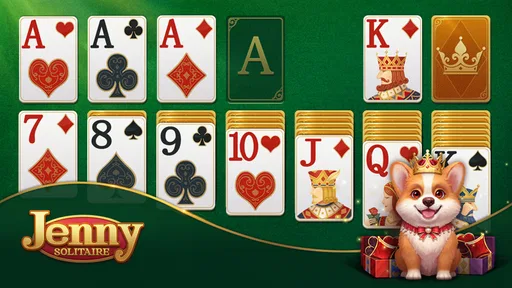
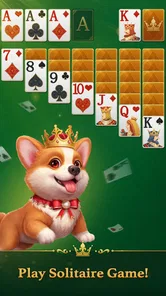
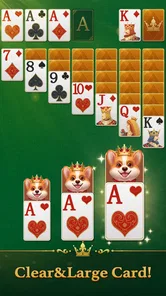
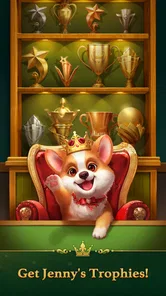


Analysis by Reviewed
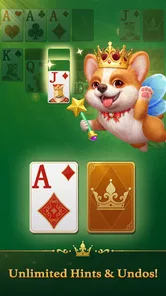
I’d judge a solitaire game by a few practical things: how easily I can settle into a round, whether its presentation feels pleasant over repeated sessions, and whether it gives me a reason to return without making play feel like a chore. Jenny Solitaire® - Card Games is a free card game from Oakever Games that puts a friendly corgi-led, royal-style atmosphere around familiar solitaire. I see it as a fit for people who want a low-pressure pause in the day, rather than a deep or competitive card experience.
What to consider before choosing
Before installing any solitaire app, I’d ask myself whether I want a particular ruleset, a quiet interface, or a more decorative game to dip into. Those preferences matter more than a large feature list: if I enjoy the basic patience of turning over cards and planning a few moves ahead, a themed presentation can make the routine more inviting. If I want constant novelty or a challenge that changes the way I think about cards, a single familiar format may not hold my attention for long.
Jenny’s appeal is easy to understand if I want classic solitaire in a softer setting. The corgi gives the game a recognizable personality without changing the central reason to play: working through a card puzzle at my own pace. I would choose it for short sessions when I don’t want to learn complicated rules, and I would compare it with a simpler alternative if I cared more about a plain table and minimal decoration than atmosphere.
Why You'll Love It
First off, let's talk about the variety. Jenny Solitaire® - Card Games isn't just your run-of-the-mill solitaire app. It offers an impressive selection of different solitaire games to keep things fresh and exciting. Whether you're a purist who loves the classic Klondike or someone who's up for a challenge with Spider or FreeCell, this app has got you covered.
Features That Stand Out
One feature that really stands out is the user-friendly interface. It's super intuitive, so even if you're a newbie to the whole solitaire scene, you'll feel right at home. The graphics are clean and pleasing to the eye, making for a relaxing gaming experience. Plus, there’s a hint system in place which gently guides you without giving away too much.
Another thing I love is the daily challenges. These are a neat way to keep you coming back for more. It's like having a little puzzle to solve each day, and who doesn't love a good puzzle? Completing these challenges gives you a sense of accomplishment and keeps the game interesting.
How it fits into an ordinary day
A realistic way I’d use it is during a short wait when I have enough time to focus on a round but not enough to start a long activity. I’d open a hand, look for moves before reaching for a hint, and pause if I need to move on. That last part matters: solitaire can make “one more move” turn into a longer session than intended, so I’d treat the game as a small break rather than something to fill every spare minute.
More From Our News Desk

 Instagram
Instagram’s Power Comes From Its Place in Your Phone
A close look at how Instagram turns Meta’s reach, recommendation systems and everyday camera habits into durable platform power—and what that costs users.

 Gmail
GmailGmail in a Busy Inbox: Who Benefits Most?
From first account to crowded workday, Gmail earns its place through dependable search and flexible sorting—but its best fit depends on how much inbox maintenance you can tolerate.

 Prime Video
Switching to Prime Video: What Changes in Your Viewing Routine
Prime Video can make a compelling second home for streaming, but switching means learning a different catalog, rental layer, and route from browsing to playback.

 Universal TV Remote Control
Universal TV Remote Control Works Best as a Reliable Backup
A phone remote earns its place through quick setup and reliable habits. Here is how to get more from Universal TV Remote Control—and where its limits show.

 Weather - By Xiaomi
Weather by Xiaomi Review: Clear at a Glance, Less Clear Up Close
Xiaomi’s weather app makes everyday forecasts quick to scan, but its calm surface can leave useful details and recovery paths harder to find than they should be.

 X
XX Under Pressure: Can It Recover When Posting Goes Wrong?
A resilience-focused review of X, examining setup, mistaken posts, interruptions, weak connections, and the gaps that matter when recovery needs to be dependable.
Latest News



For a newcomer, the hint option can help clarify what moves are available without requiring a tutorial-heavy approach. I’d use it selectively: first scan the tableau and available cards myself, then ask for a nudge only when I’m genuinely stuck. That keeps the puzzle satisfying and can also help me notice patterns I might miss when tapping quickly. Players who already know solitaire may prefer to leave hints alone unless a layout has become hard to read.
Choosing It for Your Kind of Play
The strongest reason to pick this game is the combination of a familiar card pastime with Jenny’s friendly, royal-style atmosphere. The game has a 4.7 average from around 220,000 ratings, and it has passed a million installs, so it has found a broad audience. Those figures are useful context, but I’d still choose based on whether its pace and presentation suit the way you like to play.
For a realistic use case, I’d keep it ready for a short pause between errands or while waiting for someone: start a round, use a hint if I get stuck, and stop when the break is over. The small practical tip is to treat hints as a nudge rather than an automatic move. That way, I can keep making the decisions myself instead of turning each hand into a sequence of taps.
Who is likely to enjoy it
I’d recommend it most readily to casual players who already like solitaire, people returning to card games after a long break, and anyone who prefers a welcoming theme over a strictly utilitarian look. The familiar format makes it approachable, while the corgi character gives the game a warmer identity than a bare digital deck. It can also work as a shared low-pressure activity: one person can suggest a move while another handles the cards, without either needing to learn a complicated system first.
That does not mean it is automatically the right choice for every age or skill level. The Everyone rating signals broad suitability, but a young player still needs to enjoy the patience and planning that solitaire asks for. An experienced player may find the familiar challenge comfortable rather than demanding. I’d choose it for an easy reset, not as a substitute for a strategy game that keeps introducing new decisions or a competitive title built around opponents.
Small choices that make sessions better
One useful habit is to decide what kind of session I want before opening the game. If I have only a minute, I can avoid starting a round that I’ll feel compelled to finish; if I have a little more time, I can use a daily challenge as a focused puzzle. This is a simple way to keep a casual game from becoming an accidental time sink, especially when I’m checking my phone between other tasks.
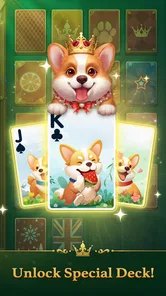
The customization options are best thought of as comfort choices, not gameplay upgrades. A card design or background that is easy for me to read can make a longer session more pleasant, while a decorative choice I like at first may become distracting after repeated play. I’d try a few combinations and keep the clearest one, particularly if I play in bright surroundings or glance at the screen while moving between tasks. Presentation is personal; legibility is practical.
Perfect for All Ages
What’s great about this app is that it’s perfect for players of all ages. Whether you're young or just young at heart, solitaire is one of those timeless games that everyone can enjoy. The app doesn’t bombard you with ads, which is a breath of fresh air compared to many other free apps out there.
And let’s not forget the customization options. You can choose different card designs and backgrounds, making your game truly yours. It's these little touches that make the app feel personal and keeps players engaged.
Where other card games may fit better
Compared with a stripped-down, single-variant solitaire app, Jenny’s themed presentation and range of solitaire choices are more appealing if I want some variety around the same broad pastime. The trade-off is that someone who wants the fewest possible visual flourishes may prefer the simpler option. A different kind of card game is a better match if the point is to play against other people, build a deck, or learn a substantially different ruleset; solitaire remains a solo puzzle at heart.
There is also a difference between variety and depth. Having more than one solitaire style can help when I tire of one rhythm, but it does not necessarily make every session feel new. If I’m choosing an app because I want regular strategic surprises, I should look for a game whose core decisions change more dramatically. Jenny is a more natural pick when I want familiar card play with enough choice to keep the experience from feeling completely fixed.
When Another Solitaire Game Fits Better
If your main goal is to play one particular solitaire variant with the fewest distractions, a simpler single-mode alternative may suit you better. Players who want a highly competitive experience or a broader collection of card genres should also compare other options; Jenny’s appeal is its approachable solitaire focus, not a promise of every style of card play. The corgi theme is a pleasant part of the identity, but anyone who prefers a plain, traditional table may find the presentation less to their taste.
There are a couple of sensible trade-offs to weigh. Customization can make repeated sessions feel more personal, but it does not change the underlying rhythm of solitaire; if the basic card puzzle is not enjoyable for you, new backgrounds will not fix that. Daily challenges offer a reason to return, though they can feel like a routine rather than a benefit if you only want an occasional, entirely unstructured round.
Cost, Compatibility, and the Switch
The game is free to download, with optional in-app purchases listed from $0.99 to $49.99 per item. I’d start with the free experience and decide later whether any purchase is worthwhile for my own habits; there is no reason to spend simply because the option is available. Its Everyone age rating makes it suitable for a broad audience, while the stated minimum operating system is Android 7.0. The current version is 1.49.1, and the game was released on July 3, 2023.
Switching from another solitaire app is easy if you mainly want a different look and a more characterful setting: the underlying appeal is still the familiar card puzzle. The harder part is personal preference. If you have built a routine around a particular app’s controls or favorite variant, try a few sessions here before making it your regular choice. Oakever Games’ title has accumulated around 5,300 written reviews, but I’d pay more attention to whether the interface feels comfortable in your own hands.
What switching really involves
Moving from one solitaire app to another is less about learning a new hobby than checking whether the small interactions suit me. I’d test how naturally I can select cards, follow a hint, and return to the game after a brief interruption. Those details can matter more than theme once I’m playing regularly. If I’m used to a different layout or a favorite variant, I would keep the old app available until I know Jenny’s approach feels comfortable; there is little benefit in forcing a switch after one quick trial.
It is also worth separating the cost of downloading from the cost of continuing. The game can be tried without an upfront purchase, while optional purchases mean I should be deliberate before spending. I’d ask whether I’m buying something that will meaningfully improve how I play, rather than treating a purchase as a requirement for enjoying a free card game. If I’m unsure, I’d simply keep playing without paying and reassess later.
Questions worth settling before a download
If you’re wondering whether it is suitable for a family device, its Everyone content rating is reassuring, and solitaire is straightforward to understand. If you’re wondering whether it costs money to begin, it is free to download, though optional in-app purchases are available. If you’re deciding whether it will run on an older Android device, the minimum operating system is Android 7.0. Those are useful practical checks to make before installing rather than discovering a compatibility or spending concern afterward.
For anyone asking whether it is only for beginners, I’d say no: experienced players can enjoy familiar solitaire too, although the approachable tone and guidance are especially useful for someone learning or returning. If the main question is whether it offers enough variety, it includes multiple solitaire styles, but it is still centered on solitaire rather than a broad collection of unrelated card games. That distinction helps set expectations before choosing it over a general card-game app.
Final Thoughts
All in all, if you’re in the market for a new card game app, you should definitely give Jenny Solitaire® - Card Games a try. It’s engaging, fun, and just the right amount of challenging. Whether you want to kill some time or just love a good card game, this app is definitely worth downloading. So go ahead, give it a spin, and let me know if you end up as hooked as I am!
My recommendation is strongest for casual players, newcomers, and anyone who enjoys a gentle, familiar solitaire session with a bit of corgi charm. I’d skip it if I wanted intense competition, a completely bare-bones interface, or a card game that feels very different from classic solitaire. For everyone else, trying it without paying first is a sensible way to see whether its relaxed style earns a place in your everyday downtime.
Jenny Solitaire® - Card Games Frequently Asked Questions
Is Jenny Solitaire® - Card Games a good choice for casual play?
Jenny Solitaire® - Card Games is built around classic solitaire, making it a natural fit for players who want a card game they can enjoy at their own pace. Its store description pairs the familiar format with corgi Jenny and a royal atmosphere. If you prefer short, self-directed sessions over a story-led or competitive game, that focus may appeal to you.
Does Jenny Solitaire® - Card Games require a newer Android device?
The game requires Android 7.0 or later, so it can work on devices running that version or a newer one. Checking your device’s operating system before downloading is a practical way to avoid compatibility surprises. The game is also presented as suitable for smartphones and tablets, giving players a choice of screen size when their device meets the requirement.
Who develops Jenny Solitaire® - Card Games, and what kind of game is it?
Jenny Solitaire® - Card Games is a card game developed by Oakever Games. Its central appeal is the familiar solitaire format, presented with corgi Jenny in a royal atmosphere. If you enjoy arranging cards and working through a game at your own pace, its classic card-game focus may suit you. It is listed for players of all ages.
When was Jenny Solitaire® - Card Games released, and what is its current version?
Jenny Solitaire® - Card Games was released on July 3, 2023, and its current version is 1.49.1. These details can help you identify the edition when checking the app on your device. Before downloading, it is also worth making sure your operating system meets the minimum requirement, so you can install and launch the game successfully.
What is Jenny Solitaire® - Card Games?
Jenny Solitaire® - Card Games is a mobile application offering a classic solitaire gaming experience on your Android or iOS device. It features a variety of solitaire versions, including the traditional Klondike, Spider, and FreeCell, allowing users to enjoy their favorite card games on the go with modern graphics and customizable settings.
Pros
- Intuitive user interface
- easy to navigate.
- Variety of card game modes available.
- Regular updates with new features.
- Low battery consumption during play.
- Offline mode available for solo play.
Cons
- Contains in-app purchases and ads.
- Occasional bugs with multiplayer mode.
- Limited customization options.
- Requires frequent updates for stability.
- Some features locked behind paywall.