Harmonium
- 141.00
- 4.4
- Installs
- 10.00M
- Price
- Free
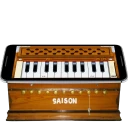
Screenshots
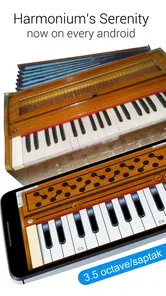
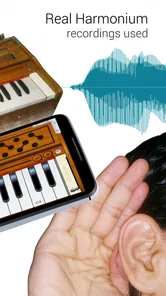
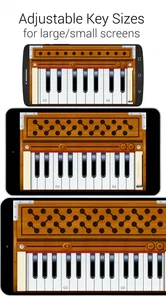
Analysis by Reviewed
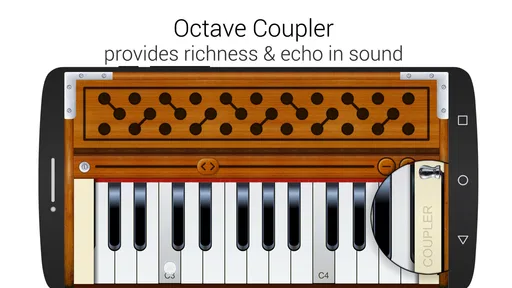
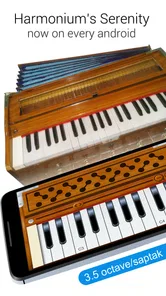
I spent time with Harmonium as a compact music game rather than treating it like a full replacement for a physical instrument. That distinction matters. Its central idea is simple: bring a harmonium-style keyboard to a phone or tablet, with an arrangement described as 88 keys and 7.3 saptak octaves. I found the appeal strongest when I wanted to experiment immediately, practice note relationships, or play a few familiar phrases without setting up an actual instrument.
Created by GameG, this free Android and iOS title sits in the music category and is suitable for Everyone. It has been available since August 9, 2017, and its 4.4 average from around 64 thousand ratings, alongside over 10 million installs, suggests that the basic concept has reached a broad audience. Those figures do not automatically make it the right choice for every musician, though. The experience depends heavily on how comfortable you are with a touch keyboard and what you expect from a harmonium simulator.
How the keyboard feels in everyday use
My first impression was that the app is built for immediate access. You can approach it without knowing a complicated game system or learning a long sequence of menus. The musical focus is the keyboard itself, so the useful question is not whether it has the depth of a studio workstation, but whether the screen gives you a practical way to explore notes.
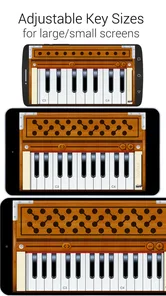
The broad key range is an important part of that experience. A phone display cannot show a full-width keyboard comfortably at once, so a large range usually means moving across the instrument rather than seeing every key simultaneously. That creates a trade-off: you gain access to more notes, but you may need to shift your view while playing a phrase that spans distant registers. On a tablet, the same layout is likely to feel more manageable simply because there is more room for your fingers.
I would describe the response as best suited to casual playing, note discovery, and short practice sessions. It is easy to tap out a melody, compare pitches, and use the app as a quick musical sketchpad. It is less convincing as a substitute for the physical resistance and expressive control of a real harmonium. A glass surface cannot give your fingers the same tactile landmarks as raised keys, and that becomes noticeable when you try to play quickly without looking down.
Where the app feels quickest
The strongest speed advantage is the lack of preparation. If an idea comes to me while I am away from an instrument, opening a touch keyboard is far more convenient than waiting until I reach a rehearsal room. This makes it useful for checking a melody, finding a starting note, or demonstrating a simple phrase to someone nearby.
That convenience also makes it a good companion for beginners. Someone learning basic note positions can use the visible keyboard to connect what they hear with where they tap. I would not rely on it alone for developing proper hand technique, but it can remove the intimidation of starting. A learner can spend a few minutes testing intervals instead of worrying about making a full practice session out of it.
More From Our News Desk

Weather by Xiaomi Review: Clear at a Glance, Less Clear Up Close

X Under Pressure: Can It Recover When Posting Goes Wrong?

Clash of Clans Is Won Between the Battles

Android Auto Makes the Case for Quieter Car Software

MobiOffice: Transforming Mobile Productivity with Seamless Integration

EA SPORTS FC™ Mobile Soccer: Redefining Mobile Sports Gaming
There is a practical tip here that is easy to overlook: use the widest comfortable device orientation and avoid trying to play complicated passages on a cramped phone screen. More display space does not change the instrument, but it gives your fingers clearer targets and reduces accidental taps. For simple melodies, this can make the difference between a relaxed experiment and a frustrating one.
What happens during heavier playing
Short, single-line melodies are where I found the concept most comfortable. Heavier use means something different on a touchscreen than on a physical harmonium. Instead of asking whether the instrument can fill a room, the concern is whether several fingers can land accurately, whether the screen remains readable, and whether your hands obscure the notes you need next.
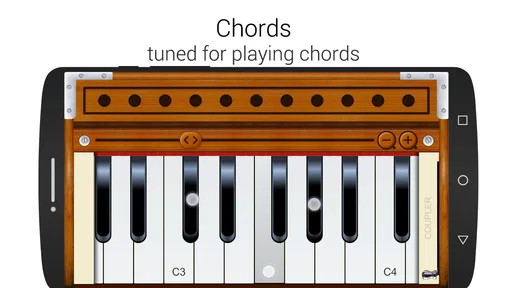
Chords and fast passages expose the limitations more quickly. When several keys are close together, finger size and screen dimensions become part of the playing experience. On a larger device, this is less troublesome, while a small phone can turn a precise chord into a sequence of near misses. I would therefore treat the app as a useful sketching and learning tool, not as the ideal environment for demanding two-handed performance.
One workflow worked particularly well for me: first find the melody slowly, then move across the available range to check whether the phrase feels natural in another register. This takes advantage of the broad octave coverage without pretending that the screen is a full physical keyboard. It is also a practical way to prepare before using a real harmonium, where the same notes will feel different under the fingers.
Long sessions bring another everyday issue: holding a phone flat while tapping repeatedly is not as comfortable as sitting at a properly positioned instrument. That is not a software fault, but it affects perceived performance. A stand or stable surface helps, especially when the app is being used for more than a quick musical idea. If you are testing it on a phone, I would keep sessions focused and use a tablet when the goal is repeated practice.
Stability and recovering from interruptions
For a music app, reliability is not only about avoiding a crash. It is also about whether the experience feels dependable when you switch away briefly, receive a notification, rotate the device, or return after leaving it idle. My practical advice is to treat it as an on-demand instrument rather than assuming every unfinished idea will remain available exactly as you left it.
That means saving your musical thinking in a second form. If you discover a useful phrase, write down the notes or record the idea with whatever separate tool you normally use before closing the session. This is a sensible habit with any simple virtual instrument, but it is especially valuable here because the core attraction is spontaneous playing rather than project management.
The app’s long presence and large install base make it feel established enough for casual use, but popularity should not be confused with professional-grade recovery tools. I would be comfortable opening it to explore a melody or teach a basic note pattern. I would be more cautious about using it as the only place to develop a composition that would be difficult to reconstruct.
Another recovery tip is to return to a simple test phrase after any interruption. Tap a few notes in different parts of the range before continuing with a longer idea. This quickly tells you whether the display, orientation, and touch response feel normal again, and it prevents a small layout change from ruining a more involved passage.
Resource demands and device limitations
Because the experience is centered on a virtual keyboard rather than a large collection of visual game worlds, I approached it as a relatively focused music tool. Still, perceived smoothness depends on the device, screen size, touch accuracy, and whatever else is running at the same time. I would not judge it only by how quickly it opens; the more important test is whether the keys remain easy to target during active playing.
Older or smaller phones are the devices I would evaluate most carefully. A compact screen can make the broad keyboard range feel crowded, while a device with less responsive touch input can make fast phrases tiring. These are not reasons to reject the app outright. They simply change the best use case. On such a device, it makes more sense for note practice and melody checking than for extended performance.
Battery and heat are also worth considering during long sessions, even when an app appears visually simple. I would not assume that a short musical tool should replace a dedicated instrument for hours of continuous playing. If you plan to use it during travel, a brief session is the safest expectation: explore the phrase, identify the notes, and move on to a more comfortable setup when you have one.
There is an additional device constraint that beginners often discover late: touch keys do not provide the physical feedback that helps you orient your hands without looking. If you are learning by ear, this can be manageable at a slow pace. If you are trying to build automatic finger placement, a real keyboard or a controller with physical keys is a better investment. The app can support that learning, but it cannot reproduce the tactile part.
Useful comparisons with other music options
Compared with a physical harmonium, this game wins on portability, access, and low commitment. You do not need a dedicated instrument in the room, and the free entry point makes experimentation easy. The physical instrument wins decisively for resonance, hand position, breath or bellows-related feel, and the confidence that comes from playing keys you can locate by touch.
Compared with a general piano app, the harmonium focus gives this title a more specific identity. A broad piano simulator may be preferable if your main goal is conventional piano practice, chord training, or a familiar keyboard layout. This app makes more sense when the harmonium presentation and its wide note range are the reason you are opening it in the first place.
Compared with a full music workstation, it is much less demanding to start, but also much less suitable for arranging a complete track. A workstation is the better choice for recording layers, editing performances, and managing a finished composition. I would use this app before that stage: to find a tune, test a scale, or keep a musical thought alive until I can work in a more advanced environment.
Compared with a physical MIDI keyboard, the trade-off is even clearer. The phone is always easier to carry, while the controller offers better accuracy and tactile control. If you already own a controller, I would choose it for serious practice. If you do not, this app gives you a zero-cost way to decide whether regular keyboard exploration is something you actually enjoy before buying hardware.
Who will get the most from it
I think it is a good fit for curious beginners, casual players, students checking note patterns, and anyone who wants a portable harmonium-style keyboard for quick ideas. It can also be useful for a singer who needs to find a comfortable starting pitch or for a teacher demonstrating a simple melody away from the classroom.
A realistic everyday scenario would be composing on a bus or waiting between appointments. You may hear a line in your head, open the app, locate the notes, and jot them down before the idea disappears. The value is not a polished recording session; it is the speed of turning a vague musical thought into something concrete.
I would skip it if your priority is advanced production, dependable project storage, highly expressive performance, or serious technique training. Someone preparing demanding keyboard pieces will be happier with physical keys. Someone building a complete arrangement will need a dedicated music application. Someone who dislikes tapping small targets on a phone may also find the central interaction more tiring than enjoyable.
The free price makes that decision easy, although in-app purchases are listed at $4.99 per item. I would begin with the basic experience and only consider spending if the available extras directly improve the way I intend to use it. The app is most attractive when it remains a convenient, low-pressure instrument rather than becoming an unnecessary substitute for equipment that better matches a serious goal.
My final performance verdict
After using it as a portable musical sketchpad, I see the main strength clearly: it puts a broad harmonium-style keyboard within immediate reach. The experience feels fastest when I am checking a melody, learning note positions, or experimenting for a few minutes. Its limitations appear when I demand physical feedback, crowded chord work, long sessions, or the organization expected from a production tool.
For stability and resource expectations, I would keep the judgement practical rather than dramatic. It is a focused app with a simple purpose, but the quality of a session still depends on screen space, touch accuracy, and how carefully I handle interruptions. A tablet or larger display should be the more comfortable choice for active playing, while a phone is perfectly reasonable for brief note-finding and idea capture.
GameG has made something approachable rather than intimidating. The large range is useful, the free entry point lowers the barrier, and the Everyone rating makes it suitable for a wide audience. The trade-off is that accessibility comes through a touchscreen, so the app cannot deliver the feel or precision of a real instrument.
My recommendation is simple: try it if you want a convenient harmonium-style keyboard for learning, experimenting, and rescuing melodies from everyday moments. Keep a physical keyboard or a fuller music app in your plans if performance, technique, or recording is the main destination. In that narrower but genuinely useful role, Harmonium earns its place as a handy musical companion rather than pretending to be the whole studio.
Harmonium Frequently Asked Questions
Can Harmonium be used as a quick way to explore Indian music?
Harmonium is centered on a digital version of the instrument, making it convenient for trying out notes and simple melodic ideas associated with Indian music. You can use its on-screen keyboard to experiment at your own pace, whether you are curious about the instrument or already familiar with its sound. It works as a portable musical play space, rather than a replacement for learning from a teacher or practicing on a physical harmonium.
Is Harmonium a game or a music-learning course?
Harmonium is a music game built around playing a virtual harmonium, so the main experience is interacting with the instrument on your screen. It can be useful for casual practice and exploring melodies, but it is not presented as a comprehensive course with a defined curriculum. If you want structured lessons, music theory, or guided progress from beginner to advanced playing, you may want to use it alongside a dedicated learning resource.
Can I play Harmonium on both Android and iOS?
Harmonium is a mobile music game built around playing a digital harmonium with an on-screen keyboard. Before downloading, check the app store on your device to make sure the version is available and compatible with your operating system. The game is free to download, and its simple instrument-focused format makes it easy to try without committing to a larger music-learning program.
Is Harmonium appropriate for children and families?
Harmonium has an Everyone content rating, so it is intended to be suitable for a broad audience, including children. Its music-focused gameplay centers on exploring notes and melodies on a virtual instrument, which can make it a relaxed option for family use. Parents may still want to review the store page and any purchase controls before handing a device to a child.
What is Harmonium, and what can I use it for?
Harmonium is a digital musical instrument app designed to reproduce the sound and playing experience of a harmonium on a mobile device. After installing it, you can play notes using the on-screen keyboard, experiment with melodies, practice scales, or accompany devotional and traditional music. It is aimed at beginners and casual musicians, although experienced players may also enjoy it for quick practice and portable performances. The game presents an 88-key instrument spanning 7.3 saptak octaves.
Pros
- Simple interface makes it easy to start playing quickly.
- Supports multitouch for richer chords and melodies.
- Useful for practicing notes
- scales
- and basic harmonium technique.
- Lightweight app that runs well on many Android devices.
- Convenient for experimenting with music without carrying an instrument.
Cons
- Sound quality may not match that of a real harmonium.
- Small screens can make precise key selection difficult.
- Limited instrument customization compared with advanced music apps.
- Ads may interrupt sessions in the free version.
- Requires headphones or a quiet setting for comfortable practice.











