CoComelon: Learn ABCs and 123s
- 44.00
- 4.2
- Installs
- 1.00M
- Price
- Free
Screenshots
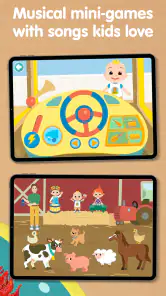
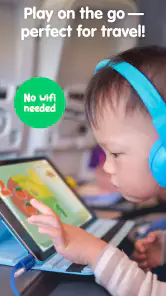

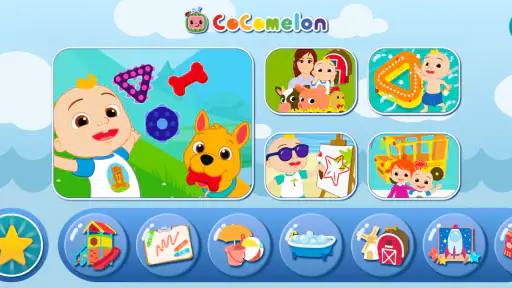

Analysis by Reviewed
Choosing a preschool learning game is easier when I start with the child, not the feature list. Does your little one enjoy guided screen activities, or do they learn more readily when an adult is reading, singing, and playing beside them? CoComelon: Learn ABCs and 123s is aimed at children aged 2 to 5, with early letters and numbers as its focus. I’d consider it for short, supervised practice—not as a replacement for conversation, drawing, books, or hands-on play.
Choosing the right kind of preschool practice
This educational game is made by Moonbug Entertainment Limited and centers on familiar CoComelon characters. That combination may help a child who already likes the show feel comfortable trying an early-learning activity. If CoComelon does not appeal to your child, though, the characters may not be much of a draw; a quieter alphabet game or a picture book may suit them better.
The game is free to download, with in-app purchases priced from $7.99 to $34.99 per item. I’d look over the purchase options with an adult before letting a child explore the menus alone. Its Everyone age rating is broad, but that does not make adult involvement unnecessary: staying nearby helps keep screen time intentional and gives you a chance to talk about what the child is doing.
Where familiar characters help
A practical strength is that the app gives a child a recognizable way into learning. A preschooler who is hesitant about a new activity may be more willing to try when the setting feels familiar. I’d use that as a starting point, then carry the idea off-screen: point out a letter on a cereal box, count toys into a basket, or sing together without the device. Those follow-ups make the game part of a wider routine rather than the whole lesson.
For an everyday example, it could fit into a brief wait before dinner or a calm stretch after getting home. I’d choose one short activity, sit with the child, and then ask them to find a letter or count something nearby. That gives the screen session a purpose and lets me notice whether the child is following along or simply tapping through the presentation.
When another option may suit better
Compared with a basic alphabet video, an interactive game can invite a child to respond rather than only watch. Compared with flashcards, it brings sound and animation into the experience, while cards make it easier for an adult to change the pace and ask open-ended questions. Neither approach is automatically better: I’d reach for this app when a child enjoys character-led digital play, and choose blocks, books, or paper activities for conversation, hands-on practice, or a screen-free break.
There is a trade-off in choosing a branded learning game. Familiar characters can make it easier to get started, but they may also become the main attraction. If your child focuses on the show-like presentation and loses interest in identifying letters or numbers, I’d pause and try a simpler activity with fewer distractions. An adult’s occasional prompt can help distinguish genuine practice from passive watching.
More From Our News Desk

Weather by Xiaomi Review: Clear at a Glance, Less Clear Up Close

X Under Pressure: Can It Recover When Posting Goes Wrong?

Clash of Clans Is Won Between the Battles

Android Auto Makes the Case for Quieter Car Software

MobiOffice: Transforming Mobile Productivity with Seamless Integration

EA SPORTS FC™ Mobile Soccer: Redefining Mobile Sports Gaming
It has an average rating of 4.2 from around 5,900 ratings, and more than a million installs. Those figures show that many families have tried it, but they cannot tell me whether it matches one child’s attention span or learning style. It was released on August 13, 2024, and version 2.4.8 requires Android 5.1 or later, so I’d check that requirement before installing it on an older Android device.
Getting Started with CoComelon
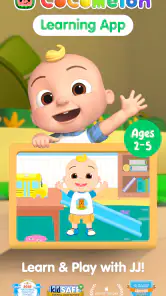
When you first open CoComelon: Learn ABCs and 123s, you're greeted with bright colors and cheerful music that instantly capture the attention of young users. It's like stepping into a vibrant cartoon world where learning doesn't feel like a chore. The app is incredibly intuitive, so even the youngest of toddlers can navigate through it with minimal guidance from parents. The interface is user-friendly, with large buttons and clear instructions that make it accessible for kids who are still honing their motor skills.
Engaging Content for Young Minds
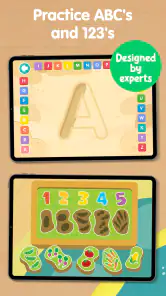
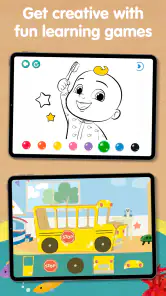
One of the things I absolutely love about this app is its ability to keep kids engaged. It features a variety of activities that target different learning objectives, from letter tracing to number identification. Animated characters from the beloved CoComelon series guide kids through each task with encouraging words and fun animations. It's not just about rote learning; the app incorporates interactive elements that make the experience genuinely enjoyable.
Let's not forget the catchy tunes! The app includes a host of educational songs that help reinforce the concepts being taught. I found myself humming along to the ABC song long after the app was closed. Music is a powerful tool for learning, and CoComelon harnesses it brilliantly to make letters and numbers memorable.
The Educational Edge
While the app is undeniably fun, it doesn't skimp on educational value. Each activity is designed to promote early literacy and numeracy skills, laying a solid foundation for future learning. The app adapts to different learning paces, offering challenges that grow with the child’s abilities. This personalized approach ensures that no child is left behind, making it a great tool for both eager learners and those who need a little extra encouragement.
Parents will appreciate the progress tracking feature, which allows them to see how their child is doing and identify areas where they might need additional support. This feature is particularly useful for parents who want to be actively involved in their child’s learning journey.
Making it part of a routine
I’d treat the progress view as a conversation starter, not a verdict on readiness. Ask your child to show you something they enjoyed, then invite them to repeat the idea with real objects or marks on paper. If they seem tired or start tapping without looking, stopping is more useful than pushing through another round. A game can support practice, but it cannot tell a parent everything about what a child understands.
That is also why I would not choose this as the only learning tool in a preschool routine. Children benefit from moving, speaking, handling objects, and hearing stories in different settings. The app is most useful as one option among those activities: convenient when a device is already available, but easy to set aside when a child would rather sing, draw, or count toys with someone.
Making a session work for your child
A small bit of preparation can make the app easier to use well. I’d pick a moment when the child is settled rather than bringing it out as a last-minute fix for frustration. Sit close enough to notice whether they can follow the activity, and let them lead when they want to repeat something. Repetition can be useful at this age, but it is less informative if the child is simply pressing buttons to see what happens.
It can also help to connect one screen activity to a real object instead of trying to turn every session into a lesson. If the child has been working with letters, invite them to spot one on a familiar package or in a book. For counting, use a few toys or pieces of fruit. Keep the invitation light: if they are not interested, the off-screen activity can wait. This makes the app a prompt for shared attention rather than a test they have to pass.
For caregivers sharing a device, I’d agree on the boundaries before handing it over: which activity to try, when the session ends, and whether an adult will sit nearby. That is especially useful when a child can navigate independently and may reach purchase menus. The free download is a low-friction way to explore, but the in-app purchases mean I would not assume every part of the experience is included at no cost. An adult can review the options first and make the decision without a child pressing through unfamiliar screens.
How it compares with other learning choices
Among early-learning apps, this one makes the most sense for families who want the familiarity of CoComelon alongside letter and number practice. A plain alphabet or counting app may be preferable if you want less character-led presentation; a video may be simpler when the goal is listening or singing together, while offering less opportunity for a child to respond. Physical cards and books are slower to set up, but they make it easier to follow a child’s questions and change direction naturally.
I would not treat those options as rivals that need to be ranked. They serve different moments. A brief app session can be convenient while dinner is being prepared, whereas a book or a handful of toys is better when an adult has time to talk and play. If a child is already absorbed by the songs and characters, this game may be an inviting entry point. If they are overstimulated by animation, or you want practice that is easy to adapt on the fly, a quieter, screen-free choice is likely the better fit.
There is a useful distinction between recognizing a letter and being able to use that knowledge in a new setting. I’d avoid judging progress only by whether a child completes an on-screen task. A more meaningful check is whether they notice a familiar letter later, or enjoy counting a few objects with you. That informal transfer is a reason to vary the routine, not a demand for a preschooler to demonstrate results every time the app closes.
Final Thoughts
In conclusion, CoComelon: Learn ABCs and 123s is a fantastic app for parents looking to give their children a head start in learning the basics. It's a perfect blend of education and entertainment, ensuring that kids remain engaged while acquiring essential skills. The app’s design is appealing to young users, and its educational content is both comprehensive and enjoyable. If you're on the hunt for an app that makes learning letters and numbers a joyous experience, you might just find CoComelon to be your child's new favorite companion.
My recommendation is to try it if your preschooler likes CoComelon and you want a character-filled way to introduce letters and numbers in short sessions. I’d skip it if you’re looking for a fully screen-free approach, a neutral design without familiar media characters, or an app that should occupy a child without adult involvement. Used selectively and followed by real-world play, it can be a cheerful addition to a young child’s learning mix.
CoComelon: Learn ABCs and 123s Frequently Asked Questions
Who develops CoComelon: Learn ABCs and 123s, and what devices can run it?
CoComelon: Learn ABCs and 123s is an educational game from Moonbug Entertainment Limited. It is intended for young children, so parents should check that their device meets the app’s basic requirements before downloading. The game supports devices running Android 5.1 or later, making it important to compare that requirement with the operating system installed on the device.
What does the free download include, and are there in-app purchases?
The game is free to download, so families can install it without paying an upfront purchase price. It also offers in-app purchases, with items priced from $7.99 to $34.99. Parents should keep that distinction in mind when deciding whether to download it and should review purchase settings on the device before a child starts playing, especially if the device is shared.
What is CoComelon: Learn ABCs and 123s about?
CoComelon: Learn ABCs and 123s is an interactive educational app designed for young children to help them learn the basics of the alphabet and numbers. The app features engaging animations, colorful visuals, and catchy songs that aid in teaching children in a fun and interactive way. It is part of the popular CoComelon series, known for its educational content.
Is CoComelon: Learn ABCs and 123s safe for children to use?
Yes, CoComelon: Learn ABCs and 123s is safe for children. The app is designed with child safety in mind, featuring age-appropriate content and a user-friendly interface. It does not contain any ads or in-app purchases, ensuring children can learn without distractions or accidental purchases. Parents can trust this app to provide a secure learning environment.
What age group is CoComelon: Learn ABCs and 123s suitable for?
CoComelon: Learn ABCs and 123s is primarily designed for preschoolers and young children aged 2 to 5 years. The app’s content is tailored to meet the developmental needs of this age group, focusing on foundational skills like letter recognition and counting in a fun and engaging manner. It’s an excellent tool for early childhood education.
Pros
- Engaging educational content for kids
- Colorful and interactive design
- User-friendly interface
- Encourages learning through play
- Regular updates with new content
Cons
- Limited to basic educational topics
- May require in-app purchases
- Content can become repetitive
- Requires internet for some features
- May not engage older children
- Category
- Educational
- Version
- 2.4.8












