Blippi's Curiosity Club
- 18.00
- 4.4
- Installs
- 500.00K
- Price
- Free

Screenshots

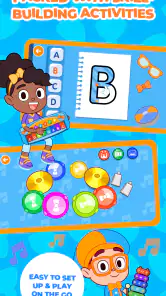
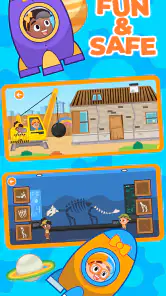
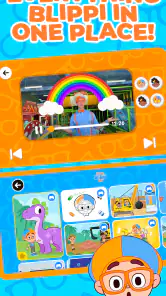
Analysis by Reviewed
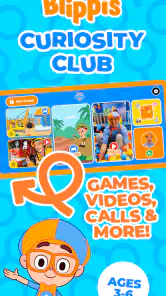
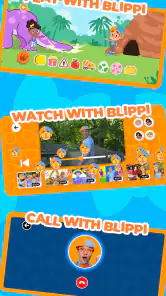
Blippi's Curiosity Club is an educational game built around the familiar Blippi character, and I found its appeal easy to understand: it gives young children a playful place to explore rather than asking them to sit through a conventional lesson. Moonbug Entertainment Limited develops the game, which is available free of charge for everyone and is aimed at families looking for simple, character-led activities on a mobile device.
My main focus while using it was not just whether a child would enjoy the presentation, but whether the experience stayed comfortable during ordinary use. A children’s game needs to feel immediate, predictable, and easy to recover from when a child taps the wrong place or leaves it for a while. In that respect, the most important question is whether this is a good fit for your child’s device, attention span, and expectations around paid content.
How the game feels during everyday play
I find this game easiest to judge in a small, ordinary moment: let a child choose an activity, notice how its response holds their attention, and see whether they want to try again. That makes the key question less about a single burst of excitement and more about what gives play a satisfying rhythm. From there, it is worth considering how to keep a session easy to manage at home or on the go.
Quick starts matter more than flashy presentation
For a young player, perceived speed is often more important than technical sophistication. Children generally do not want to wait through a complicated setup before reaching an activity, and parents are unlikely to enjoy troubleshooting while trying to keep a short play session moving. Blippi's Curiosity Club is best approached as a pick-up-and-play experience: open it when there is a little free time, let the child engage with the available activities, and stop without treating the session like a long gaming commitment.
I also think the character focus helps with that sense of immediacy. A recognizable host gives the child an obvious point of attention, which is more approachable than a menu full of abstract educational exercises. The game’s store summary presents it as a club centered on fun Blippi games, so its strongest identity is entertainment with an educational direction, not a formal curriculum replacement.
That distinction is important. I would use it during a quiet break, after school, or while waiting somewhere, but I would not expect it to provide the structure of a dedicated learning platform. Its value comes from making a child willing to interact and explore. If your priority is a tightly sequenced program with measurable lessons, another type of educational app may be a better match.
What happens when a child plays for longer
Short sessions are where this kind of game makes the most sense. A child can try an activity, enjoy the familiar presentation, and move on before the experience becomes tiring. During heavier use, the practical concerns are less about advanced gaming performance and more about how the device handles repeated interaction, sound, screen time, and storage alongside other family apps.
More From Our News Desk

Weather by Xiaomi Review: Clear at a Glance, Less Clear Up Close

X Under Pressure: Can It Recover When Posting Goes Wrong?

Clash of Clans Is Won Between the Battles

Android Auto Makes the Case for Quieter Car Software

MobiOffice: Transforming Mobile Productivity with Seamless Integration

EA SPORTS FC™ Mobile Soccer: Redefining Mobile Sports Gaming
I would pay attention to the phone or tablet during a longer play period, especially if it is an older family device already carrying photos, videos, and several children’s apps. Even a simple game can feel less responsive when the device is busy with background tasks or low on free space. That is not a criticism unique to this title, but it is a useful part of deciding whether a shared device is suitable.
A helpful routine is to open the game before handing the device to a child, check that the sound level is comfortable, and close unrelated apps first. This reduces the chance that a notification or background process interrupts the session. It also gives the adult a moment to confirm that the child is entering the intended activity rather than tapping through menus without supervision.
Stability and recovery after interruptions
Children do not use apps in perfectly controlled conditions. They may press the home button, lock the screen, rotate the device, or hand it to a parent halfway through an activity. A reliable children’s game should make returning feel straightforward, because a complicated recovery process quickly becomes an adult’s problem.
My advice is to treat the first few sessions as a settling-in period. Watch how the game behaves when you briefly leave it and return, and notice whether your child can understand where to tap next. If the device has been running for a long time, restarting the app before a fresh session can also be a sensible habit. It is a simple way to avoid carrying over any sluggishness from a busy device.
The game’s current version is 1.8.0, so keeping the installation current is sensible when an update is offered through the relevant store. Updates can matter more for a children’s app than many parents expect: a small interruption or confusing screen can be enough to end a session. I would still avoid updating immediately before a planned trip or quiet-time activity; update earlier, open the game once, and make sure it starts normally.
Device limits parents should consider
The minimum operating-system requirement is version 11, which immediately narrows the range of older phones and tablets that can run it. Before planning to use an unused hand-me-down device, check its operating system rather than assuming that a recent-looking screen means compatibility. This is particularly relevant for children’s devices, which are often older models passed down from adults.
Hardware compatibility is only one part of the decision. A small screen may make tapping less comfortable for a young child, while a large tablet can be easier to share but less convenient to carry. A device with a weak battery may also turn a promising travel activity into a frustrating one. I would choose the device based on how the child holds and views it, not simply on whether the game can be installed.
Resource demands are another practical consideration. I would not install it on a device that is already struggling with everyday tasks without first clearing unused apps and checking available storage. Families often keep downloaded videos, photographs, and several games on the same tablet, so leaving some breathing room is worthwhile. The goal is not to turn a child’s game into a technical project; it is to prevent avoidable slowdowns and interruptions.
Free access and the point where supervision helps
The game is free to download and carries an Everyone content rating, which makes it approachable for a broad family audience. However, optional in-app purchases range from $7.99 to $39.99 per item. That price range makes parental supervision important, particularly if a child uses a device connected to an adult’s payment method.
I would set up purchase protections before giving the device over, then explain in simple language that some parts may require an adult’s decision. This is not only about preventing an accidental purchase. It also helps a child understand the difference between trying a free game and unlocking additional content. A short conversation before play is usually less disruptive than explaining a purchase after it happens.
The free starting point is useful for testing the fit. Let the child use what is available during several ordinary sessions and watch whether the activities hold attention without constant prompting. If the child loses interest quickly, paying for more content is unlikely to solve the underlying mismatch. If the game becomes a regular, calm part of the routine, an adult can then decide whether any optional purchase is worthwhile.
Where it fits among educational alternatives
Compared with a workbook-style learning app, this game is likely to feel more inviting to a child who responds to characters, familiar voices, and playful interaction. That makes it a good choice for reluctant learners or for moments when a parent wants an educational flavor without creating the atmosphere of homework.
Compared with open-ended creative apps, it offers a more recognizable identity through Blippi, but it may not satisfy a child who mainly wants to draw, build, or invent stories. Compared with video streaming, the interactive format gives the child something to do rather than only watch, although parents who want a completely passive, predictable viewing experience may prefer a carefully selected video instead.
The trade-off is that character-led entertainment can be excellent at attracting attention without necessarily being the best tool for every learning goal. I would choose it for playful engagement and variety, not as the only educational resource in a child’s routine. A balanced approach might pair it with reading together, physical play, and a more focused learning activity when a specific skill needs practice.
Who will get the most from it
I can recommend it most easily to families with young Blippi fans who want an accessible game for short sessions. It also makes sense for parents who prefer introducing a child to an educational game through a familiar personality rather than through drills or dense instructions. The Everyone rating supports its broad family positioning, while the free entry point makes trying it less of a commitment.
A realistic use case is a parent preparing dinner while a child sits nearby with a tablet for a brief, supervised activity. The adult can start the game, keep the volume moderate, and remain aware of the child’s progress without needing to teach every interaction. Another useful moment is travel, provided the device is compatible and the family has already tested the game before leaving home.
I would be more cautious about recommending it to a child who becomes upset when an app asks for adult help, or to a family that wants every activity to be fully accessible without purchase prompts. I would also skip it if the available device cannot meet the operating-system requirement, if the screen is too small for comfortable tapping, or if the child has no interest in Blippi’s style.
What the rating and adoption suggest
The game holds a 4.4 average from around 1.8 thousand ratings, and it has passed half a million installs. Those figures suggest that the concept has found a real audience, but they should not replace your own trial. Children’s preferences vary sharply: one child may return to a character-led game repeatedly, while another may abandon it after the first session.
I would read the rating as reassurance that the overall idea works for many families, not as a promise that every child will enjoy it equally. The more useful test is whether your child can begin playing without constant instructions, whether the device remains comfortable during use, and whether the free experience feels worthwhile before any optional spending is considered.
My practical performance verdict
From a performance perspective, I see Blippi's Curiosity Club as a lightweight-feeling choice in spirit, even though the exact experience will depend on the phone or tablet running it. Its design is aimed at accessible play rather than demanding console-style gaming, so the main performance risks for families are likely to come from an older operating system, a crowded device, poor battery condition, or interruptions during use.
The best results should come from a compatible device with some free storage, a reasonable battery charge, and unrelated apps closed before play. I would also test the game on the actual child’s device rather than relying on a parent’s newer phone. That small step catches practical problems early, including uncomfortable screen size, confusing navigation, or a device that takes too long to resume.
Moonbug Entertainment Limited has positioned this as an educational game rather than a general-purpose learning suite. That makes the decision fairly clear: choose it when playful Blippi-led interaction is the goal, and look elsewhere when you need a structured course, broad creative tools, or an entirely purchase-free environment. The game is free, but the optional purchases mean the adult remains part of the setup.
My final view is positive but measured. I like the approachable concept, the family-friendly positioning, and the fact that it can turn a familiar children’s character into an interactive activity instead of another passive screen experience. The smartest way to use it is as a supervised, short-session supplement rather than a complete learning plan. Test it on the intended device, establish purchase controls, and judge it by your child’s actual interest. For the right young player, it can be an enjoyable addition to the day; for families seeking rigorous lessons or maximum control over content and spending, a more specialized alternative will be the better choice.
Blippi's Curiosity Club Frequently Asked Questions
What devices can run Blippi's Curiosity Club?
Blippi's Curiosity Club is available for mobile devices running Android or iOS, and the minimum operating-system requirement is version 11. Before downloading, check the software version on the device your child will use and make sure there is enough room for the game. Keeping the operating system current can also help the app run as intended.
Is Blippi's Curiosity Club free to download?
The game is free to download, so families can install it without paying an upfront price. In-app purchases are also available, with items priced from $7.99 to $39.99. If a child can access the device, it is sensible to review purchase permissions and use the platform’s parental controls to help prevent accidental spending.
What is Blippi's Curiosity Club?
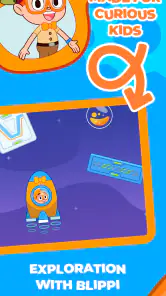
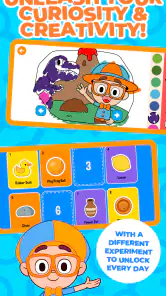
Blippi's Curiosity Club is an educational entertainment app designed for young children who enjoy Blippi’s videos, songs, activities, and learning adventures. It provides a child-friendly space where kids can explore topics such as science, nature, vehicles, numbers, and everyday life through playful content. The app is intended to complement screen-based learning with curiosity and discovery.
Is Blippi's Curiosity Club suitable for my child’s age?
The app is primarily aimed at preschool and early elementary-age children, although the ideal age can vary depending on your child’s interests, reading ability, and independence. Younger children may need help navigating menus or choosing activities, while older preschoolers may be able to explore more independently. Its content rating is Everyone, but parents should still consider their child’s needs and supervise use as appropriate.
Does Blippi's Curiosity Club require a subscription or include in-app purchases?
Blippi's Curiosity Club is free to download and includes in-app purchases for paid items. Families should review the purchase options in the app before letting children play, since costs can vary by item. Check the payment screen carefully and set device-level purchase controls if needed, so a child cannot buy something unintentionally.
Pros
- Bright
- playful videos keep preschoolers engaged while introducing basic concepts.
- Content encourages curiosity through simple experiments
- questions
- and everyday discoveries.
- Child-friendly interface makes browsing easier for young viewers and parents.
- Episodes are generally short
- fitting well into quick learning or quiet-time sessions.
- Familiar Blippi-style presentation can make educational topics feel entertaining and approachable.
Cons
- Some activities may require adult supervision or extra materials at home.
- The energetic presentation may feel overstimulating for sensitive children.
- Educational depth can be limited for older preschoolers seeking greater challenges.
- Access to the full library may require a paid subscription or in-app purchase.
- Parents may want stronger controls for limiting screen time and episode selection.
- Category
- Educational
- Version
- 1.8.0












