Brainzot Music Beatbox
- 6.00
- 4.4
- Installs
- 1.00M
- Price
- Free

Screenshots
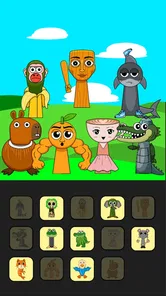
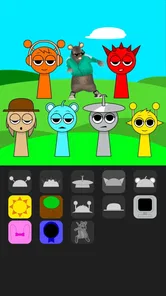
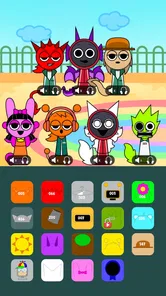
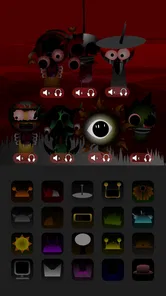
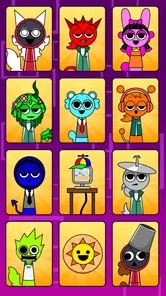
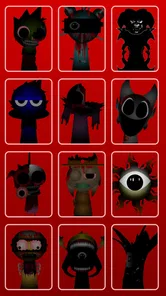
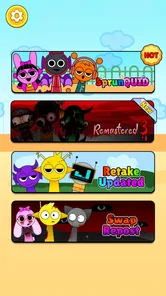
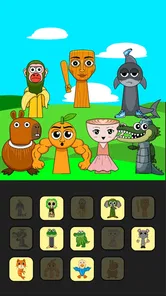
Analysis by Reviewed
If you’re trying Brainzot Music Beatbox for the first time, I’d treat it as a quick rhythm game rather than a full music-production tool. It is a free music game from TSACom, released on March 21, 2025, and its central appeal is combining beats with reflex challenges and unlockable stages. I found that expectation useful: you can jump in for a short session without needing music theory or a plan to compose a finished song.
Is this the kind of music game you want?
The key question before installing is whether you want to play with rhythm or make music on your own terms. This game puts timing and stage challenges at the center, so it is a better fit for someone who enjoys reacting to musical cues than for someone looking for a blank canvas and detailed control over a finished composition. I’d approach it as a small, playful challenge to dip into, not as a replacement for a beat-making workstation.
That distinction also helps set expectations around progress. The appeal is in getting a feel for the beat, trying different sounds, and moving through stages. If your idea of a good music app is choosing a track and following note prompts, a conventional rhythm game may feel more familiar. If you prefer freely building loops without a task to complete, a music-making app is likely to offer more room. Here, the game-like structure is the point, and whether it feels motivating or restrictive depends on what you want from a music session.
I’d recommend it to first-time rhythm-game players who want a low-pressure way to see whether timing challenges are fun for them. It can also suit experienced players who want something lighter than a long, song-driven session. I would skip it if you need a serious recording workflow, want to practise a specific instrument, or are looking for a calm sound toy with no reflex demands. Knowing that before you start makes it easier to judge the game on what it is trying to do.
Getting started and finding your rhythm
So, the first thing I did was dive right into the app. Setting it up was a breeze, and I was pleasantly surprised at how intuitive the interface was. The main dashboard is sleek, with a minimalist design that doesn't overwhelm you with too many options. It's clear that Brainzot Music Beatbox is designed with usability in mind.
For a first session, I’d keep the goal small: start a stage, listen closely to the musical cue, and focus on responding accurately rather than trying to rush through. That gives you a clearer sense of how the game expects you to follow the rhythm. If you miss a beat, pause for a moment and notice whether you were reacting late or anticipating the sound. That simple distinction can make the next attempt feel much less random.
The store’s short description calls it Brainzot Music, while the full name is Brainzot Music Beatbox. It sits in the music-game lane, but it isn’t the same thing as a conventional rhythm game built around a familiar song catalogue. Its mix of remixing, reflex testing, and stage unlocking gives it a more playful, challenge-led feel. If you want to practise an instrument or arrange a polished track, a dedicated music-making app will suit you better; if you want a light game that puts timing first, this is a more natural fit.
More From Our News Desk

Weather by Xiaomi Review: Clear at a Glance, Less Clear Up Close

X Under Pressure: Can It Recover When Posting Goes Wrong?

Clash of Clans Is Won Between the Battles

Android Auto Makes the Case for Quieter Car Software

MobiOffice: Transforming Mobile Productivity with Seamless Integration

EA SPORTS FC™ Mobile Soccer: Redefining Mobile Sports Gaming
Making the first session feel manageable
A useful first attempt is less about getting a perfect run and more about learning what the game is asking you to notice. I’d give a stage my full attention, rather than playing while switching between messages or other tasks. The cue is the thing to follow; once I understood that, each attempt had a clearer purpose. If the first try goes poorly, repeating it with one adjustment—listening more carefully before reacting, for example—is more useful than tapping faster without a plan.
For an everyday example, imagine you have a few minutes before meeting someone and want something more engaging than scrolling. I’d open the game, choose a short session, and treat the first stage as a quick focus exercise. When it’s time to leave, I can stop without needing to set aside a long block for a full music project. That compact use case is where the challenge-led format makes the most sense: it gives a small break a defined activity and a clear endpoint.
One practical trade-off is that a rhythm challenge asks for attention even when the session is short. It may not be the right choice when you need to keep listening for a call, talk with someone, or concentrate on another task. I’d save it for a moment when I can focus on the cues. That simple choice makes the experience less frustrating and gives the music a fair chance to register.
Experimenting without losing the beat
One of the coolest features is the plethora of sound packs available. From classic beatbox sounds to more eclectic options, it's like having a DJ's toolkit at your fingertips. The app lets you layer different sounds, and with a little practice, you can create some seriously impressive tracks. I spent hours experimenting with various combinations, and it was nothing short of addictive.
A useful way to explore those sounds is to change one element at a time. When several layers change together, it’s harder to tell which choice made a combination work—or made it feel cluttered. I’d also listen to a sequence before adding another sound: a simpler arrangement can make the beat easier to follow, which matters when the game asks for quick reactions. This is a small habit, but it turns casual tapping into more deliberate experimentation.
It works especially well in short breaks: I can imagine opening it while waiting for a friend or taking a pause between tasks, playing a stage or two, and putting the phone away. The rhythm focus makes those brief sessions feel more engaging than simply scrolling, while unlockable stages offer a reason to return. On the other hand, it may frustrate anyone who dislikes timing challenges or wants a relaxed, open-ended music sandbox with no pressure to react.
What to do when a run feels confusing
If a stage seems harder than expected, I wouldn’t assume that adding more sounds will make it easier. A busier combination can make it tougher to keep the important cue in focus. I’d simplify what I’m experimenting with, listen through again, and then make a deliberate attempt. That gives me a better chance of working out whether the difficulty comes from the rhythm itself or from an arrangement that has become distracting.
Another helpful distinction is between exploring sounds and trying to advance. Those are related, but they don’t have to happen in the same attempt. When I’m curious about a sound, I can focus on how it changes the feel of a sequence; when I want to clear a stage, I can prioritize the cue and avoid changing several things at once. Separating those goals is a small workflow choice, but it keeps experimentation from turning into guesswork.
Compared with a standard rhythm game, this experience is less about following a familiar library of songs and more about playing around with beatbox-style sounds alongside reflex challenges. Compared with a music creation app, it gives you a more directed, game-like reason to interact with the sounds, but less of the open-ended purpose a dedicated production tool serves. I’d choose based on whether I want a challenge, a catalogue of songs, or creative control—not on which kind of app sounds more impressive.
Recording, sharing, and learning from play
What really sets this app apart is the live recording feature. You can record your sessions and share them with friends or on social media. Talk about showing off your beatboxing prowess! Plus, the app's sound quality is top-notch, ensuring that your beats are crisp and clear. It's like having a mini recording studio in your pocket.
I’d use recording as a way to review a run, not just as a way to show it off. Listening back can reveal whether the rhythm felt uneven or whether a sound combination distracted from the beat. If you’re sharing, choose a take you’re happy with rather than assuming every session will be ready to post. That makes the feature useful even if you never publish anything.
Did I mention the community aspect? Within the app, there's a vibrant community of beatbox enthusiasts. You can interact with fellow users, exchange tips, and even collaborate on projects. It's a great way to learn and grow as a beatboxer.
Choosing what to try next
Once a stage starts to feel familiar, I’d pick one new sound combination and see how it affects the timing. That is a more useful next step than trying to change everything at once: you can notice what the new layer contributes, then decide whether it helps or distracts. If a run is already going well, keeping the arrangement steady can also be the smarter choice. Experimentation is enjoyable, but it doesn’t have to be part of every attempt.
Recording can make that comparison easier. I’d keep a take from before the change in mind, then listen to the new one and ask whether the beat still feels clear. The point isn’t to judge every recording as a finished track; it’s to use playback to notice what you might miss while concentrating on a challenge. That approach gives the feature a practical purpose even if sharing is not your reason for playing.
For someone wondering whether they need music experience, I’d say the sensible way to find out is to begin with a stage and listen before trying to be clever with the sounds. The game’s focus on rhythm makes it approachable as a casual activity, while the timing demands still give you something to work on. It is not an instrument lesson, though, and I wouldn’t choose it as a substitute for structured practice if learning an instrument is the goal.
For a newcomer, the best next step after getting comfortable with a stage is to explore a different sound combination and see how it changes your timing. The game is rated Teen, so it’s aimed at an older audience than a young-child music toy. It has a 4.4 average from around 1.8 thousand ratings and over a million installs, which suggests plenty of players have tried it, though popularity alone won’t tell you whether its rhythm style suits you.
Who will enjoy it—and what to keep in mind
The main trade-off is that the appeal depends on enjoying both sides of the experience: playing with sounds and responding to rhythmic prompts. Someone mainly interested in composing may find the stage challenges too game-like, while a player who wants a deep progression system may prefer a rhythm title built around a larger song library. I’d skip it if you want a serious recording workstation; I’d give it a try if you want a free, approachable way to play with beatbox-inspired sounds and test your timing.
The current version is 0.2.8, and it supports Android 7.1 or later. Before installing, I’d check that your device meets that minimum. Once you’re in, don’t worry about mastering every option immediately: one focused stage, followed by a quick listen to your own recorded session, is a satisfying first goal.
If you’re deciding whether to keep it installed, I’d judge it by whether you actually return for another brief challenge, rather than by how many sounds you explore in one sitting. A first session can be entertaining because everything is new; the more useful test is whether the mix of timing and sound play remains appealing after that novelty settles. If you find yourself wanting more control over arranging, switch to a production app. If you want a familiar song list and a more conventional note-following format, another rhythm game will probably be a closer match.
It also helps to be realistic about what a recording can tell you. Playback may help you notice an uneven-feeling run or a distracting layer, but it doesn’t turn the game into a full editing or learning setup. I’d treat the recording as a snapshot of a session and use it to decide what to try next, rather than expecting it to replace a dedicated tool for making and refining music.
A playful first step into music games
In conclusion, Brainzot Music Beatbox is a must-have for anyone interested in beatboxing or music creation. It's user-friendly, packed with features, and provides endless hours of entertainment. Whether you're a seasoned beatboxer or just starting out, this app has something for everyone. So go ahead, give it a whirl and let your inner beatboxer shine!
And hey, if you're anything like me, you'll find yourself lost in the rhythm and loving every second of it. Happy beatboxing!
Brainzot Music Beatbox Frequently Asked Questions
What is Brainzot Music Beatbox and how does it work?
Brainzot Music Beatbox is an innovative music app that allows users to create and manipulate beats using just their voice. The app uses advanced AI algorithms to recognize and transform vocal inputs into high-quality beatbox sounds. Users can record their performances, layer different sounds, and even share their creations with friends or on social media platforms.
Is Brainzot Music Beatbox free to download and use?
Brainzot Music Beatbox offers a freemium model, meaning the app is free to download with basic features available at no cost. However, users can opt for in-app purchases to unlock premium features, such as exclusive sound packs and advanced editing tools, to enhance their beatboxing experience. These purchases can be made within the app itself.
Can I use Brainzot Music Beatbox offline?
Yes, Brainzot Music Beatbox can be used offline, allowing users to create and edit beatbox tracks without an internet connection. However, certain features, such as downloading new sound packs or sharing creations online, will require an active internet connection. This makes it convenient for users who want to practice their skills on the go.
What devices are compatible with Brainzot Music Beatbox?
Brainzot Music Beatbox is available for both Android and iOS devices. It supports a wide range of smartphones and tablets, ensuring that most users can enjoy the app without compatibility issues. It is recommended to have the latest version of the operating system for optimal performance, though it generally works well on older devices too.
How user-friendly is Brainzot Music Beatbox for beginners?
Brainzot Music Beatbox is designed with an intuitive interface that makes it accessible for beginners and experienced users alike. The app includes tutorials and guided sessions to help new users understand the basics of beatboxing and using the app. Additionally, it offers various difficulty levels, allowing users to gradually improve their skills at their own pace.
Pros
- Intuitive interface for easy navigation
- Wide variety of music tracks available
- Seamless integration with Bluetooth devices
- Offline mode for music on the go
- Customizable playlists for personalized experience
Cons
- Occasional app crashes on older devices
- Limited free features
- premium needed
- Ads can be intrusive for free users
- High battery usage during long sessions
- Requires stable internet for streaming













