Bongo Cat: Musical Instruments
- 1.31K
- 4.1
- Installs
- 1.00M
- Price
- Free

Screenshots
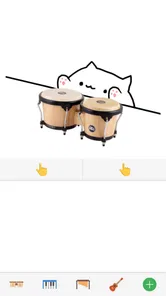
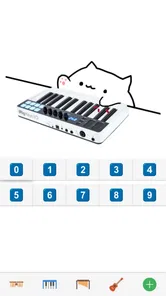
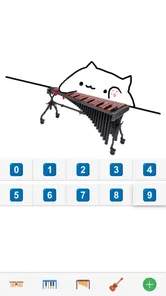
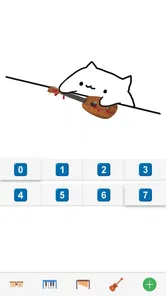
Analysis by Reviewed
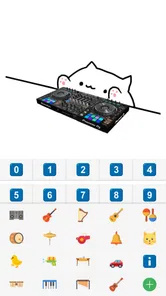
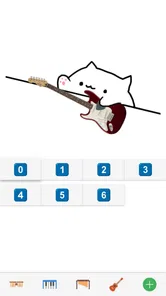
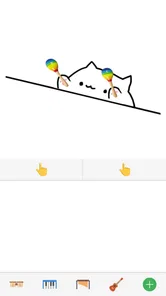
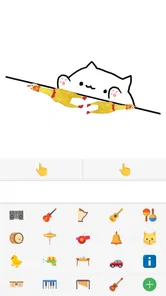
When I want a quick music-themed distraction rather than a serious lesson, Bongo Cat: Musical Instruments is the kind of small game I reach for. Its central appeal is simple: tapping becomes a playful instrument performance, with a friendly cat at the center. After spending time with it, my impression is that BudaCat has aimed for immediate fun and low pressure, not a full virtual studio or a replacement for learning a real instrument.
That focus matters when deciding whether to install it. Music apps often teach scales, reproduce a keyboard, or simulate recording equipment; this game takes a lighter route. It works best as a casual activity for short sessions, a way to entertain a child, or a harmless musical toy to share with someone nearby. If you want instant interaction with almost no learning curve, this is a pleasant choice; if you want structured musical progress, it will feel limited.
What the musical play feels like
The first few minutes explain most of the experience without demanding much from me. I can tap around, experiment with the musical interaction, and enjoy the visual response without needing to understand music theory. That accessibility is one of its strongest qualities. The game does not make a beginner feel as if they are doing something wrong simply because they cannot play an instrument.
The cat character gives each touch a sense of personality that a plain virtual instrument often lacks. Instead of staring at a sterile interface, I feel as though I am prompting a small animated performance. That difference may sound minor, but it changes the mood. The app is more inviting for casual play because the goal is not only to produce notes; it is also to see and hear an entertaining reaction.
I would describe the controls as approachable rather than deeply expressive. They are suited to tapping, trying patterns, and making short bursts of sound. That makes the game comfortable for people who have never used a music app before. It also means experienced musicians should keep expectations modest. The interaction is designed around playfulness, not the precision, range, or control of a dedicated instrument simulator.
One useful way to approach it is to treat the screen like a small musical sketchbook. I can try a rhythm, repeat it, change the pace, and see whether the result feels amusing or surprisingly coherent. This is more satisfying than randomly tapping once and closing the app. Even without formal lessons, I can create a tiny routine: start with a steady pulse, add a contrasting pattern, then stop before the idea becomes repetitive.
That short-form structure suits mobile use. I can pick it up while waiting for a friend, during a brief break, or when I want something more interactive than scrolling. It does not require the commitment associated with a rhythm campaign or a full game session. The experience is easy to enter and easy to leave, which is a strength for a casual title.
More From Our News Desk

Weather by Xiaomi Review: Clear at a Glance, Less Clear Up Close

X Under Pressure: Can It Recover When Posting Goes Wrong?

Clash of Clans Is Won Between the Battles

Android Auto Makes the Case for Quieter Car Software

MobiOffice: Transforming Mobile Productivity with Seamless Integration

EA SPORTS FC™ Mobile Soccer: Redefining Mobile Sports Gaming
A playful alternative to serious music apps
Compared with a piano-learning app, this game is much less demanding. A learning tool usually asks me to follow exercises, read instructions, repeat passages, and accept correction. Here, the reward is immediate experimentation. There is no pressure to improve a score or master a lesson before moving forward. For a child who is curious about musical sounds but not ready for formal practice, that can be exactly the right introduction.
Compared with a rhythm game, the emphasis also feels different. Traditional rhythm games often build their appeal around timing challenges, visual prompts, levels, and performance goals. Bongo Cat is more relaxed. I can play without feeling that every missed beat has ruined a run. That makes it friendlier for spontaneous use, although people who enjoy competition and escalating difficulty may find it too gentle.
A virtual instrument app can offer more realistic control, but realism is not automatically more enjoyable. Those apps may present a larger keyboard, more settings, or a more technical layout. They are better when I want to practice a specific technique or explore sound creation. This game wins when I want a characterful, uncomplicated toy that makes musical interaction feel social and light.
The comparison also explains its audience clearly. It is not trying to occupy the same space as a digital audio workstation, a metronome, or a teaching platform. Judged as a miniature music game, its simplicity is part of the design. Judged as a serious instrument, the same simplicity becomes the main weakness.
Small-session routines that make it more enjoyable
My favorite way to use it is in short themed sessions instead of tapping without a plan. For example, I might spend a minute trying to keep one repeating rhythm, then change only one part of it. This makes the interaction feel more like a tiny composition exercise. The useful insight is that restraint helps: fewer deliberate taps often sound more convincing than constant random input.
It also works well as a shared activity. Handing the phone to another person and taking turns creating a pattern gives the game a simple social rhythm. One player can establish a beat while the other responds, even if neither person knows how to play an instrument. This is especially suitable for families because the controls are approachable and the tone is playful rather than intimidating.
Another practical use is as a gentle introduction before a child tries a more structured music app. I would not present it as a lesson, but it can help a beginner discover whether tapping, rhythm, and musical feedback are appealing. If the child starts asking how to play a real melody or why certain notes fit together, that is the point where a teaching app or physical instrument may offer more value.
For adults, the best routine is probably to use it as a palate cleanser between demanding tasks. A few minutes of low-stakes interaction can be refreshing, especially because there is no complicated setup. However, anyone who needs quiet should remember that musical play is still sound-based entertainment. Earphones may make the experience more private, while playing aloud can turn it into a shared joke or mini-performance.
Where the simplicity starts to show
The same accessibility that makes the game welcoming also limits its long-term depth. After the novelty of the animated cat and musical tapping settles, I may start looking for a stronger reason to return. Players who need unlocks, progression, challenges, or a clear sense of mastery could run out of motivation sooner than expected.
This is not a flaw in the sense of broken design; it is a question of scope. A compact music toy cannot provide the breadth of a full instrument simulator without becoming more complicated. The trade-off is clear: I get a welcoming experience quickly, but I do not get the detailed control that would keep a serious musician engaged for extended sessions.
There is also a difference between making sounds and making music with intention. The game helps with the first immediately. The second depends on the player creating their own goals. If I open it expecting the app to teach me rhythm, guide me through songs, or evaluate my performance, I am likely to be disappointed. Its feedback is entertaining, but it should not be mistaken for instruction.
That limitation matters when choosing it for children. It is suitable for casual, age-appropriate play, and its content rating is Everyone, but parents should view it as entertainment rather than a complete music education tool. A child may enjoy the interaction without learning transferable technique. That is perfectly fine as long as the purpose is understood from the beginning.
The game also may not satisfy players who prefer a strong challenge. Someone who enjoys chasing high scores, completing levels, or competing against friends will probably find a dedicated rhythm title more rewarding. In that situation, the relaxed design becomes a lack of stakes. I would choose this one for creativity and amusement, not for pressure or competition.
Who should install it
I think it is a good fit for casual players, families, and anyone who likes music-themed apps but does not want a technical interface. It is also a sensible option for a child who wants to experiment with instruments in a safe, approachable format. Because it is free, trying it carries little commitment, and the low barrier to entry makes it easy to decide within a short session whether the style suits you.
The game has passed a million installs, with an average rating of 4.1 from around seventeen thousand ratings and roughly thirteen hundred written reviews. Those figures suggest a broad audience has found value in its simple concept, although they do not change my central assessment: its appeal depends heavily on enjoying brief, playful interactions rather than demanding depth.
People using older compatible devices should also pay attention to the platform requirement. The game needs Android 8.1 or later, so it is worth checking the operating system before expecting it to run. On supported hardware, the current version is 2.6. The title was released on September 24, 2018, which helps explain why its identity is built around a straightforward, self-contained idea rather than the constant complexity found in newer live-service games.
I would skip it if my goal were to learn piano fingering, record polished tracks, practice sight-reading, or build a serious rhythm habit. In those cases, a dedicated teaching app, a more detailed instrument simulator, or a challenge-focused rhythm game would be a better investment of time. I would also skip it if I need a long progression system to stay interested.
On the other hand, I would recommend giving it a chance if I wanted something friendly to show a child, a quick distraction during a spare moment, or a music game that does not punish experimentation. The lack of pressure is not an accidental omission; it is the reason the game feels approachable. The right question is not whether it replaces a professional music tool, but whether its small musical toy experience fits the moment.
Choosing it for a real moment, not just a genre
Imagine a short wait before a meal, with a child asking to use your phone. A complicated lesson app can turn that pause into a demand to concentrate, while a competitive rhythm game may frustrate someone who has not learned its timing. Here, I can hand over the device and let the child explore sounds for a few minutes, then take turns making a simple pattern. It gives the moment a shared activity without pretending that every spare minute needs to become practice.
That scenario also highlights a small but useful trade-off: the game is easiest to enjoy when I decide in advance what “enough” looks like. A brief turn-taking round or a single rhythm experiment gives the session a natural ending. If I expect the app to provide an endless sequence of new goals, I may feel its limits more quickly. For families, a clear stopping point can be more useful than a deeper feature set.
Someone deciding between this and a keyboard simulator should ask what they want their hands to do. If the goal is to rehearse a melody, compare notes, or build a repeatable technique, a keyboard-oriented tool is the more sensible choice. If the goal is to make a quick, expressive noise with a character reacting on screen, the game’s lighter approach is a better fit. They overlap in sound, but they serve different moods and intentions.
Making a short session work
When I want a little more from a brief visit, I give myself a simple constraint: keep a steady pulse, leave a pause, then answer it with a different pattern. That small change makes the interaction feel deliberate without requiring a lesson or a complicated setup. It is also a useful way to keep a child engaged: ask them to copy the first rhythm, then invent a response. The point is not to judge accuracy, but to give the tapping a playful shape.
For a shared turn, I would agree on a simple handover rather than both people tapping at once. Taking turns makes it easier to hear the contrast between one person’s idea and the other’s, and it avoids turning the screen into an undirected scramble. This is a practical workaround for a game whose appeal is spontaneous: a tiny rule can add variety without asking the app itself to supply a formal challenge.
There is no need to treat every session as a test of musical ability. If the result sounds messy, I can slow down, use fewer taps, and try again; if it stops being fun, I can close it. That freedom is especially valuable for first-time players, who may be more willing to experiment when nobody is grading the result. It is also a reminder of the boundary: this can encourage curiosity, but curiosity alone is not the same as learning technique.
My final take on the experience
BudaCat succeeds because it understands the value of a simple, expressive idea. The cat adds charm, the musical interaction is easy to approach, and the game can create a pleasant few minutes without tutorials becoming a chore. I especially like that it invites people who might normally avoid instrument apps. There is no need to arrive with musical knowledge or a competitive mindset.
Its weakness is equally clear: once I have explored the basic pleasure of tapping and experimenting, the experience may not offer enough structure to keep me returning every day. The game relies on my imagination to supply goals that a deeper title would provide through lessons, challenges, or progression. That is a fair trade for simplicity, but it will not suit everyone.
As a free music game for Everyone, it earns a recommendation with the right expectations. I would describe it to a friend as a charming digital toy, a casual shared activity, and a gentle first step toward musical curiosity. I would not describe it as an instrument course or a serious practice tool. Install it when you want quick, low-pressure musical fun; choose something more specialized when you need measurable learning, precision, or lasting challenge.
Bongo Cat: Musical Instruments Frequently Asked Questions
Can I play Bongo Cat: Musical Instruments on a tablet as well as a phone?
Bongo Cat: Musical Instruments is a mobile game available for Android and iOS, so it may suit you whether you prefer playing on a phone or a compatible tablet. The experience is based on tapping the screen, making it easy to pick up for a quick session. On Android, the minimum operating system is 8.1, so check that your device meets this requirement before downloading.
Is Bongo Cat: Musical Instruments a music lesson app or a game?
It is a game in the Music category, focused on playful interaction rather than formal lessons. You can tap to explore instrument-style sounds and enjoy the cat’s reactions, but it is not presented as a structured course for learning technique or reading music. If you want light entertainment and a casual way to experiment with sounds, its game format may be a better fit than a dedicated teaching app.
What devices can I play Bongo Cat: Musical Instruments on?
Bongo Cat: Musical Instruments is a music game for mobile devices, with Android and iOS versions available. On Android, it requires version 8.1 or later, so checking your device’s operating system before downloading is a sensible first step. The game is made for quick, casual sessions, and its simple touch-based approach suits players who want to tap along rather than set up a more involved music app.
Is Bongo Cat: Musical Instruments suitable for someone who has never played an instrument?
Yes. The game is designed around straightforward tapping, so you do not need musical training to try its instrument-style sounds or enjoy the animated cat’s reactions. It is a casual way to experiment with rhythms and sound combinations, rather than a lesson-based music tool. If you are looking for structured instruction or a way to learn an instrument step by step, this playful format may not be what you need.
What is Bongo Cat: Musical Instruments?
Bongo Cat: Musical Instruments is a casual music app that lets you interact with a virtual Bongo Cat while playing or tapping different instrument-style sounds. It is designed for quick entertainment rather than professional music production, making it suitable for experimenting with rhythms, creating playful sound combinations, and enjoying a relaxing experience on your Android or iOS device.
Pros
- Simple touch controls make it easy for beginners to play.
- Includes several instruments for experimenting with different sounds.
- Cute Bongo Cat animations make practice sessions more entertaining.
- Works well for quick
- casual music-making sessions.
- Suitable for children and family-friendly entertainment.
Cons
- Sound options may feel limited for experienced musicians.
- Some features may require in-app purchases or display ads.
- Timing and responsiveness can vary between devices.
- Not a substitute for learning a real musical instrument.
- Extended play can become repetitive without new content.











