Beat Live: Show Music Game
- 78.00
- 4.3
- Installs
- 5.00M
- Price
- Free

Screenshots

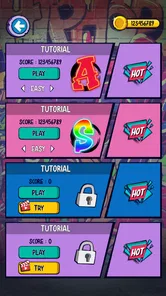




Analysis by Reviewed
I approached Beat Live: Show Music Game as a quick music game rather than as a serious instrument trainer. That distinction matters. Its appeal is the feeling of stepping into a bright performance and reacting to the rhythm, not learning an actual song on a piano, guitar, or drum kit. After spending time with it, I found a game that is easy to understand, immediately playable, and best suited to short bursts when I want something energetic without a long tutorial.
The game comes from MobiOneGame Global and sits in the music category. It is free to download, aimed at Everyone, and supports devices running Android 8.0 or later. Its current version is 33, while the game itself was released on July 28, 2022. Those details make it a fairly accessible choice for people using an older compatible phone, although the experience still depends on how comfortably your device handles fast touch input.
What I looked for before recommending it
My first decision criterion was control clarity. Rhythm games can look attractive in screenshots but become frustrating if the notes are hard to read or the touch timing feels vague. Here, the important question is not whether the presentation promises a concert atmosphere; it is whether I can understand what the game expects from me within a few seconds. Beat Live works best when I treat each session as a focused reaction exercise, keeping my attention on the incoming rhythm instead of trying to explore it like a large adventure game.
The second criterion was session length. I would not choose this for a long, story-driven evening. I would choose it while waiting for a bus, taking a short break, or looking for a compact game that gets moving quickly. That makes the game easier to recommend to casual players than to someone searching for deep progression, detailed music creation, or a realistic performance simulator.
I also paid attention to how much commitment the game asks from a new player. Since it is free, the initial decision is simple: install it and see whether the rhythm suits you. The more important choice comes later, when optional purchases enter the picture. In-app purchases cost $1.99 per item, so I would personally play for a while before buying anything. A free music game should first prove that its timing and presentation feel comfortable on my phone.
Finally, I considered the kind of satisfaction it provides. Some rhythm games reward precision above everything else. Others are mainly about visual spectacle. Beat Live sits closer to the accessible performance side of that range. I enjoy it most when I want the impression of being on stage without needing to study a complex control system.
How the first sessions feel
The opening experience is approachable because the central idea is familiar: respond to musical cues and keep the performance moving. I did not need specialist knowledge of music theory to understand the objective. That is important for younger players and for anyone who normally avoids rhythm games because they assume a strong sense of timing is required from the start.
More From Our News Desk

Weather by Xiaomi Review: Clear at a Glance, Less Clear Up Close

X Under Pressure: Can It Recover When Posting Goes Wrong?

Clash of Clans Is Won Between the Battles

Android Auto Makes the Case for Quieter Car Software

MobiOffice: Transforming Mobile Productivity with Seamless Integration

EA SPORTS FC™ Mobile Soccer: Redefining Mobile Sports Gaming
There is also a useful psychological advantage in its stage-show framing. A plain sequence of taps can feel repetitive quickly, but a performance theme gives each attempt a little more energy. I found myself paying attention not only to whether I was correct, but also to whether the run felt smooth. That small shift makes the game more inviting during short sessions.
My practical advice is to begin with the sound at a comfortable level and keep the screen free from distractions. Rhythm games are unusually sensitive to interruptions. A notification, a finger covering part of the display, or playing in a noisy room can make a fair challenge feel inaccurate. If your first attempt seems harder than expected, I would try again in better conditions before deciding that the controls are the problem.
Where the stage-show approach works well
The strongest quality is immediacy. Beat Live does not require me to build a character, understand a large map, or remember a complicated set of rules before I can enjoy a round. I can open it with a simple intention: play a music challenge for a few minutes. That directness is a real advantage over broader mobile games that demand a longer investment before their best parts appear.
I also like the way the music category is handled as entertainment rather than practice. If I want to improve at a real instrument, I need a different kind of app with structured lessons, feedback about technique, and a patient learning path. This game gives me a more relaxed form of engagement. It lets me chase the feeling of keeping up with a live number, which is satisfying even when I am not trying to develop a measurable musical skill.
Another strength is its suitability for shared discovery. I can hand the phone to a friend or younger family member and explain the basic goal without a long speech. The Everyone content rating makes it easier to consider in a family setting, although I would still supervise purchases on a shared device. The game’s simple premise is more welcoming than a highly technical rhythm title that assumes previous experience.
For me, the most effective use case is a short reset between demanding tasks. Imagine finishing a work call, having ten minutes before an appointment, and wanting something more active than scrolling through social media. A couple of attempts can provide that change of pace without requiring me to remember a storyline or commit to a multiplayer match. The stage theme adds enough excitement to make the break feel intentional rather than passive.
It is also a reasonable first experiment for someone who has never tried a music game. I would recommend starting with relaxed expectations. The goal is not to become a performer in the real-world sense; it is to follow the game’s rhythm cues and enjoy the audiovisual feedback. Once that expectation is clear, the experience feels much more coherent.
Small habits that make it more enjoyable
I found three habits especially useful. First, I play with both hands available even if a particular moment seems manageable with one. That keeps my posture relaxed and reduces the temptation to stretch for a note or cue. Second, I avoid judging the game from a single difficult attempt. Rhythm games can feel inconsistent when my own attention is divided, so I give myself several focused tries before changing my opinion.
Third, I treat each run as a timing exercise rather than tapping as quickly as possible. Speed alone is not the same as accuracy. Watching the next cue, preparing my finger position, and keeping a steady rhythm generally feels better than reacting in a panic. This is a simple technique, but it is the kind of practical adjustment a store description would not explain.
I would also keep the phone in a stable position. Holding it loosely while walking or playing one-handed can make the screen movement feel like a control problem. On a table or in both hands, I can concentrate more fully on the stage and the incoming cues. That matters particularly on a smaller screen, where visual clutter can make quick actions less comfortable.
Players who use headphones may find it easier to focus on the beat, especially in a busy environment. I would not assume that louder is better, though. Excessive volume can make repeated sessions tiring, and the point is to hear the rhythm clearly rather than overwhelm myself with it.
Where another type of music game may suit you better
Beat Live is not the right choice for every music-game player. If your priority is learning keyboard technique, reading notation, practicing scales, or receiving detailed instrumental feedback, a dedicated music-learning app will be a better fit. This game can support an interest in rhythm, but I would not use it as a substitute for lessons or structured practice.
If you want a large competitive community, ranked play, or a deep collection system, you may prefer a more specialized rhythm game. I am deliberately not treating Beat Live as a replacement for every alternative because the categories serve different motivations. A competitive title is built around mastery and comparison; this one is more appealing when I want a self-contained performance-flavored distraction.
There is also a difference between visual showmanship and musical control. Someone who wants to compose, arrange, or remix music will probably feel limited here. A digital audio workstation or beat-making tool offers far more creative control, but it also brings a steeper learning curve. Beat Live wins when the desired action is playing along, not producing the music itself.
Players who dislike repeated timing challenges should skip it. The central interaction does not become a completely different genre just because the presentation changes. If you need exploration, narrative choices, strategy, or a large social system to stay interested, the music-game format may feel narrow after the novelty of the stage wears off.
I would also be cautious if your phone has a small display or unreliable touch response. A rhythm game exposes those weaknesses more clearly than a turn-based puzzle game. Even when the game is designed to be accessible, your personal device can determine whether the experience feels satisfying or irritating. Trying the free version first is therefore more useful than relying on screenshots or the average rating alone.
Free access, purchases, and the cost of changing your mind
The free entry point lowers the cost of experimenting. I can install the game, see whether its rhythm and presentation appeal to me, and remove it without having committed money. That is a better arrangement for a casual player than paying upfront for a style of game that may not match personal taste.
The trade-off is that optional purchases can alter how I think about progression and convenience. At $1.99 per item, an individual purchase is not a major expense, but repeated small purchases can become less casual over time. My approach would be to decide in advance whether I am only testing the game or whether I am genuinely using it often enough to justify spending. That simple boundary prevents a short-break game from becoming an unplanned stream of purchases.
For families, I would check who can authorize purchases on the device before handing it over. The Everyone rating makes the game broadly approachable, but age suitability and spending control are separate questions. A parent may be comfortable with the content while still wanting to keep all purchases behind a device-level approval step.
Switching away from Beat Live is relatively easy if I discover that I want lessons, composition tools, or serious competition. The cost is mainly habit: once I become comfortable with its quick stage sessions, a more advanced alternative may feel slower or more demanding. Conversely, moving from a technical rhythm game to this one may feel too lightweight. I would choose based on the kind of attention I want to give the game, not simply on which title has the most dramatic presentation.
Who should install it
I recommend Beat Live to casual players who enjoy music-themed games, want short sessions, and prefer a clear premise over a complicated progression system. It is especially suitable for someone trying rhythm games for the first time, a player who likes the idea of performing without needing musical training, or anyone looking for a lively distraction that can fit into spare moments.
The game’s adoption is encouraging: it has passed five million installs and holds a 4.3 average from roughly 3.8 thousand ratings. I read that as evidence that the basic concept has broad appeal, not as a guarantee that every phone or every player will enjoy it. The number of written reviews is around eighty, so I would still place more weight on my own free trial and on whether the control response feels comfortable.
I would skip it if I need a real practice tool, a composition workspace, or a highly competitive long-term challenge. I would also skip it if repeated tapping and performance-style presentation do not appeal to me. There is no benefit in forcing myself to enjoy a game whose central loop does not match what I want from mobile entertainment.
For everyone else, my recommendation is straightforward: install it when you want a quick, energetic music game, play several focused sessions, and decide from the feel of the timing. Its best quality is not depth; it is how quickly it turns a spare moment into a small stage performance. That makes it a good free choice for casual rhythm fans, provided they keep their expectations realistic and treat purchases as optional rather than necessary.
Beat Live: Show Music Game Frequently Asked Questions
Who developed Beat Live: Show Music Game, and what kind of experience does it offer?
Beat Live: Show Music Game is a music game developed by MobiOneGame Global. It is centered on exciting rhythms and a performance-style presentation, inviting players to follow musical cues and aim for accurate timing. The live-show feel gives the rhythm challenges a more energetic frame, making it a fit for players who enjoy music-focused mobile games and brief sessions built around improving their performance.
What age group is Beat Live: Show Music Game suitable for?
Beat Live: Show Music Game has an Everyone content rating, so its store classification is suitable for a broad audience. Its rhythm-based play focuses on following musical prompts and improving timing, rather than on complicated controls. Parents may still want to review the game themselves and consider its optional in-app purchases before letting children play, particularly if purchases can be made through the device.
What is Beat Live: Show Music Game?
Beat Live: Show Music Game is a rhythm-focused mobile game built around music performance and timing challenges. Players follow the beat, tap or swipe in time with songs, and work toward higher scores by maintaining accurate combos. Its presentation is designed to feel like a live show, combining music, visual effects, progression elements, and performance-style gameplay for short or extended play sessions.
How does the gameplay work in Beat Live: Show Music Game?
The main gameplay requires you to respond to musical notes or prompts as they reach the correct position on the screen. Timing is important, since accurate taps and gestures increase your score and help preserve combos, while missed notes reduce performance quality. As you progress, songs and stages can become faster or more demanding, so the game rewards concentration, rhythm, and consistent practice.
Can Beat Live: Show Music Game be played offline?
Offline availability may depend on the specific mode, device, and version installed. Basic gameplay can sometimes be accessible without a constant connection after required content has been downloaded, but online features, advertisements, cloud progress, updates, events, and additional music may require internet access. It is best to launch the game while connected first and check which features remain available in airplane mode.
Pros
- Quick rhythm challenges are easy to start and play in short sessions.
- Bright stage visuals make performances feel energetic and engaging.
- Different music styles help keep the gameplay from feeling repetitive.
- Simple touch controls are accessible for casual players.
- Progression gives you a reason to improve timing and scores.
Cons
- Some songs or features may require in-app purchases to unlock.
- The experience can become repetitive after extended play sessions.
- Timing accuracy may feel inconsistent on certain devices.
- Frequent ads can interrupt the flow for free players.
- A stable internet connection may be needed for some content.











