Beat Cats
- 228.00
- 4.7
- Installs
- 10.00M
- Price
- Free

Screenshots
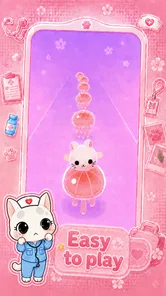


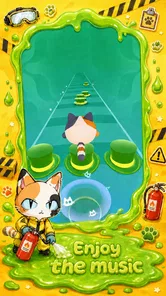



Analysis by Reviewed
Before deciding whether Beat Cats fits your routine, I’d think about what you want from a music game: a quick, cute rhythm challenge, or a more technical experience built around practising songs. This one leans toward playful tapping and cat-themed presentation. That makes it easy to approach, but it also means a few common frustrations are best handled with realistic expectations.
Where a first session can feel confusing
The first hurdle in a rhythm game is often not the controls but working out how closely your taps need to follow the music. When I start a new track, I try listening for its steady pulse before tapping quickly. If I chase every note as soon as it appears, I tend to rush; a calmer attempt gives me a better sense of the timing. Treating an early run as practice rather than a score test can make the opening feel much less demanding.
Sound and surroundings matter, too. A track can be harder to follow in a noisy room, while playing quietly may make its pulse less obvious. I’d choose a comfortable volume and a place where I can pay attention for a short stretch. If you’re playing around other people, headphones can be considerate when available, but I wouldn’t assume they will fix every timing issue: familiarity with the beat and a steady tapping rhythm still matter.
Simple checks before troubleshooting
Beat Cats is a free music game from SAMFEN LIMITED, rated Everyone, with optional in-app purchases ranging from $5.99 to $39.99 per item. That broad age rating does not remove the need for adult guidance around spending, especially if a child can use the device’s purchase controls. The game is on version 0.0.13 for Android devices running 5.1 or later, so checking that basic compatibility is a sensible first step if installation or startup is troublesome.
If it opens but feels sluggish, I’d close other demanding apps and try again when the device is not busy. If it will not launch, I’d first close and reopen it, check that installation has completed, and restart the device before considering more disruptive steps. These are general checks rather than guaranteed fixes. It is also worth making sure the phone has free storage before reinstalling, since repeating the installation without addressing a full device may not help.
Recovering a session without making it worse
When a run goes badly, I find it useful to change one thing at a time. First, try the same section with more attention on the beat; next, move somewhere quieter or adjust the volume to a comfortable level. If the game itself seems unresponsive across attempts, close and reopen it, then restart the phone if needed. Changing several settings at once makes it harder to tell what actually helped.
A missed tap is not automatically evidence of a technical fault. New rhythms take time to learn, and an interrupted session or divided attention can make otherwise simple timing feel unreliable. I’d give a track another focused attempt before assuming something is broken. If the problem appears in other apps too, that points more toward the device or its general performance than toward this particular game.
More From Our News Desk

Weather by Xiaomi Review: Clear at a Glance, Less Clear Up Close

X Under Pressure: Can It Recover When Posting Goes Wrong?

Clash of Clans Is Won Between the Battles

Android Auto Makes the Case for Quieter Car Software

MobiOffice: Transforming Mobile Productivity with Seamless Integration

EA SPORTS FC™ Mobile Soccer: Redefining Mobile Sports Gaming
Who will enjoy this particular mix
The game’s main appeal is the contrast between a simple rhythm task and its lighthearted cat presentation. The cats give the experience a friendly focus, while customization adds a personal touch beyond tapping along. I’d recommend it to someone who likes cute characters, wants a compact activity, and is happy to improve through repeated attempts rather than expecting formal music lessons.
It is less likely to satisfy players who want precise practice on a chosen song, detailed instrument guidance, or a highly technical challenge. A music-learning app is a better fit for structured lessons; a conventional rhythm game may suit someone who cares more about demanding charts and performance than character collecting. Beat Cats is at its best when the visual charm is part of the reason to play, not an extra wrapped around a different goal.
A sensible way to fit it into the day
For a realistic short break, I’d play a track or two while waiting for a ride or between tasks, then stop before the game becomes an unplanned time sink. A small boundary helps because tapping games invite “one more try,” especially when you want to improve a run. If a child is playing, I’d also agree on a session and spending expectations beforehand; the free starting point and optional paid items make that a more useful conversation than simply handing over the phone.
The game’s 4.1 average from around 4.4K ratings and more than 5 million installs show that it has reached a sizeable audience, though popularity cannot tell you whether its particular rhythm style will click for you. I’d use those figures as context, not as a promise of smooth performance on every device or a guarantee that the available music matches your taste.
The Purr-suit of Musical Fun
So, what exactly is Beat Cats? Imagine a world where cute, animated cats jam out to infectious beats, and your job is to help them create the ultimate dance party. Sounds fun, right? Well, that’s exactly what you get with this app. From the moment you open it, you’re greeted with vibrant colors and a user-friendly interface that’s as easy to navigate as a cat chasing a laser pointer.
The appeal is strongest when you want a light, focused activity rather than a full music-learning tool. I’d reach for it during a short break, while waiting for a ride, or when I want a playful game that does not ask me to follow a long story. It is less suited to someone looking for a realistic instrument, a way to practise a particular song, or a deep rhythm-game challenge with extensive control over difficulty.
Getting Started
Downloading and setting up Beat Cats is a breeze. It’s available on both Android and iOS, making it accessible to almost everyone. Once you’ve got it installed, you can either jump right into the action or take a moment to explore the tutorials and tips offered within the app. I opted for the latter, and I must say, it’s a great way to get oriented with the controls and features.
On Android, the current version is 0.0.13 and it requires Android 5.1 or later. If the game does not open or behaves oddly at first, I’d start with simple checks: confirm the device meets that minimum, close and reopen the game, and make sure the installation has finished properly. These are general first steps, not a promise that they fix every issue. I would avoid repeatedly reinstalling before checking whether the device has enough free space and whether the operating system is up to date.
Paws and Play
The core gameplay revolves around tapping the screen in time with the music to keep your feline friends grooving. You’ll encounter a variety of tracks, each with its own unique beat and rhythm. As someone who loves both music and cats, I found this combination utterly delightful. The more you play, the more tunes and cat characters you unlock, which keeps the experience fresh and engaging.
A useful way to ease into a new track is to listen for its pulse before trying to tap quickly. If a run feels messy, I’d pause the urge to chase every missed beat and focus on one clean attempt at a time; rhythm games often feel more manageable when you settle into the timing instead of reacting in a rush. For a casual session, that makes the game a better fit than a demanding score-chasing routine, especially if you are playing in a noisy place where the music is hard to hear.
One of the standout features for me was the ability to customize your cats. You can dress them up in funky outfits or even change their fur color. It’s a small touch, but it adds a layer of personalization that makes the game even more endearing.
That playful customization gives the game a different emphasis from many music games that put nearly all their attention on scores and song charts. Here, the cats are part of the reward and the mood, not just decoration around a tapping challenge. If you mainly want to practise musical timing or compete for precision, a more conventional rhythm game may be a better match; if the cute visual payoff helps you stay interested, this approach has an advantage.
Meow-sic and Graphics
Let’s talk about the music for a second. The tracks in Beat Cats are surprisingly catchy, with a mix of genres that cater to different tastes. Whether you’re into pop, rock, or electronic music, there’s something here to get your toes tapping and your fingers tapping even faster.
For a practical everyday example, I can see this working well as a quick reset between tasks: choose a short play window, focus on the beat, then put the phone away before the session turns into a longer distraction. If you are sharing a room, keeping the volume considerate matters; if the timing feels off, try a quieter setting and a steady grip rather than immediately blaming your tapping. Small changes in attention and surroundings can make a music game feel very different.
The graphics are another highlight. The animations are smooth, and the cats are adorably designed. The developers have done a fantastic job of creating a vibrant and immersive world that’s as pleasing to the eyes as it is to the ears.
When a session does not feel responsive, I would first separate a timing problem from a device problem. Try another attempt when the phone is not busy with several demanding apps, and check whether the sound is clear enough to follow. If the same difficulty continues across sessions, restarting the game and device is a reasonable basic recovery step. I would not assume a missed tap means the game is at fault: distractions, low volume, or simply learning a particular rhythm can all affect how accurately you play.
Final Thoughts
If you’re looking for a fun, engaging, and, let’s be honest, downright adorable app to pass the time, Beat Cats is definitely worth checking out. It strikes a great balance between simplicity and challenge, making it suitable for players of all ages. Plus, who can resist the charm of a bunch of cats dancing to some killer beats?
My recommendation depends on what you want from a music game. Pick this if cheerful cat visuals and straightforward tapping sound more appealing than a serious practice tool. Skip it if you dislike repeated timing challenges, prefer music without game prompts, or want detailed musical instruction. The optional purchases are another reason to decide your spending limits before handing the phone to a child; the game is free to start, but paid items can add up if purchases become part of the routine.
So, what are you waiting for? Grab your phone, download Beat Cats, and let the musical adventure begin. Trust me, it’s a meow-sical experience you won’t want to miss!
Overall, I see it as a cheerful, low-pressure choice for a spare few minutes, especially for players who enjoy cute character presentation alongside simple rhythm play. Its best use is an occasional burst of tapping and collecting, rather than a substitute for a dedicated music-learning app or a more technical rhythm title. If that distinction matches what you’re after, the cats make a charming reason to give it a try.
Beat Cats Frequently Asked Questions
What devices and operating systems can run Beat Cats?
Beat Cats is a mobile rhythm game for Android and iOS. On Android, it requires version 5.1 or later, so checking your device’s software version before downloading is a useful first step. The game is free to download, although optional in-app purchases are available. Its music-focused play is built around tapping along as a cat hops across piano tiles.
Is Beat Cats suitable for children?
Beat Cats has an Everyone content rating, making it suitable for a broad audience. Its playful cat theme and music-based tapping provide an approachable premise for younger players as well as adults who enjoy rhythm games. Parents should also be aware that the game offers optional in-app purchases, so it may be worth reviewing purchase settings on a child’s device before play.
What is Beat Cats about?
Beat Cats is a rhythm-based game where players guide adorable feline characters through various musical challenges. The game combines catchy tunes with vibrant visuals, offering an engaging experience for music and cat lovers alike. Players tap along to the beat, aiming for high scores and unlocking new levels and characters as they progress.
Is Beat Cats available for both Android and iOS devices?
Yes, Beat Cats is available for download on both Android and iOS platforms. Users can find the game on Google Play Store for Android devices and on the Apple App Store for iOS devices. The game is designed to run smoothly on a wide range of smartphones and tablets.
Are there in-app purchases in Beat Cats?
Beat Cats features in-app purchases, allowing players to enhance their gaming experience. These purchases may include additional songs, character costumes, or special power-ups. While the game can be enjoyed for free, players have the option to support the developers and access premium content through these purchases. The listed purchase range is $5.99 to $39.99 per item, so check the amount shown before confirming a purchase.
Pros
- Engaging rhythm-based gameplay.
- Diverse music tracks to choose from.
- Visually appealing graphics.
- User-friendly interface.
- Regular updates with new content.
Cons
- Ads can interrupt gameplay.
- In-app purchases can be pricey.
- Requires internet connection.
- Occasional bugs or glitches.
- Some tracks may be locked initially.












