Baby Piano Games & Kids Music
- 99.00
- 4.3
- Installs
- 1.00M
- Price
- Free
Screenshots
Analysis by Reviewed
I found Baby Piano Games & Kids Music to be a cheerful, straightforward music game aimed at very young children rather than at adults who want to learn piano seriously. It brings together playful keyboard activities with vehicles, letters, numbers, songs, and animal sounds, so the experience feels closer to a small collection of sound-and-picture activities than a traditional instrument simulator. That distinction matters: I would recommend it to a parent looking for a simple way to let a child tap, listen, and explore, but not to anyone expecting lessons, sheet music, or a structured musical course.
The game is made by GunjanApps Studios and is free to download, with optional in-app purchases ranging from under a dollar to several dollars per item. It is rated for Everyone, runs on Android devices using version 7.0 or later, and the current release is version 35. Its broad reach is reflected in more than a million installs, while its average store score is 4.3 from roughly five and a half thousand ratings. Those figures suggest that the concept has connected with many families, although they do not remove the need to check whether its simple presentation suits a particular child.
How Baby Piano Games & Kids Music works in everyday use
I focus here on the hands-on sound response: a child taps a key or themed item and hears what happens, turning simple curiosity into an easy cause-and-effect activity. I’ll look at how that interaction fits into a real play session, then consider where it works best and where a different kind of music activity may suit a child better.
Readable screens and a navigation style children can understand
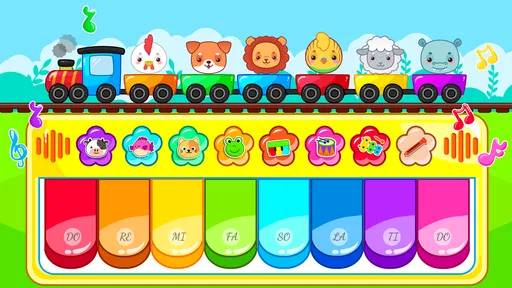
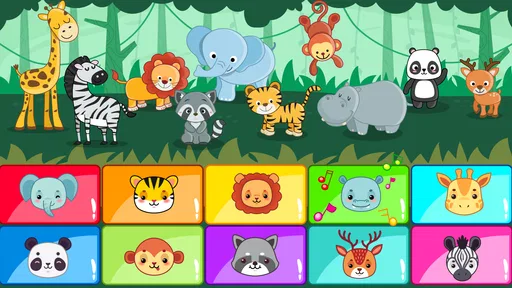
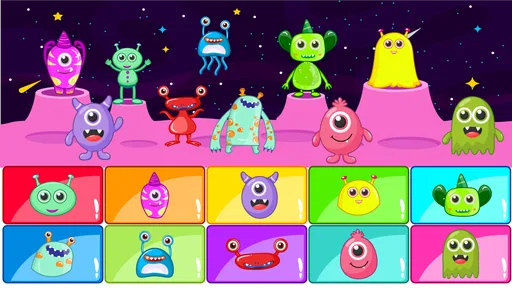
My first impression was that the app’s main strength is its immediate visual language. A child does not need to understand menus, musical notation, or written instructions before trying the activities. The subjects themselves—piano keys, animals, vehicles, letters, and numbers—give the child a recognizable starting point. That is useful for preschoolers who may not yet read confidently, and it also makes the game easier for an adult to demonstrate in a few seconds.
The bright, object-based approach is more suitable for early exploration than for independent navigation through a complicated learning system. In practice, I would sit with a child at the beginning, show which activity to choose, and then let the child repeat the action. Once the child understands that tapping an image or key produces a sound, the basic loop is easy to grasp. This reduces the frustration that can come from apps where the child must first pass through several screens before reaching the enjoyable part.
There is also a practical benefit for adults who are supervising more than one child. The subjects offer natural prompts: one child can explore animal sounds while another tries the keyboard, and an adult can suggest a new section without needing to explain a long set of rules. That makes the game useful during a short waiting period, a quiet play session, or a shared activity at home.
Still, simple does not always mean perfectly clear. Young children can tap quickly and move between activities before they understand what they are doing. If a child is using the game alone, I would not assume that every icon or transition will be self-explanatory. A short first session with a parent is worthwhile, especially for children who are easily distracted or who need extra time to connect a picture with the resulting sound.
More From Our News Desk

Weather by Xiaomi Review: Clear at a Glance, Less Clear Up Close

X Under Pressure: Can It Recover When Posting Goes Wrong?

Clash of Clans Is Won Between the Battles

Android Auto Makes the Case for Quieter Car Software

MobiOffice: Transforming Mobile Productivity with Seamless Integration

EA SPORTS FC™ Mobile Soccer: Redefining Mobile Sports Gaming
The visual design is best judged as an invitation to experiment, not as a carefully sequenced lesson. It gives children recognizable themes and quick feedback, but it does not appear to build a formal path from one musical skill to the next. That is a strength when the goal is low-pressure play and a limitation when the goal is measurable progress.
Motor demands, sound, and different ways of responding
For motor development, tapping is a sensible interaction. A child can use one finger, several fingers, or a whole hand to explore the keyboard-style area and other activities. That flexibility can make the game approachable for children who are still developing precise finger control. It also means an adult can adapt the activity: asking a child to find one image at a time is a gentler task than expecting accurate, rapid playing.
The trade-off is that a touch screen still requires enough control to touch the intended area. Children with limited reach, involuntary movements, or difficulty separating finger movements may trigger nearby items accidentally. The game’s playful nature helps because mistakes are not treated like failures, but accidental taps can still become tiring if the child is trying to complete a particular activity. I would position the device carefully and use a larger screen when possible, rather than expecting a small phone display to work equally well for every child.
Sound is central to the experience. The child receives an immediate response through notes, songs, or themed sounds, which can make cause and effect easy to understand. For a child who responds strongly to audio feedback, that immediacy may be motivating. For another child, especially one who is sensitive to sudden or repeated sounds, it may be too intense. I would begin with the device volume low and watch the child’s reaction instead of assuming that the default listening level is comfortable.
This is one of the most important ways to use the game inclusively: treat the sound as something to adjust around the child, not as a fixed part of the lesson. Short turns, pauses, and adult control of the device can make the experience calmer. If the child becomes overstimulated by repeated animal noises or musical notes, switching to a quieter activity or ending the session is more useful than encouraging them to continue.
The game can also work as a shared communication tool. A parent might name an animal, ask the child to locate it, and then imitate the sound together. Another child may prefer matching letters or numbers with spoken prompts. These interactions do not require the child to explain what they are doing verbally, so the app can support play for children who communicate through pointing, gestures, imitation, or simple choices. I would describe that as a practical advantage of the content, not as evidence of a specialist accessibility design.
Using it in different homes, routines, and settings
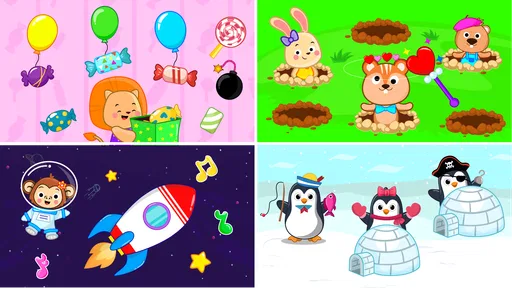
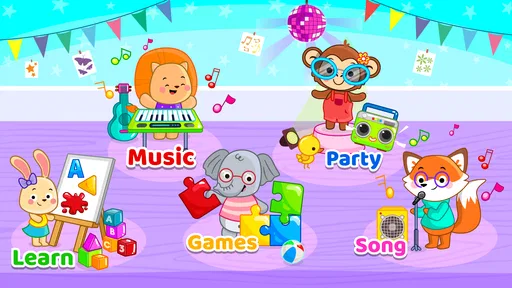
Baby Piano Games & Kids Music fits best into short, supervised moments. I can imagine using it while preparing a meal, during a quiet afternoon at home, or as a shared activity when a child wants something interactive but an adult cannot offer a full craft or lesson. The variety of themes helps prevent the session from depending entirely on piano play. If the child loses interest in keys, the adult can move toward animals, vehicles, letters, numbers, or songs.
That variety is especially helpful for children whose attention changes quickly. A parent can keep the session focused by offering only two choices at a time: “Would you like animals or the piano?” This avoids handing over an open-ended menu that may encourage random tapping. It also creates a simple way to observe preferences. One child may enjoy musical repetition, while another may engage more with familiar pictures and sounds.
I would be more cautious about using it in public spaces. A phone or tablet can make the game convenient during travel or while waiting, but the audio may disturb other people and the child may tap more forcefully when excited. Headphones are not automatically the answer for a very young child, since an adult should consider comfort, safe listening habits, and whether the child needs to hear the surrounding environment. In many situations, muted play with an adult narrating the pictures may be the better compromise, if the app remains understandable without its audio.
It is also worth thinking about the physical setup. A child using a device flat on a table may have an easier time reaching the keys than a child holding a phone in one hand. A stable surface can reduce accidental movement and make two-handed exploration more comfortable. For children who tire quickly, several brief sessions are more realistic than one long sitting. The app’s casual design supports this stop-and-start pattern better than a lesson-based app that expects a child to complete a fixed exercise.
Families sharing a device should plan the handover. Children may not naturally wait for one another when the activity is designed around immediate tapping. A parent can turn the game into a turn-taking exercise by giving each child a specific theme or a small number of turns. That adds a social and language element without pretending that the app itself provides a multiplayer system.
What the game does well for different abilities
The strongest inclusive quality here is the low entry barrier. A child can participate through touching, listening, watching, copying, or choosing between familiar subjects. The content does not demand advanced reading or musical knowledge before the first interaction. That makes it more adaptable than a piano-learning app built around notation, practice targets, and correct finger placement.
The themed material can also support different kinds of engagement. Letters and numbers may appeal to a child who prefers recognizable learning objects. Vehicles and animals can give a child who is less interested in music a reason to explore the app. Songs may suit a child who enjoys repetition and vocal imitation. The parent can decide whether the goal is sound discovery, naming, matching, or simply relaxed play.
Another useful point is that the game does not need to be treated as an all-or-nothing activity. A child does not have to use every section. If one part is confusing or overstimulating, an adult can stay with a more comfortable theme. This is a better approach than measuring the child against the whole app. The value comes from finding a small portion that produces curiosity and shared attention.
For children with developing fine-motor skills, I would use the game as an opportunity for exploration rather than accuracy training. Encourage a child to tap one large target, then pause and listen. Later, invite them to alternate between two areas. These small changes can make the interaction more purposeful without turning play into a test. The app supplies the immediate response; the adult supplies the pacing and interpretation.
Where the inclusive experience still has limits
The same simplicity that makes the game approachable can limit it for children who need more structure. There is no reason to treat free tapping as a substitute for a carefully designed music curriculum. A child wanting to learn melodies, rhythm notation, hand position, or progressive keyboard technique would be better served by a dedicated educational piano app or a real instrument with guided instruction.
Parents should also avoid assuming that familiar pictures guarantee universal understanding. Vehicles, animals, letters, and numbers can be useful prompts, but children differ in language, cultural experience, and developmental stage. An adult may need to name an image, demonstrate the action, or connect it with something the child already knows. That shared explanation is part of making the app accessible in practice.
Visual clarity can be difficult to judge without considering the device. A small phone may make touch targets feel crowded for a child with visual or motor challenges, while a larger tablet may be easier to use. Screen brightness, glare, and the child’s viewing distance matter as well. I would not choose the smallest available display for a child who needs extra time to distinguish images or reach accurately.
Audio can be both the main attraction and the main barrier. Children who enjoy sounds may stay engaged, but children with auditory sensitivities may need lower volume, frequent breaks, or a different activity. The app is therefore not equally suitable in every sensory environment. A quiet room and a calm adult presence can make a noticeable difference, while a noisy car or crowded waiting area may make the experience harder to regulate.
There is also the question of purchases. The game is free to start, but optional items cost from $0.99 to $6.99 each. For a child who explores buttons independently, an adult should supervise the device and purchase flow. This is not merely a financial concern; unexpected prompts can interrupt the play session and confuse a child who thinks every on-screen choice is part of the game. I would handle any purchases myself and keep the child focused on the activity rather than the surrounding store controls.
How it compares with ordinary alternatives
Compared with a physical toy piano, this game offers more variety in one place. A toy instrument may provide clearer tactile feedback and fewer distractions, but it usually will not combine a keyboard with animal sounds, vehicles, letters, numbers, and songs. The app is easier to change from one theme to another, while the physical toy may be better for children who benefit from pressing real keys and feeling their movement.
Compared with a video of nursery songs, the game gives the child a more active role. The child can tap and trigger responses rather than only watch. On the other hand, a video may be calmer and more predictable for a child who becomes frustrated by touch controls. It may also be easier for an adult to use during a brief transition, whereas this game works best when someone is ready to guide the child’s choices.
Compared with a serious piano-learning application, this one is much less demanding and more welcoming for early experimentation. That makes it a better first contact with musical sounds for some children, but a weaker choice for families seeking lessons, progress tracking, or technical practice. I would choose this game for curiosity and shared play, then move to a more structured option if the child begins asking to learn specific songs or play with greater accuracy.
Compared with a completely offline collection of physical flashcards, the app adds sound and immediate interaction, but it also introduces screen time and device-management concerns. The best choice depends on the child’s response. If touching a screen helps maintain attention, the app may be useful. If the child already spends too much time on devices or prefers hands-on objects, physical alternatives may offer a healthier balance.
My practical recommendation for parents and caregivers
I would introduce the game in a short session with the device placed securely on a table. Start with one familiar theme, keep the volume modest, and let the child explore before adding questions. After the child understands the basic interaction, try a simple routine: choose an animal, listen, imitate the sound, and then switch to one musical tap. This turns a collection of activities into a small shared game without requiring the child to follow complicated instructions.
For a child who struggles with choices, limit the available options verbally rather than asking them to navigate everything alone. For a child with motor difficulties, use a larger screen if available and encourage one deliberate tap at a time. For a child who is sensitive to noise, begin with the quietest practical setting and stop at the first sign of discomfort. These adjustments are more important than trying to make the child use every feature.
I would also keep expectations realistic. The game can encourage listening, turn-taking, recognition, imitation, and cause-and-effect learning, but those benefits depend heavily on how an adult frames the session. It is not a replacement for speech support, occupational therapy, formal music teaching, or individualized accessibility tools. Families should choose another option when a child needs switch access, specialized visual presentation, detailed progress records, or a predictable curriculum.
For the right child, though, the lack of pressure is exactly what makes it appealing. A preschooler can move from a piano sound to an animal noise without being told that one answer is wrong. A caregiver can follow the child’s interest instead of forcing a fixed sequence. That flexibility gives the game a useful place in a home library of activities, particularly when the aim is to create a few minutes of shared attention.
Inclusive verdict: a friendly starting point with clear boundaries
After spending time with it, I see Baby Piano Games & Kids Music as an accessible starting point for playful sound exploration, not as a complete learning platform. Its familiar themes, direct touch interaction, and free entry make it easy to try with a young child. The Everyone rating also reflects its broad child-friendly positioning, although supervision remains important because children differ widely in sensory needs, motor control, and tolerance for screen activity.
My recommendation is to use it as a flexible, supervised play tool rather than an unattended digital babysitter. It can work particularly well for children who enjoy tapping, copying sounds, choosing pictures, and moving between short activities. It is less convincing for children who need precise instruction, advanced musical goals, specialist access features, or a very calm and predictable interface.
GunjanApps Studios has kept the central idea easy to approach: touch something, hear a response, and explore another theme. That simplicity will feel limited to some families, but it is also the reason a young child can begin without preparation. If I were recommending it to a friend, I would say to try it on a suitable screen, control the volume and purchase settings, stay nearby, and judge it by the child’s comfort and curiosity. Used that way, it is a pleasant little music game with enough variety to support different styles of play, while still leaving room for more specialized tools when a child’s needs become more specific.
Baby Piano Games & Kids Music Frequently Asked Questions
What age rating does Baby Piano Games & Kids Music have?
Baby Piano Games & Kids Music has an Everyone content rating, which makes it suitable for a broad audience. Since it is designed around simple music play for young children, parents may still want to explore the activities first and decide how they fit their child’s age and interests. Staying nearby also lets adults guide play and help children use the app comfortably.
What is Baby Piano Games & Kids Music?
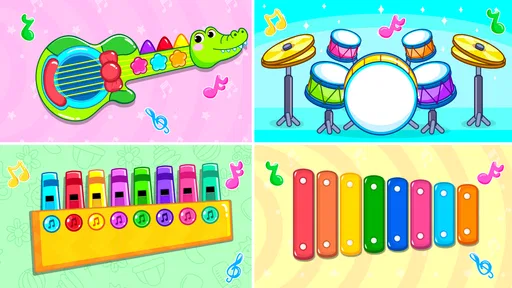
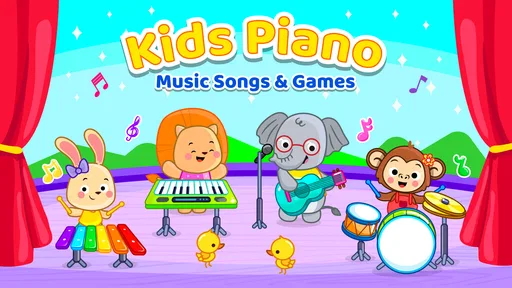
Baby Piano Games & Kids Music is an interactive music app designed for babies, toddlers, and young children. It usually combines colorful piano keys, playful sound effects, nursery-style melodies, animal sounds, and simple touch-based activities. The controls are intentionally easy to use, allowing children to tap, explore sounds, and enjoy basic musical interaction without needing to read instructions.
Is Baby Piano Games & Kids Music suitable for babies and toddlers?
The app is generally aimed at very young children, including babies and preschoolers, because its interface relies on large buttons, bright visuals, and simple cause-and-effect interactions. However, parents should still supervise playtime, especially with very young users. Age recommendations, available modes, and the level of advertising can vary depending on the device and app version.
Does Baby Piano Games & Kids Music work without an internet connection?
Many of the basic piano activities and sound features may work offline after the app has been installed, which is useful for travel or situations without Wi-Fi. Nevertheless, some features can require an internet connection, including advertisements, additional content, updates, or links to other applications. It is best to test the app in airplane mode before relying on it offline.
Is Baby Piano Games & Kids Music free to download and use?
The app is free to download, with optional in-app purchases ranging from $0.99 to $6.99 per item. Parents should check the app’s settings before handing the device to a child. Using parental controls can help prevent accidental purchases or unwanted access.
Pros
- Bright
- child-friendly visuals make the piano easy for toddlers to explore.
- Simple tap controls work well for children with limited coordination.
- Includes playful sounds and songs that can encourage musical curiosity.
- Short activities suit quick play sessions and young attention spans.
- Offline access makes it useful during travel or without a stable connection.
Cons
- Some content may feel repetitive after extended play sessions.
- Ads or locked features may interrupt the experience on the free version.
- Limited musical depth may not satisfy older children or beginners seeking lessons.
- Sound effects can become loud or distracting without device volume controls.
- Requires parental supervision to prevent accidental purchases or unwanted taps.











