Baby Piano for Kids & Toddlers
- 5.00
- 2.9
- Installs
- 1.00M
- Price
- Free
Screenshots
Analysis by Reviewed
Baby Piano for Kids & Toddlers is the kind of music game I would open when I want a young child to explore sound without turning the activity into a lesson. It presents a simple piano-style experience with songs and sound-based activities, so the appeal is immediate: tap the screen, hear a response, and let curiosity do most of the work. I tested it with the expectations I would have for a toddler app rather than a serious keyboard trainer, and that distinction matters.
Developed by Wow Kids Media, this free music game is aimed at Everyone and runs on Android devices using version 6.0 or later. It has passed the one-million-install mark, which suggests that many families are at least willing to try this style of early music play. Its current version is 1.4.5, and the average score sits at 2.9 from roughly 486 ratings. That mixed score is useful context: the concept is accessible, but it is not the sort of app I would recommend blindly for every child or every parent.
How I use Baby Piano for Kids & Toddlers in everyday play
I use Baby Piano for Kids & Toddlers best as a short, shared activity: first I let a child explore, then I offer one simple rhythm to copy and leave room for their own choices. That routine keeps the play purposeful without turning it into a lesson. It also gives me a natural way to notice when the sounds are still holding their attention and when it is time to move on.
A simple starting routine works best
My preferred first session is short and open-ended. I let the child tap a few keys, listen to the sounds, and discover what changes when different parts of the screen are touched. I do not begin by trying to teach notes or expecting a recognizable tune. For a toddler, the first useful result is often simply learning that an action creates a sound and that repeating the action produces a predictable response.
That makes the app suitable for small gaps in the day: a few quiet minutes before leaving home, a supervised activity while a meal is being prepared, or a gentle wind-down before a story. I would keep the device nearby and hold it steady at first, because young children can easily move from deliberate tapping to pressing the navigation area, switching screens, or leaving the game entirely.
The most productive workflow is to treat the piano as a prompt for interaction, not as an electronic babysitter. I might tap a short pattern and invite the child to copy it, then allow free play. Another time, I would ask the child to find a sound they like and repeat it three times. These tiny challenges give the session a beginning and an ending without making the experience feel like homework.
Parents should also decide whether sound is appropriate before starting. A music game can be entertaining in a waiting room but irritating in a quiet public space, even when the child is enjoying it. Headphones are not always a good solution for toddlers because adults lose the ability to hear what is happening, so I prefer low device volume and direct supervision.
More From Our News Desk

Weather by Xiaomi Review: Clear at a Glance, Less Clear Up Close

X Under Pressure: Can It Recover When Posting Goes Wrong?

Clash of Clans Is Won Between the Battles

Android Auto Makes the Case for Quieter Car Software

MobiOffice: Transforming Mobile Productivity with Seamless Integration

EA SPORTS FC™ Mobile Soccer: Redefining Mobile Sports Gaming
What the child is really practicing
The obvious activity is tapping keys, but the more valuable practice is cause and effect. The child learns that different touches can produce different musical responses and that timing changes the result. This is a modest form of musical exploration, not formal instruction, yet it can encourage listening, turn-taking, and hand-eye coordination when an adult participates.
I found that copying games work better than simply asking a child to “play music.” A toddler may not understand that instruction, while a short rhythm gives them something concrete to imitate. Keep the pattern small: one or two taps, a pause, then another attempt. If the child loses interest, switching back to free tapping is more sensible than pushing for accuracy.
One useful habit is to use the same opening routine every time. Start with a few free taps, move to one copying attempt, and finish with the child choosing the final sound. This makes the app easier to manage because the child begins to recognize the shape of the activity. It also prevents endless, unfocused tapping from becoming the only way the game is used.
Who will enjoy it most
This is best for families looking for an uncomplicated toddler music game rather than a structured piano course. It can suit a child who enjoys buttons, sound effects, and immediate visual feedback. It is also a reasonable first introduction for a child who has shown interest in a real keyboard but is not ready to handle one independently.
I would be more cautious with children who become frustrated when a screen does not behave exactly as expected. Touch controls can feel imprecise to a young user, especially when a small finger lands between keys or when the child presses several areas at once. In that situation, playing alongside the child is not just helpful; it changes the experience from trial and error into shared exploration.
Older children who want to learn recognizable songs, read notes, or build a consistent practice routine will probably outgrow it quickly. A dedicated piano-learning app or a real beginner keyboard would be a better choice for those goals. Baby Piano for Kids & Toddlers is strongest when the target is playful discovery, not measurable musical progress.
Settings and preparation worth checking
Before handing over the device, I would check the phone’s general volume, screen orientation, and notification behavior. Those are small preparations, but they prevent common interruptions. A message banner or accidental system gesture can break a toddler’s concentration, and a sudden loud sound can make the session unpleasant for both child and adult.
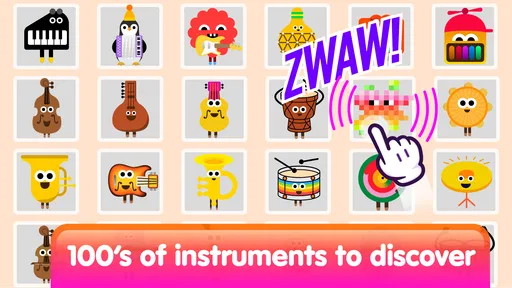
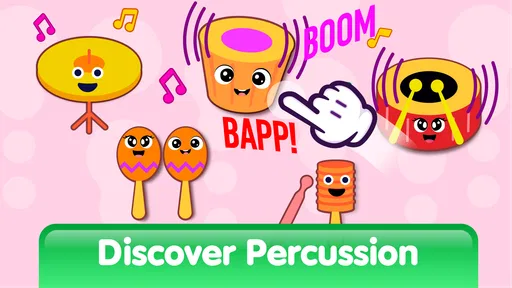
I would also look through the available in-game options before assuming that every activity is equally appropriate. The app is presented as an educational baby piano and music game, but a parent should still sample the sounds and song activities personally. That quick inspection helps identify which parts are calming, which are more energetic, and which ones match the child’s current attention span.
There is another practical reason to explore first: free apps with optional purchases deserve adult handling. Baby Piano for Kids & Toddlers is free to install, while its in-app items range from $1.99 to $23.99 each. I would never leave a child to navigate purchase prompts alone. An adult should decide in advance whether the free experience is enough and keep store authentication under adult control.
This is also where the app’s age label needs a sensible interpretation. Everyone means the content is broadly suitable for that rating, but it does not remove the need for supervision. A young child may still press unwanted buttons, raise the volume, or become overexcited by repeated sounds. The rating describes suitability; it does not replace a parent’s judgment about timing and use.
Faster patterns for repeat sessions
Experienced use is less about finding secret controls and more about reducing unnecessary friction. I keep the device in the same position, begin with the same short pattern, and use a clear verbal cue such as “listen” before tapping. This makes it easier for the child to shift from random pressing to attentive listening without requiring a complicated lesson.
A second pattern is to separate listening from performing. I tap once while the child watches, then invite a response. If the child copies it, I change only one element, such as adding a second tap or leaving a longer pause. This creates a gentle progression while staying inside what the app actually offers: direct interaction with musical sounds rather than a formal curriculum.
For a restless child, I would use the app in small rounds instead of one long session. Let the child explore, close the activity before frustration appears, and return later. The repeatable habit is more valuable than squeezing every possible feature into one sitting. It also protects the app from becoming background noise, which is a risk with any simple sound toy.
Another effective approach is to connect the screen activity to something away from the screen. After a short piano session, I might ask the child to clap the rhythm, hum a response, or find a household object that makes a soft sound. That turns the game into a starting point for broader musical play. It also helps parents judge whether the child is engaging with the sounds or merely chasing visual movement.
Where the experience reaches its limits
The app’s simplicity is both its strength and its ceiling. A toddler can begin without understanding musical notation, but that also means a child seeking a clear learning path may find the experience shallow. I would not use it as evidence that a child is learning piano in the conventional sense. It encourages experimentation, but it should not be confused with lessons, graded exercises, or a full instrument simulator.
The mixed average rating reinforces my cautious view. A score of 2.9 from around 486 ratings is not a reason to dismiss the game, but it does suggest that the experience will not satisfy everyone. Families may differ in what they expect from a “baby piano”: some want a toy that responds instantly, while others expect polished songs, stronger educational guidance, or a completely frictionless interface.
Optional purchases are another boundary. The free entry point is helpful for testing whether a child even likes this kind of activity, but the presence of paid items means the parent should evaluate the free portion before spending anything. I would not buy simply because a child asks for a locked-looking option during play. First confirm that the basic interaction is engaging and that the added material would serve a real purpose.
There is also a trade-off between this app and a physical toy piano. The screen is portable, familiar, and easy to store, while a real keyboard offers larger tactile controls and a more natural sense of space. A physical instrument is usually better for sustained hands-on exploration, but the app is more convenient when traveling or when a family wants to try musical play without buying another object.
How it compares with common alternatives
Compared with a standard nursery-rhyme video, this game asks the child to do something rather than only watch. That makes it more interactive, but it also requires more supervision because the child is controlling the experience. Compared with a dedicated piano-learning app, it is less demanding and more approachable for very young users, yet it offers less structure for anyone who wants to progress through lessons.
Compared with a physical baby keyboard, it is quieter to store and easier to carry, but it lacks the tactile feedback that helps a child understand the layout of a real instrument. Compared with a general soundboard, it has a clearer musical identity because the piano interaction is central. The right choice depends on whether the family values portability, free experimentation, or a more substantial learning path.
I would choose this app over a video when I want the child to make choices and respond to sounds. I would choose a real keyboard over it when the child is ready to sit and practice. I would choose a more structured educational app when a parent wants progress tracking, guided exercises, or recognizable song instruction. Baby Piano for Kids & Toddlers occupies the middle ground between a toy and a lesson, and it works best when that middle ground is exactly what you need.
A realistic family scenario
Imagine a parent waiting for an appointment with a toddler who is tired but still restless. The parent opens the game, lowers the volume, and starts with a few taps. Instead of giving the phone away immediately, the parent demonstrates a short pattern and asks the child to answer. After several turns, the child chooses free play, then the parent ends the session before the waiting room becomes disruptive.
That is a realistic strength of this game: it can fill a short window with an activity that involves listening and response. It is less convincing as a solution for a long journey or an entire afternoon. Repetition can become tiring, and a child who has already explored the available sounds may need a different activity. I would pack it as one option among several, not as the only entertainment.
At home, the same scenario can become more meaningful if the adult joins in. A parent can match the child’s rhythm, pause deliberately, and ask which sound should come next. The child is then practicing attention and turn-taking, not merely occupying a finger. That shared use is where I see the clearest educational value.
My verdict after regular use
My recommendation is cautious but positive for the right age and purpose. Baby Piano for Kids & Toddlers is an approachable free entry into musical play, and its one-million-plus installs show that the format has broad appeal. I like it most as a short, supervised activity that encourages a toddler to listen, tap, copy, and choose.
I would recommend trying it when you want a simple educational piano game and your expectations are modest. Start with the free experience, inspect the activities yourself, control purchases, and use short repeatable sessions. Those habits make the app more enjoyable and reduce the main sources of frustration.
I would skip it if you need formal piano teaching, detailed song instruction, or a rich long-term progression system. The 2.9 average also tells me to keep expectations realistic rather than assuming every family will find it polished enough. For a child who wants immediate sound feedback, it may be a pleasant little music toy. For a learner ready to build real keyboard skills, another option will be a better investment of time.
In the end, I see Baby Piano for Kids & Toddlers as a starter activity, not a destination. Used briefly and with an adult nearby, it can turn a few spare minutes into playful musical exploration. Used as a substitute for lessons, physical instruments, or shared attention, it will feel limited. That balance is the key to getting value from it.
Baby Piano for Kids & Toddlers Frequently Asked Questions
Is Baby Piano for Kids & Toddlers suitable for a child’s first music game?
Baby Piano for Kids & Toddlers is a music game built around a simple idea: letting young children explore piano sounds and music through touch. Its store description presents it as an educational baby piano and music game for toddlers, with songs and sounds. This makes it a natural option for a first, informal introduction to musical play, with an adult nearby to help a child explore.
What does the Everyone age rating mean for families?
The game has an Everyone content rating, which can help parents quickly understand its broad age suitability when browsing. It is also aimed at babies and toddlers, so an adult should still decide whether its activities and screen-based play suit their child. For very young children, supervision is especially useful: it lets you guide the activity and keep playtime appropriate for your family.
What is Baby Piano for Kids & Toddlers?
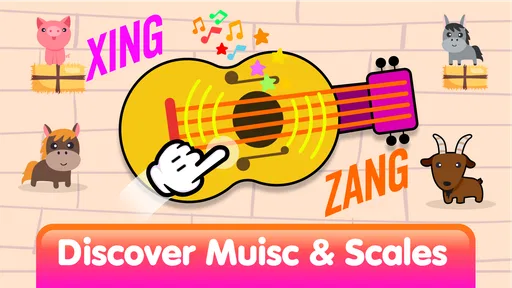
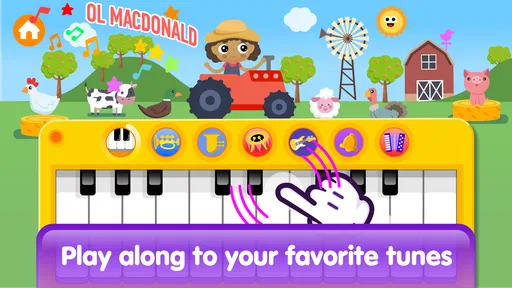
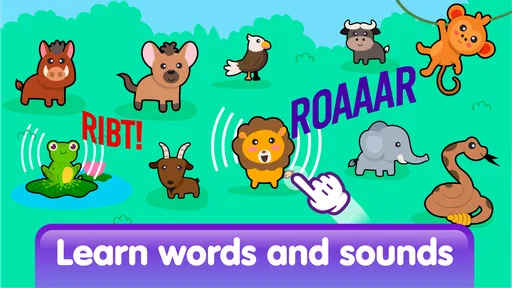
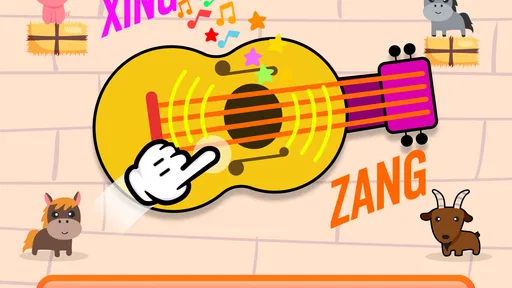
Baby Piano for Kids & Toddlers is a colorful, child-friendly music app designed to introduce babies and young children to sounds, melodies, and basic musical interaction. It typically features large, easy-to-tap piano keys, playful visuals, animal sounds, songs, and simple activities. The interface is intended to be accessible even for children who are still developing coordination and learning how touchscreens work.
What age group is Baby Piano for Kids & Toddlers suitable for?
The app is mainly aimed at babies, toddlers, and preschool-aged children, although the exact suitable age can vary depending on the child’s development and familiarity with mobile devices. Younger children may enjoy tapping keys and hearing sounds, while older toddlers can experiment with melodies and songs. Parents should supervise use, especially for very young children, to prevent accidental purchases or extended screen time.
Does Baby Piano for Kids & Toddlers require an internet connection?
Many of the basic piano and sound activities can generally be used offline once the app has been installed, which makes it convenient for travel or situations without Wi-Fi. However, certain features may depend on an internet connection, including advertisements, additional content, updates, analytics, or links to other apps. It is a good idea to test the application in airplane mode before giving it to a child.
Pros
- Bright
- child-friendly visuals make the piano inviting to explore.
- Simple touch controls are suitable for toddlers with limited coordination.
- Animal sounds and playful effects can encourage curiosity and interaction.
- Works well for short
- independent play sessions.
- Large keys reduce accidental taps on unrelated controls.
Cons
- Frequent sounds may become distracting for parents and nearby listeners.
- Limited musical depth may feel repetitive for older children.
- Some features may require in-app purchases or display advertisements.
- A child could exit the game or open settings without parental controls.
- Touch sensitivity may not always respond accurately to very light taps.











