

ABC Games for Kids - ABC Jump
- 3.00
- 4.3
- Installs
- 10.00K
- Price
- Free

Screenshots
Analysis by Reviewed
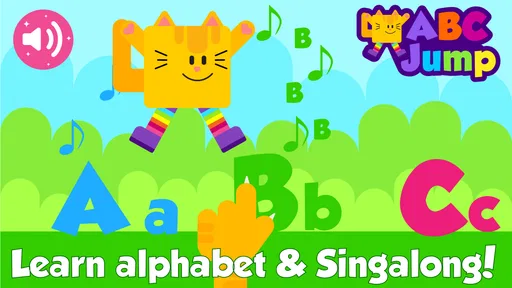
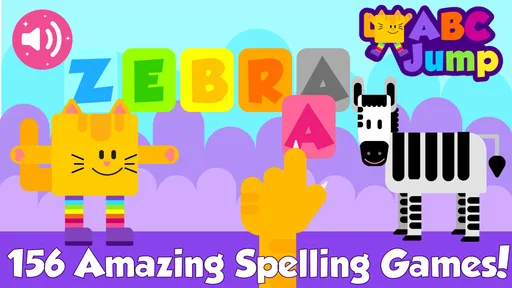
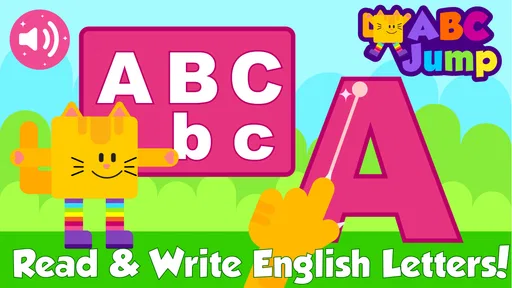
When a child needs a short, focused way to practice letters, ABC Games for Kids - ABC Jump is the kind of app I would place on a shared family tablet rather than treat as a complete learning program. Its focus is early literacy: recognizing letters, connecting them with sounds, tracing shapes, spelling simple words, and using flash-card style practice. I found that combination more useful than a game built around only one activity, because a child can move from seeing a letter to saying it and then trying to write it.
The game comes from Cubic Frog® Apps-Learning Games for Kids and sits in the educational section. It is free to start, although optional purchases range from $5.99 to $29.99 per item. That makes the first try fairly easy for a household, but it also means I would set expectations before handing the device over. A child can explore the free portion, while an adult should decide whether any additional content is worth buying.
How ABC Jump works on a shared family device
In my experience, the best use is a brief turn at a time. One child can sit with an adult and work through a few letters, then another child can use the same device for a different practice session. This is especially practical during a quiet period after school, before a trip, or while a parent is preparing dinner and wants an activity that has a clear learning purpose.
I would not present it as a digital babysitter. The activities are better when an adult occasionally asks a follow-up question: “What sound does that letter make?” or “Can you find another word that starts with it?” That small conversation turns tapping and tracing into active practice. Without it, a child may simply repeat the easiest activity and avoid the areas that need more attention.
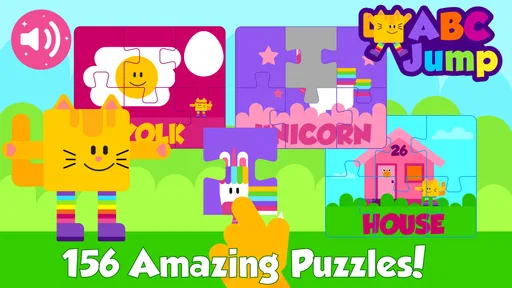
The app’s mix of alphabet games, ABC flash cards, letter tracing, spelling, and phonics gives it several entry points. A child who is still learning recognition may benefit from the visual letter work first. Another child may be more interested in sounds or simple spelling. I like that flexibility, but I would still guide the order rather than assume the game will automatically create a complete lesson for every learner.
On a shared tablet, I recommend keeping the device in a common area for the first few sessions. That makes it easier to see which activities hold the child’s attention and whether the child understands the instructions. It also prevents a younger user from moving into purchase screens without an adult noticing. This is ordinary household coordination, not a special feature of the game, but it matters because the app is intended for children and includes optional paid content.
What to decide before the first session
The game is free, so downloading it does not require a commitment to pay. Still, I would make the boundary clear: the child may play the available activities, but any purchase requires an adult. On a family device, that conversation is more reliable than assuming a child understands the difference between a free activity and an optional add-on.
More From Our News Desk

 Gmail
GmailGmail in a Busy Inbox: Who Benefits Most?
From first account to crowded workday, Gmail earns its place through dependable search and flexible sorting—but its best fit depends on how much inbox maintenance you can tolerate.

 Prime Video
Switching to Prime Video: What Changes in Your Viewing Routine
Prime Video can make a compelling second home for streaming, but switching means learning a different catalog, rental layer, and route from browsing to playback.

 Universal TV Remote Control
Universal TV Remote Control Works Best as a Reliable Backup
A phone remote earns its place through quick setup and reliable habits. Here is how to get more from Universal TV Remote Control—and where its limits show.

 Weather - By Xiaomi
Weather by Xiaomi Review: Clear at a Glance, Less Clear Up Close
Xiaomi’s weather app makes everyday forecasts quick to scan, but its calm surface can leave useful details and recovery paths harder to find than they should be.

 X
XX Under Pressure: Can It Recover When Posting Goes Wrong?
A resilience-focused review of X, examining setup, mistaken posts, interruptions, weak connections, and the gaps that matter when recovery needs to be dependable.

 Clash of Clans
Clash of Clans Is Won Between the Battles
Its raids are quick; its community is a long-term project of coordination, teaching, rivalry, and shared responsibility—with all the friction that entails.
Latest News



I would also decide whether the tablet is being used for independent practice or guided practice. For a child who already knows several letters, a few minutes of solo tracing may be fine. For a beginner, sitting nearby is more valuable because the adult can correct pencil or finger direction, repeat a sound, and notice confusion between similar-looking letters.
Another useful boundary is time. Letter practice can lose its value when a child becomes tired and starts tapping without listening. I prefer a small routine: choose one activity, complete a manageable group of letters or words, then stop while the child is still comfortable. The app works better as a repeatable habit than as a long session intended to cover everything at once.
Because ABC Jump is designed for early learners, the adult should also check whether the language level matches the child. A preschooler who is just becoming familiar with the alphabet may need spoken encouragement throughout. A beginning reader may want more challenge than simple recognition and tracing provide. The same app can therefore feel helpful to one child and too basic to another, even within the same household.
Turning play into coordinated practice
A practical routine is to use the game for one skill and real-world materials for another. For example, a child might practice letter sounds in the app, then look for those letters on food packaging or in a picture book. After tracing a letter on the screen, the child can try drawing it with a crayon. This prevents the touchscreen from becoming the only place where learning happens.
I also like using the app as a warm-up rather than the whole lesson. A few flash-card activities can refresh recognition before reading together. Tracing can prepare a child for handwriting practice, while spelling activities can reveal which sounds the child recognizes but cannot yet write independently. That distinction is important: success on a screen does not always mean the same skill will transfer to paper.
For siblings, I would avoid making the session a competition. One child may be ready for phonics while another still needs visual repetition. Taking turns with separate goals works better than comparing speed. A parent can say, “You are practicing sounds today,” and “You are working on letter shapes,” so both children have a clear purpose without needing identical progress.
On a device used by several people, I would keep a simple note outside the app about what each child practiced. This is not an in-game profile or tracking system; it is just a household method for coordination. Writing down a few letters or skills after a session helps the next adult continue from the right place instead of starting randomly or repeating the child’s favorite activity every time.
Where the learning design is genuinely useful
The strongest part of ABC Jump is the connection between visual recognition and early language skills. Flash cards can help a child notice a letter quickly, while phonics activities encourage listening. Tracing adds a motor element, and spelling asks the child to use letters in a more active way. I would not call that a substitute for teaching, but it is a sensible group of exercises for short reinforcement.
One non-obvious advantage is that the activities can expose different kinds of hesitation. A child may identify a letter immediately but struggle to produce its sound. Another may know the sound but reverse or avoid the written shape. Watching those transitions gives an adult more useful information than simply asking whether the child “knows the alphabet.” I use that observation to choose the next offline activity.
Another useful approach is to let the child explain the answer aloud instead of accepting a tap as proof of understanding. If the game presents a letter, I ask the child to name it and give a word beginning with it. If the activity involves spelling, I ask the child to sound out the word afterward. This takes only a few seconds but helps separate recognition from memorization.
The app can also work well for children who resist worksheets. A child who refuses to trace on paper may be willing to begin with a screen. I would then use that interest as a bridge: after the digital activity, offer a marker, magnetic letters, or a book. The screen becomes an invitation to practice rather than the final destination.
Age, trust, and adult supervision
The content rating is Everyone, and the game is aimed at young learners, but that does not mean every child can use it in exactly the same way. Age labels describe broad suitability; they do not measure reading readiness, attention span, fine-motor ability, or independence. I would judge the experience by the individual child rather than by the label alone.
For a child who cannot yet read instructions, an adult may need to explain what to do. That is not a weakness unique to this game; it is common with early-learning software. The important point is to avoid leaving the child to guess for a long period. If the child repeatedly taps without understanding, the activity may become button practice instead of literacy practice.
Trust also matters around purchases. Since the game is free with optional paid items, I would not let a young child browse unattended on a device connected to a payment method. The safest household rule is simple: the child plays, and an adult handles any decision involving money. I would also explain that not every locked-looking area needs to be opened immediately; the free activities are enough to judge whether the teaching style suits the child.
The developer has released version 1.4, and the game supports devices running Android 4.4 or later. That broad compatibility is helpful for families using an older Android tablet, although I would still test the app on the actual household device before planning a lesson around it. Older hardware can affect the general comfort of any touchscreen activity, especially for a child who needs clear, responsive feedback.
How it compares with books, worksheets, and other learning apps
Compared with alphabet books, ABC Jump offers interaction and immediate activity changes. A book is calmer, easier to share physically, and better for conversation and storytelling. The app is more appealing when a child needs a quick turn-based activity or enjoys tracing and sound practice. I would use both rather than choosing one as a total replacement for the other.
Compared with worksheets, the game lowers the barrier to starting. There is no need to prepare paper or sharpen a pencil before a short session. On the other hand, worksheets and crayons develop hand control in a way a touchscreen cannot fully reproduce. If handwriting is the main goal, I would treat the app as preparation and follow it with physical writing.
Compared with a broad reading curriculum, this game is narrower and more approachable. It can reinforce foundational pieces, but I would not expect it to provide the same depth as a structured program with a planned sequence, reading passages, progress records, and adult guidance. Families looking for formal instruction should choose a more comprehensive tool or combine this one with lessons and books.
Compared with a video aimed at children, the interactive activities are more active because the child has to respond. The trade-off is that the adult may need to help with directions and keep the session purposeful. A video is easier to start but can encourage passive watching; ABC Jump is more useful when the child is ready to participate.
Limitations that matter in everyday use
The biggest limitation is that a collection of activities is not automatically a learning plan. A child may enjoy flash cards and avoid spelling, or repeat familiar letters without moving forward. I would rotate activities deliberately and watch for a balanced session. If the child needs a clear progression from one lesson to the next, a dedicated curriculum may be a better choice.
Tracing on glass can also create a false sense of handwriting progress. The child may follow a guide with a finger but still struggle to form the same letter with a pencil. That is why I consider the tracing section useful for familiarity and movement, not a replacement for paper practice. The most effective routine pairs each digital tracing session with a few physical attempts.
There is also a household cost boundary to consider. The initial download is free, but optional items can cost from $5.99 to $29.99 each. I would evaluate the free experience first and decide whether the extra material fits the child’s needs before spending anything. For a family that wants one completely predictable purchase with no additional decisions, this arrangement may feel less convenient.
Some children will simply outgrow the level. Once a learner reads confidently, recognizes common letter sounds, and spells simple words without much support, the activities may become repetitive. At that stage, I would move toward decodable books, writing games, or a more advanced reading app. Keeping a child on beginner material for too long can make practice feel like entertainment without meaningful challenge.
Who should use it and who should skip it
I think ABC Jump is a good fit for a preschool or early-reading child who benefits from short sessions involving letters, sounds, tracing, and simple spelling. It is particularly suitable for a family that wants a low-commitment way to test digital literacy practice on an Android device, then decide whether it deserves a regular place in the routine.
I would also recommend it for parents who are willing to participate lightly. You do not need to teach a full lesson each time, but asking the child to pronounce, explain, or write what appeared on the screen makes the activities more valuable. The game is less compelling for an adult who wants detailed progress reporting or a fully guided course that requires no supervision.
I would skip it if the child is already beyond basic alphabet work, if the household specifically wants handwriting instruction on paper, or if the family prefers an app with no optional purchases. I would also choose another tool for a child who needs a carefully sequenced reading intervention rather than flexible practice. In those cases, books, specialist support, or a more structured program should lead the routine.
My household verdict
ABC Jump earns a place as a practical supplement, not as the entire literacy shelf. I like its combination of recognition, sounds, tracing, and early spelling because it gives a child more than one way to engage with letters. The free starting point makes it easy to try, and the Everyone rating suits its intended audience, while the optional purchases mean an adult should remain in charge of spending.
My preferred setup is simple: use a shared device in a common area, keep sessions short, choose a specific skill before starting, and follow screen practice with a spoken or hands-on activity. That workflow addresses the app’s main weakness—the lack of a complete teaching plan—without asking the family to turn every play period into a formal lesson.
The game has a 4.3 average from around 130 ratings and has passed 10K+ installs, which suggests a modest but real audience. I would not use those figures as a reason to install it by themselves; the better reason is the fit between the child’s needs and the app’s focused activities. For the right beginner, it is a friendly way to make alphabet practice less resistant. For an advanced reader or a family seeking comprehensive instruction, it is better viewed as an optional extra than a final solution.
ABC Games for Kids - ABC Jump Frequently Asked Questions
What devices can run ABC Games for Kids - ABC Jump?
ABC Games for Kids - ABC Jump is available for Android devices running Android 4.4 or later. Before downloading, check the device’s operating system version and make sure there is enough storage for the game. The game is categorized as educational, and its simple alphabet-focused activities are intended for young learners rather than players looking for a complex or action-heavy experience.
Who developed ABC Games for Kids - ABC Jump, and what do other users think of it?
The game is developed by Cubic Frog® Apps-Learning Games for Kids. It has an average rating of 4.3 from around 130 ratings, giving families a general sense of how other users have responded. Ratings can be useful when comparing children’s learning games, but a child’s interest and learning needs are personal, so it is worth considering whether alphabet practice is the right fit.
What is ABC Games for Kids - ABC Jump?
ABC Games for Kids - ABC Jump is an early-learning game designed to help young children become familiar with the alphabet through simple interactive activities. The app combines letter recognition, colorful visuals, sounds, and playful challenges that encourage children to identify letters while keeping them engaged. It is generally aimed at preschool and kindergarten-age learners who are beginning to explore English letters.
Is ABC Games for Kids - ABC Jump suitable for preschool children?
The game is mainly intended for preschoolers and young children who are learning the alphabet for the first time. Its straightforward gameplay and visual presentation make it relatively easy for children to understand without constant instructions from an adult. However, the ideal age depends on the child’s reading level, attention span, and familiarity with mobile games, so parental guidance can still be helpful during the first sessions.
Does ABC Games for Kids - ABC Jump require an internet connection?
Whether an internet connection is needed may depend on the version installed and the features being used. The core alphabet activities may be available offline after installation, but advertisements, updates, analytics, or additional content could require connectivity. Before giving the device to a child, it is worth opening the game in airplane mode to check which features remain accessible and to avoid unexpected online interruptions.
Pros
- Simple controls make it easy for young children to start playing independently.
- Short levels fit well into brief play sessions and hold attention.
- Bright visuals and playful animations make learning letters more engaging.
- Works well as a gentle first introduction to the English alphabet.
- Progressive challenges can help children practice recognition and coordination.
Cons
- Limited content may become repetitive after several play sessions.
- Some features may require in-app purchases or display advertisements.
- The game may offer little value for children who already know the alphabet.
- Gameplay depends on touch accuracy
- which can challenge younger users.
- Parents may want to supervise screen time and check the available settings.











