TrueCar Used Cars and New Cars
- 3.70K
- 3.8
- Installs
- 1.00M
- Price
- Free

Screenshots

Analysis by Reviewed
Shopping for a car can turn into a blur of similar listings, unfamiliar dealer names, and prices that are hard to compare. I find TrueCar Used Cars and New Cars most useful as a place to organize that early search: it brings new and used options together and helps me narrow down what is worth investigating before I contact a seller. It is a free Auto & Vehicles app from TrueCar Inc, and its focus is practical rather than flashy. With an average rating of 3.8 from around 12,000 ratings and over one million installs, it has clearly found an audience, though the rating suggests it will not be everyone’s favorite way to shop.
Useful when the search is still taking shape
I would open the app before visiting dealerships, especially if I am weighing different body styles or have not settled on a particular model. Starting with the kind of car I want gives the search some structure, while listings let me compare candidates rather than relying on a single dealer’s selection. That makes it handy for a first-time buyer who needs a manageable shortlist, or for someone replacing a car and trying to see what fits a changed budget or routine.
The app’s saved searches and favorite listings are more valuable than they first sound. I can save a few plausible options, then return later and compare them with a clearer head instead of trying to remember prices and mileage from a dozen pages. A useful habit is to favorite cars that meet the same needs, not just cars that look appealing: for example, keep one practical choice beside a more tempting alternative. That makes trade-offs easier to spot and helps prevent a polished listing from becoming the only option I consider.
Getting Started with TrueCar
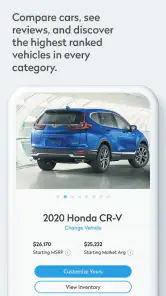
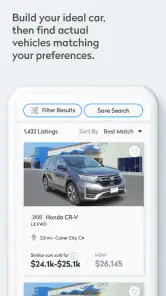
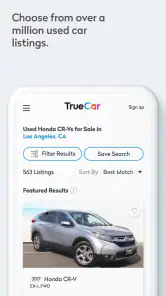
Diving into TrueCar Used Cars and New Cars is a breeze. The app’s interface is super user-friendly, and even if tech isn’t your thing, you’ll find navigating through the app as easy as pie. It starts by asking you to input the type of car you’re looking for, whether it’s a sleek sedan, a rugged SUV, or maybe even a cozy hatchback. From there, the app does its magic, showing you a list of available cars that meet your criteria. Talk about convenience!
Features That Stand Out
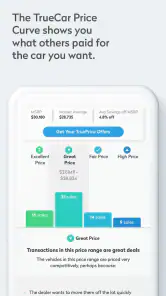
One thing that really blew my mind was the price transparency feature. TrueCar gives you a breakdown of what others paid for similar cars in your area. This means you’re armed with solid information before you even start negotiating. It’s like having insider knowledge right at your fingertips!
Latest News
Another neat feature is the TrueCar Certified Dealers. The app connects you with a network of trustworthy dealers who are committed to providing you with a hassle-free buying experience. It’s such a relief not to have to deal with the typical high-pressure sales tactics.
I would treat that pricing context as a starting point for a conversation, not a promise that every car should cost the same. Trim, condition, mileage, location, and the exact vehicle all matter. Before making a trip, I would check the listing details carefully, note the price and features I want to ask about, and confirm that the car is still available. That small bit of preparation can save time and keep an attractive comparison from turning into an assumption about the final deal.
Comparing listings without rushing
Compared with searching individual dealer sites one by one, TrueCar’s appeal is having a broader browsing and comparison workflow in one place. General classified marketplaces may offer a different mix of sellers and listings, while a dealer’s own site can be better when I already know exactly where I want to shop. I would use TrueCar to discover candidates and get a feel for the market, then verify important details directly with the seller before committing. No app can replace seeing the vehicle, checking its condition, and reading the paperwork.
A realistic use case is a weekday evening search after work: I can filter my thinking around a practical vehicle type, save a few used options, and compare mileage, history details, and asking prices before arranging any visits. If I am trading in my current car, the app’s trade-in focus can also help me consider that part of the purchase alongside the next vehicle. I would still compare the trade-in offer with other options rather than treating one estimate as the whole picture.
Making a shortlist that works in real life
It is easy to compare cars by headline price and overlook the practical costs of owning them. I would write down what matters for my routine before saving listings: passenger space, room for regular errands, and whether the car suits the roads I use are more useful filters than a vague preference for a particular body style. Then I would compare a few candidates against that same list. This keeps the search tied to how I will use the car, rather than letting whichever listing looks newest or cheapest set the agenda.
There is also a useful order to the research. I would first use the app to find plausible models and local dealer listings, then check the details that could change whether a trip is worthwhile. A listing that is attractive at a glance may not match the trim, equipment, or condition I need. Calling or messaging the seller with specific questions before setting out is a small but valuable step; it helps turn browsing into a focused visit instead of a day spent driving between uncertain options.
Why TrueCar Stands Out
What makes TrueCar a game-changer is how it empowers you as a buyer. You’re not just wandering the digital car lots aimlessly; you’re making informed decisions. The app provides detailed information about each car, including mileage, past accidents, and even user reviews. It’s like having a car encyclopedia at your disposal.
I also appreciate the app's ability to save your searches and favorite listings. This means you can keep track of cars you’re interested in and come back to them later. Perfect for those of us who like to take our time mulling over big decisions!
For a used-car shopper, those history and mileage details are prompts for better questions, not a substitute for an independent inspection or a careful test drive. I would use them to rule out obvious mismatches and prepare questions about a car’s condition, then make my own checks before paying. If I already have a trusted local dealer or want to buy directly from a private seller, another route may suit me better; TrueCar is strongest when I want a guided search and dealer listings rather than a complete replacement for every part of buying.
When another route may be better
The app is most useful when I am still comparing possibilities and want a central place to keep dealer options straight. It may be less helpful if I have already chosen a particular vehicle at a particular dealership, because that seller’s own site or a direct conversation can answer inventory and appointment questions more directly. A broad classifieds service can also make more sense for a shopper who specifically wants to explore private-party cars. Those options are not necessarily better overall; they simply serve different stages and styles of shopping.
I would also avoid treating a neat comparison screen as proof that one listing is the best deal. Two cars with similar names can differ in trim, condition, included equipment, or seller terms. Even a strong-looking price comparison cannot settle whether the car is right for me. The practical trade-off is that TrueCar can make discovery and organization easier, but careful verification still takes time and some work outside the app.
What the current version means for shoppers
The app has been available since 2014, and its current version is 17.0.0. That gives existing users a familiar ongoing tool, but a version number alone does not tell me exactly which features changed or how each update affects a particular phone. I would judge it by the current search and listing experience rather than assume that a specific capability arrived in a particular release. It is rated for Everyone and is free, which makes trying it a low-commitment way to see whether its approach fits your search.
On Android, the stated minimum operating-system requirement is version 7.0, so anyone using an older device should check compatibility before planning around the app. The 3.8 average across about 12,000 ratings is a useful reminder to keep expectations measured: some shoppers may value its comparison tools, while others may prefer a simpler dealer site or a broader marketplace. I would keep an eye on whether the listings in my area are current and relevant, since local selection is what determines how useful any car-search app feels in practice.
What I would check before relying on a listing
My first check would be whether the vehicle is still available and whether its listed configuration matches the one I am considering. I would then ask about details that affect a viewing, such as the car’s present condition and what documentation the seller can provide. For a used vehicle, mileage and history information can narrow the field, but they should lead to questions rather than settle them. For a new vehicle, I would confirm the exact version and terms directly with the dealer instead of assuming that a comparable listing has identical equipment or conditions.
Trade-in planning deserves the same caution. It can be convenient to consider the current car as part of the next purchase, but I would keep its value separate in my notes from the price of the vehicle I want. That makes it easier to compare offers without letting a seemingly attractive trade-in figure obscure the full transaction. The app can help me think about both sides of the decision, while a direct check of the actual terms is still essential.
Wrapping Up the Experience
In conclusion, TrueCar Used Cars and New Cars is a must-have app if you’re in the market for a new ride. It simplifies the car buying process and equips you with vital information to make the best choice possible. Whether you’re a first-time buyer or a seasoned pro, this app is bound to make your car buying journey smoother and more enjoyable. So, next time you’re on the hunt for a car, why not give TrueCar a spin? You might just find your dream car faster than you think!
My recommendation is a little more measured: I would try it if I wanted to compare new and used dealer options, keep a shortlist, and arrive at conversations better prepared. I would skip it as my only resource if I needed a guaranteed complete view of every car for sale, or if I was already committed to one seller. The best result comes from using its comparisons to guide the search, then checking the actual vehicle and terms for myself.
Who is likely to get the most from it?
I would recommend giving it a try if you are early in the decision and still deciding what kind of car fits your life. It is particularly practical for someone who wants to browse new and used dealer options side by side, or who needs to keep several candidates organized over a few days. A first-time buyer can use the listing details and price context to arrive with better questions, while an experienced shopper may appreciate having a shortlist ready before contacting dealers.
It is less suited to someone who wants every possible seller in one search, has settled on a private-party purchase, or expects the app to complete the buying process without direct checks. I would also think twice about using it as my sole resource if local results are thin or do not match my needs. In that situation, a dealer’s inventory page or another marketplace can broaden the search, with TrueCar still useful as a comparison point rather than the only place to look.
What to watch as your search develops
For an existing user, the most meaningful change over time is the experience of searching in the current release, not the version number by itself. I would pay attention to whether the app continues to surface relevant local candidates and whether its saved-search routine remains convenient as my requirements shift. A shopper who begins with a broad vehicle type may later care about specific equipment or a narrower budget; revisiting and pruning favorites helps keep the list useful instead of letting old possibilities clutter it.
As the search gets serious, I would use the app to prepare rather than to make the final decision. Save a balanced set of options, write down the questions each listing raises, and confirm the details with the seller before arranging a visit. Then inspect and test-drive the actual car and review the terms carefully. That is the point where an organized search becomes a sound purchase decision, and where the app’s role should stay in proportion: helpful for finding and comparing candidates, not a substitute for judgement.
TrueCar Used Cars and New Cars Frequently Asked Questions
Is TrueCar available for my phone, and is it suitable for everyone?
TrueCar is an Auto & Vehicles app for finding new and used cars, comparing listings, and managing a trade-in. It is available for devices running Android 7.0 or later, and its content rating is Everyone. The app is free to download, so you can explore its car-shopping features without paying for the app itself.
What is TrueCar and how does it work?
TrueCar is a digital automotive marketplace that connects car buyers and sellers. It provides users with an online platform where they can view and compare prices for new and used cars. The platform aggregates data from dealerships across the country, allowing users to search for specific car models, compare prices, and see what others have paid for similar vehicles. TrueCar aims to make the car buying process more transparent and hassle-free by providing detailed pricing information and connecting users with certified dealers.
Is TrueCar free to use?
Yes, TrueCar is free for consumers to use. The platform earns money through partnerships with dealerships, which pay TrueCar a fee when a sale is made through the service. Users can browse car listings, compare prices, and use the platform's tools without any cost. TrueCar provides a convenient and cost-effective way for consumers to shop for cars without the pressure or cost typically associated with traditional car buying methods.
How accurate is the pricing information on TrueCar?
TrueCar provides pricing information based on data collected from a network of over 16,000 dealers. The prices you see reflect real transactions and market trends, offering a reliable benchmark for what you can expect to pay. However, it's important to note that prices can vary based on location, dealer incentives, and car availability. TrueCar aims to offer the most current and accurate pricing, but it's always a good idea to verify details with the dealer directly.
Can I trade in my old car through TrueCar?
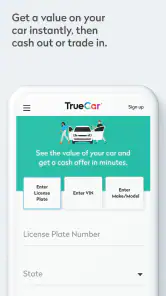
Yes, TrueCar offers a trade-in option. Users can get an estimated trade-in value for their current vehicle as part of the car buying process. By entering details about your car, such as make, model, year, and condition, TrueCar provides an estimate of what your vehicle is worth. This can help offset the cost of a new purchase. However, the final trade-in offer will be determined by the dealership after a physical inspection.
Pros
- User-friendly interface for easy navigation.
- Comprehensive search filters for precise results.
- Detailed car history and specs provided.
- Competitive pricing and transparent deals.
- Includes dealer reviews and ratings.
Cons
- Limited private seller listings.
- App occasionally crashes on older devices.
- Some features require account creation.
- Limited customer support response time.
- In-app ads can be intrusive.

- Category
- Auto & Vehicles
- Version
- 17.0.0











