

SWAC TV
- 16.00
- 4.5
- Installs
- 10.00K
- Price
- Free

Screenshots


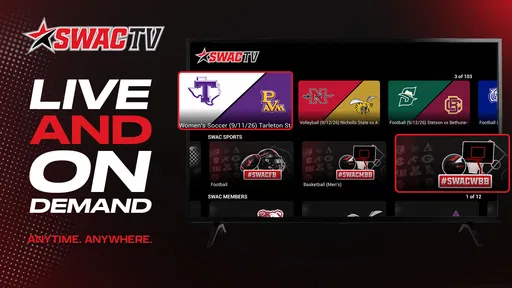
Analysis by Reviewed
I would consider SWAC TV when a household wants to follow HBCU sports together without making one person responsible for tracking every game. Its focus is narrow in a useful way: this is a sports app from GIDEO.TV centered on SWAC coverage, not a general destination for every league or team. That focus makes it easier to decide whether it belongs on a shared screen. If SWAC sports are part of your routine, it has a clear reason to be there; if your household mainly follows other competitions, a broader sports service may be a better fit.
Making one shared screen work for game day
The simplest household use is also the most realistic: someone checks the app before a game, then the family watches together on whichever device is available. A parent might open it while preparing dinner, a student might pass the phone around during a break, or relatives in different rooms might take turns using the same device. In these situations, SWAC TV is appealing because its purpose is specific enough that everyone can understand why it is installed.
I would treat it as a destination for following SWAC sports, rather than as a replacement for every sports app in the house. That distinction matters when people share viewing time. One person may want a particular HBCU matchup, while another expects the app to cover a different league or a broad mix of highlights and sports news. SWAC TV is most useful when the household’s shared interest really is the conference it serves; it is less compelling as a catch-all option.
For a practical routine, agree on the device and viewing time before a game rather than assuming that the app will coordinate everyone automatically. Keep the phone or tablet charged, open the app ahead of the moment you want to watch, and make sure the person who usually handles the device knows where it is. These are ordinary habits, but they help avoid the familiar scramble when several people want the same screen at once.
The app’s free price removes a purchase decision from that conversation, which is helpful when a family is only testing whether this coverage fits its habits. Free does not mean it will suit every sports fan, though: the real value depends on whether SWAC is a regular interest, not simply whether the app costs nothing. I would install it for a household member who follows the conference and let the viewing routine show whether others use it too.
Set expectations before sharing a device
When more than one person uses a phone or tablet, it helps to decide whose device it is and who can use it for viewing. I would not assume that a shared-device arrangement is the same as having separate household profiles. Instead, treat the app as one person’s installation unless the app itself presents a clear way to manage multiple users. That approach keeps expectations sensible and avoids promising account separation or family controls that may not be available.
If a relative installs it on a personal phone, they can decide when to hand the device over and whether to leave the app ready for someone else. On a common tablet, the household can set a simple rule: the person who wants to watch checks that it is free, uses the app, then returns the device to its usual place. This small boundary is more useful than assuming that everyone will remember who last used a shared screen.
More From Our News Desk

 Gmail
GmailGmail in a Busy Inbox: Who Benefits Most?
From first account to crowded workday, Gmail earns its place through dependable search and flexible sorting—but its best fit depends on how much inbox maintenance you can tolerate.

 Prime Video
Switching to Prime Video: What Changes in Your Viewing Routine
Prime Video can make a compelling second home for streaming, but switching means learning a different catalog, rental layer, and route from browsing to playback.

 Universal TV Remote Control
Universal TV Remote Control Works Best as a Reliable Backup
A phone remote earns its place through quick setup and reliable habits. Here is how to get more from Universal TV Remote Control—and where its limits show.

 Weather - By Xiaomi
Weather by Xiaomi Review: Clear at a Glance, Less Clear Up Close
Xiaomi’s weather app makes everyday forecasts quick to scan, but its calm surface can leave useful details and recovery paths harder to find than they should be.

 X
XX Under Pressure: Can It Recover When Posting Goes Wrong?
A resilience-focused review of X, examining setup, mistaken posts, interruptions, weak connections, and the gaps that matter when recovery needs to be dependable.

 Clash of Clans
Clash of Clans Is Won Between the Battles
Its raids are quick; its community is a long-term project of coordination, teaching, rivalry, and shared responsibility—with all the friction that entails.
Latest News



One non-obvious trade-off is that a dedicated sports app can make shared viewing easier to start but may not solve the logistics around it. It gives the household a clear place to look for SWAC coverage; it does not, by itself, establish a schedule, reserve the television, or make decisions about whose turn it is. If conflicts are common, a shared calendar or a quick group message may be more effective than expecting the app to handle coordination.
I also recommend checking the app on the actual device the household plans to use before game time. SWAC TV is listed for Android devices running version 7.0 or later, so an older device below that requirement is not a good candidate. If the shared tablet is near the lower end of what the household uses, test it in advance rather than discovering an installation mismatch when everyone is waiting.
Coordinate around the match, not around assumptions
For families and roommates, a useful workflow is to decide who will check the app and pass along the plan. That person can confirm that SWAC TV is installed on the intended device, then tell others when the screen is available. I find this more reliable than having several people independently search for the same coverage at the last minute, especially when a single phone is doing double duty for messages, calls, and watching.
There is also a sensible distinction between using the app to follow a shared interest and using it as the household’s only sports source. If one person follows SWAC closely and another watches a wider range of competitions, keep the broader service or source available for the second person. Switching between different sports destinations is a small inconvenience, but it is better than expecting a focused app to become a universal sports hub.
Another practical tip is to avoid making the person who owns the device the permanent “game-day operator.” If several people care about the event, rotate who gets the device ready or who checks the app. That distributes the small setup tasks and makes the shared activity feel shared, rather than turning one family member into technical support. This is a household habit, not an app feature, but it is exactly the sort of detail that can make a focused sports app easier to live with.
People often want to know whether one installation can serve everyone in the home. The sensible answer is that it can be used on a shared device, but each household should decide how that device is handed around and whose settings or account, if any, are in use. I would not plan a multi-person setup around separate profiles unless the app clearly offers them. If personal boundaries matter, install it on the intended user’s own device instead of treating one login as a family account.
Age context and confidence for parents
SWAC TV is rated Everyone, which makes it broadly suitable by age classification. For a parent deciding whether a younger family member can use it, that is a helpful starting point, but it is not a substitute for ordinary supervision or for checking what appears during use. I would explain that the app is for sports viewing and agree on when and where the child can use the shared device, particularly if the phone also contains personal messages or other apps.
Trust in a shared household also comes down to being clear about boundaries. A child can watch with an adult or use a family tablet under the household’s usual rules; an adult can keep their personal phone private and hand it over only when they are comfortable. The age rating does not establish that the app includes parental controls, child profiles, or viewing limits, so I would not rely on it for those purposes. Families that need those tools should use device-level controls they already understand.
For older relatives, the app’s focused identity can be a benefit: there is less reason to navigate among unrelated sports destinations when the goal is SWAC coverage. Still, I would show a new user how the household plans to open it and which device to use, rather than assuming the app will be self-explanatory to everyone. A short demonstration before an event is often enough to prevent confusion without turning game day into a troubleshooting session.
Trust also means keeping the recommendation proportionate. The app is free and has an average rating of 4.5 from around 47 ratings, with 16 written reviews. It has reached over 10,000 installs, so it is not an obscure one-off download, but those figures should not be mistaken for proof that every household will have the same experience. I would use them as light reassurance, then judge it by whether the SWAC coverage matches what your family actually wants to watch.
What it does well, and where another option wins
Compared with a general sports app, SWAC TV has a more defined audience. That can be an advantage if you want a direct focus on HBCU sports and do not need every competition gathered in one place. A general service is the better choice when the household follows many leagues, wants a single destination for scores across sports, or regularly switches between unrelated teams. The trade-off is straightforward: focus can reduce clutter for the right viewer, but it also limits how broadly useful the app is.
It is also different from relying on social posts or casual web searches to find sports coverage. Those can help people hear about a game, but a dedicated app gives a SWAC-minded viewer a specific place to start. I would still keep another source handy if the household needs broader schedules or coverage beyond this app’s scope. Using it as a focused companion, rather than expecting it to replace every sports information source, is the more realistic approach.
The version listed is 3.0-googleplay, and the app’s release date is July 22, 2025. Those details help identify the Android edition, but they do not tell me how it will behave on every device in a shared home. If a household depends on a particular tablet or phone, the best test is to install it there and try the intended routine before relying on it for a planned get-together.
One limitation is the narrow fit: a person who does not care about SWAC sports may have little reason to keep the app installed. Another is the need to coordinate viewing outside the app when several people share one screen. Neither point makes it a poor choice for its audience; they simply mean that the best recommendation is specific. I would suggest it to a fan who wants SWAC coverage, not to a friend who expects a universal sports package.
Make the first viewing a low-pressure test
If you are unsure whether the app will become part of your household routine, I would try it on an ordinary day rather than making its first use the centerpiece of a gathering. Open it on the device you expect to share and check that the intended viewer can find their way around. This is a simple way to uncover practical friction, such as a device being unavailable or a family member needing help, while there is still time to choose another viewing plan.
That trial also helps answer a common question: does a free sports app make sense for someone who only follows one team or event occasionally? I think it can, provided that SWAC coverage is the reason for downloading it and the person is comfortable opening a dedicated app when needed. For someone who only wants a score now and then, a quick search or an existing general sports app may be more convenient than adding another app to a crowded phone.
For a realistic shared-use example, imagine relatives planning to watch after dinner. One person checks in advance that the household tablet is available and that the app is installed; another makes sure the group knows which device will be used. If the tablet is needed for something else, the plan can change before everyone sits down. That little bit of coordination is more dependable than assuming a shared screen will simply be free at the right moment.
Who will get the most from it?
I would recommend SWAC TV most readily to HBCU sports followers who want a dedicated starting point, especially if they already know which conference they care about. It can also suit a household with one devoted fan and a few curious relatives: the fan supplies the context, while the app gives everyone a common destination for the viewing session. The best fit is not necessarily a home where everyone follows the same team, but one where SWAC coverage is valuable enough to bring people to the same screen.
On the other hand, I would skip it if you expect a single app to cover a wide range of sports, keep all your scores together, or act as a complete household media hub. It is also not the answer to account-sharing questions by itself. If different family members want private settings or independent access, using personal devices and keeping expectations clear is safer than assuming one shared installation will neatly separate everyone’s experience.
When a household already uses a general sports app, SWAC TV may work better as a complement than as a replacement. The broader app can remain the place for varied leagues and quick score checks, while this one serves the specific SWAC interest. That two-app arrangement is not ideal for someone trying to reduce clutter, but it can be more honest and convenient than forcing one focused option to cover every sports habit in the home.
My household verdict
GIDEO.TV’s SWAC TV makes the most sense in a home where at least one person genuinely follows SWAC sports and is willing to make the app part of a simple viewing routine. It is free, rated Everyone, and suited to Android 7.0 and later, so the main household decisions are less about cost and more about device access, expectations, and whether the conference is a regular interest. I would start with one intended device, test it before an important game, and agree on who gets to use the screen.
My recommendation is to install SWAC TV when its specific sports focus matches your household, not simply because you want another sports app. For a shared tablet used by HBCU fans, it can be a convenient focal point for watching together. For a household with varied sports tastes, strict expectations around separate profiles, or a need for broad league coverage, a general sports service or separate personal devices will likely work better. That is the clearest way to decide whether it belongs in your home.
SWAC TV Frequently Asked Questions
What is SWAC TV?
SWAC TV is a streaming service focused on sports and related programming from the Southwestern Athletic Conference (SWAC). Depending on the current schedule and your access, it may offer live event coverage, replays, highlights, and other conference content. The available lineup can vary by season and event, so check the app’s listings or official SWAC TV information to confirm what is currently being shown.
What can I watch on SWAC TV?
The service is intended for viewers interested in SWAC athletics and conference programming. Coverage may include selected games or other sporting events, along with replays and highlights when they are available. Not every event is necessarily streamed, and schedules can change. Before downloading, review the published event calendar and confirm that the teams or sports you follow are included in the current offering.
Is SWAC TV free to use?
Access terms can depend on the event, platform, and any subscription or account requirements in effect. Some content may be available without an additional charge, while other programming could require paid access or a provider login. Check the app’s store listing and the official SWAC TV website for current pricing and eligibility details before signing up, since fees and access options may change.
Which devices can I use to watch SWAC TV?
SWAC TV availability can differ between Android and iOS devices, and supported operating-system versions may change as the app is updated. Check the relevant app store listing for your phone or tablet to confirm compatibility, required software versions, and any device limitations. If you plan to watch on a television or cast from a mobile device, verify that those features are supported before relying on them.
Do I need an account or an internet connection to use SWAC TV?
Streaming live events and video generally requires a stable internet connection, and higher-quality playback may use more data. Some features or streams may also ask you to sign in or create an account, depending on the content and access rules. Review the app’s current sign-in requirements, and consider using Wi-Fi when watching for an extended period to help avoid mobile-data charges or interruptions.
Pros
- Offers live access to SWAC games and related programming.
- Useful for fans who want coverage of a specific college athletic conference.
- Can make games accessible without a traditional TV subscription.
- A dedicated sports focus keeps conference content easy to find.
- Watching on a mobile device offers flexibility at home or on the go.
Cons
- Content availability may vary by sport
- event
- and location.
- Some games may require a paid subscription or separate access plan.
- A reliable internet connection is needed for smooth live streaming.
- Live streams can be affected by buffering or video-quality changes.
- The app’s value may be limited for viewers who follow other conferences.





