ShopRite: Groceries & Savings
- 20.30K
- 4.7
- Installs
- 1.00M
- Price
- Free

Screenshots




Analysis by Reviewed
I like a grocery app best when it helps me make fewer small decisions at the wrong time: what to buy, which offers are relevant, and whether it is worth placing an order instead of going to the store. ShopRite’s app is built around those practical chores. Its appeal is strongest if ShopRite is already part of your routine, because the planning tools and shopping options all point toward making that particular trip easier.
Where it fits into a real grocery routine
I’d point this app toward people who already shop at ShopRite and want their deals, list-making, and online ordering in one place. It is free, rated for Everyone, and developed by Wakefern. The app has a 4.7 average from around 107,000 ratings, with over a million installs. Those figures suggest a well-used service, though they don’t guarantee that every store or shopping trip will feel identical.
If you usually compare prices across several supermarkets, this is less useful as your only planning tool. Its strongest value is organizing a ShopRite trip rather than giving you a complete view of every retailer’s prices. I would use it alongside other options only when comparison shopping matters more than keeping everything in one store’s workflow.
It is also a reasonable fit for a household that takes turns doing the shopping, or for someone who wants to plan an order before leaving work. A list can give the shopper a clear starting point, while offers help flag items worth checking. The app is less compelling if your grocery routine changes stores from week to week or if you prefer to choose everything while walking the aisles.
Getting Started with ShopRite
First things first, downloading the ShopRite: Groceries & Savings app is a breeze. It's available on both Android and iOS, so no one’s left out. Once installed, the app greets you with a clean and intuitive interface. I appreciate apps that don’t make me feel like I need a manual to navigate, and this one hits the mark.
Speed, browsing, and a practical shopping routine
For ordinary planning, the app’s jobs are straightforward: look through offers, collect items for a list, and decide whether to shop in person or arrange an order. I wouldn’t expect every screen to feel equally quick, especially when moving between browsing deals and preparing a larger order. A useful habit is to build the list before you are in a hurry, then check it once against your pantry; that reduces last-minute searching and duplicate purchases.
Imagine you are planning dinner after work and realize you are short on a few ingredients. You can check the weekly offers, add the needed items to your list, and choose whether pickup or delivery makes more sense that evening. The app helps bring those steps together, but it is still worth checking the final order carefully rather than treating a suggested item or deal as a substitute for your own meal plan.
More From Our News Desk

Clash of Clans Is Won Between the Battles

Android Auto Makes the Case for Quieter Car Software

MobiOffice: Transforming Mobile Productivity with Seamless Integration

EA SPORTS FC™ Mobile Soccer: Redefining Mobile Sports Gaming

How Microsoft OneDrive Became a Mobile Productivity Giant

How Google Translate Breaks Language Barriers Effortlessly
What deal browsing is good for
One of the standout features is the digital coupons. Who doesn't love saving a few bucks? The app regularly updates these coupons, and you can easily clip them to your account. Just show your phone at checkout, and voilà, discounts applied!
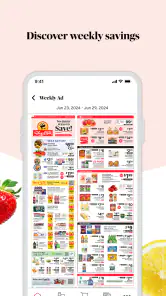
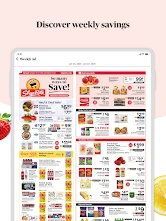
Another handy feature is the weekly circulars. Remember those paper ones that cluttered your mailbox? Well, now they’re just a tap away. You can flip through them digitally and add items to your shopping list directly from the circular. It’s like having a personal shopping assistant!
Keeping savings attached to needs
My practical tip is to start with what you actually need, then browse the circular for relevant savings. That order matters: it keeps a tempting offer from turning a short grocery run into a cart full of extras. If you regularly buy the same staples, checking the circular before shopping can also help you decide which items to stock up on, while still leaving room to choose based on your household’s real needs.
Coupons are most useful when you remember to clip them before checkout. I’d treat that as a small preparation step, not something to do while standing in line. The app’s offers can make a familiar ShopRite trip more organized, but they do not automatically make every item the cheapest option compared with other stores.
That distinction matters if you are trying to keep a strict budget. I would compare the price of an item you buy often rather than assuming a coupon makes it the best deal. The circular is useful for spotting what ShopRite is promoting, but it is not a replacement for checking your usual alternatives when price is the deciding factor.
Lists that do more than prevent forgotten milk
Creating a shopping list within the app is as easy as pie. You can type in items manually or scan barcodes of products you run out of at home. This feature is a game-changer for me, as it ensures I never forget the milk again!
The app also offers tailored recommendations based on your shopping habits. It’s like it reads your mind or just knows you really well. Sometimes, it suggests items I hadn’t thought of but realized I needed, which is pretty neat.
Making a list useful on a busy week
For a bigger weekly shop, I’d use the list as a planning aid rather than assume recommendations will cover everything. Review each suggestion before adding it, especially if you are shopping for a particular recipe or avoiding unnecessary purchases. Scanning a product you have run out of is a handy way to capture the exact item at home, while typing works better for things without a barcode or when you are planning ahead.
During a busy session, switching between the circular, coupons, and list can mean more browsing than a quick store visit requires. Keeping the list focused and clipping relevant offers ahead of time should make that workflow feel less hectic. If an order or page seems slow, I would pause and retry the task rather than repeatedly tapping controls; that gives the app a chance to catch up and helps avoid accidental duplicate actions.
For a shared household routine, I’d use the list as the handoff point: whoever notices a staple running low can add it before the next trip, and the person shopping can review the list before setting out. That is more dependable than expecting recommendations to remember every household preference. It also makes a useful distinction between “we need this” and “the app surfaced this,” which helps keep impulse additions under control.
Online ordering and the choice of how to shop
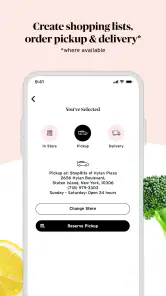
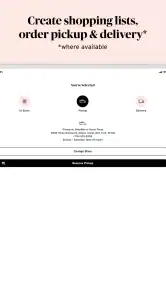
In today’s fast-paced world, online shopping and home delivery are not just luxuries but necessities. Fortunately, ShopRite has embraced this trend. You can shop directly from the app and choose between pickup or delivery. The process is seamless, and the delivery is usually timely, which is great for those last-minute dinner plans.
When pickup, delivery, or an aisle visit makes sense
Pickup or delivery is most appealing when saving time matters more than browsing in person. For a planned weekly shop, ordering ahead can help you avoid wandering aisles; for a small trip or a purchase where you want to choose each item yourself, going into the store may be the better fit. I’d still review the order before submitting it and allow enough time for the option you choose, rather than relying on an app as a guarantee of immediate fulfillment.
Compared with a general grocery-delivery service, the main distinction here is the ShopRite-centered combination of circulars, coupons, lists, and ordering. That can be convenient if you already shop there. If you want one interface built around comparing multiple chains, or you do not shop at ShopRite, a broader shopping or delivery alternative may suit you better.
For example, I’d choose pickup when I already know what the household needs and want to avoid spending time in the aisles. I’d choose an in-person trip when I want to inspect products myself or only need a few things and do not want to plan an order. Delivery makes the most sense when getting to the store is the bigger hassle, but I would not treat it as an instant solution for an urgent missing ingredient; planning ahead is the safer approach.
A standalone list app can be more suitable for someone who shops at several chains and wants a store-neutral place to organize groceries. The trade-off is that it may not bring ShopRite’s circular and coupon workflow together with the list in the same way. I see this app as a focused companion to one retailer, not a universal grocery planner, and that focus is either its convenience or its main limitation depending on how you shop.
Reliability, recovery, and device expectations
The app is free and its current version is 25.16.0; it runs on devices using operating system version 9 or later. I would expect a current compatible phone to handle basic list-making and offer browsing, but larger orders and several tasks in one session naturally ask more of the app than opening a single circular. I can’t judge stability on every device from a single experience, so I’d keep the app updated and check that a list or order has been saved before leaving the screen.
If you have an older or unsupported device, or little patience for managing offers and online orders, a paper list and an in-store trip may be simpler. The app is a convenience layer, not a requirement for buying groceries. Its best role is reducing the small bits of planning friction when ShopRite is already part of your routine.
For a more reliable-feeling session, I would separate planning from checkout: build and review the list when I have time, then use the ordering flow when I am ready to commit. If something appears not to respond, I’d avoid rapid repeated taps and check the screen before trying again, particularly around an order. That cautious approach is useful with any shopping app because it reduces the chance of creating duplicate entries or being unsure whether a step went through.
Who should look elsewhere
I would skip this as a primary grocery tool if you rarely shop at ShopRite, want to compare several retailers in one place, or dislike browsing promotions. In those cases, a general list app, a multi-store shopping service, or simply a paper list may involve less effort. Likewise, anyone who wants a completely spontaneous trip may find that opening an app, reviewing offers, and preparing an order adds steps rather than removing them.
On the other hand, if your usual shop is at ShopRite and you often forget small items or miss coupons, this is an easy routine to test without paying for the app itself. The useful question is not whether it has every possible grocery feature, but whether its combination of ShopRite deals, list-making, and ordering matches the way you already buy food.
My take after weighing the trade-offs
Overall, ShopRite: Groceries & Savings offers a robust platform for everyday grocery needs. It effectively combines traditional shopping methods with modern technology, making the grocery shopping experience more efficient and even a bit enjoyable. Whether you’re looking to save money, time, or both, this app has something to offer.
In a nutshell, if you’re someone who loves convenience and savings, I’d say give it a try. You might find that grocery shopping becomes less of a task and more of a pleasure.
ShopRite: Groceries & Savings Frequently Asked Questions
How much storage space does ShopRite: Groceries & Savings need on my phone?
Before downloading, it is worth checking that your phone has enough free storage for the app and its updates. ShopRite: Groceries & Savings is a shopping app for browsing weekly deals and coupons, making lists, and arranging grocery pickup or delivery. Its current version is 25.16.0, and it requires Android 9 or later on Android devices. The app is free to download.
Can I use ShopRite: Groceries & Savings if I only want to browse deals and coupons?
Yes. You can use the app to look through weekly deals and digital coupons while planning your grocery shop, without placing an online order. You can also make a shopping list and find a local store to check store-specific promotions and events. These tools make the app useful for preparing an in-person visit as well as for shopping through pickup or delivery.
Is ShopRite: Groceries & Savings free to download, and which devices can run it?
ShopRite: Groceries & Savings is a free shopping app from Wakefern. It is suitable for everyone, and the current version is 25.16.0. The app requires Android 9 or later, so check your device’s operating system before downloading. Its core purpose is to help shoppers browse weekly deals and coupons, make a shopping list, and arrange grocery pickup or delivery.
What features does the ShopRite app offer to enhance my grocery shopping experience?
The ShopRite app offers a wide range of features to make your grocery shopping more convenient. You can create and manage shopping lists, access weekly sales and digital coupons, and even use the app for quick and easy checkout with ShopRite’s Mobile Scan feature. Additionally, the app allows you to find a local store and view store-specific promotions and events.
How can I save money using the ShopRite app?
The ShopRite app provides several ways to save money on groceries. Users can access exclusive digital coupons and load them directly onto their Price Plus Club card. The app also highlights weekly sales and promotions, and by using the Price Plus Club, you can take advantage of personalized offers based on your shopping habits. This makes it easier to keep your grocery bill within budget.
Pros
- User-friendly interface for easy navigation
- Wide variety of grocery items available
- Convenient digital coupons and discounts
- Real-time order tracking feature
- Loyalty program for additional savings
Cons
- Limited delivery areas
- Occasional app glitches
- Longer loading times during peak hours
- Some items may be out of stock
- Account creation required for full access

- Category
- Shopping
- Version
- 25.16.0











