Receipt Pal Scanner & Rewards
- 18.62K
- 4.0
- Installs
- 1.00M
- Price
- Free

Screenshots

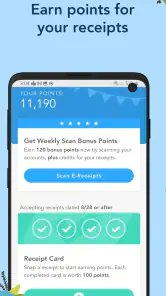

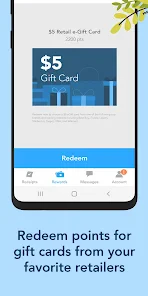
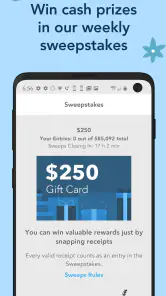

Analysis by Reviewed
I usually decide whether a receipt-rewards app is worth keeping by asking one practical question: will I remember to use it after an ordinary shopping trip? Receipt Pal Scanner & Rewards is built around that small habit. It gives paper receipts a second use, letting me scan them for points that can be exchanged for gift cards. That makes it more appealing as a low-effort extra than as a serious way to cut a grocery bill.
What the app is like today
Receipt Pal is a free shopping app from The NPD Group, Inc., available to everyone and currently at version 8.6. It has been around since 2014, so it is an established option rather than a brand-new rewards experiment. Its average sits at 4.0 from around 41,000 ratings, and it has passed a million installs. Those figures suggest a sizable audience, though they don’t tell me whether the reward routine will suit your own shopping habits.
The central task is straightforward: keep a receipt, open the app, take a clear photo, and submit it. The useful change in perspective is that scanning becomes a quick end-of-trip chore rather than a separate budgeting project. I’d put receipts in one spot at home or in a wallet pocket, then process them together when I have a spare minute. That simple routine is more dependable than expecting myself to remember every time I unload the shopping bags.
Rewards work best as a small bonus
Points give the habit a purpose, and gift cards are the payoff. I’d treat them as a modest return for something I might otherwise throw away, not as a reason to buy more or a substitute for comparing prices. If you already shop regularly and can spare a moment to scan, the app may feel worthwhile. If you rarely keep receipts, or you dislike repetitive little tasks, the points may not be enough to make it stick.
One practical tip is to make the scan part of an existing routine: sort receipts when you put away groceries, or clear your wallet once a week. Check that a photo is readable before submitting it, especially if the paper is creased or the print is faint. Keeping the paper until the submission has gone through also avoids the annoyance of discarding it too soon. These small steps matter more than trying to optimize every purchase.
Who gets the most from a receipt routine
I think the best fit is someone who already shops in person, brings receipts home, and likes small rewards without expecting them to change the household budget. It can also suit a person who wants a simple reason to clear paper from a wallet regularly. The scan is most convenient when receipts are already collected in one place; if you often shop without taking a paper receipt or forget where you put one, the app asks you to build a habit before it can pay off.
It is less compelling for people who want savings at the moment of purchase. A coupon or a store’s member price can reduce the checkout total immediately, while a receipt-reward routine asks you to complete an extra step and wait until points are useful. I’d also skip it if handling shopping records feels uncomfortable, or if you know you won’t keep up with photographing them. A free app can still cost attention, and that is the real price to weigh.
More From Our News Desk

Clash of Clans Is Won Between the Battles

Android Auto Makes the Case for Quieter Car Software

MobiOffice: Transforming Mobile Productivity with Seamless Integration

EA SPORTS FC™ Mobile Soccer: Redefining Mobile Sports Gaming

How Microsoft OneDrive Became a Mobile Productivity Giant

How Google Translate Breaks Language Barriers Effortlessly
A practical shopping-day workflow
Picture a grocery run after work, followed by a quick stop for household supplies the next day. Rather than opening the app in the car park or while unpacking bags, I’d put both receipts in the same safe place and scan them together when I next have a quiet minute. Before photographing each one, I’d flatten the paper and check that the printed details are legible. Then I’d make sure the submission has registered before recycling the receipt.
This batch approach is useful because it reduces interruptions, but I wouldn’t let a pile grow indefinitely. Thermal paper can fade, and a forgotten receipt can disappear into a coat pocket or shopping bag. A weekly reminder or a spot beside the place where you sort mail can make the habit more reliable without turning it into a daily chore. If a receipt is already badly faded or damaged, I wouldn’t count on a photo being readable; scanning it sooner is the safer workflow.
Where it fits—and where it doesn’t
Compared with store-specific loyalty apps, Receipt Pal has a broader everyday role: it is about collecting receipts across shopping rather than focusing on one retailer’s offers. Compared with a budgeting app, it is less about building a detailed view of spending and more about turning receipt uploads into rewards. That distinction is useful. I wouldn’t choose it as my main tool for tracking household expenses, and anyone seeking instant discounts at checkout may prefer a retailer’s own program.
I’d also be cautious about treating receipt images as a complete financial record. A scan-and-reward routine can help me keep track of what I bought, but it is not the same as categorizing transactions or reconciling a budget. The app’s pitch depends on a repeated exchange—your time and receipt information for points—so it makes sense to consider whether that trade feels comfortable to you. I’d review the app’s privacy details directly before deciding what shopping information I’m willing to submit.
Turn Your Receipts into Rewards
One of the coolest features of Receipt Pal Scanner & Rewards is its ability to transform mundane tasks into a rewarding experience. With just a few taps, you can snap a picture of your receipt and upload it to the app. It's like having a personal assistant who keeps track of your spending while you sit back and earn rewards. Sounds like a win-win, right?
Easy to Use and Convenient
Let’s talk about user-friendliness. The app is designed with simplicity in mind, making it super easy for anyone to navigate. Whether you're a tech-savvy individual or someone who struggles with new apps, you'll find this one a breeze to use. Just open the app, snap a pic, and voila! Your receipt is safely stored and ready to earn you points.
Speaking of points, this is where the magic happens. Every receipt you upload earns you points, which can be redeemed for a variety of rewards. Whether you're eyeing a gift card from your favorite store or saving up for a bigger prize, the app offers plenty of options to keep you motivated.
What the simple flow still asks of you
The camera step may be quick, but there is still a bit of personal organization behind it: hold on to the paper, keep the image clear, and remember to finish the submission. I’d avoid photographing receipts on a cluttered counter where shadows or folds make the text harder to read. A plain, well-lit surface is a sensible choice, especially for narrow receipts with small print. It’s a small adjustment, but it can save the frustration of discovering that a rushed photo was not usable.
If you shop with someone else, decide in advance whose phone and account will handle the household’s receipts. That avoids confusion over whether a slip has already been submitted and keeps the habit from turning into an informal, unreliable spending record. I would not rely on the app to reconcile shared purchases or settle who owes what; a dedicated budgeting method is better for that. Receipt Pal works best when the goal is simply to submit eligible shopping paperwork for rewards.
Privacy and Security
Now, I know what you're thinking: "What about my data?" Rest assured, the app takes your privacy seriously. All your information is securely stored, and your shopping habits remain just that—yours. So, you can focus on earning rewards without worrying about your data being compromised.
In a world where data security is paramount, it's refreshing to find an app that prioritizes user privacy while offering tangible benefits. Plus, the community of users is always buzzing with tips and tricks to maximize your rewards, making it not just an app but a shared experience.
Making the reward exchange worthwhile
Before building a long-term routine, I’d look at the gift-card choices and ask a plain question: would I spend one of these anyway? That is a better test than chasing a balance just because it is visible in the app. A reward that matches an ordinary planned purchase feels like a bonus; a reward that nudges me toward a store I would not otherwise use is less valuable. I’d also keep my expectations flexible, since the practical return depends on what is offered and how regularly I submit receipts.
For someone who enjoys comparing deals, this app is a side activity, not a replacement for checking prices or using a retailer’s own offers. I’d use loyalty programs where they provide useful discounts and scan receipts separately only when the extra effort feels worthwhile. If managing several shopping apps already feels like work, it may be better to choose the one that gives you the most direct benefit rather than collecting every possible point.
Final Thoughts
At the end of the day, Receipt Pal Scanner & Rewards is more than just an app; it's a game-changer for anyone looking to get more out of their shopping experiences. It's perfect for those who love finding new ways to save money and keep their finances organized. So, why not give it a try? You might just find yourself looking forward to collecting receipts instead of dreading them.
A week of realistic use
Imagine doing a grocery run, picking up a few household items later, and coming home with receipts mixed into a bag or coat pocket. I’d put them together in one place, scan the readable ones in a short batch, and then check that each submission has registered before clearing them out. That workflow avoids turning every checkout into an interruption, while still reducing the chance that a receipt gets lost. It also gives you a natural moment to decide whether the time spent is worth the points you’re accumulating.
For households where several people shop, it helps to agree on who handles the scans and where receipts go. Otherwise, one person may upload a slip while another has already tossed it, or the same shopping trip may become confusing to manage. I’d keep the routine simple and avoid treating the app as a shared ledger unless everyone is comfortable with that arrangement. Its strongest role is a personal rewards habit, not household bookkeeping.
What to check before committing
A common question is whether this replaces a store loyalty program. I wouldn’t expect it to: a retailer’s own app may be better for that store’s coupons, member prices, or purchase history, while Receipt Pal is more useful when you want one receipt-scanning habit across everyday shopping. You can use the two approaches for different purposes, but it’s worth avoiding duplicate effort if a receipt has already served the purpose you care about.
Another reasonable question is how quickly points add up. I’d go in with modest expectations rather than assuming a specific value or timetable; the payoff depends on your scanning consistency and the reward choices available to you. Check the redemption options in the app before making it part of your routine, and decide whether those rewards are things you would actually use. A balance that looks satisfying is not much benefit if the available gift cards don’t fit your plans.
Evolution without guesswork
The app’s release history gives it some staying power, and version 8.6 is the current point in that evolution. That is useful context for someone wary of short-lived rewards apps, but it does not by itself prove that every part of the experience has changed recently or that the reward system will suit every user. I’d judge it by the current scan flow, the clarity of its redemption choices, and whether it remains easy to maintain after the novelty wears off.
What I’d watch over time is whether scanning stays convenient, whether the rewards remain relevant to my spending, and whether the app’s privacy information matches the level of detail I’m comfortable sharing. Those are better signals of long-term value than points alone. If Receipt Pal fits naturally into your receipt-clearing routine, it can be a pleasant little bonus; if you want immediate savings, automatic expense tracking, or no extra handling of shopping records, another kind of app is likely a better match.
Receipt Pal Scanner & Rewards Frequently Asked Questions
Does Receipt Pal Scanner & Rewards need access to my camera?
The app’s receipt-scanning process uses photos, so you should expect to use your device’s camera or select receipt images through the app. Camera access lets you capture receipts for submission; it does not mean you have to scan every purchase. Before granting permissions, check the app’s prompts and privacy information so you understand what access you are allowing.
What kind of rewards can I get with Receipt Pal Scanner & Rewards?
Receipt Pal Scanner & Rewards is built around earning rewards from submitted shopping receipts, with gift cards among the options described for users. The general idea is to collect points through receipt submissions and exchange them for available rewards. Options and redemption rules can vary, so review the reward choices and terms shown in the app before relying on a particular gift card.
Do I need to make an account to use Receipt Pal Scanner & Rewards?
The app tracks submitted receipts and earned rewards, so using its reward features involves an account or user profile to associate activity with you. Before signing up, look through the registration steps and the privacy information, and use accurate details where requested. This can help you understand what information is involved and how your receipt submissions and points are managed.
Can I submit any shopping receipt to Receipt Pal Scanner & Rewards?
Receipt Pal Scanner & Rewards is intended for shopping receipts, but a receipt still needs to be readable and meet the app’s submission rules to be accepted. Make sure the photo clearly shows the relevant receipt details and follow any instructions displayed during submission. Since acceptance can depend on the app’s rules, check its guidance rather than assuming every receipt will qualify.
What happens if my receipt photo is blurry or rejected?
A receipt photo that is difficult to read may not be accepted for points, so it is sensible to place the receipt on a flat surface, use good lighting, and capture the full receipt clearly. If a submission is rejected, check the app’s message and instructions before trying again. Clear images and careful review can reduce avoidable scanning problems.
Pros
- Easy to use interface
- Quick receipt scanning
- Earn rewards effortlessly
- Supports multiple retailers
- Secure data handling
Cons
- Limited reward options
- Occasional scanning errors
- Requires internet connection
- Ads in free version
- Limited customer support

- Category
- Shopping
- Version
- 8.6











