

Midco Sports Plus
- 37.00
- 2.6
- Installs
- 50.00K
- Price
- Free

Screenshots
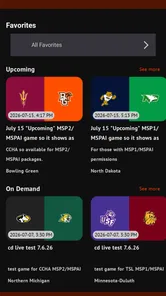
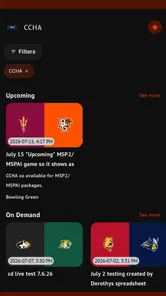
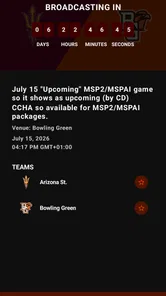
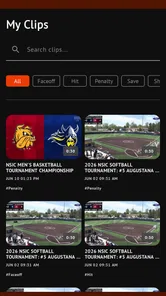
Analysis by Reviewed
Midco Sports Plus is a free sports app from Midco that focuses on one clear job: bringing live games from regional teams and conferences to a mobile screen. I approached it as the kind of app you open when the match matters more than having a huge entertainment library, and that focus is both its appeal and its main limitation. It is not trying to replace every streaming service on your phone; it is aimed at viewers who want access to Midco Sports coverage without being tied to a television.
After spending time with it, I see the app as a useful companion for regional sports fans rather than a complete sports hub. The experience makes the most sense when you already care about the teams carried by Midco Sports and want a direct way to follow live action. If you mainly watch national leagues, highlights, or on-demand sports documentaries, the usual large streaming platforms will probably serve you better.
Live regional coverage is the reason to install it
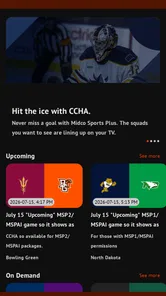
The central capability is live game streaming. That sounds simple, but it changes how valuable the app feels depending on what you follow. For a fan of a covered regional team, a live stream can be more useful than a broad sports app filled with competitions you never watch. Instead of searching through a large catalog, you are using a focused service built around Midco Sports programming.
I like that the purpose is easy to understand. The app is not overloaded with unrelated categories or a long list of features competing for attention. Its value comes from helping you watch a relevant game when you are away from your television, sitting in another room, or following the action while traveling within a supported viewing situation.
That focus also means the first question is not whether the interface looks attractive. The important question is whether the games you want are part of the Midco Sports coverage available to you. A polished player cannot make the service useful if your favorite team or conference is outside its reach. I would check that before treating the download as a replacement for another sports subscription.
The app is listed in the Sports category and has reached over fifty thousand installs. That gives it a real audience, although its average rating of 2.6 from roughly eighty ratings suggests that the experience has not been equally smooth for everyone. I would treat that rating as a reason to keep expectations practical, especially if live viewing is essential to your routine.
What the focused approach means for viewers
With a general sports application, I usually expect a mixture of scores, news, clips, schedules, and live events. Midco Sports Plus is more narrowly defined around watching Midco Sports content. That can reduce distraction, but it also leaves less reason to open the app when there is no relevant live game.
More From Our News Desk

 Gmail
GmailGmail in a Busy Inbox: Who Benefits Most?
From first account to crowded workday, Gmail earns its place through dependable search and flexible sorting—but its best fit depends on how much inbox maintenance you can tolerate.

 Prime Video
Switching to Prime Video: What Changes in Your Viewing Routine
Prime Video can make a compelling second home for streaming, but switching means learning a different catalog, rental layer, and route from browsing to playback.

 Universal TV Remote Control
Universal TV Remote Control Works Best as a Reliable Backup
A phone remote earns its place through quick setup and reliable habits. Here is how to get more from Universal TV Remote Control—and where its limits show.

 Weather - By Xiaomi
Weather by Xiaomi Review: Clear at a Glance, Less Clear Up Close
Xiaomi’s weather app makes everyday forecasts quick to scan, but its calm surface can leave useful details and recovery paths harder to find than they should be.

 X
XX Under Pressure: Can It Recover When Posting Goes Wrong?
A resilience-focused review of X, examining setup, mistaken posts, interruptions, weak connections, and the gaps that matter when recovery needs to be dependable.

 Clash of Clans
Clash of Clans Is Won Between the Battles
Its raids are quick; its community is a long-term project of coordination, teaching, rivalry, and shared responsibility—with all the friction that entails.
Latest News



This makes it a good fit for occasional but important viewing. You might not use it daily, yet still appreciate having it installed before a regional matchup. I would not judge it by the number of extra sports tools it lacks. I would judge it by whether it gets you to the right live broadcast with less effort than your current alternative.
One practical tip is to install and test the app before game day rather than minutes before the opening whistle. Live streaming is sensitive to login problems, device compatibility, connection quality, and account access. A short test on your intended phone or tablet can reveal friction while there is still time to use another screen if necessary.
How the viewing experience works in everyday use
In normal use, the app is best understood as a viewing doorway rather than a full sports information system. You open it when you want to find available Midco Sports programming and watch a live event. The experience is therefore more dependent on the clarity of the available content and the reliability of playback than on deep customization.
I would use it in a simple sequence: check what is available, select the event that matters, and begin watching. That workflow is especially convenient on a phone because it avoids needing to be near a cable box or television. It also makes the app useful in shared homes, where someone else may already be using the main TV.
The free download is helpful because there is no upfront app price to test the experience. However, the listing also shows in-app purchases ranging from $15 to $199 per item. That is an important distinction: installing the app costs nothing, but access to some content or viewing arrangements may involve a purchase. I would read the purchase screen carefully before confirming anything, particularly if you are downloading it for a single event.
Those purchase amounts make the app less straightforward than a completely free stream. They also mean the best value depends on how often you watch Midco Sports coverage. Someone who follows several regional events may see more value than someone looking for one occasional game. Before paying, I would compare the available option with your existing television package or another legitimate streaming choice rather than assuming the free install equals free live access.
A realistic use case: following a game away from home
Imagine that a regional game starts while you are visiting family and the television is unavailable. This is where the app has a clear advantage. If the event is available through Midco Sports, you can use a compatible mobile device as your personal screen and follow the game without rearranging the household or missing the start while searching through unrelated services.
The same situation applies to a student checking in from a dorm room, a worker watching during a break, or a fan staying somewhere without the usual television setup. In each case, the benefit is not that the app offers every sport. The benefit is that it can make a specific regional broadcast more portable.
For that scenario, I recommend preparing in advance. Sign in when you have time, confirm that the app opens normally, and use a stable Wi-Fi connection if one is available. A live stream can consume attention and data quickly, so watching an entire game over mobile data may not be the sensible choice for every plan. That is practical advice rather than a criticism of this particular app, but it matters more when the viewing session is long.
Where it fits beside television and larger streaming services
Compared with traditional television, the app offers flexibility. You are not limited to the room containing the TV, and you can carry the viewing experience with you on a supported mobile device. Television may still be more comfortable for a long game, especially when several people want to watch together, but the app wins when personal access and mobility matter more.
Compared with a broad sports streaming service, Midco Sports Plus is narrower. A large service may offer more leagues, national events, studio programming, and replay options in one place. That breadth is valuable for fans with wide interests. Midco Sports Plus is more appealing when your priority is a particular regional sports connection and the larger service does not provide the same coverage.
Compared with simply checking scores or following social updates, live streaming gives you the actual event rather than a summary. That difference matters for close games, local rivalries, and moments where the atmosphere and momentum are part of why you watch. On the other hand, a score app is faster and lighter if you only need the result while commuting or working.
The strongest scenario is regional loyalty, not casual browsing
The app works best for people who have a specific reason to seek out Midco Sports programming. I can imagine recommending it to a friend who regularly follows a regional team and occasionally needs a mobile option. For that person, the focused catalog may feel more useful than a massive platform that requires searching through many unrelated channels.
It is also a sensible backup screen. You may normally watch on television but want the ability to move to another room, continue viewing outside, or keep up with the game during a short interruption. In that role, the app does not need to replace your main setup. It simply gives you another way to reach the broadcast.
A less obvious use is planning around shared viewing. If one family member wants the television for something else, a fan can move the game to a personal device instead of turning the schedule into an argument. That sounds minor, but it is exactly the kind of everyday convenience that makes a focused streaming app worthwhile.
Another useful approach is to treat it as a conditional subscription decision. Install it first, explore the available event path, and decide whether the purchase options match your viewing habits. This is better than paying based only on the promise of live sports. If the app covers the events you actually watch, the cost may be reasonable; if not, even a low commitment can become wasted money.
Who should probably skip it
I would skip Midco Sports Plus if your sports interests are mostly national competitions or if you want one app that combines live events, extensive replays, news, and scores. Its regional emphasis is a strength only when it matches your viewing needs. Without that connection, the app may sit unused after installation.
I would also be cautious if you expect every game from a particular team to appear automatically. Regional sports coverage can depend on the event and the rights attached to it, so it is wise to check the specific matchup before planning an evening around the stream. The app’s purpose is clear, but that does not mean every event you care about will necessarily be available through it.
It may not be ideal for a group watching together. A phone or tablet is convenient for one viewer, while a television remains more comfortable for a living-room audience. If your priority is a large shared screen, the app should be considered a supplement rather than the center of your setup.
Trade-offs that affect the final decision
The most visible drawback is the modest user rating. An average of 2.6 indicates that some users have encountered enough trouble to rate the experience poorly. Ratings alone do not explain whether the problems involve playback, access, device behavior, or expectations, so I would not treat that number as a complete technical diagnosis. Still, it is a fair warning not to rely on the app without testing it first.
The version available for review is 2.0.1, and the app supports Android 7.0 or later. That minimum requirement makes it accessible to many older Android devices, but compatibility on paper is not the same as a perfect experience on every phone. Older hardware, crowded networks, or aggressive battery-saving settings can all make live video less comfortable to use.
The age rating is Everyone, which makes the app broadly suitable from a content-rating perspective. That does not remove the need for a parent or account holder to understand any purchase prompt. The important distinction is between the app being free to install and the possibility of paid items inside it.
There is also a trade-off between specialization and convenience. A focused service can get you closer to a regional broadcast, but it gives you fewer reasons to keep browsing after the game. A broad platform may cost more or feel busier, yet provide a fuller evening of sports entertainment. Neither approach is automatically better; the right choice depends on whether you value one specific stream or variety across many sports.
Small habits that improve the experience
My first recommendation is to test the exact device and connection you plan to use. Do not assume that a phone that handles short clips well will feel equally comfortable during a full live game. If the stream is important, use the most stable connection available and keep the device charged.
Second, decide in advance whether you need the app as a primary viewing method or only as a backup. That decision changes how much troubleshooting is acceptable. A minor delay may be tolerable for occasional use, but it becomes frustrating when the app is your only way to watch a major event.
Third, review the purchase details before entering payment information. The range from $15 to $199 per item is wide enough that the exact option matters. I would never tap through a purchase screen quickly just because the initial download was free. Confirm what the payment is intended to unlock and whether it suits your expected viewing frequency.
Finally, keep an alternative in mind for important games. This is not because the app has no value; it is because live viewing is time-sensitive. A television channel, another authorized service, or a different device may be a better fallback if your connection or account access fails at the wrong moment.
Who gets the most value from Midco Sports Plus?
The best audience is a regional sports follower who already has a reason to watch Midco Sports coverage and wants more flexibility than a fixed television setup provides. For that person, the app can turn a phone or tablet into a convenient personal screen and make it easier to follow a game away from home.
It also suits viewers who prefer a focused experience over a huge sports catalog. You may not need scores, articles, fantasy tools, or dozens of leagues. You may simply want to find a relevant Midco Sports broadcast and watch it. The app’s narrow purpose is an advantage when that is exactly what you need.
It is a weaker choice for someone who wants a universal sports subscription, a polished multi-sport dashboard, or dependable group viewing on a large screen. Those users should compare it with broader streaming alternatives before spending money inside the app. The free installation makes testing easy, but the in-app purchase range means the full decision should be based on actual coverage and frequency of use.
My final view is cautiously positive for the right viewer. Midco Sports Plus is most valuable as a portable regional-game solution, not as an all-purpose sports destination. I would install it if my team or conference appeared in its coverage and I regularly needed a mobile way to watch. I would test it before game day, confirm the event and purchase terms, and keep a backup for important broadcasts.
Developer Midco has kept the app’s purpose direct, and that clarity is welcome. The experience does not need to become a giant sports platform to be useful. It simply needs to make the regional live coverage relevant to you easy enough to reach. If that is your situation, Midco Sports Plus is worth trying; if your sports interests are broader, a more comprehensive alternative will likely be the better everyday choice.
Midco Sports Plus Frequently Asked Questions
Is Midco Sports Plus free to download, and what might I pay to watch?
The app is free to download, but watching may require a subscription or an eligible account. Midco Sports Plus offers in-app purchases, with listed purchase options ranging from about $15 to $199 per item. The specific cost and access arrangement can depend on your market and package, so check the subscription details that apply to you before committing.
What devices and software do I need before installing Midco Sports Plus?
Midco Sports Plus is a sports streaming app for compatible devices. On Android, it requires version 7.0 or later, so check your device’s software before downloading. The service may also be available on selected smart TVs, streaming platforms, or web browsers. Compatibility can vary by device, so confirm that your preferred screen supports the app before relying on it for a game.
What is Midco Sports Plus?
Midco Sports Plus is a streaming service focused on regional sports coverage, particularly teams, conferences, and events connected with the Midco service area. After installing the app, users can browse available live games, scheduled broadcasts, and related sports programming from a compatible phone, tablet, smart TV, or streaming device. Availability depends on your location and the rights Midco holds for each event.
Do I need a subscription to watch Midco Sports Plus?
Yes, access generally requires an eligible Midco Sports Plus subscription or an account provided through a participating television or internet package. The exact plan, price, and included content may vary by market, so it is worth checking the official subscription page before downloading. Some content may be restricted to authenticated customers, while selected clips or promotional programming could be available without a full subscription.
What sports and events can I watch on the app?
The lineup is primarily built around regional sports, including live games and events involving local college teams and other Midco-covered competitions. The available schedule can change during the season because broadcasts depend on regional rights, team schedules, and production arrangements. Before subscribing, open the current programming guide and confirm that the teams or events you want to watch are listed in your area.
Pros
- Live access to Midco Sports Plus regional sports coverage
- Includes replays and on-demand content for missed games
- Supports streaming on compatible phones
- tablets
- and TVs
- Useful schedules and event information make games easy to find
- A convenient option for Midco subscribers following local teams
Cons
- Coverage is mainly focused on Midco’s regional sports network
- A subscription or eligible TV provider access may be required
- Availability can vary by location and broadcast rights
- Streaming quality depends heavily on your internet connection
- Some devices may require separate activation or app updates





