Drivers Permit Practice
- 17.95K
- 4.8
- Installs
- 1.00M
- Price
- Free
Screenshots
Analysis by Reviewed
Before choosing a permit-prep app, I’d ask two practical questions: does it help me understand road rules, and can I fit practice into my day without turning every session into a chore? Drivers Permit Practice is a free Auto & Vehicles app from Drive Buzz, and its focus on permit questions and traffic signs makes it a straightforward option for learners who want to study in short bursts. It’s rated for Everyone, has a 4.8 average from around 61,000 ratings, and has passed 1 million installs.
Choose a study tool that matches your weak spots
For me, the useful question isn’t simply whether a permit app contains many questions. It’s whether its practice helps me tell the difference between a rule I understand and an answer I happened to guess correctly. This app makes sense when you want repeated exposure to driving-test questions and signs, and you’re willing to slow down enough to learn from mistakes. If your main problem is finding time to open a textbook, a phone-based practice routine can lower that barrier.
I’d begin by deciding what I’m preparing for, then use the app as one part of that plan rather than as a final authority. A practice score can show that I’m getting more comfortable with the material, but a score alone doesn’t establish that every local rule is fresh in my mind. I’d keep the official handbook for the jurisdiction where I’ll take the test nearby, especially for details that depend on local wording or requirements.
A practical way to make short sessions count
One useful approach is to treat each session as a small diagnostic rather than a performance. I’d answer a set of questions, note which concepts caused hesitation, and spend the next session revisiting those topics. That is more valuable than repeatedly answering familiar questions just to see a reassuring run of correct responses. When the app explains an answer, I’d try to restate the rule without looking; if I can’t, I’ve found something worth reviewing.
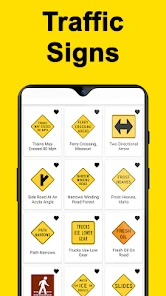
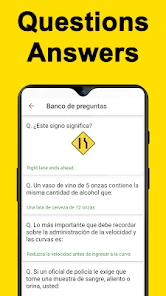
Signs benefit from a similar method. Instead of memorizing each picture in isolation, I’d ask what action or caution it communicates and how that message affects a driver’s decision. This is particularly helpful when two signs seem similar at a glance: the point is not only to identify an image, but to connect it to the road situation it is meant to guide. I’d still use the official reference to confirm exact sign meanings for my area.
Latest News
A learner studying around work or school might do a brief round during a quiet break, then set aside a calmer session at home for questions that need more thought. That division helps keep casual practice from becoming rushed cramming. It also makes it easier to notice whether I’m improving across several sessions instead of judging readiness from one unusually good or bad attempt.
Your Personal Driving Test Companion
Imagine having a buddy who knows all the ins and outs of driving tests. That’s exactly what Drivers Permit Practice feels like. The app is packed with a plethora of practice tests that are tailored to your state’s specific requirements. It’s like having a driving manual, but way cooler and more interactive.
Easy Peasy Lemon Squeezy
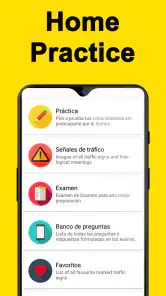
One of the first things I noticed was how user-friendly the app is. No complicated setup or confusing interfaces. You just download, select your state, and you’re off to the races. The questions are categorized neatly, making it super easy to focus on areas where you need the most practice.
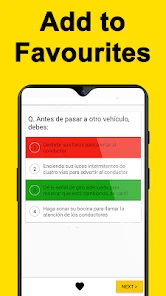
And let’s talk about the explanations. Whenever I got a question wrong, the app didn’t just tell me the right answer—it explained why. It’s like having a patient teacher who never gets tired of your questions.
That explanation-first approach is most useful when I resist the urge to rush through a quiz. After a wrong answer, I’d pause and say the rule back in my own words, then revisit the topic later instead of simply memorizing the correct choice. For signs, I’d group mistakes by what they communicate—warning, direction, or restriction—so the meaning sticks beyond one question. These small habits turn practice into learning rather than a score-chasing routine.
Learn at Your Own Pace
I loved that I could practice anytime, anywhere. Whether I was on my lunch break or chilling at home, the app was right there with me. Plus, it keeps track of my progress, so I could see how much I’ve improved over time. It’s this kind of flexibility that makes learning a breeze.
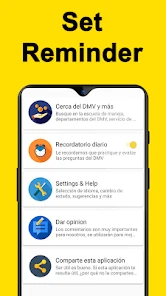
Oh, and did I mention the handy reminders? The app keeps you on your toes with gentle nudges to study. Because let’s face it, we all need a little push sometimes.
A realistic routine is a short session while waiting for a ride or taking a break, followed by a longer review at home where I can concentrate on explanations. I wouldn’t treat a strong practice run as proof that I’m ready by itself: use the progress view to spot recurring weak areas, then check those rules against your current state’s official handbook. Rules and wording can vary by location, so selecting the correct state matters; if you move or prepare for a different jurisdiction, revisit that choice before relying on your practice results.
Where It Fits—and Where It Doesn’t
This is a good fit for a first-time learner who wants repeated question practice without carrying a paper manual everywhere, and for someone who already knows the basics but needs to identify gaps. Compared with reading a handbook alone, question practice can make it easier to notice which rules you misunderstand. Compared with instructor-led lessons, though, it is a study aid, not a substitute for supervised driving or feedback on real road decisions. If you need detailed coaching, a structured course, or a resource centered on another state’s rules, those alternatives may serve you better.
The app is free, which makes it easy to try without committing money, but reminders are only useful if they suit your routine; if notifications become distracting, a planned study time may work better. It runs on Android from minimum OS 5.0, and its current version is 31. It was released on July 29, 2018, and has around 18,000 written reviews. Before relying on any practice resource close to test day, I’d confirm that the questions still align with the handbook and requirements where I’ll take the test.
How it compares with other ways to prepare
A paper handbook has one clear advantage: it gives you a stable reference you can read from beginning to end, which can be better when you want to understand a full topic rather than respond to isolated prompts. But it takes more effort to turn reading into self-testing. This app’s question-led approach is useful for finding uncertainty quickly, while the handbook is stronger for checking the actual wording and context of a rule. I’d use them together instead of expecting either one to do both jobs.
Driving lessons serve a different purpose. A teacher can respond to what you do behind the wheel and explain how a rule applies in a live situation; practice questions cannot recreate that coaching. If you’re anxious about driving, need to build physical control, or want feedback on decisions in traffic, lessons are the better next step. The app can still help you prepare vocabulary and road-rule knowledge, but it should not be mistaken for experience on the road.
Another quiz resource may suit you better if it is explicitly designed for the jurisdiction you need or presents material in a format you find easier to study. The key comparison is not a general claim that one app has more content; it’s whether the questions and explanations match your location and whether you can learn from their presentation. I’d check the state selection before settling into a routine, and I’d switch resources if the material repeatedly conflicts with the current official handbook.
Small trade-offs that matter in everyday use
Short sessions are convenient, but they can also encourage quick guessing. If I’m answering while distracted, I may remember the choice without absorbing the rule. I’d avoid using a score from a noisy commute or a rushed break as a readiness measure. Instead, I’d reserve my most focused time for reviewing explanations and use brief sessions only for recall practice.
Reminders can help establish a habit, yet they are not a study plan by themselves. If a nudge arrives when I cannot concentrate, I’d rather ignore it and choose a time that works than tap through questions automatically. Likewise, progress tracking is most useful when I read it as a map of topics to revisit, not as a guarantee that I’m prepared for every version of the test.
For a learner who has moved, is studying in a second jurisdiction, or has been away from the material for a while, the state choice deserves extra attention. I’d verify it before interpreting a run of correct answers, because familiarity with one place’s rules may not carry over neatly to another. The same caution applies near test day: use the app to rehearse, and use the current local handbook to settle questions about exact requirements.
Who should try it, and who should look elsewhere
I’d recommend giving it a try if you’re preparing for a permit test, want a convenient way to practice traffic signs and rules, and learn well by answering questions and reviewing explanations. It also suits people who prefer frequent, manageable study sessions over long stretches with a manual. Since it is free and rated for Everyone, the initial commitment is low for a learner who simply wants to see whether this question-based approach fits.
I’d look elsewhere—or pair it with another resource—if you need a detailed course, personal instruction, a printed reference, or direct practice behind the wheel. It is also not the right sole resource if the state material does not match your test location or you need help resolving a complicated rule through conversation. Those are not failures of a quiz app; they are needs better met by an official handbook, an instructor, or a locally focused course.
On Android, the app supports devices running version 5.0 or later, and it is currently at version 31. Its release date was July 29, 2018. The average rating is 4.8, with around 61,000 ratings, and the app has passed 1 million installs. Those figures suggest that many learners have found it worth trying, but my decision would still rest on the practical fit: correct jurisdiction, useful explanations, and a study rhythm I can sustain.
Final Thoughts
In a nutshell, if you’re prepping for your driving test, the Drivers Permit Practice app is a no-brainer. It’s comprehensive, easy to use, and incredibly effective. I honestly feel more confident about my upcoming test thanks to this app. So, if you’re aiming to hit the road with confidence, give it a whirl. You might just find yourself looking forward to the test day!
My recommendation is to use it as a focused practice companion, not as your only authority on traffic law. If you learn best by answering questions, reviewing why an answer was wrong, and returning to troublesome topics, it’s a sensible place to begin. If you prefer a printed reference or need a human to explain a confusing rule, pair it with the handbook or instruction that matches your needs. That balance gives the app a clear role: helping you prepare steadily while keeping the final responsibility for accurate, local rules in view.
Drivers Permit Practice Frequently Asked Questions
Can I use Drivers Permit Practice to study traffic and road signs?
Yes. The app’s focus includes traffic signs and road signs, alongside drivers-test practice. That makes it useful for reviewing sign knowledge as part of your permit preparation, rather than concentrating only on test-style questions. You can use it to revisit signs and build familiarity, while also checking the official driver handbook for the rules and requirements that apply where you plan to take your test.
Who develops Drivers Permit Practice, and what kind of app is it?
Drivers Permit Practice is an Auto & Vehicles app developed by Drive Buzz. Its purpose is to support preparation for a driving permit test through study material and practice. If you are choosing a study app, that focus can help you decide whether it suits your immediate goal: learning traffic signs and reviewing permit-test topics rather than using a general driving or navigation tool.
Is Drivers Permit Practice suitable for beginners who have never taken a permit test before?
Yes. Drivers Permit Practice is intended to help people prepare for a driving permit test, so it can be a useful starting point for learners who are new to test-style questions. Its practice tests, flashcards, and explanations offer ways to review material and build familiarity before an exam. Treat it as a study aid alongside the official guidance for your area.
What is Drivers Permit Practice and how does it work?
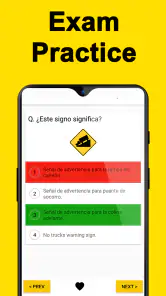
Drivers Permit Practice is a mobile application designed to help users prepare for their driving permit test. It offers a variety of practice tests that simulate the actual exam experience. Users can access state-specific questions and utilize study aids like flashcards and detailed explanations to improve their knowledge and readiness for the test.
Is the content in Drivers Permit Practice app specific to my state?
Yes, the Drivers Permit Practice app provides state-specific content tailored to the driving laws and requirements of each state. This ensures that users are studying relevant material that will be directly applicable to the permit test in their state, making the preparation process more effective and efficient.
Pros
- Comprehensive question database.
- User-friendly interface.
- Real-time progress tracking.
- Customizable practice tests.
- Available offline.
Cons
- Some questions may repeat.
- Limited state-specific questions.
- Ads in free version.
- No voice-over reading option.
- Limited customer support.
- Category
- Auto & Vehicles
- Version
- 31











