DealSeek: Coupons & Discounts
- 875.00
- 4.8
- Installs
- 1.00M
- Price
- Free

Screenshots
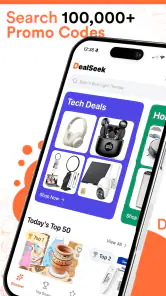

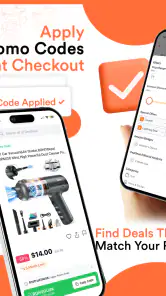
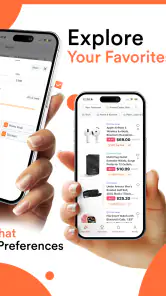

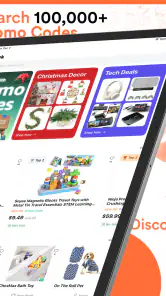
Analysis by Reviewed
I usually approach coupon apps with a little caution. Saving money sounds simple, but the real experience depends on how much effort the app demands, what happens when an offer sends me to another retailer, and whether I feel in control while using it. DealSeek: Coupons & Discounts is a free shopping app from DealSeek LLC built around daily promo codes and savings. After spending time with it, I found that its main appeal is convenience: it gives bargain hunters a focused place to look before completing an online purchase.
The app has reached over a million installs and holds a 4.8 average from around twelve thousand ratings, which suggests that many shoppers find its basic purpose useful. I would not treat those figures as a guarantee that every code will work, though. Coupon services live or die by timing, retailer rules, and the details of each promotion. My overall impression is that DealSeek is most valuable as a quick checking step before checkout, rather than as a complete shopping system that should decide what I buy.
How DealSeek fits into everyday shopping
The first thing I noticed is that DealSeek makes more sense for people who already know what they want to purchase. If I am searching for a particular product, I can use a coupon app as a final opportunity to reduce the total. That is a different use case from browsing a retailer’s own sale page, where the goal is usually to discover products. DealSeek’s role is closer to keeping savings in view while I compare offers.
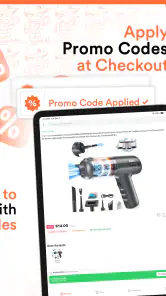
A realistic example would be ordering household supplies after work. I might already have the retailer selected, but before paying I would open DealSeek, search for a relevant promotion, read the conditions, and try the code at checkout. If the offer applies, the few extra moments are worthwhile. If it requires a minimum order, excludes the item I chose, or has expired, I can move on without rebuilding my entire basket.
That workflow is also where the app’s limits become clear. A promo code is not the same as a guaranteed discount. Retailers can restrict brands, categories, delivery methods, new customers, or selected accounts. The useful habit is to treat every result as a possibility to verify, not as money already saved. I prefer this practical mindset because it prevents the common mistake of changing a sensible purchase just to chase a promotion.
The app is suitable for occasional shoppers as well as people who regularly compare prices. It is especially handy for someone who buys from several online stores and does not want to visit each retailer’s coupon page separately. On the other hand, it is less appealing if you only shop at one store with a strong built-in rewards program. In that situation, the retailer’s own offers may be easier to understand and apply.
What I look for before trusting a coupon
My first check is always the wording around the offer. I look for whether the saving applies to the whole order or only selected products, whether a minimum spend is involved, and whether the promotion appears to require a particular type of customer. I also check the final cart total rather than assuming the code worked simply because a message appeared.
More From Our News Desk

Clash of Clans Is Won Between the Battles

Android Auto Makes the Case for Quieter Car Software

MobiOffice: Transforming Mobile Productivity with Seamless Integration

EA SPORTS FC™ Mobile Soccer: Redefining Mobile Sports Gaming

How Microsoft OneDrive Became a Mobile Productivity Giant

How Google Translate Breaks Language Barriers Effortlessly
This is one of the most important practical lessons with DealSeek: the app can help me find an opportunity, but the retailer’s checkout remains the final authority. Taxes, delivery charges, membership conditions, and excluded products can change the result. A discount that looks attractive in a listing may be less useful than a smaller automatic reduction already visible in the shopping basket.
I also compare the final price with the usual alternatives. A coupon is not automatically the best deal if another store sells the same item for less without a code. DealSeek works best when I use it alongside price comparison, retailer loyalty benefits, and delivery-cost checks. It should improve my decision, not replace it.
Trust, permissions, and visible choices
Because shopping apps can sit close to purchasing decisions, I pay attention to trust in a narrower, practical sense. I want to understand what I am choosing on screen, which actions require my input, and when I am leaving the app for a retailer. I do not assume that a savings tool is harmless simply because it is free. The right approach is to review the app’s visible prompts and the device permissions it requests, then allow only what makes sense for the way I plan to use it.
DealSeek is developed by DealSeek LLC and is rated for Everyone, so it is positioned as a general shopping utility rather than an age-restricted service. That rating does not remove the need for ordinary caution. I would still avoid entering payment details into an unfamiliar page reached through any coupon result, and I would confirm that the retailer’s address and checkout branding look correct before signing in.
One reassuring part of the experience is that coupon hunting can remain a user-directed activity. I can decide when to open the app, which retailer to investigate, and whether an offer is worth trying. I do not need to hand over the decision about what to buy. For me, trust is strongest when the app helps me choose without pressuring me to continue.
At the same time, I would not make broad claims about privacy or data handling based only on the shopping function. My recommendation is to inspect the app’s current permission prompts, privacy information, and account settings on the device before regular use. Those are the places where a user can make an informed decision about access, notifications, sign-in, and any available controls.
Where the app saves time—and where it does not
The most useful time-saving habit is to check DealSeek at a deliberate point: after selecting the store and before placing the order. Opening it too early can encourage unnecessary browsing, while opening it after payment is obviously too late. This simple timing keeps the app in a supporting role and makes it easier to judge whether the saving is real.
I also found it helpful to separate three questions. First, does the code appear relevant to my retailer and purchase? Second, are the conditions compatible with my basket? Third, does the final total beat the alternatives? Many coupon users stop after the first question, but the third one is where the actual value is decided.
Another non-obvious trade-off is attention. Daily deals can be useful when I am already shopping, but they can also turn a focused purchase into aimless browsing. If I open the app without a clear need, I may spend time looking at offers for products I would not otherwise buy. I recommend setting a personal rule: use it for a planned purchase or a known retailer, not as a reason to shop.
The app’s current version is 1.59.0, and it supports devices running Android 7.0 or later. That makes it accessible to people using older Android hardware, although compatibility alone does not tell me how smoothly every device will perform. I would keep the app updated through the normal store process and pay attention to any new permission requests or changes in account controls after an update.
Account control and responsible use
When I use any shopping service repeatedly, I want clear control over whether I need an account and what happens if I stop using it. Before committing to regular use, I would check whether browsing, saving, or applying offers works without registration, and I would review the available sign-out or account-removal options if I create a profile. These choices matter more to me than a large collection of coupons.
I also prefer to keep coupon activity separate from sensitive shopping information whenever possible. I would not reuse an important password, and I would avoid sharing more personal information than the app explicitly needs for the action I am taking. If a retailer requires an account, I would create or use that account on the retailer’s own verified checkout rather than treating the coupon app as the place to manage payment information.
Notifications deserve the same careful treatment. A shopper who enjoys daily savings may appreciate reminders, while someone who wants a quiet phone may find them distracting. I would start with notifications limited to what I genuinely want and adjust them in the device settings if they become excessive. User agency is not just the ability to find a discount; it is also the ability to stop interruptions.
If a code fails, I would not repeatedly retry it or keep changing the order just to force a result. I would read the retailer’s terms, remove the code, and compare the clean checkout total. This protects both time and spending discipline. The best coupon workflow ends with a purchase I already intended to make at a price I understand.
Who should use it, and who should skip it
I think DealSeek is a good match for shoppers who buy online from multiple retailers, enjoy checking promotions, and are willing to verify conditions at checkout. It can also suit people who do not want a complicated rewards system and simply want a quick place to look for a possible code before paying.
I would be more hesitant to recommend it to someone who expects every displayed offer to work instantly. Coupon availability changes, retailer restrictions matter, and the final result depends on the store. It is also not the right tool for shoppers who are easily tempted by daily promotions or who prefer to keep all purchasing inside one retailer’s official app.
People who are particularly sensitive about permissions, accounts, and external checkout pages should take a slower approach. Review the visible choices first, use the minimum access needed, and avoid storing information unless the benefit is clear. That does not make DealSeek unusable; it simply means the app should fit the user’s privacy and shopping habits instead of dictating them.
How it compares with familiar alternatives
The usual alternative is visiting a retailer’s own promotions page. That option can be more reliable for store-specific conditions and automatic discounts, but it becomes inconvenient when I shop across several retailers. DealSeek’s advantage is the central shopping-focused workflow: I can make it part of my pre-checkout routine rather than remembering every store’s promotion page.
Another alternative is a browser search for a code. Searching manually can produce a wider mix of results, but it may also require more sorting and more caution around misleading pages. DealSeek feels more focused because its purpose is specifically to surface savings, yet I still verify the offer at checkout instead of assuming that a result is current.
Retailer loyalty programs can be better when I repeatedly buy from the same store. They may connect directly to my account and apply benefits automatically, reducing the need to copy a code. DealSeek is more flexible for comparing different retailers, but it cannot make a general coupon more valuable than a store-specific reward that I already qualify for.
Price-comparison tools serve a different purpose. They answer where an item may cost less, while DealSeek helps me ask whether a promotion can improve a purchase at a chosen store. Using both can be sensible, but only if I compare the final delivered cost. Otherwise, I risk mistaking a visible coupon for the cheapest overall option.
My cautious verdict after using it
DealSeek: Coupons & Discounts is a straightforward free shopping app with a clear place in my routine: check it before checkout, verify the conditions, and keep control of the final purchase. Its strong average rating and broad install base show that the concept resonates with many users, but those figures should not replace personal judgment about a particular offer or the app’s current prompts.
I like it most as a practical second opinion. It can save a few steps when I shop across different retailers, and it encourages me to remember that a promotion may be available before I pay. I do not like the idea of using it as an endless deal feed, because browsing can become a spending trigger and a coupon can distract from the actual value of an order.
My recommendation is simple: install it if you regularly make online purchases and are comfortable checking each code at the retailer’s checkout. Start with a planned purchase, inspect the visible permission and account choices, and keep notifications under control. Skip it if your preferred store already gives you better automatic rewards or if you want a completely closed shopping experience.
In the end, the app’s value comes from disciplined use rather than from the promise of a discount alone. DealSeek is worth trying when it supports a purchase I already intend to make, not when it creates a reason to buy. That balance makes it a useful addition to a careful shopper’s routine, while leaving the final decision—and the responsibility for protecting personal information—with me.
DealSeek: Coupons & Discounts Frequently Asked Questions
Is DealSeek: Coupons & Discounts compatible with my phone?
DealSeek: Coupons & Discounts is available for devices running Android 7.0 or later. Before downloading, check your phone’s operating system version and make sure you have enough storage for the app. If you use an iPhone or iPad, confirm compatibility on the App Store page for your device. Keeping your operating system up to date can also help apps run smoothly.
Who develops DealSeek, and is it suitable for younger users?
DealSeek is developed by DealSeek LLC and is a shopping app for discovering promotional codes and savings. Its content rating is Everyone, so it is marked as suitable for a general audience. As with any shopping service, younger users should have a parent or guardian’s guidance when following offers, visiting retailer websites, or making purchases, since the purchase itself is handled through the retailer.
What is DealSeek: Coupons & Discounts, and how does it work?
DealSeek: Coupons & Discounts is a shopping companion designed to help users find promotional codes, special offers, and savings from participating retailers. After opening the app, you can browse available deals by category or search for a specific store or product. Selecting an offer usually shows its terms and provides instructions or a code to use during checkout. Its focus is daily promo codes and savings, making it useful to check before placing an order.
Can I use DealSeek coupons for both online and in-store purchases?
The type of purchase supported depends on the individual offer. Many deals are intended for online shopping and require you to copy a promotional code before completing checkout on the retailer’s website. Other promotions may be valid in physical stores, but users should carefully read the redemption instructions, expiration date, location restrictions, and any barcode or verification requirements before visiting a store.
Are the discounts and coupon codes on DealSeek always guaranteed to work?
No coupon platform can guarantee that every listed code will work in every situation. Retailers may end promotions early, restrict offers to selected products, or change their terms without notice. Before relying on a deal, check its expiration date, minimum purchase requirements, exclusions, and eligibility conditions. If a code fails, trying another listed offer or visiting the retailer’s promotion page may help.
Pros
- Quickly finds coupons and discounts from multiple retailers.
- Useful savings alerts help you spot limited-time offers.
- Simple interface makes browsing deals easy for new users.
- Covers a broad range of shopping categories and brands.
- Deal details often include expiration dates and usage terms.
Cons
- Some coupons may be expired or unavailable when opened.
- Savings can vary depending on location and retailer terms.
- Frequent notifications may feel excessive without adjustment.
- Certain offers redirect to external retailer websites or apps.
- The best deals may require account creation or extra conditions.

- Category
- Shopping
- Version
- 1.59.0











