

CHSN
- 255.00
- 3.1
- Installs
- 50.00K
- Price
- Free

Screenshots


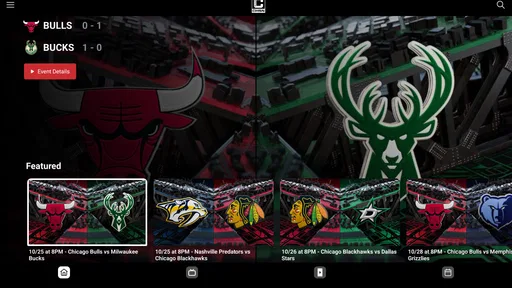
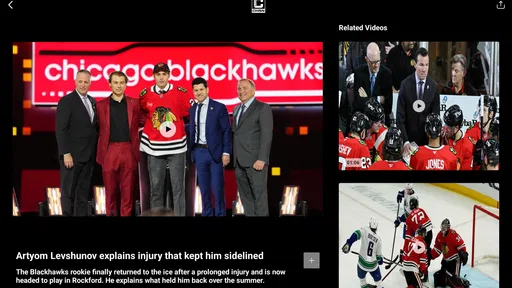
Analysis by Reviewed
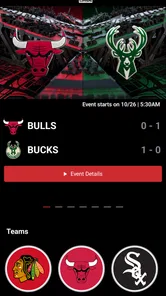
I spent time with CHSN as a sports app and came away with a fairly clear impression: it is most useful when you want a direct way to follow Chicago sports content, but it is not automatically the easiest option for every viewer or every situation. The app is free to download, carries an Everyone age rating, and comes from developer CHSN. Its focus is narrow in a good way: rather than trying to become a general sports hub, it is built around the Chicago Sports Network identity.
That focus makes the app easy to understand before you even open it. If your interest is Chicago sports and you want one place associated with that network, the purpose is obvious. If you are looking for broad league coverage, deep statistics, fantasy tools, or a neutral multi-team scoreboard, I would look at a dedicated sports tracker instead. CHSN works best as a network-centered companion, not as a replacement for every sports app on your phone.
How CHSN feels to use across different situations
When I use CHSN in different settings, the key question is whether a network-focused sports app fits the moment better than a general score tracker or a shared TV. A quick check between errands calls for a different approach from settling in at home, so I’d choose the setting first and then decide how much time I want to spend navigating. That distinction leads naturally to the practical trade-offs.
Readability and navigation are most important on a busy phone
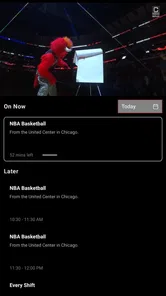
My first test with any sports app is not whether it looks exciting; it is whether I can understand what is happening without having to hunt through several layers. CHSN benefits from having a recognizable subject. When an app is centered on one regional sports network, the mental load is lower than it is in a crowded national sports application filled with unrelated teams, leagues, alerts, and promotional sections.
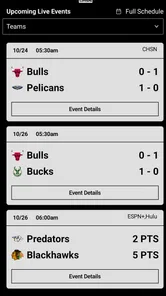
That said, a focused purpose does not guarantee perfect clarity. Sports applications often ask users to move between current coverage, scheduled events, video material, and account or subscription areas. For someone who has difficulty scanning dense screens, the difference between a clearly labeled section and a visually similar card can matter more than the amount of content available. I found it sensible to pause at the beginning and identify the main areas instead of tapping quickly through every tile.
A useful habit is to decide what you are trying to do before opening the app. If I want to check whether something relevant is available, I look for the most direct route rather than browsing every promotional panel. If I am settling in for a longer viewing session, I give myself a moment to distinguish content choices from navigation controls. This small change makes the experience calmer, especially on a smaller phone.
Clear purpose is one of CHSN’s strongest inclusive qualities. A person who already understands the Chicago Sports Network brand is less likely to feel lost than someone entering a large, general-purpose sports platform. The trade-off is that the app’s usefulness depends heavily on whether its network-centered organization matches what you want that day.
More From Our News Desk

 Gmail
GmailGmail in a Busy Inbox: Who Benefits Most?
From first account to crowded workday, Gmail earns its place through dependable search and flexible sorting—but its best fit depends on how much inbox maintenance you can tolerate.

 Prime Video
Switching to Prime Video: What Changes in Your Viewing Routine
Prime Video can make a compelling second home for streaming, but switching means learning a different catalog, rental layer, and route from browsing to playback.

 Universal TV Remote Control
Universal TV Remote Control Works Best as a Reliable Backup
A phone remote earns its place through quick setup and reliable habits. Here is how to get more from Universal TV Remote Control—and where its limits show.

 Weather - By Xiaomi
Weather by Xiaomi Review: Clear at a Glance, Less Clear Up Close
Xiaomi’s weather app makes everyday forecasts quick to scan, but its calm surface can leave useful details and recovery paths harder to find than they should be.

 X
XX Under Pressure: Can It Recover When Posting Goes Wrong?
A resilience-focused review of X, examining setup, mistaken posts, interruptions, weak connections, and the gaps that matter when recovery needs to be dependable.

 Clash of Clans
Clash of Clans Is Won Between the Battles
Its raids are quick; its community is a long-term project of coordination, teaching, rivalry, and shared responsibility—with all the friction that entails.
Latest News



Text size and contrast are also practical concerns for sports fans who use a phone outdoors, at a distance, or while moving between rooms. I would not judge the app only from a quiet indoor session. Try it in the lighting where you normally follow sports. If labels become tiring to read, use the phone’s own display enlargement or text settings where they apply, and keep the device closer rather than relying on quick glances.
For users with cognitive disabilities, predictable navigation is especially valuable. A short, repeatable routine can help: open the app, identify the main content area, check whether the desired program or event is visible, and avoid opening several panels at once. CHSN’s focused subject supports that routine, although anyone who needs extremely simple, single-purpose navigation may still prefer a more specialized viewing method.
Motor and sensory considerations before a long session
Sports viewing can involve more than visual attention. A user may be holding a phone with one hand, using a mobility aid, controlling the device with an alternative input method, or trying to follow content while managing pain or fatigue. In those situations, repeated small taps and precise targeting become frustrating quickly.
I recommend using CHSN in a stable setup when possible. A stand or a resting surface reduces the need to grip the phone continuously, and it makes it easier to pause before selecting something. This is a simple adjustment, but it changes the experience for anyone with limited hand strength or reduced fine-motor control. It also helps prevent accidental taps when the app is being used near a kitchen counter, on public transport, or in a crowded room.
People who experience sensory overload should treat sports apps differently from ordinary reading apps. Live or energetic sports coverage can combine movement, changing visuals, sound, and the pressure of keeping up. I found it more manageable to decide in advance whether I wanted active viewing or a quick check, rather than leaving the app open while doing several other things.
Headphones can make listening more private, but they are not ideal in every context. If you need to remain aware of traffic, a caregiver, a child, or another important sound, keep the volume low or use a setup that does not block environmental audio. The practical question is not simply whether the app can be watched; it is whether you can use it without losing awareness of what is happening around you.
For viewers who are sensitive to sudden sound, I would begin with the device volume turned down and raise it gradually. This is particularly sensible when opening a sports app in a quiet space. It avoids the unpleasant surprise of audio starting louder than expected and gives you more control over the session.
Users who rely on captions, audio description, screen readers, switch controls, or other assistive tools should test the exact content they plan to use rather than assuming that the whole app behaves uniformly. Different screens and media elements can present different challenges. A navigation label may be easy to understand while a fast-moving video or changing control is harder to operate. That is not a reason to dismiss CHSN, but it is a reason to evaluate it with your normal setup before depending on it for an important event.
Situational access: where the app fits into real life
The most realistic CHSN scenario for me is a short check during a busy evening. Imagine finishing work, preparing dinner, and wanting to see what Chicago sports content is available without committing to a full desktop setup. A phone app is convenient in that moment because it keeps the information close. I can use it from the sofa, at a table, or while taking a short break, then put the phone down without reorganizing the room.
That convenience has limits. A phone screen is not always the best choice for extended viewing, especially for someone with low vision, headaches, or difficulty maintaining focus on small moving content. In that case, a larger display or another viewing route may be more comfortable. CHSN can still be useful for discovering what you want to follow, while the actual viewing happens in a setup that better suits your body and environment.
Travel and public spaces create another set of questions. A sports app may be attractive when you are away from home, but crowded surroundings make precise tapping and audio listening harder. I would prepare before leaving: open the app in a calm place, learn the route to the content you care about, and avoid making your first navigation attempt in a noisy station or while walking. This is not just a convenience tip; it reduces the chance of missing something because your attention is divided.
CHSN is also a reasonable option for households with different viewing preferences. One person may want Chicago sports coverage while another wants to use the television for something else. A phone-based experience creates flexibility without requiring the whole room to follow the same program. However, that flexibility depends on the individual’s ability to operate a phone comfortably, so it should not be mistaken for universal access.
For older viewers or relatives who are less comfortable with app navigation, I would set up a short demonstration rather than simply handing over the phone. Show how to open the app, where to look first, and how to stop when the session is over. Writing those steps in plain language can help. The best setup is often the one that removes unnecessary choices, not the one that exposes every available option.
CHSN’s free entry point is helpful for trying it in these situations without making an immediate purchase decision. Still, the presence of in-app items priced from around twenty dollars to several hundred dollars each means I would pay attention before confirming any transaction. That price range is significant, particularly for families, users with limited income, or anyone who shares a device. I would treat the free download as an opportunity to assess the experience, not as a promise that every part of the service is free.
What the audience numbers suggest, and what they do not solve
The app has passed fifty thousand installs, which tells me it has reached a meaningful audience while remaining much smaller than the biggest general sports platforms. Its average rating is 3.1 from roughly six hundred ratings, with more than two hundred written reviews. I read that overall picture as a reason to approach CHSN with realistic expectations rather than assuming it will feel as polished or universally adaptable as a long-established national service.
A rating is not a substitute for your own access needs. A viewer who only wants occasional Chicago sports content may be satisfied even if another user dislikes the navigation. Likewise, a person who depends on a particular assistive workflow may find one screen workable and another inconvenient. Reviews can point to patterns, but your phone, operating system, vision, hearing, motor control, and network environment all shape the result.
The release date of October 25, 2024, also places CHSN in a relatively recent stage of its life. That can be positive because the app is relevant to a current network, but newer products sometimes need time to refine their navigation and accommodate a wider range of users. I would keep the app updated and revisit it after meaningful changes rather than forming a permanent opinion from one brief session.
Remaining barriers I would want users to consider
The biggest barrier is not necessarily the idea behind CHSN; it is the gap between a simple sports goal and the number of steps required to reach it. If you only want to know what is available right now, any extra browsing, unclear labeling, or distracting content can make the task harder. This matters for users with attention limitations, fatigue, memory difficulties, or limited time.
Another barrier is the difference between mobile convenience and comfortable long-form use. A phone is portable, but portability often means a smaller screen, more hand use, and more dependence on touch controls. Someone with low vision may prefer a larger screen. Someone with tremors may need a stable surface. Someone with hearing loss may need dependable text support for the content they choose. The app should be judged inside that real setup, not in an idealized demonstration.
Cost can become a barrier as well. Although CHSN is free to download, in-app purchases ranging from around twenty dollars to several hundred dollars per item require careful attention. I would not hand the phone to a child and assume the free label eliminates financial risk. I would also avoid treating a purchase as a solution to an accessibility problem; paying more does not automatically make navigation, readability, or sensory comfort better.
There is a practical social barrier for people who need assistance. If a family member or support worker helps with technology, the app should be tested together. Decide who will manage any account or purchase choices, where the phone will be placed, and what to do if the desired content is difficult to locate. A two-minute plan can prevent a stressful conversation during a live sports moment.
Compared with a general sports-score app, CHSN is likely to appeal more to someone who values network-specific material than to someone who wants the fastest possible scores across many competitions. Compared with a television-centered setup, it offers more personal flexibility but less comfort for a long session on a small screen. Compared with a broad streaming platform, its narrower identity may reduce irrelevant choices while also limiting its usefulness for people whose interests extend well beyond Chicago sports.
Who I would recommend it to
I would recommend CHSN to Chicago sports followers who want a focused mobile destination and are comfortable testing the interface on their own device. It is especially sensible for someone who wants occasional access from different rooms or while away from a television. The free download makes that trial straightforward, provided you pay attention to the purchase prompts and do not assume all content follows the same access pattern.
I would also suggest it to households that want a personal alternative to shared-screen viewing. The app’s value is not only in following sports; it is in allowing one person to check or watch relevant material without taking over the main screen. A phone stand, reduced volume, and a familiar navigation routine can make that use much easier for people with motor or sensory limitations.
I would skip it as my main sports tool if I needed comprehensive coverage across many teams, detailed statistical analysis, or an interface designed primarily for rapid score checking. A dedicated score app would be the better choice there. I would also hesitate if I required confirmed support for a particular assistive technology and could not test the app personally first. In that case, a service with clearly documented compatibility would be a safer starting point.
My inclusive verdict after using it
CHSN is a focused sports app with a clear regional purpose, and that focus can make it less intimidating than a huge sports platform. I like the idea of using it for a quick Chicago sports check, an individual viewing session, or a flexible alternative when the television is unavailable. Its free download and Everyone rating make it approachable for a wide audience, while the developer’s network-centered identity gives the app a distinct reason to exist.
My recommendation is conditional rather than automatic. The app deserves a personal trial in the exact environment where you plan to use it: your preferred text size, your headphones or speakers, your assistive controls, your lighting, and your usual network. Start with a short session, learn the main route, and check purchase prompts carefully. If those basics feel comfortable, CHSN can be a useful part of a Chicago sports routine.
If your priority is maximum accessibility certainty, effortless large-screen viewing, or broad sports coverage, another option may serve you better. But for a fan who wants a portable connection to Chicago Sports Network and is willing to make a few practical adjustments, CHSN is worth trying as a focused companion rather than treating it as an all-purpose sports replacement.
CHSN Frequently Asked Questions
Is CHSN suitable for casual sports fans as well as regular viewers?
CHSN is a sports app from Chicago Sports Network, so it may appeal to people who want to keep up with the network’s content on a mobile device. Its usefulness will depend on what you hope to watch or follow and which features are available to you. You can explore the app’s home screen after installing it to see whether its content fits your interests.
What is CHSN, and what can I use it for?
CHSN is a mobile application designed to give users access to CHSN-related content and services from a smartphone or tablet. Depending on the version available in your region, it may provide live or on-demand programming, news, schedules, video clips, and other updates. After installing it, review the home screen and settings to see which features are currently supported on your device.
Is CHSN free to download and use?
The CHSN app is free to download, but in-app purchases are available, ranging from $19.99 to $349.99 per item. Access to certain content can also depend on your location, television provider, subscription, or account status. Some features may require an internet connection or authentication through a participating provider, so review any sign-in or purchase requirements shown during setup before relying on the app.
Can I watch CHSN content live and on demand?
CHSN may offer a combination of live programming and on-demand material, although availability can vary by region, rights restrictions, device, and account type. Live video generally requires a stable internet connection and may not be available for every program. If a video does not appear, it may be restricted rather than a problem with your installation.
Which devices and operating systems support the CHSN app?
CHSN is intended for compatible Android and iOS devices, but exact requirements can change as new versions are released. Before downloading, compare your phone or tablet’s operating-system version with the requirements shown in the official app store. Older devices may install the app but provide a slower experience, limited video quality, or incomplete support for newer features.
Pros
- Provides access to CHSN programming and regional news on mobile devices.
- Live content makes it easy to follow local broadcasts while away from a TV.
- Simple layout helps users find shows
- news
- and station information quickly.
- Useful for viewers who want local coverage from the Central Illinois area.
- Official broadcaster app may offer more reliable content than unofficial sources.
Cons
- Availability may be limited outside CHSN’s broadcast coverage area.
- Some content or live streams may require an active internet connection.
- Video quality can vary depending on network speed and device performance.
- The app may include advertising during videos or between sections.
- Not all programs may be available on demand after they air.





